Welcome to the Onshape forum! Ask questions and join in the discussions about everything Onshape.
First time visiting? Here are some places to start:- Looking for a certain topic? Check out the categories filter or use Search (upper right).
- Need support? Ask a question to our Community Support category.
- Please submit support tickets for bugs but you can request improvements in the Product Feedback category.
- Be respectful, on topic and if you see a problem, Flag it.
If you would like to contact our Community Manager personally, feel free to send a private message or an email.
Unsymmetric Loft - only solution to loft half and mirror?

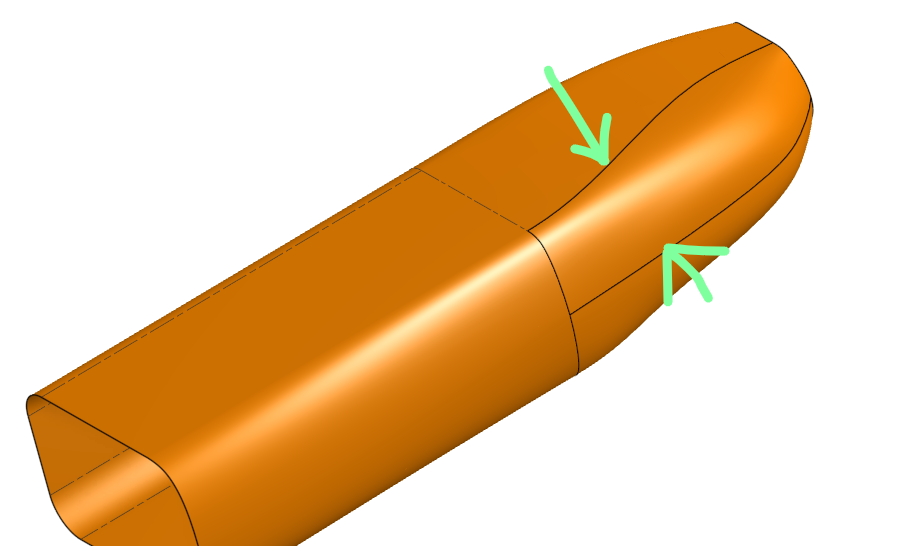
So I've been trying to create a forward fuselage for a RC aircraft. I've got a decent amount of time working with lofts, especially with make wings and alike. however with this particular problem I'm running into the loft generating unsymmetrically, I've been playing around, trying different sketches, matching up each sketch. doing guides and connections. is my only solution to add more guides, or do a half split down the centreline then just mirror the surface? I've browsed the forums but I've yet to find one applicable.
Here you can see the problem in question.
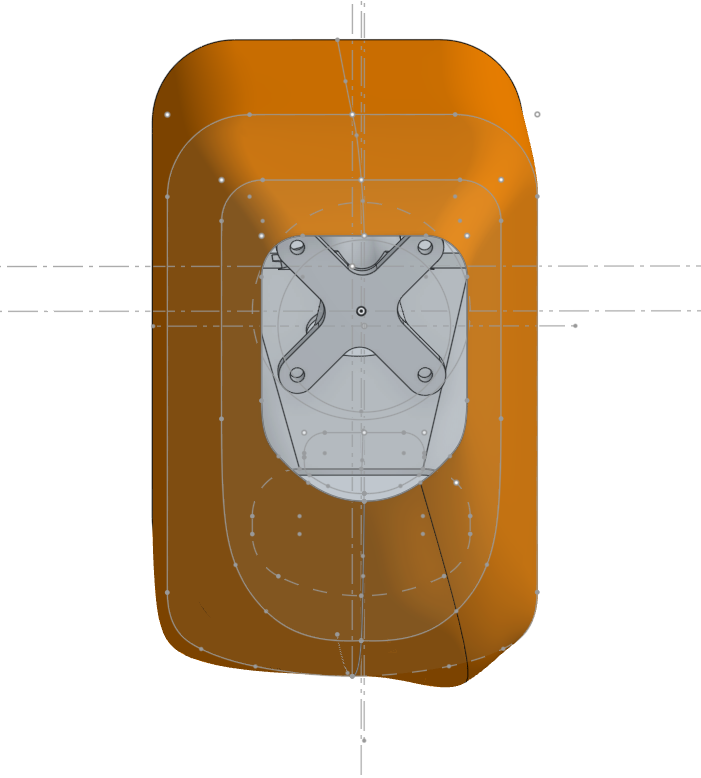
connections are Symmetric
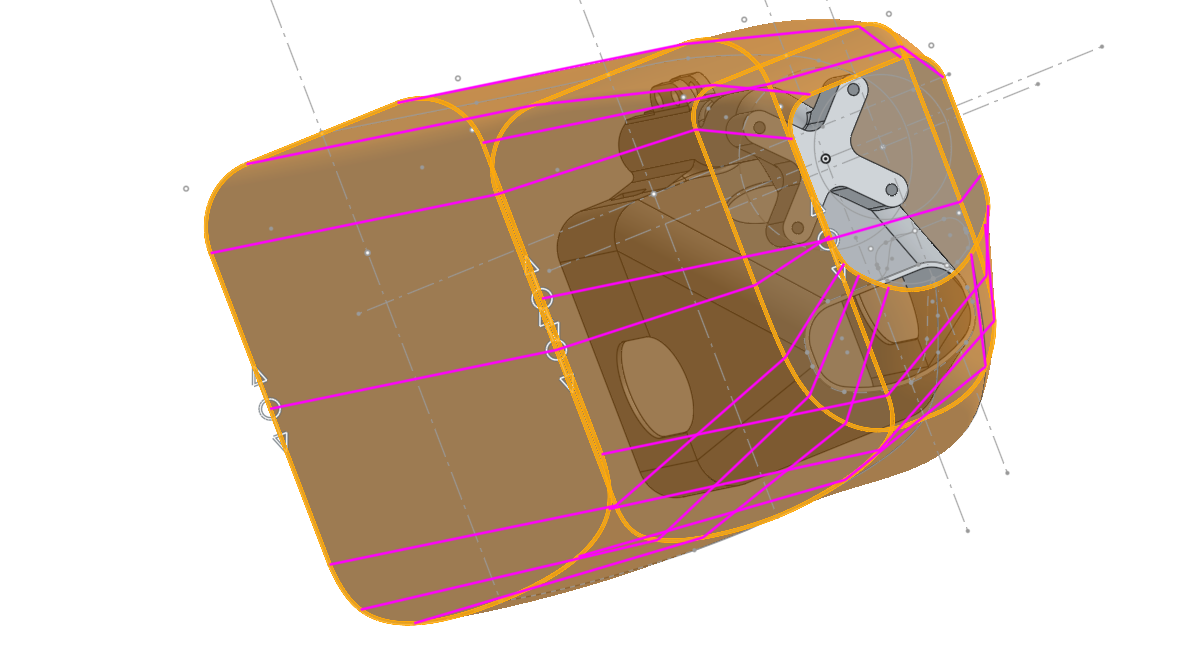
the problem seems to be amplified when i use guides, when guides are not selected in the loft panel, it's still there but more subtle. Any help is appreciated, Just looking for the most efficient solution.
CAD file can be found here. https://cad.onshape.com/documents/73f5e52c7cad43333afdd767/w/b8cd8c29abfaec27ec7a0fd5/e/c3056cfa1f1d228e0ff19388?renderMode=0&uiState=69f11ce111864741dd66f9b4
Answers
-
What's that curve? It appears to me it negates the assumption of everything being symmetrical:
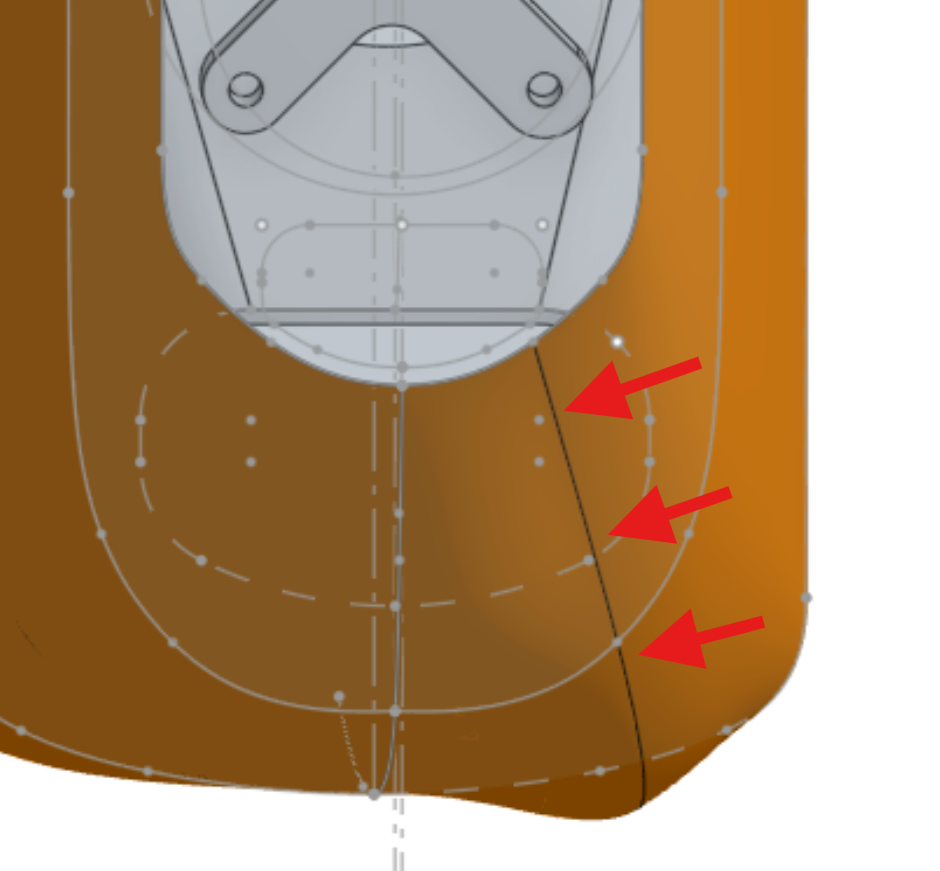
If it was, that curve would be on the center plane or there were two.
I would, for everything actually being symmetrical, recommend building only one half of the fuselage, then mirror as the final step. And with building one half, I don't mean get so far as until the issue comes up and then split in the center plane, but to start building it half right from the beginning.
If you need mor detals, it might help if you provided a public link to you document.
0 -
Thanks for your reply! I may now have to gown down the route of building half at a time. I'm unsure where that has come from. for the profile I selected lines individually (i should split it out into multiple sketches really), so I fear that may be the culprit. I will update if I find the solution.
0 -
Your gonna need more profiles or more guide curves to control that. you've got large distances between relatively tight turns in surface geometry. Hard for the loft feature to read your mind on what your looking for. You might like the fit better if you did it in 2 lofts. first one being the biggest distance as 1 loft. and the 2nd as shrinking form and set the start and end conditions as needed on both.
0 -
Martin suggested the half-fuselage modeling method to me when I came here asking questions about my first Onshape project. It's definitely the way to go; it cuts the workload in half and helps avoid lofting weirdness. Although I'll admit that lofting sometimes still seems like a black art to me. It's getting better with each project though.
0