Welcome to the Onshape forum! Ask questions and join in the discussions about everything Onshape.
First time visiting? Here are some places to start:
- Looking for a certain topic? Check out the categories filter or use Search (upper right).
- Need support? Ask a question to our Community Support category.
- Please submit support tickets for bugs but you can request improvements in the Product Feedback category.
- Be respectful, on topic and if you see a problem, Flag it.
If you would like to contact our Community Manager personally, feel free to send a private message or an email.
Part of my airfoil cutout keeps scaling as I try transform it a few millimetres forward???

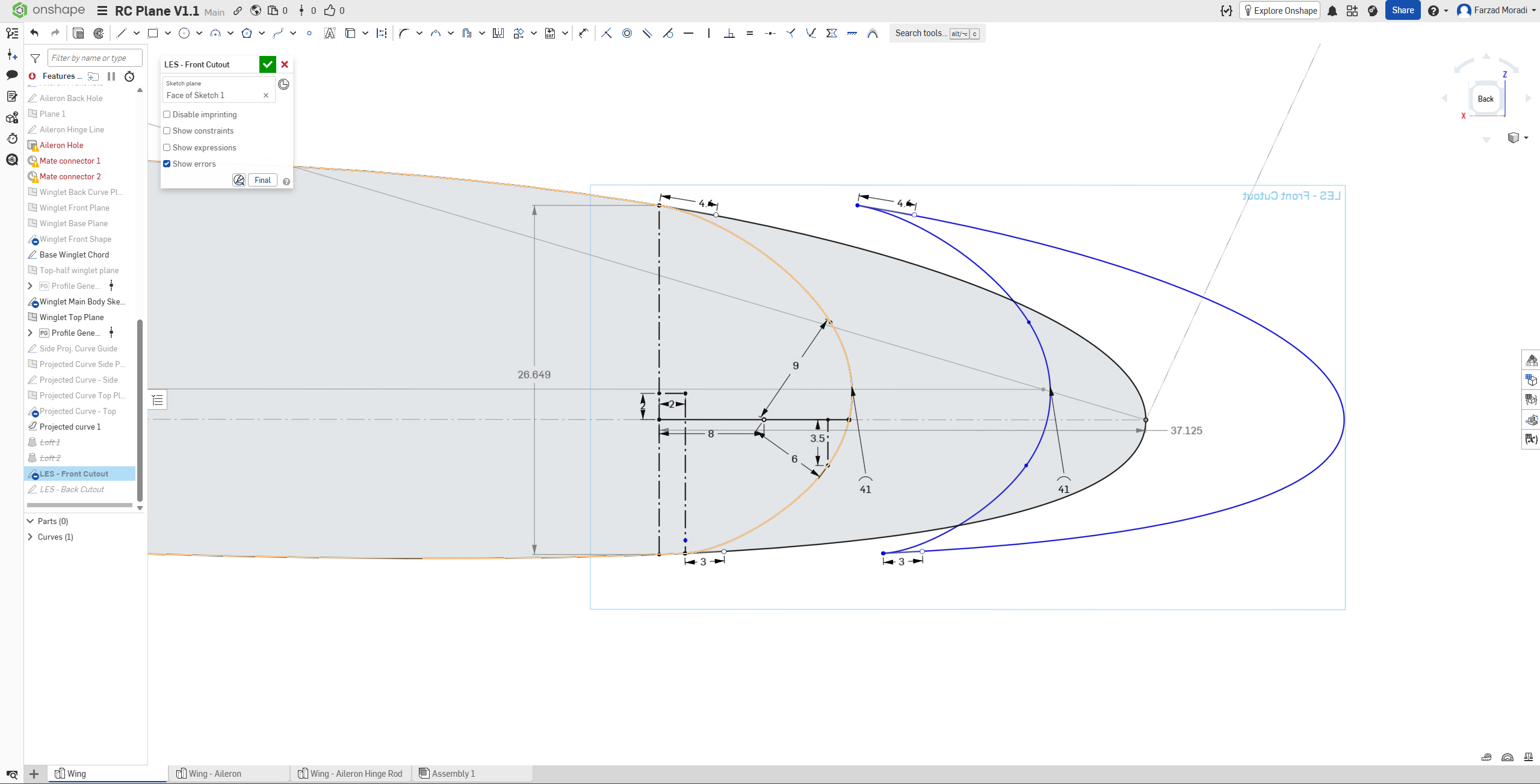
I made a cutout of an airfoil and want to move it forward about 7mm from where it started to make space for a leading edge slat that I am attempting to create.
I am currently copy and pasting the sketch, re-aligning it to it's original position, then moving it forwards, but the cut-out section of the airfoil keeps on getting bigger for some reason.
I assume it may be due to the cutout section being related/linked to the original airfoil and that it treats the cutout that's moving forward as a bigger airfoil chord, so the cutout gets bigger to accommodate a bigger airfoil, but even if that's the case how would you remove/ignore this relationship?
I did try just moving the cutout itself without copy and pasting it which gave the same result. As did using a new airfoil and creating a spline without any dimensions, which also gave the same result.

Answers
-
@wacky flip Sometimes fully defining the geometry with dimensions or breaking external references helps keep the shape stable. Checking constraints and isolating the cutout from the original airfoil might solve the problem.
0 -
https://cad.onshape.com/documents/f7b113a87b56339c5dc19407/w/0290a139b6dd1dcd2d91fe14/e/d9208dc92d4d689382cd364d?renderMode=0&uiState=6a6cde4dcc6bcca401fcda57
Forgot to put the document in, I made some changes since, but you can replicate the issue by transforming the cutout in the sketch named "LES - Back cutout"0