Welcome to the Onshape forum! Ask questions and join in the discussions about everything Onshape.
First time visiting? Here are some places to start:- Looking for a certain topic? Check out the categories filter or use Search (upper right).
- Need support? Ask a question to our Community Support category.
- Please submit support tickets for bugs but you can request improvements in the Product Feedback category.
- Be respectful, on topic and if you see a problem, Flag it.
If you would like to contact our Community Manager personally, feel free to send a private message or an email.
Modifying Imported Models

Bluchip
Member Posts: 26 ✭✭
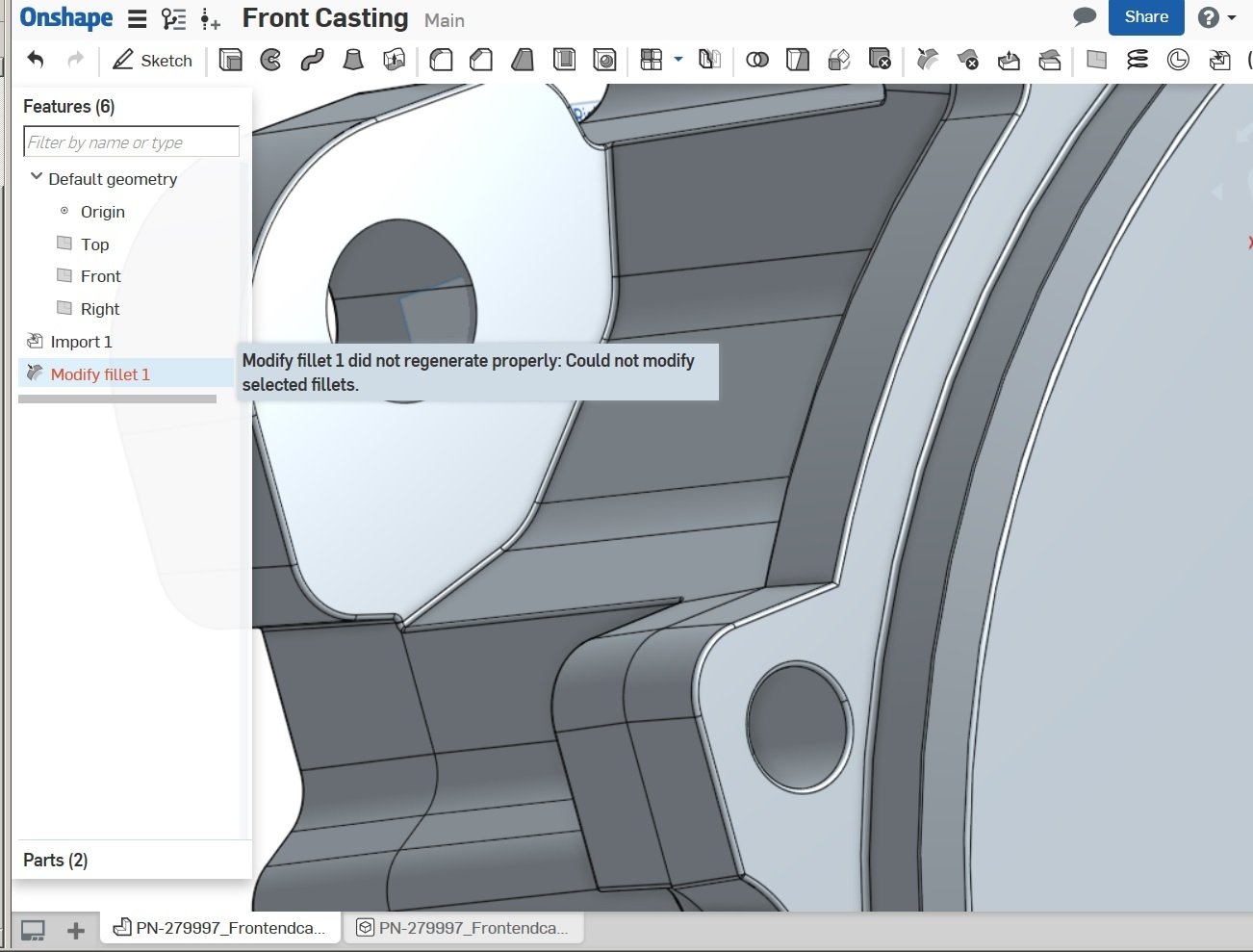
I am a newb at this so keep it basic! I successfully imported a STP file and the model appears to have successfully translated. I did not create the model but it was requested that an internal (concave) fillet be increased. It is the highlighted faces on the screen grab below. I cannot seem to come up with a direct way about this.
I am certain most here can manage this with ease and elegance! How should a novice as me go about this?
I am certain most here can manage this with ease and elegance! How should a novice as me go about this?
0
Answers
-
Have you tried the modify fillet command (10th from right in your image)?Senior Director, Technical Services, EMEA0
-
-
In that case use delete face then add a fillet feature on afterwards.Senior Director, Technical Services, EMEA0
-
We have tried that using the "Delete Faces" command, with or without capping void checked and also with/without the "Delete Radius" checked. Same red results: "Failure to regenerate...."Could not delete selected faces."
Perhaps I've not imported/translated correctly?
0 -
I can see in your screenshot above that there are two fillets in two different directions right next to each other. Any CAD tool is going to have a tough time making that radius larger, as it will try to consume the other one. I'm afraid it will need a bit more "massaging". Can you delete the other fillet first, enlarge the one you want ,then put it back in the model? How big do you need that radius to get?
Or... Can you share the link to the geometry? Perhaps one of us can take a stab at it...
0 -
What if you create sketch there and extrude/remove the fillet then add new with bigger radius? There are many options but as @fastwayjim
mentioned there are some tight places in your model that might require more stabbing than direct editing tools are prepared for.//rami0 -
fastwayjim said:
Or... Can you share the link to the geometry? Perhaps one of us can take a stab at it...
@fastwayjim
Will this work?
https://cad.onshape.com/documents/6afc4cea3304251060dfa79a/w/1e5c589ffc3f7f23bb4552e4/e/d8ad4ec22750270b773944c8
To recapitulate: We are trying to increase the fillet highlighted in below grab. It is currently some .016" and we'd like to go to perhaps .110" and of course, dress up all the little blends at the fillet terminations.
0 -
@Bluchip
Can you make the document public? I tried to go in and see what I could do, but it is in view only and we can't even make a copy of it.Digital Engineering0 -
0
-
-
@Bluchip so the problem you are having is that the imported model is sharing the fillets on the outside edge as well.
Choosing only the concave fillet will not give you your desired results as shown
All I had to do is select some on the convex fillets to get the (assumed) desired result.
Digital Engineering0 -
Well, that does not work for me! I have tried the Modify Fillet command while choosing just about every imaginable combination and order of faces picked...I have never gotten a positive result. Likewise for removing them. Oh well.
Besides, the result you got is undesirable: Only the concave rads are to be increased.
0