Is there a setting to change the color scheme?

steve_perez
Member Posts: 1 ✭
The background is default set to white, which is absolute terror on the eyes, and the main reason I've been drawn away from using Onshape. Perhaps something similar to AutoCad Inventor, SolidWorks, what have you, where there are preset alternate color schemes, and the option to set your own colors.
3
Best Answers
-
Onshape runs in the browser, which itself is very customizable. Each browser has their own library of extensions and add-ons that you can take advantage of today.
I am running chrome and using an extension call 'hacker vision' to give me a dark theme for Onshape. If you do some digging if your browser of preference then you can find some options.
This is not to say that we are not working on our own built-in theme controls.4 -
We currently don't have a way to set the background color for the part studio and assembly. You can vote for this improvement here : https://forum.onshape.com/discussion/1362/user-interface-and-feature-tree.
8



Answers
-
Gotta Agree. The white background is burning out my eyeballs.2
-
Onshape runs in the browser, which itself is very customizable. Each browser has their own library of extensions and add-ons that you can take advantage of today.
I am running chrome and using an extension call 'hacker vision' to give me a dark theme for Onshape. If you do some digging if your browser of preference then you can find some options.
This is not to say that we are not working on our own built-in theme controls.4 -
If you're using chrome there's this add on that helps.
http://mybrowseraddon.com/screen-color-temperature.html
0 -
We currently don't have a way to set the background color for the part studio and assembly. You can vote for this improvement here : https://forum.onshape.com/discussion/1362/user-interface-and-feature-tree.
8 -
I'm with you Steve - especially when working late at night it hurts the eyes. I hope there will be a dark theme available soon. Till then I'm using the chrome extension Dark Reader:
https://chrome.google.com/webstore/detail/dark-reader/eimadpbcbfnmbkopoojfekhnkhdbieeh
But such extensions should be available for other browsers too.4 -
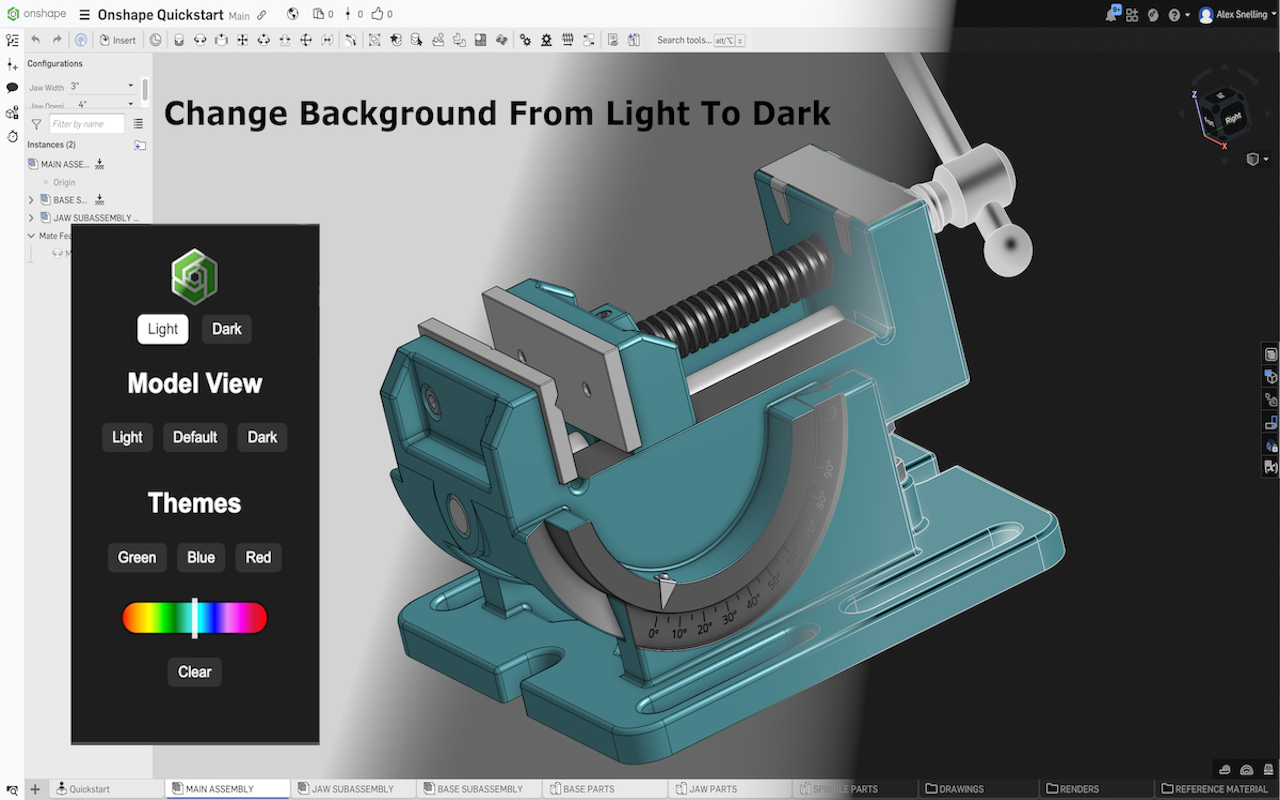
I made a Chrome extension for Onshape Dark mode. You can toggle between light and dark mode and change the model view background to dark. You can also add colour themes to any colour you want. Here is the link: Chrome Web Store
4 -
0
-
@alex_snelling
This is awesome! By far the best dark mode extension I've tried for Onshape.
The only issue I have is that this seems to only work for cad.onshape.com, and I work on an enterprise account which is enterprisename.onshape.com. Is there a way for us to add additional URLs to the extension?1 -
alex_snelling, thank you. There's just no reason they can not create a dark mode but OnShape is still the best.
And your extension is perfect for my older eyes. I'll also do the trial too and see if I like the paid version.0 -
it isn’t really burning out my eyeballs but it is being a problem when I sketch something bigger than 5 inches and I can’t see my dimensions due to the white background
0 -
We do have a dark mode now. :)
0