Welcome to the Onshape forum! Ask questions and join in the discussions about everything Onshape.
First time visiting? Here are some places to start:- Looking for a certain topic? Check out the categories filter or use Search (upper right).
- Need support? Ask a question to our Community Support category.
- Please submit support tickets for bugs but you can request improvements in the Product Feedback category.
- Be respectful, on topic and if you see a problem, Flag it.
If you would like to contact our Community Manager personally, feel free to send a private message or an email.
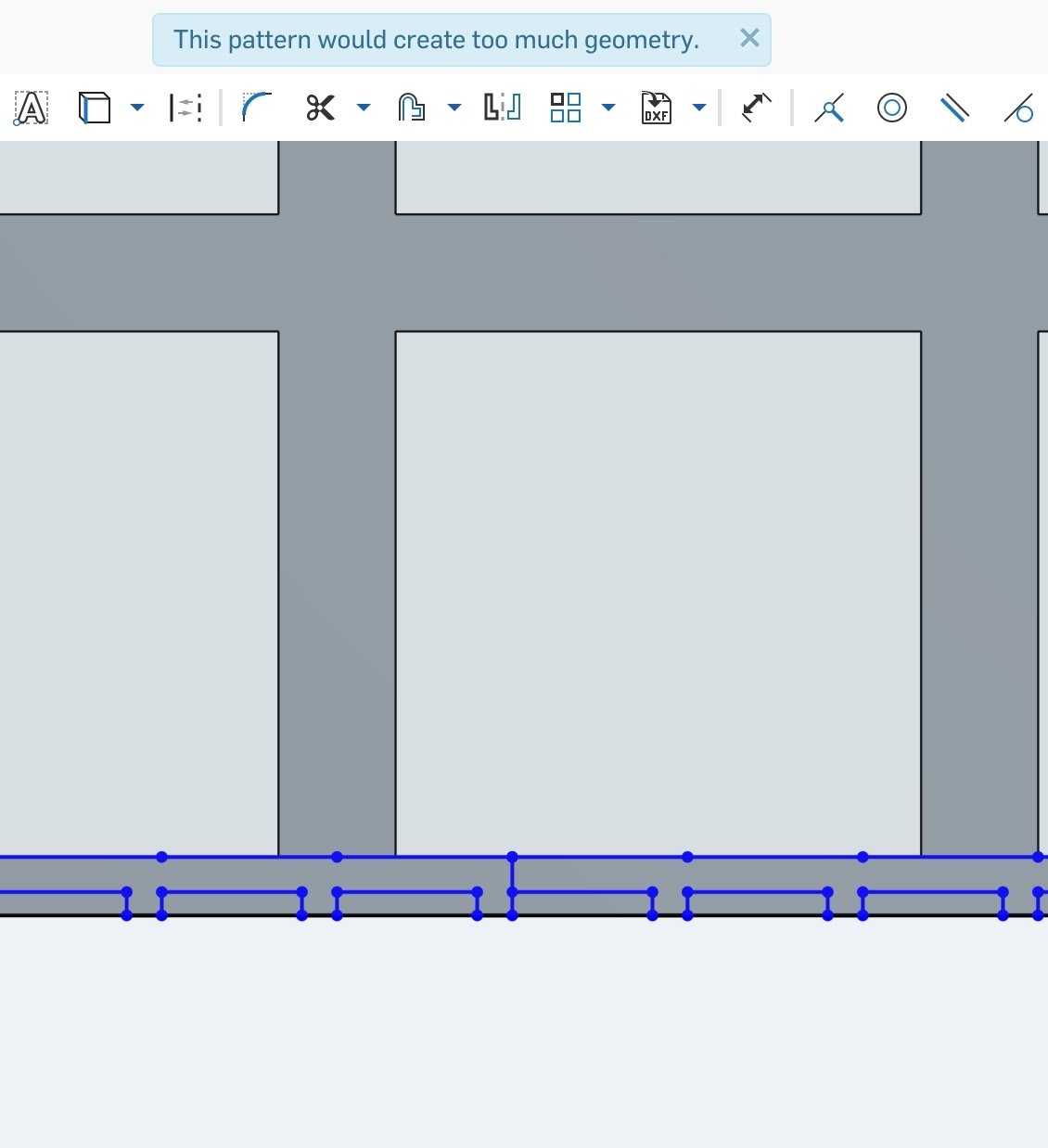
'Too much geometry' with Linear Pattern

Answers
-
@simon_d It would be nice if you mention how many instances you want to pattern along both directions.0
-
Hi @shashank_aarya It is repeated 29 times in one direction and 55 in the other so 1595 instances.0
-
Try making a smaller subset of the pattern as a part, then pattern the part.Senior Director, Technical Services, EMEA0
-
Sketch patterns are capped by the total number of sketch entites that are created. In other words, if you pattern 4 lines you can have a higher instance count than if you pattern 8 lines. I would try removing non-essential instances from the pattern, breaking it up into different patterns, or try doing a part/face pattern instead.Jake RamsleyDirector of Quality Engineering & Release Manager onshape.com0
-
@simon_d In general it is a good practice to make a pattern of feature rather to pattern sketch entities because it is easier to edit the directions, number of instances of feature pattern than sketch pattern. When sketch of the feature is edited, it automatically reflects to other instances when feature pattern is done which will not happen in sketch pattern. So, I would also like to suggest feature/face pattern as suggested by @jakeramsley0
-
Just keep in mind that feature patterns are slower than body and face patterns, so if you don't need the feature pattern flexibility for a large pattern, prefer a body or a face pattern.Ilya Baran \ VP, Architecture and FeatureScript \ Onshape Inc0
-
Why is this an issue at all? I am trying to make a nest of 100 small parts for waterjet and it just says no. It would let me make 18 parts at a time. I could see this limitation on free hobby software but not a pro platform I'm paying $100/month to use.
3 -
Onshape seems to struggle with high volume patterns. I did manage to get a pattern to generate by using the strategy above (make smaller pattern in sketch and then use a feature pattern to replicate), however it grinds the program to a halt. It's about 2-3 minutes for the regen time and any time you make a change upstream of the patterned feature you just sunk another couple minutes:

Need these for perforated sheetmetal parts, looks like we'll need to punch out to AutoCAD for these
0 -
Feature pattern is relatively slow. I bet a face pattern will be more efficient, or at least make a negative part and pattern-subtract it.
0 -
I just ran into this. I'm surprised. I made a flyswatter a few years back, with a giant hexagonal pattern. Yeah, it took minutes to render, but it worked. Now I'm trying to make a grid of squares composed of about 5000 lines, which would be 10,000 points. And/or 10,000 triangles.
Yeah, that sounds like a lot to process to a human, but a modern high end video game processes millions per second. Anyway, I'd much rather wait 2 minutes for something to work, than just be told "nope".
Does anyone know what the limit is, so I can most efficiently try to work around this?0 -
One tip for working with things like this that are mostly "cosmetic" is to leave it suppressed until you are ready to produce a final drawing and/or export.
It also helps to create a configuration so you can use the "simplified" version in assemblies etc most of the time until you really need to show it1 -
Make sure the perforations are "through all", not "up to next". This saves a lot of regeneration time.
0







