Welcome to the Onshape forum! Ask questions and join in the discussions about everything Onshape.
First time visiting? Here are some places to start:- Looking for a certain topic? Check out the categories filter or use Search (upper right).
- Need support? Ask a question to our Community Support category.
- Please submit support tickets for bugs but you can request improvements in the Product Feedback category.
- Be respectful, on topic and if you see a problem, Flag it.
If you would like to contact our Community Manager personally, feel free to send a private message or an email.
Is there an auto update on in context sketch/parts?
 Nath_McC
Member Posts: 136 PRO
Nath_McC
Member Posts: 136 PRO
Howdy All,
I have a shackle assembly that includes a tether rope (see below). The rope was created using in-context sketches that project the sketch location.
There are two sizes of the shackle assembly, each with its own configurations for the body and pin. However, the rope was created without configurations.
The issue:
I have two engineering drawings, one for each configuration. When I switch between configurations, I need to run “Update Context > context 1” to move the rope back into place. This causes one drawing to display correctly while the other becomes incorrect. Updating the context again flips the issue, fixing one but breaking the other.
Question:
Is there a way to have both configurations display correctly when switching, without needing to update the context each time in the assembly and then refresh the drawings?
I feel like I’m overthinking this and missing something simple, but I’d like to release both drawings together—and right now they won’t display correctly if I do.
Thanks in advance for any advice!
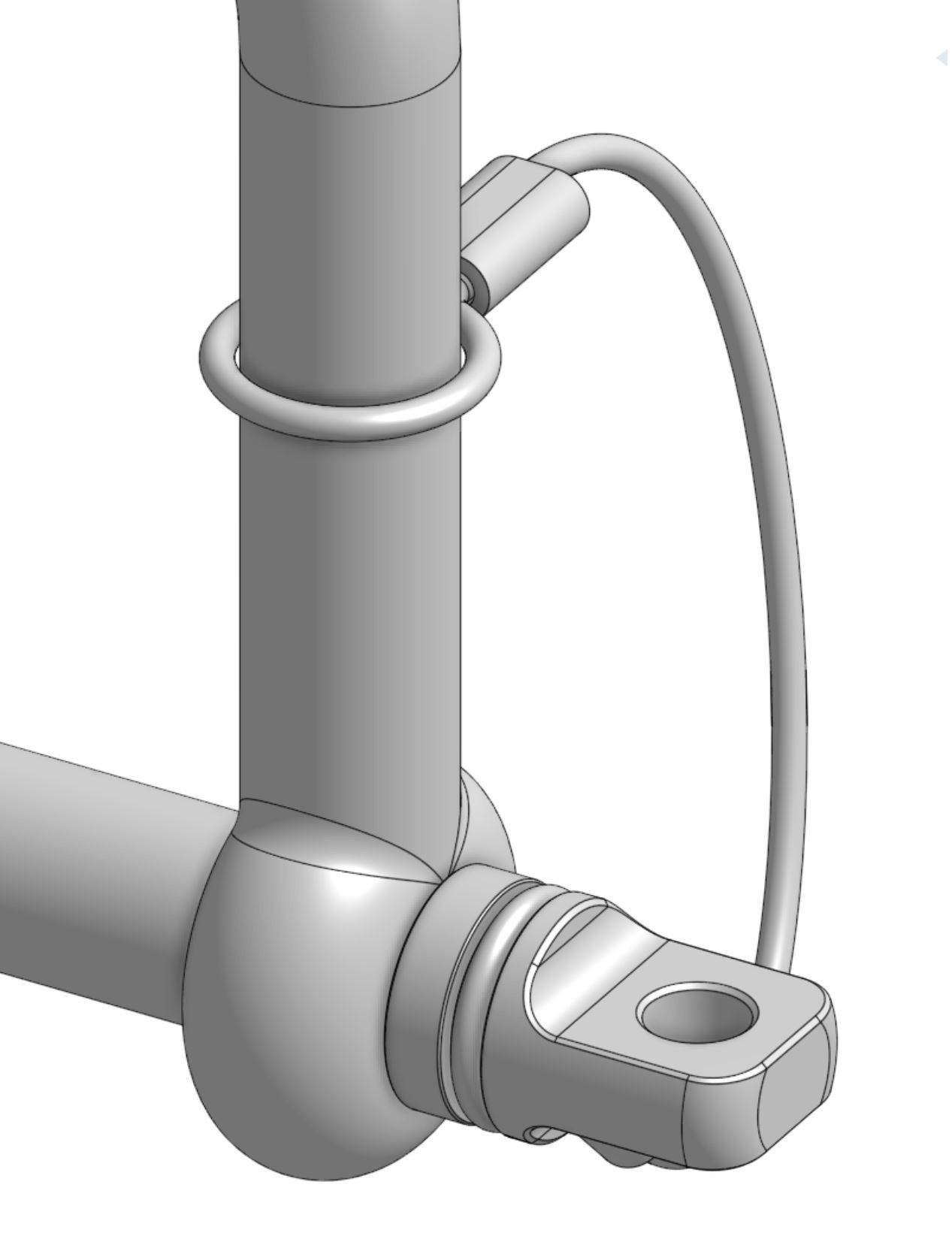
Correct when first configuration is selected
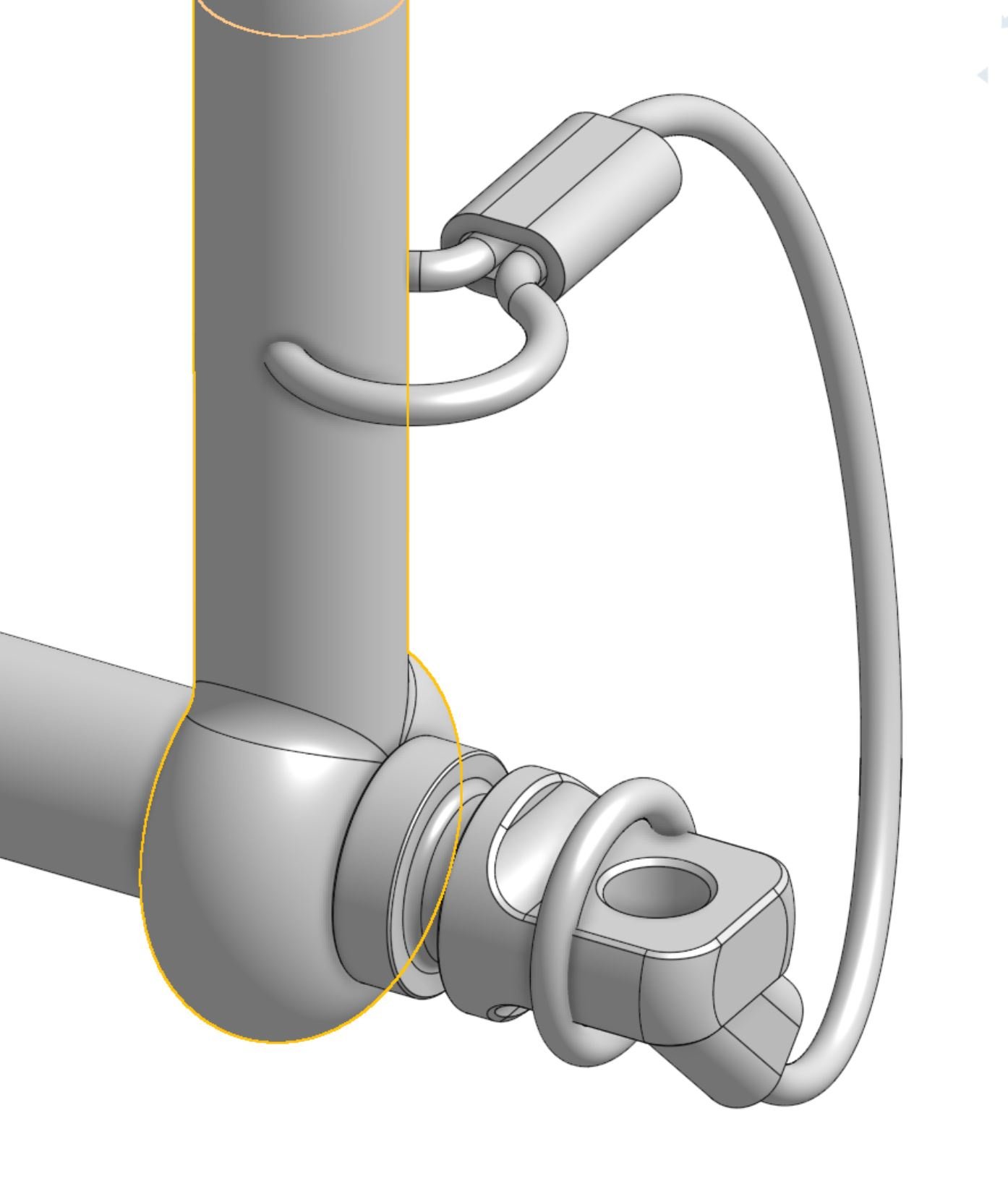
When the configuration is changed, without completing the "Update Context > contect 1"
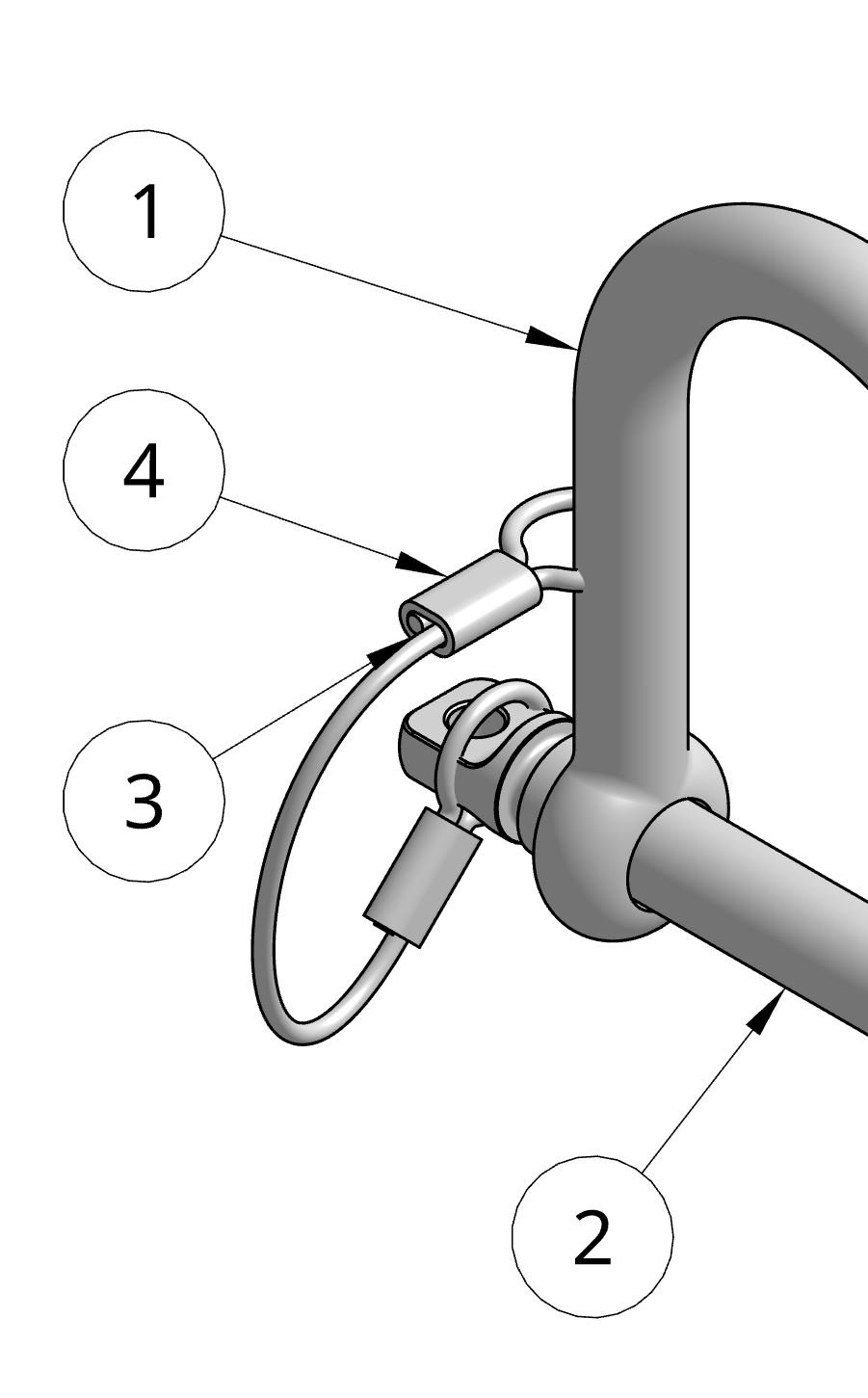
Answers
Edit: Re-posting since the forum image format is currently messing up post alignment.
.
Learn more about the Gospel of Christ ( Here )
CADSharp - We make custom features and integrated Onshape apps! Learn How to FeatureScript Here 🔴
TLDR: No, there is not a way to live update the context.
Due to the current nature of context editing, one of my current rules for myself is:
Learn more about the Gospel of Christ ( Here )
CADSharp - We make custom features and integrated Onshape apps! Learn How to FeatureScript Here 🔴
Thank you Michael.