Welcome to the Onshape forum! Ask questions and join in the discussions about everything Onshape.
First time visiting? Here are some places to start:- Looking for a certain topic? Check out the categories filter or use Search (upper right).
- Need support? Ask a question to our Community Support category.
- Please submit support tickets for bugs but you can request improvements in the Product Feedback category.
- Be respectful, on topic and if you see a problem, Flag it.
If you would like to contact our Community Manager personally, feel free to send a private message or an email.
How to Linear Pattern an arc a certain distance along a line
 mingqi_li972
Member Posts: 4 ✭
mingqi_li972
Member Posts: 4 ✭
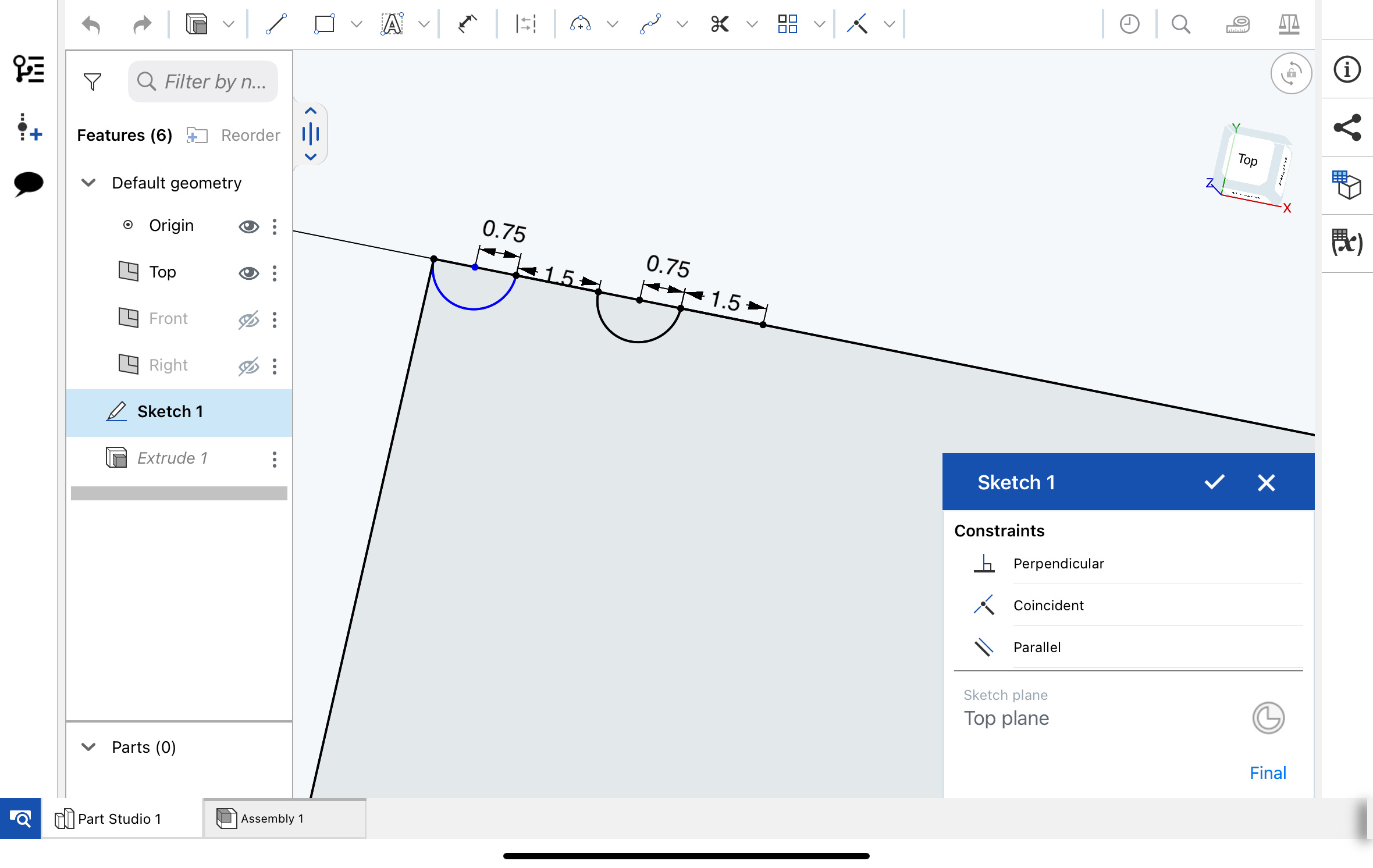
I want to duplicate the arcs and therefore want to linear pattern them. But I cant properly select the arch in the scetch when using the linear pattern function and the extruded scetch doesnt work either, because when I input the Direction it fails to crate the pattern because my input is wrong.
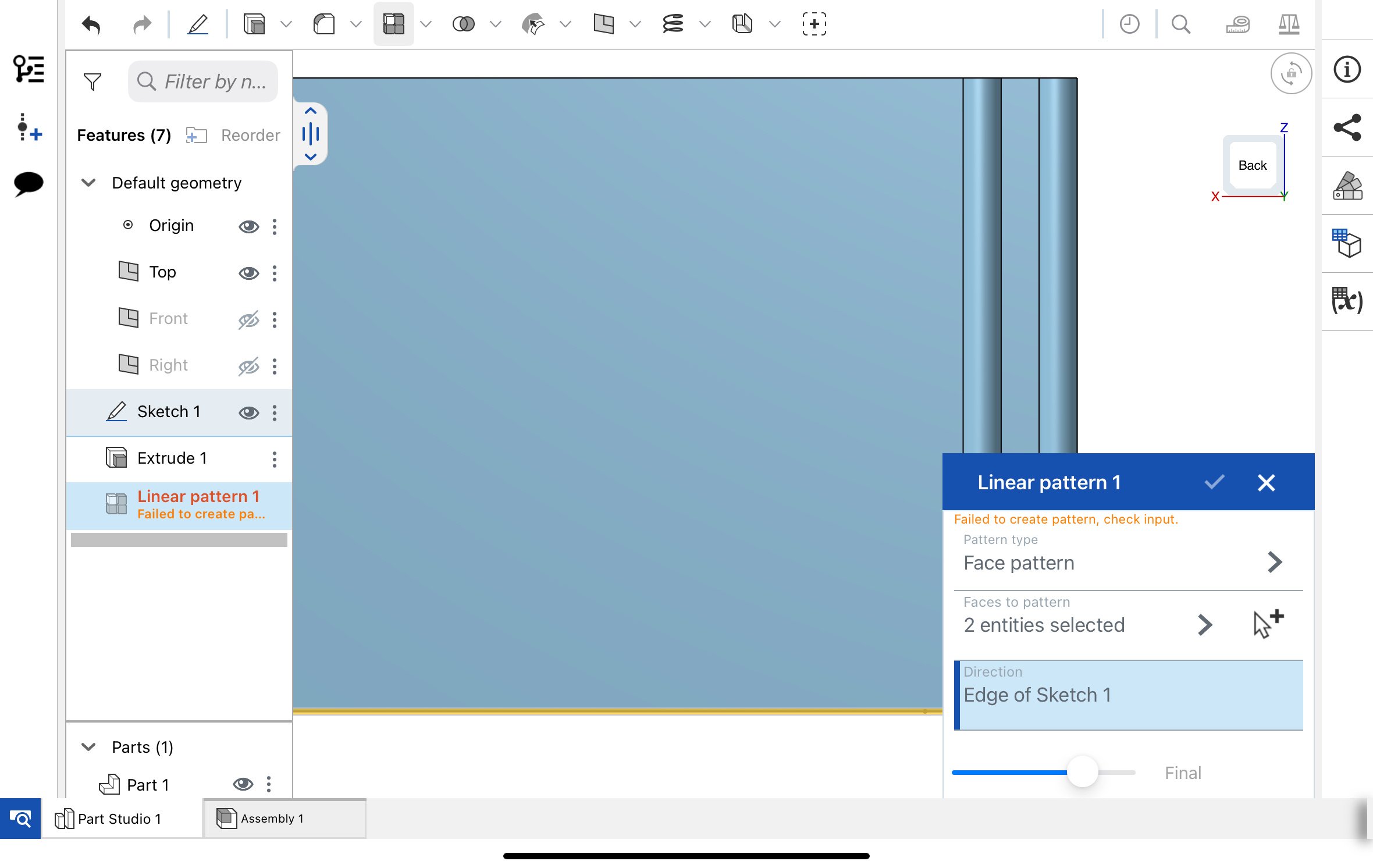
How can I fix this? Or is there an alternative method to dupe the archs?
Tagged:
0
Answers
You can select the arch and cntr+c cntr+v it many times
Don't use the Linear pattern feature. Use a sketch pattern:
https://cad.onshape.com/help/Content/sketch-tools-sketch-pattern.htm#sketch-pat-I
In your sketch tools (while the sketch is open) you can see the Linear Pattern sketch tool.
With that pattern, you can select just the arc and pattern it along your line as desired.
Better yet, extrude your base block without any of the arch cutout, then create the arc "notch" as an extrude remove and then use the linear pattern feature in the "feature pattern" mode. This gives you the checkbox to "reapply feature" so that it is re-calculated every time (which the face pattern doesn't do).
Hey Matt_Shields, thanks for your suggestion and the docs link. For me, it works until step 6 (last step) where you have to double tip to save the sketch pattern. When I double tip (somewhere in the editor/void), the whole linear pattern goes away and I seemingly have exited the linear pattern mode. Do you know where exactly I have to double tip to save the sketch pattern? Thanks a lot!