Welcome to the Onshape forum! Ask questions and join in the discussions about everything Onshape.
First time visiting? Here are some places to start:- Looking for a certain topic? Check out the categories filter or use Search (upper right).
- Need support? Ask a question to our Community Support category.
- Please submit support tickets for bugs but you can request improvements in the Product Feedback category.
- Be respectful, on topic and if you see a problem, Flag it.
If you would like to contact our Community Manager personally, feel free to send a private message or an email.
Extrude and "squeeze"
 will_wyatt
Member Posts: 2 ✭
will_wyatt
Member Posts: 2 ✭
Hi, all. I have a sketch with a couple of closed regions that act as the source for a remove extrude, which then gets patterned. Please notice the rectangles in the middle of the sketch. 3 of the four horizontal members are parallel, one is not.
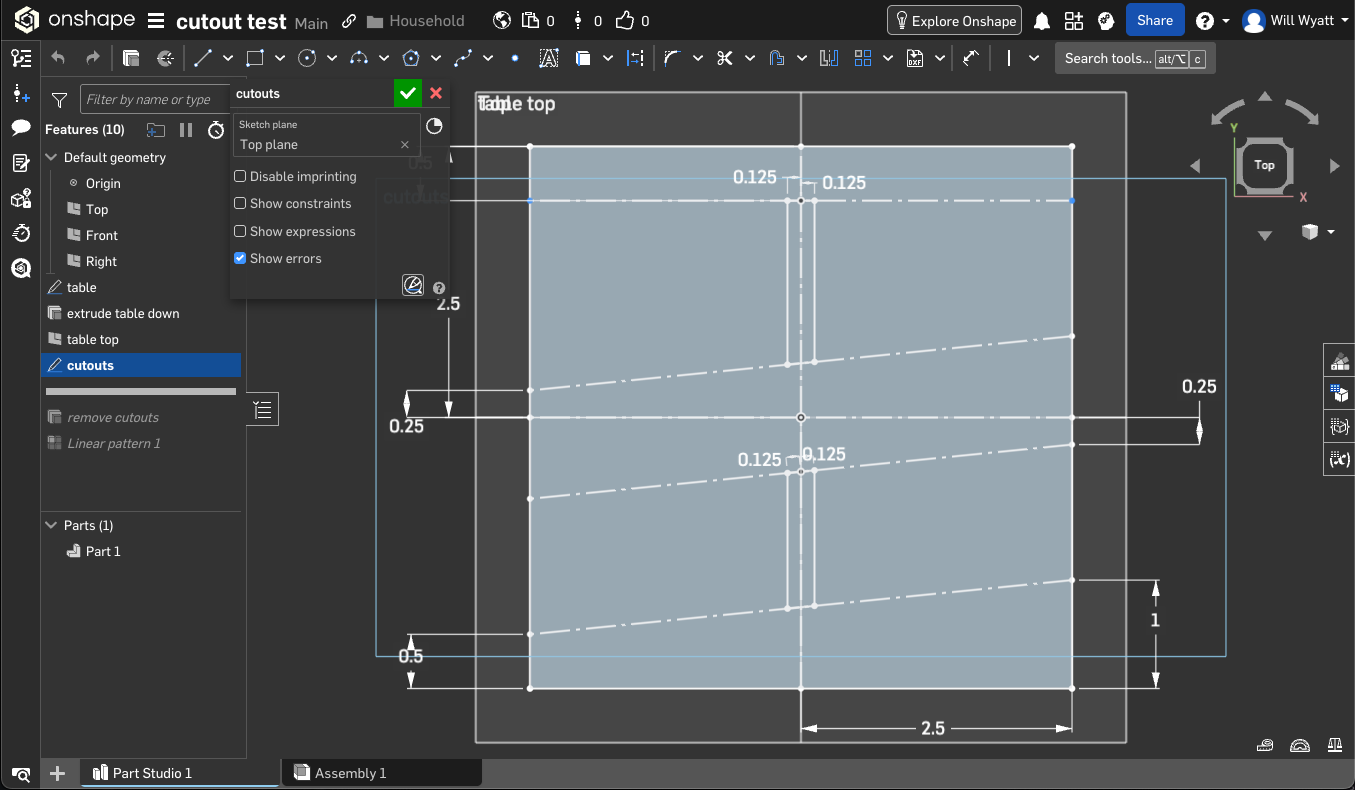
I extrude those rectangle down.
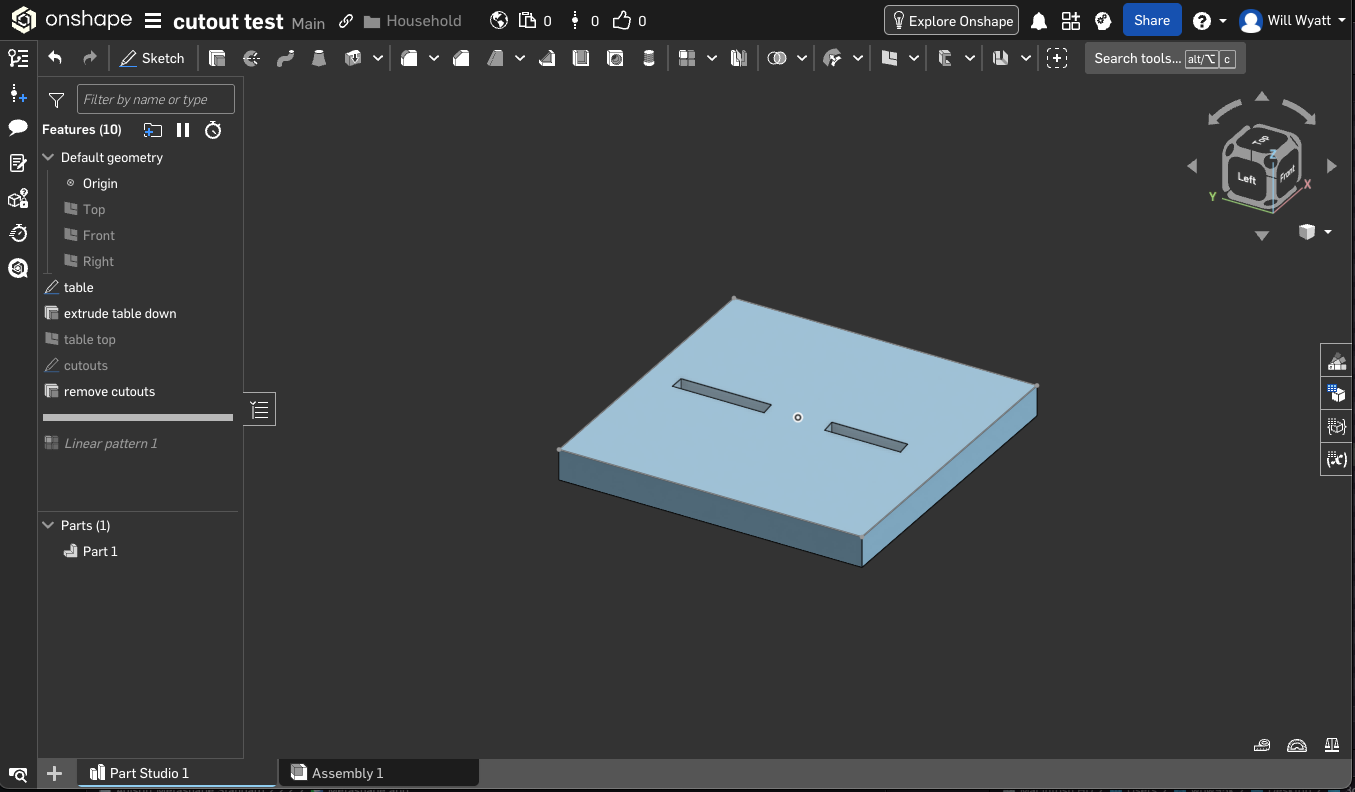
Now I'm trying to pattern those rectangles. I chose one of the diagonals as the direction. That works for all the elements that lie parallel to that direction, but not for the top of the extrude removes. The top of those remove features follow the direction, but ultimately I want them to follow the top and bottom construction lines.
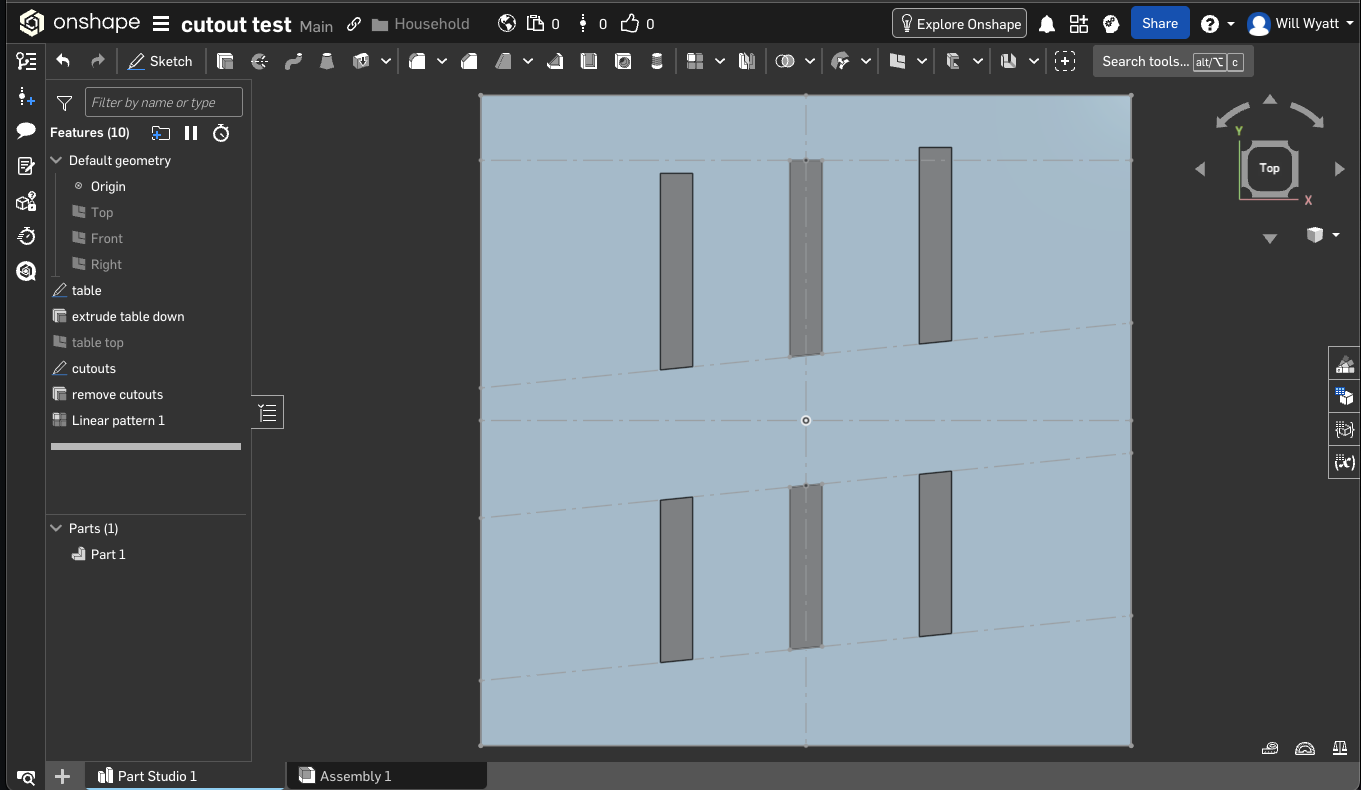
Alternatively I tried to split the extrude and linear pattern, but that didn't work either.
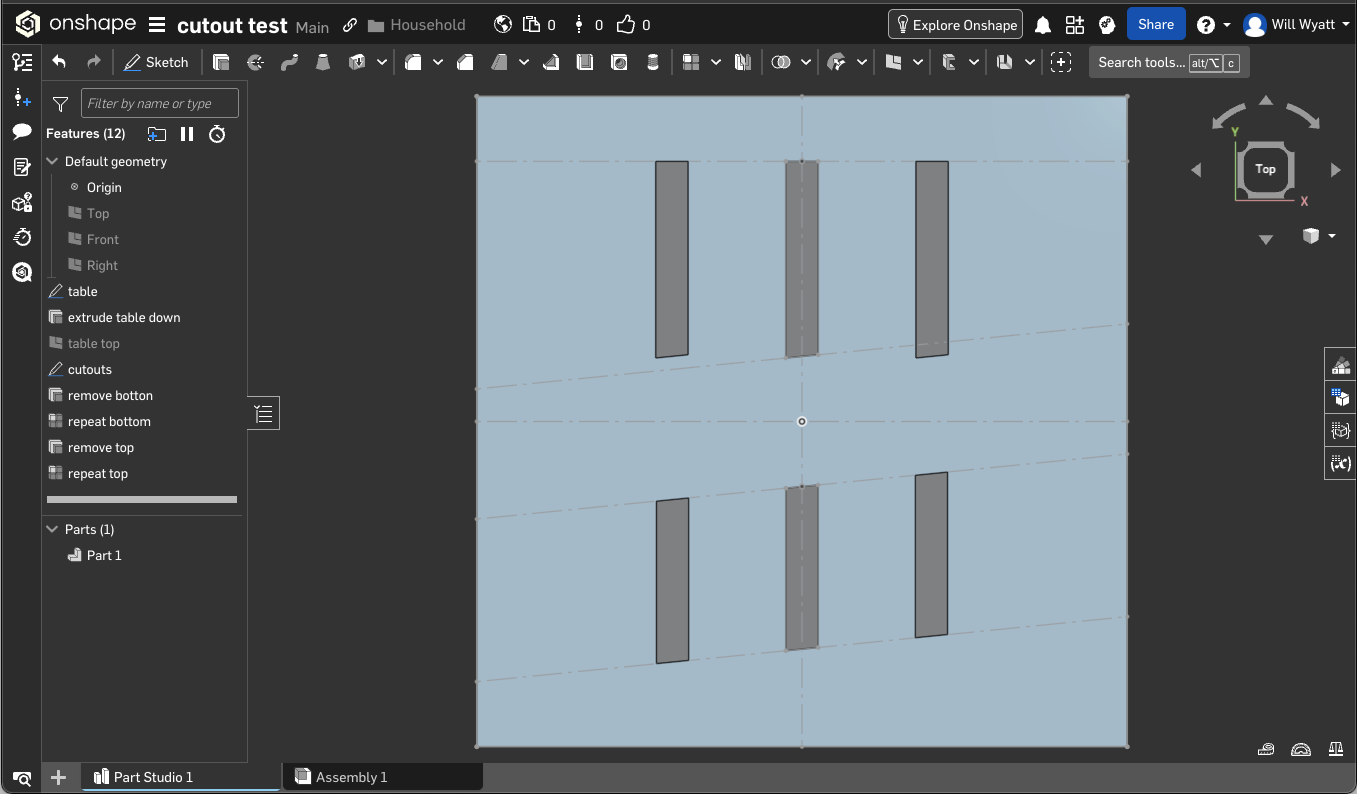
Any ideas? Do I need to do this in a sketch pattern?
Comments
You could create a surface and extrude "up to face."
or make the top cutout way to long so they always stick out the top and then add the bar at the top afterwards.