Welcome to the Onshape forum! Ask questions and join in the discussions about everything Onshape.
First time visiting? Here are some places to start:- Looking for a certain topic? Check out the categories filter or use Search (upper right).
- Need support? Ask a question to our Community Support category.
- Please submit support tickets for bugs but you can request improvements in the Product Feedback category.
- Be respectful, on topic and if you see a problem, Flag it.
If you would like to contact our Community Manager personally, feel free to send a private message or an email.
Loft function not working? Error is "cannot use faces or regions with inner loops as profiles
 john_henry123
Member Posts: 2 ✭
john_henry123
Member Posts: 2 ✭
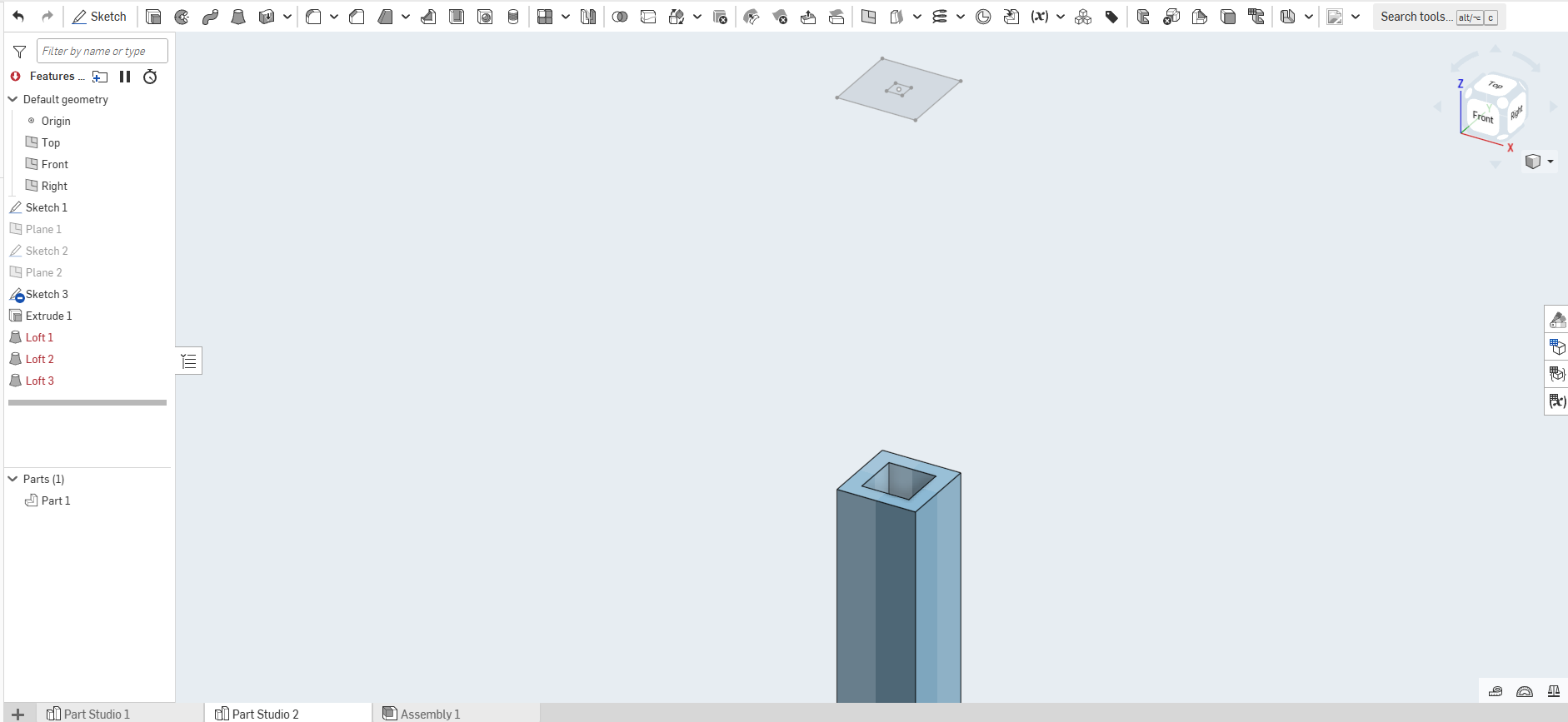
Title says it all. Either it says it "cannot use faces or regions with inner loops as profiles" or " cannot create valid profiles from selection" Please see the image and link. What can I do to make this work?
0
Comments
You can't loft something that is topologically a hollow tube in one step. You can loft the outside solid, and then use a second loft to remove the inside hole.
Simon Gatrall | Product Development, Engineering, Design, Onshape | Ex- IDEO, PCH, Unagi, Carbon | LinkedIn
What Simon said..almost!. In your case do as he says. loft the whole. then loft the hole with remove. IF the walls of the loft are consistent thickness you can loft a hollow part using the thin option.