Welcome to the Onshape forum! Ask questions and join in the discussions about everything Onshape.
First time visiting? Here are some places to start:- Looking for a certain topic? Check out the categories filter or use Search (upper right).
- Need support? Ask a question to our Community Support category.
- Please submit support tickets for bugs but you can request improvements in the Product Feedback category.
- Be respectful, on topic and if you see a problem, Flag it.
If you would like to contact our Community Manager personally, feel free to send a private message or an email.
How can i blend 2 faces with the external face of a cilinder?
 oliviero_borgheresi
Member Posts: 2 ✭
oliviero_borgheresi
Member Posts: 2 ✭
https://cad.onshape.com/documents/bdbed0ff7b794d5aef889845/w/5f2c82116d906019ed79fd64/e/9a69aa53a608f3abaabc9da7?renderMode=0&uiState=6930759086e638f6e59d077b
In this project, I'm trying to blend the bottom and right face of part 1 with the face of part 2, limiting the blend to the main cylindrical body of part 2.
I don't understand why I keep getting the error "Face blend 1 did not regenerate properly: Cannot attach blended face".
How do I blend the right face of part 1 using a big radius (for example, 50) and the bottom face with a small radius (for example, 5) to form a single solid piece?
Best Answer
-
 jelte_steur_info
Member Posts: 648 PRO
jelte_steur_info
Member Posts: 648 PRO
if you first connect the 2 parts together, like here you can drive the walls by choosing the proper extrude start/end face, and the model will understand where/how to add the fillet. now it doesn't know how to make a solid from your blend, because the end and also the other side isn't defined.
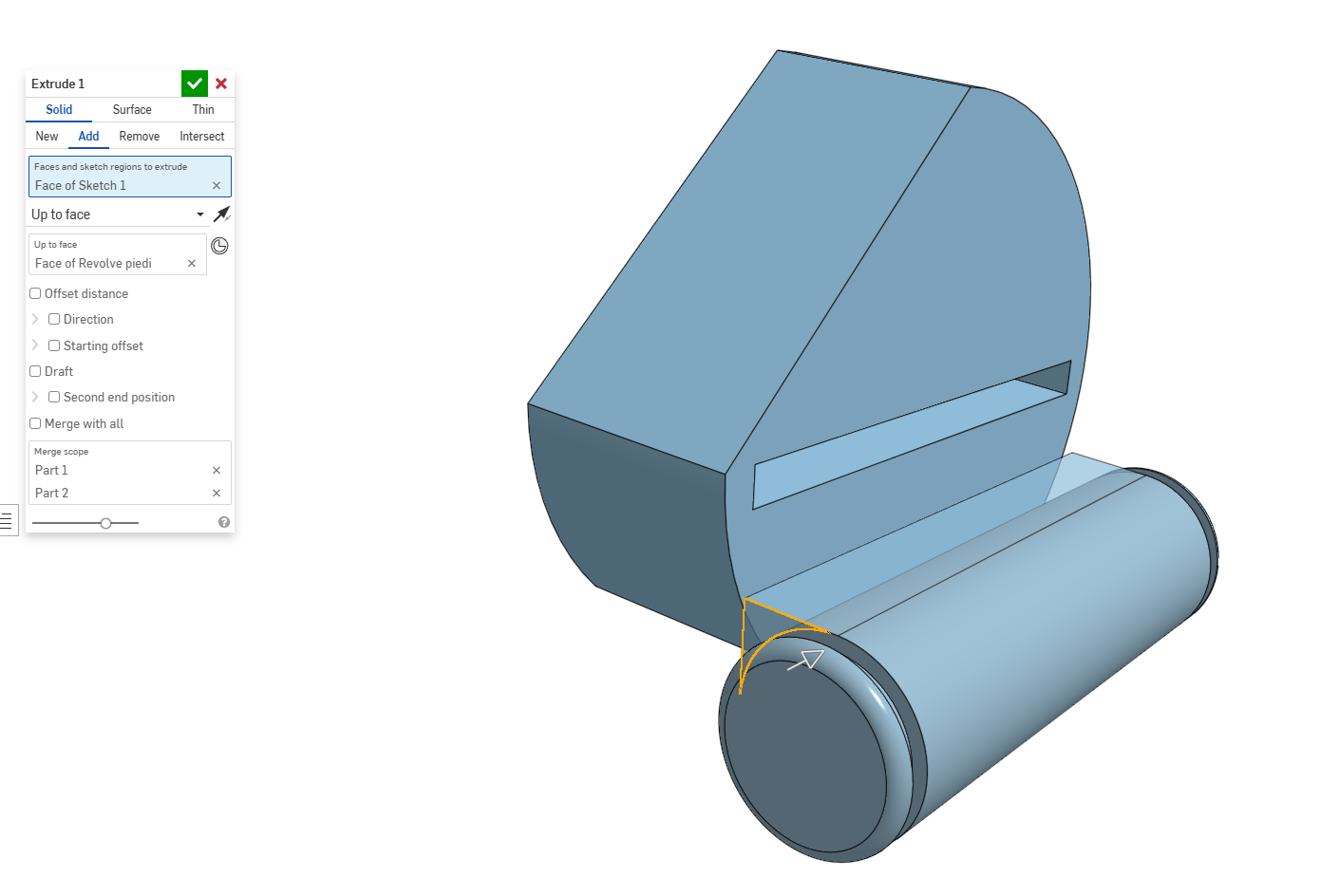
regular fillets will work after this.
0
Answers
if you first connect the 2 parts together, like here you can drive the walls by choosing the proper extrude start/end face, and the model will understand where/how to add the fillet. now it doesn't know how to make a solid from your blend, because the end and also the other side isn't defined.
regular fillets will work after this.