Welcome to the Onshape forum! Ask questions and join in the discussions about everything Onshape.
First time visiting? Here are some places to start:- Looking for a certain topic? Check out the categories filter or use Search (upper right).
- Need support? Ask a question to our Community Support category.
- Please submit support tickets for bugs but you can request improvements in the Product Feedback category.
- Be respectful, on topic and if you see a problem, Flag it.
If you would like to contact our Community Manager personally, feel free to send a private message or an email.
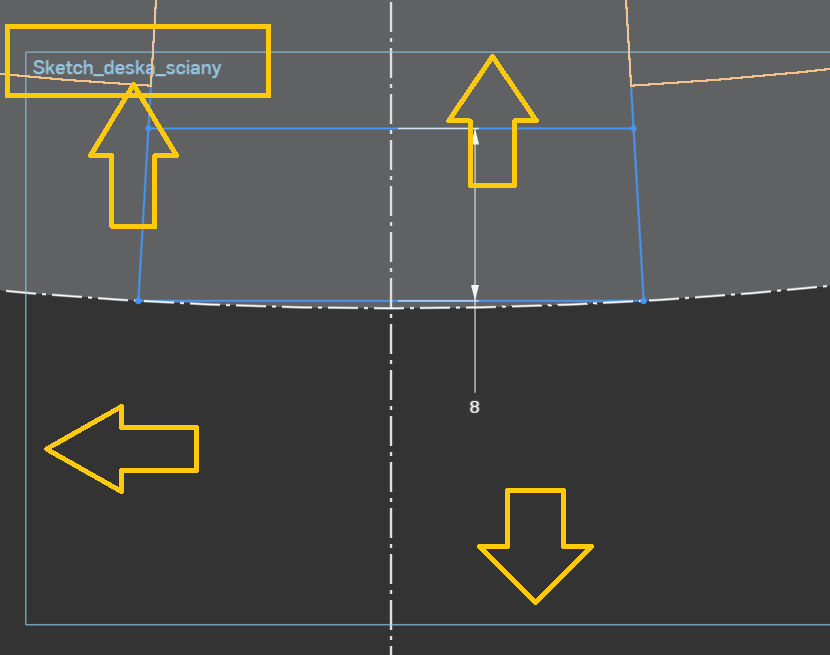
sketch name/frame
 jarek_koczera
Member Posts: 4 ✭
jarek_koczera
Member Posts: 4 ✭
in General
Sorry if I'm creating spam, but I don't even know what to call it so I don't know how to search ;)
Is it possible to get rid of or disable the sketch name and frame?
0
Comments
I wish there was a way to toggle it on/off. The only thing that you can do is sometimes get it to resize internally and therefore be off screen. I do this when I'm trying to take a screenshot without the added visual noise.
Simon Gatrall | Product Development, Engineering, Design, Onshape | Ex- IDEO, PCH, Unagi, Carbon | LinkedIn
That's right, it personally bothers me when designing. I also don't see any reason for this information to be displayed, since we already know which sketch I'm using.
The information shows you which way is up and what the front side of the sketch plane is. Sometimes this is helpful when working with non-obvious non-orthogonal planes.
Simon Gatrall | Product Development, Engineering, Design, Onshape | Ex- IDEO, PCH, Unagi, Carbon | LinkedIn