Welcome to the Onshape forum! Ask questions and join in the discussions about everything Onshape.
First time visiting? Here are some places to start:- Looking for a certain topic? Check out the categories filter or use Search (upper right).
- Need support? Ask a question to our Community Support category.
- Please submit support tickets for bugs but you can request improvements in the Product Feedback category.
- Be respectful, on topic and if you see a problem, Flag it.
If you would like to contact our Community Manager personally, feel free to send a private message or an email.
Measure Density by Area rather than Volume
 euan_dykes
Member Posts: 37 PRO
euan_dykes
Member Posts: 37 PRO
You're probably wondering what the use case here is. Cardboard boxes. Because of the fluting it's not a homogeneous material and trying to approximate a volume density is not the most accurate way of doing it.
You have a sheet metal part, and I'd like to apply a density value to the total area of the box. When I go to assign a material it would be cool if some materials could have a weight by area value.
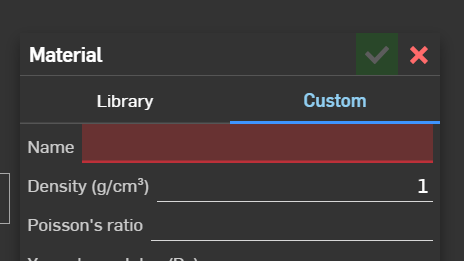
Maybe just below density is Weight by Area (g/cm^2)
This might also be applicable to composite parts.
Is this a thing already in Onshape I don't know about?
Comments
Do you need the density or to have the mass override calculated by the surface area?
For cardboard, is it actually the surface area or the 2D area of the flat pattern? (You wouldn't be using the area of the sides/thickness of the part)
Its not something Onshape has out of the box, but can be solved. I've written featurescripts to do mass override, sheet metal area, etc, definitely can be done.
Shoot me an email and we can chat - caden.armstrong@smartbenchsoftware.com
Experts in Onshape Automation - Custom Features and Integrated Applications
Hi Caden. Yes if I had a surface area value and a mass per area value say 100g per square meter, then I could easily calculate for the mass. Can I then use the mass override to assign that mass to the part? I'd like it to be driven somehow so that if I had many configurations of box sizes it would auto calc the mass. And go one step further by having different flute grades with their own mass per area values.
Basically could I replace Esko's Cape Pack with a feature script?
Custom features support configurations in the same way that Onshape built in features do. No extra work is needed.
I haven't used Esko Cape Pack, but looking at the product page, its probably possible. I've made bin packing features, and carbon foot print calculation tables with featurescript.
Experts in Onshape Automation - Custom Features and Integrated Applications
I've done similar things before too, for example, calculating the weight of fluid in a hose by multiplying total length by the ID (essentially abstracting it to a long cylinder). This gets a weight without ever having to create and evaluate the geometry for the liquid and then sets the mass override property. Definitely doable.
The Onsherpa | Reach peak Onshape productivity
www.theonsherpa.com
The mass of 3d printed parts is another mass property problem in this category that I've been using a modified version of one of Julia's Featurescripts to try to get center of mass to end up near a realistic position for certain slicing settings. It isn't a perfect tool but it's better than assuming isotropic properties.
Derek Van Allen | Engineering Consultant | MeddlerSame issue with a material that might have several different thicknesses, but the same "amount" of material in all areas. Think of compression-molded foam parts (like a backpack shoulder strap or back panel) or something like molded fiber (where you could have different densities/thicknesses) or even vacuum-formed sheet plastic parts - it would be easiest to assign mass based on the surface area of the un-formed sheet, rather than accurately modeling the thickness at each area with different draw ratios.
In many industries, GSM (Grams per Square Meter) is used - for a given product type at a given thickness - the GSM is known. You could use GSM tables for each type of cardboard stock, evaluate your surface area, then use the GSM value to calculate part weight.