Welcome to the Onshape forum! Ask questions and join in the discussions about everything Onshape.
First time visiting? Here are some places to start:- Looking for a certain topic? Check out the categories filter or use Search (upper right).
- Need support? Ask a question to our Community Support category.
- Please submit support tickets for bugs but you can request improvements in the Product Feedback category.
- Be respectful, on topic and if you see a problem, Flag it.
If you would like to contact our Community Manager personally, feel free to send a private message or an email.
Sketch: Circular pattern a spline
 martin_kopplow
Member Posts: 1,222 PRO
martin_kopplow
Member Posts: 1,222 PRO
Is there a special reason for why I'm not able to select a spline to be part of a circular pattern in a sketch? It appears I can select other types of curves and points. If I create a point on every spline control point, I can obviously cirular-pattern these along with the rest of my non-spline curves and then recreate the rotated spline(s) on these points, but it appears I cannot pattern the spline directly. That's not how parametric patterns are supposed to work, though …
Task: Circular-pattern the spline and the line 'round the origin so they come to rest in the indicated position
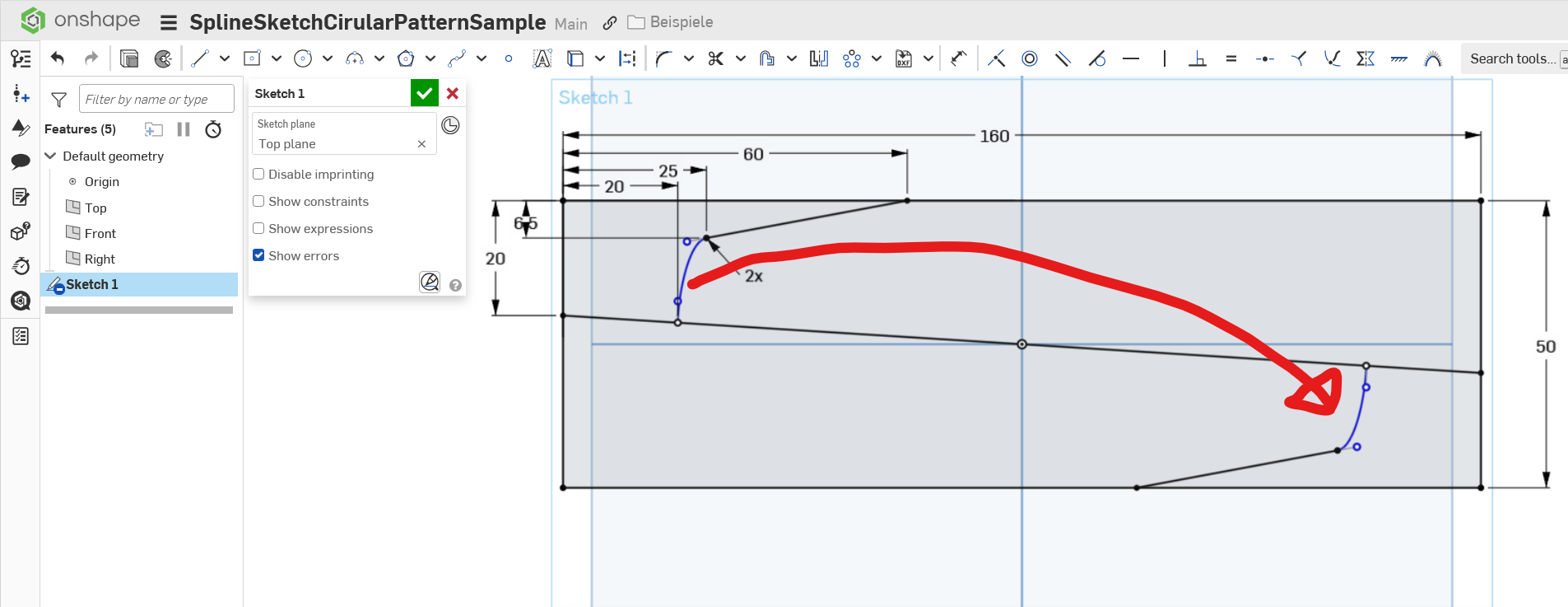
Background story: This is no big deal. I'm just doing stuff for the kids these days. This is going to be wings for a little balsa glider designed to be laser cut. Our flying club is holding it's 75th anniversary in 2026 and I want these to be some fun for the kids visiting the anniversary event, so they can assemble and paint in a little workshop and then fly them at a lawn behind the hangars.
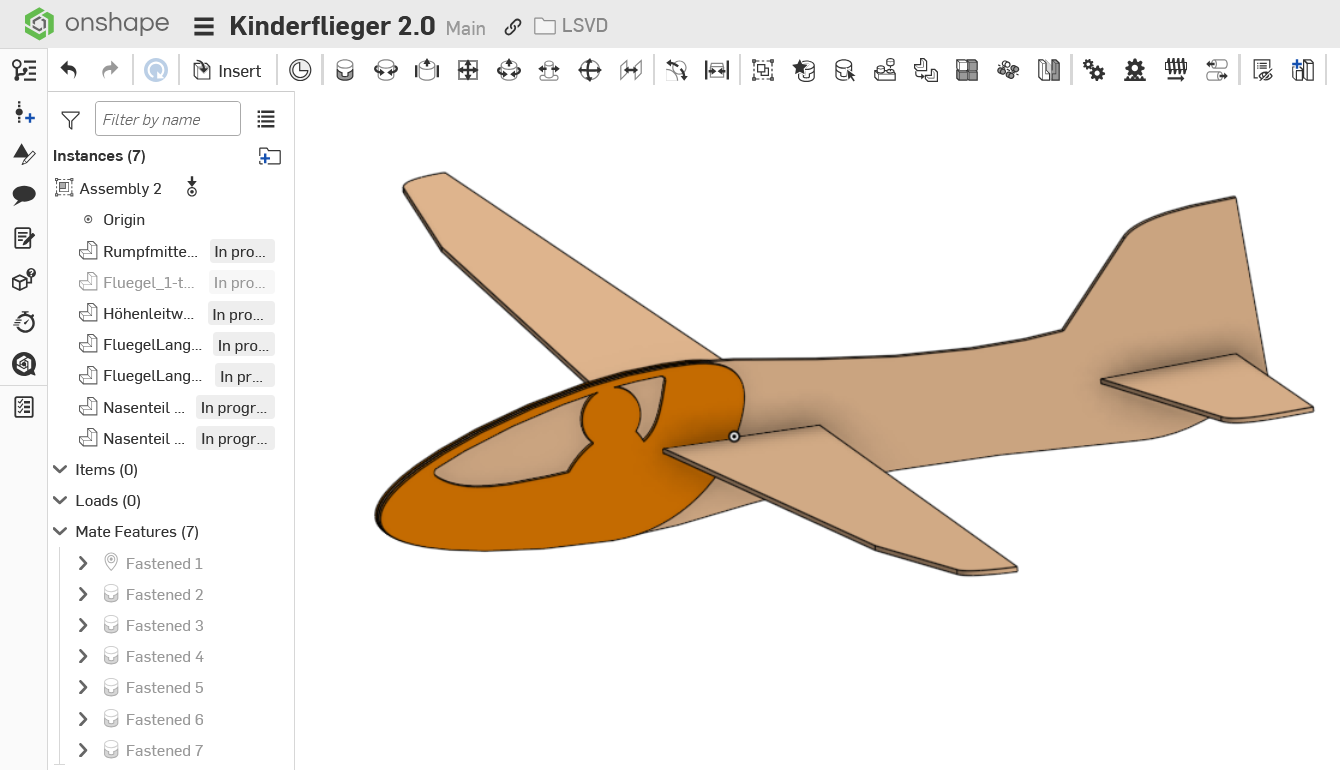
Comments
For some reason, you can't sketch pattern splines. You can use the feature pattern on surfaces or solids, or curves.
Simon Gatrall | Product Development, Engineering, Design, Onshape | Ex- IDEO, PCH, Unagi, Carbon | LinkedIn
@S1mon
Hmmmm … I wonder why that is. Is that intentional? Is that a limitation? Is it a bug?
I tried setting up two mirror lines to double-mirror the spline in place and that does work no questions asked. So there is certainly a way to display that spline in the desired location.
I played around a bit more and here comes the fun part: I believe …. er … no, I am certain it is a bug in the selection filter. If I use "tangent connected" as my selection filter while selecting the straight line, the tangent constrained spline gets selected with it and can then be circular-patterned without any issues. So, it is only that I cannot pick it, not that it cannot be patterned.
@Support