Welcome to the Onshape forum! Ask questions and join in the discussions about everything Onshape.
First time visiting? Here are some places to start:- Looking for a certain topic? Check out the categories filter or use Search (upper right).
- Need support? Ask a question to our Community Support category.
- Please submit support tickets for bugs but you can request improvements in the Product Feedback category.
- Be respectful, on topic and if you see a problem, Flag it.
If you would like to contact our Community Manager personally, feel free to send a private message or an email.
How to create a tangential helix line?
 test_user814
Member Posts: 2 ✭
test_user814
Member Posts: 2 ✭
in General
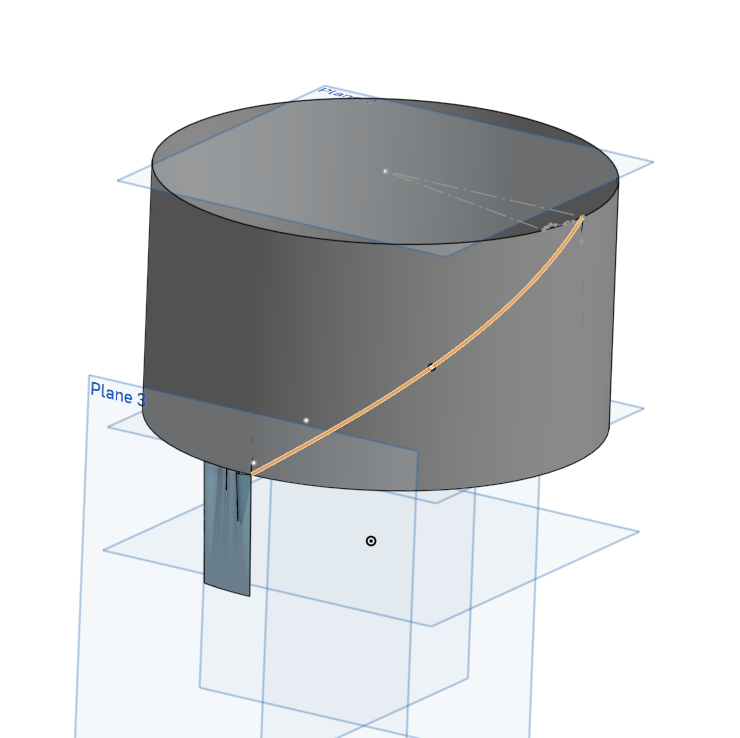
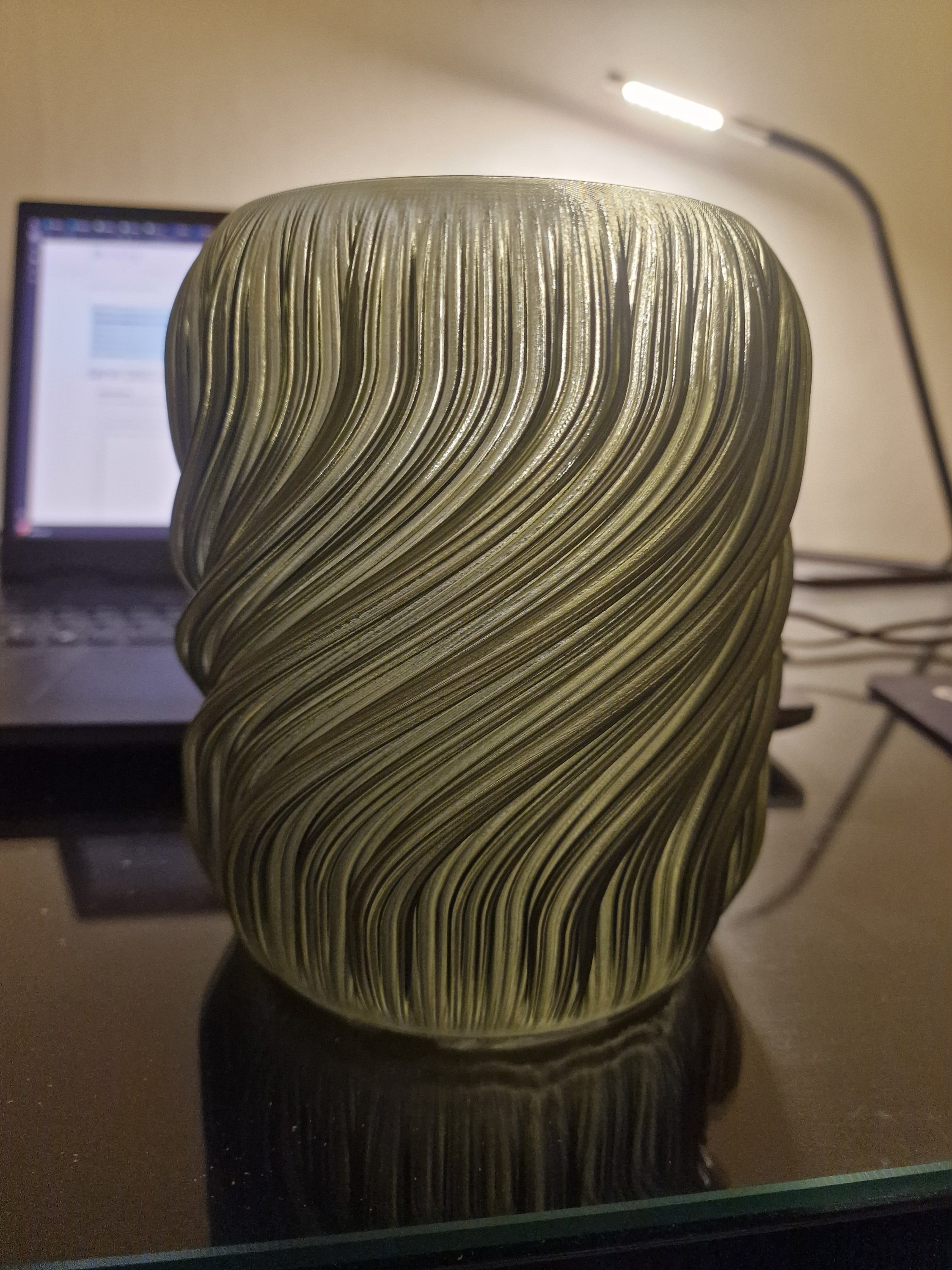
Hi, I am trying to create a lamp design. See an example of the lamp design I am going to modify. For the design I need to create a tangential helix line, and I cannot figure out how to do it. I can create multiple points in space and create the line that way, but it will be quite time consuming for me to modify the design. Does anyone know of a better way? See attached images.
Tagged:
0
Comments
Hello. Onshape has a Helix tool. The helix created can be used as a path for the Sweep of an enclosed sketch element such as a circle. Onshape also has a Wrap tool that can be used to extrude an enclosed sketch element into the cylinder. The Sweep feature can be duplicated around the cylinder with the Circular Pattern tool. - Scotty
Document