Welcome to the Onshape forum! Ask questions and join in the discussions about everything Onshape.
First time visiting? Here are some places to start:- Looking for a certain topic? Check out the categories filter or use Search (upper right).
- Need support? Ask a question to our Community Support category.
- Please submit support tickets for bugs but you can request improvements in the Product Feedback category.
- Be respectful, on topic and if you see a problem, Flag it.
If you would like to contact our Community Manager personally, feel free to send a private message or an email.
🚨Custom Feature Alert 🚨: Displacement Maps in Onshape

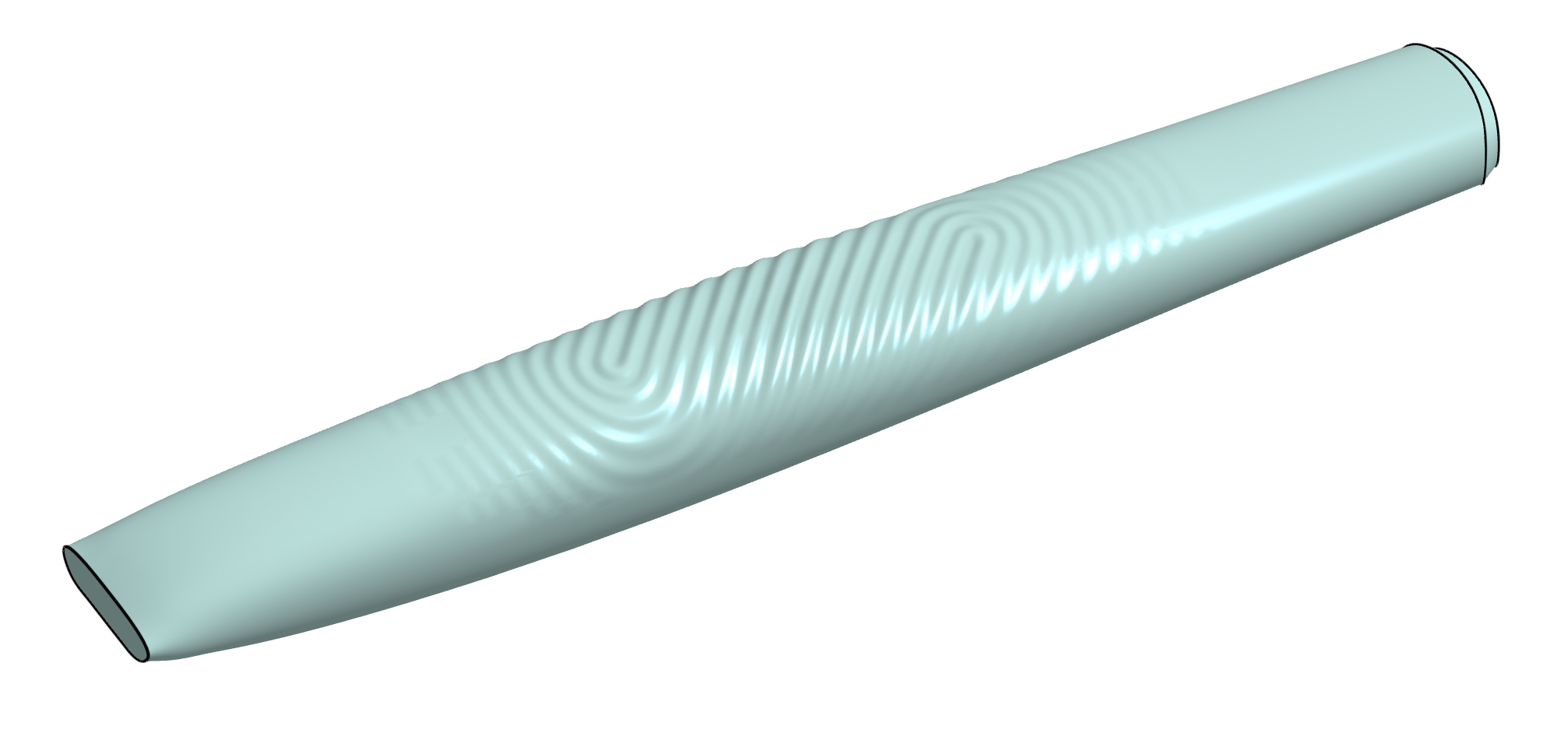
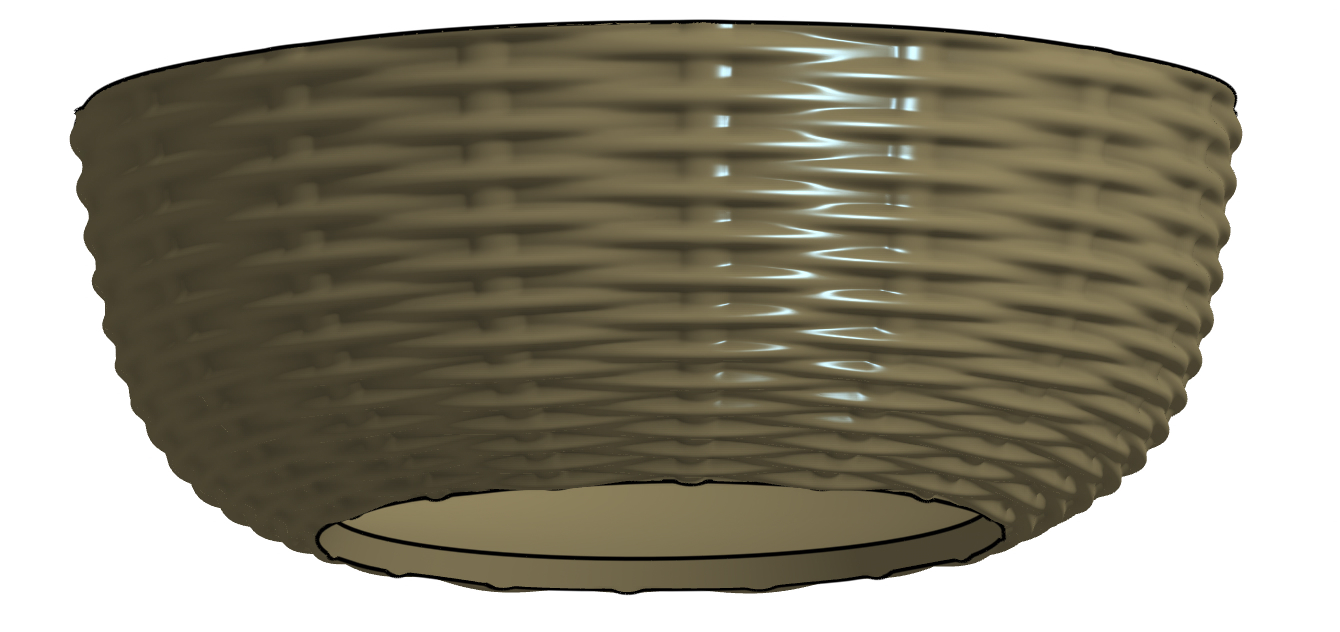
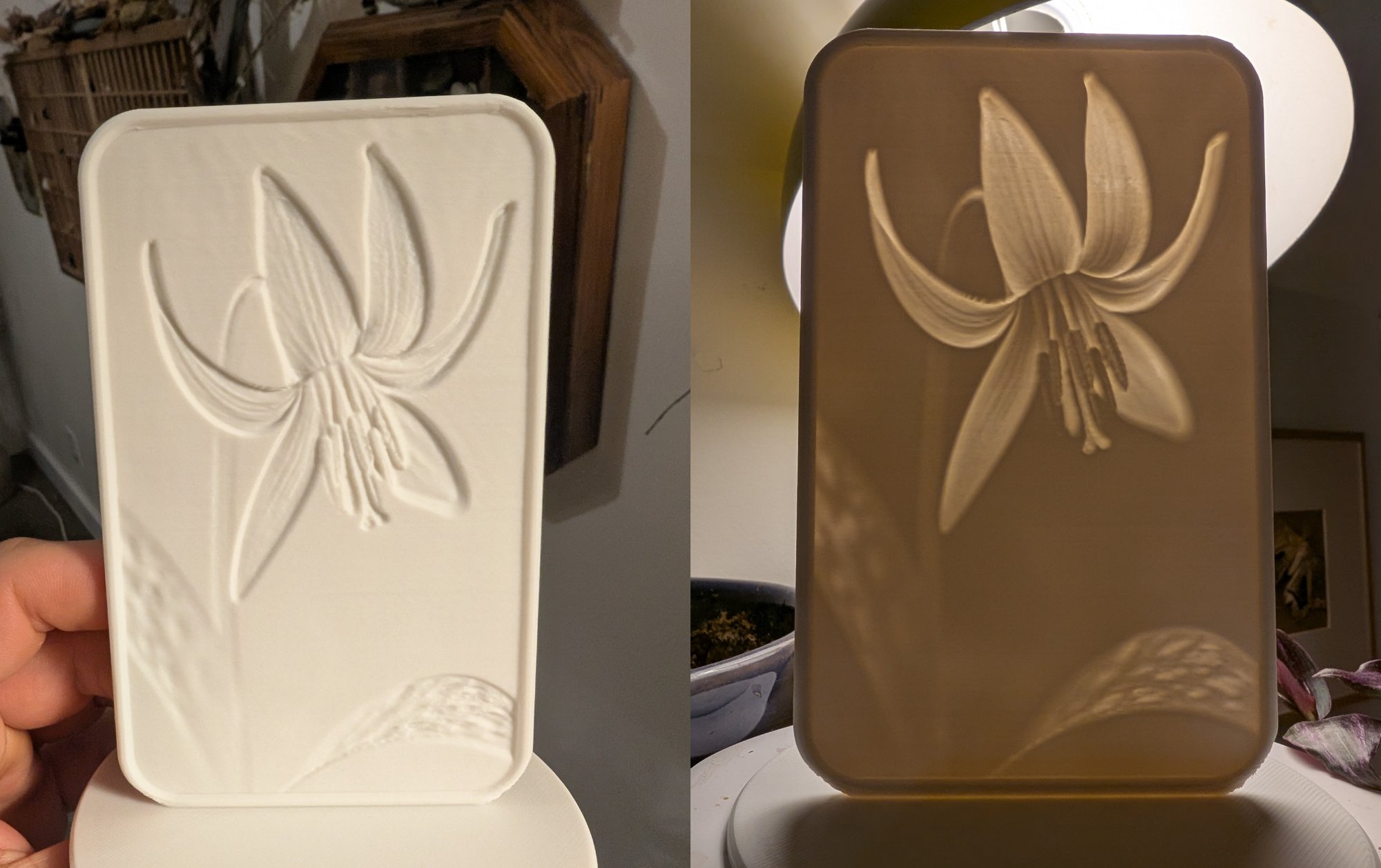
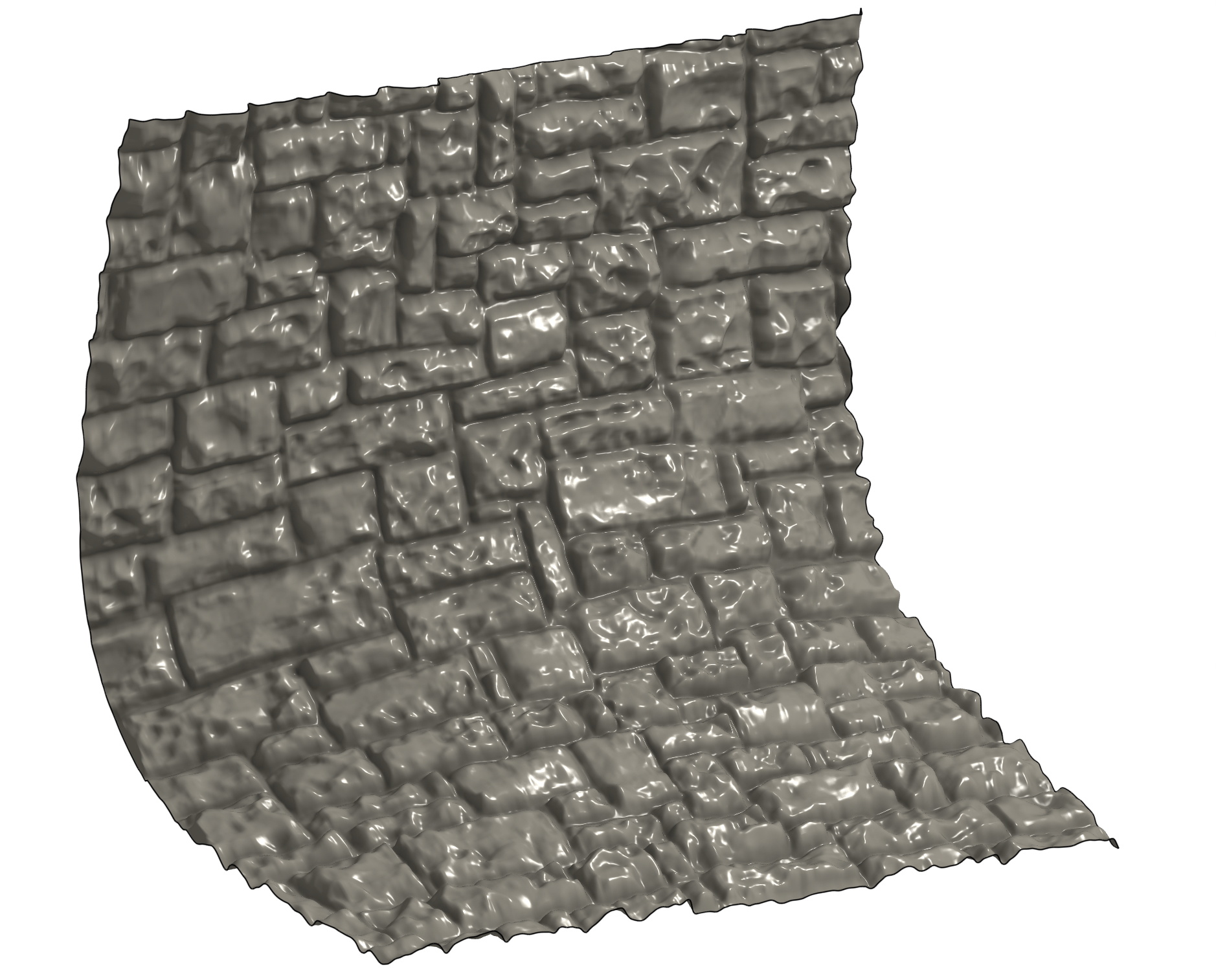
I'm really excited to share this one. I've finally figured out how to get pixel values into a format that FeatureScript can process, which opens up a number of interesting possibilities. First up in that list is using images to modify surfaces. There's a whole video on the topic, so I won't detail it here, but here are some teasers of what's possible.
Tagged:
9
Comments
@EvanReese Video and Document are private. This looks really cool though! Can't wait to see it, this sounds insane!
From what I can tell in the pictures, looks like your generating one surface that has points controlling it from the heightmap of an image. Then applying the original image to the surface? Brilliant work. This is a game changer.
.
Learn more about the Gospel of Christ ( Here )
CADSharp - We make custom features and integrated Onshape apps! Learn How to FeatureScript Here 🔴
Yeah, very cool! Even without being able to watch the private video yet, I can think of a thousand applications this might be useful for, just by looking at the pictures a bit ... The FS itself appears to be unavailable, too.
Derek Van Allen | Engineering Consultant | MeddlerLol my bad! Fumbled it at the 1 yd line. Try now
The Onsherpa | Reach peak Onshape productivity
www.theonsherpa.com
Just in time for the Feature of the Year award 2025.
This has to win, hands down.
.
Learn more about the Gospel of Christ ( Here )
CADSharp - We make custom features and integrated Onshape apps! Learn How to FeatureScript Here 🔴
This is nuts. Amazing work.
Heads up for anyone viewing in dark mode: the surface analysis tool is going to blind you.
Smooth combs tho
Derek Van Allen | Engineering Consultant | Meddler@EvanReese
This is amazing to finally have this power in Onshape.
One thing that I could see being super helpful would be to have Horizontal and Vertical flip options. If you want a texture to match up along edges, using the same input CSV and being able to have the mirrored flavor of the image/CSV without needing to create multiple images/CSV exports would be great.
Definitely feature of the year.
Simon Gatrall | Product Development, Engineering, Design, Onshape | Ex- IDEO, PCH, Unagi, Carbon | LinkedIn
Going to have to implement this as a texture option in the upcoming Texture feature update (which is finally in progress).
This paired with approximate face or your drape surface should give us some sweet functionality.
.
Learn more about the Gospel of Christ ( Here )
CADSharp - We make custom features and integrated Onshape apps! Learn How to FeatureScript Here 🔴
Wow….just amazing…what a feature. Fantastic.
Thanks, all!
@S1mon There already are flip/rotate buttons, which should be able to get you what you need, though it could be a few clicks. Lemme know if it's not enough to get you there.
@MichaelPascoe I was thinking about Texture a lot while I made this! I think a number of your pre-set models could be modeled this way.
The Onsherpa | Reach peak Onshape productivity
www.theonsherpa.com
Indeed its a great idea and implementation, Evan!
I'm kind of afraid to go back and redo the sand-bar file I had to pass to our Rhino jockey in the office and see if I could have replaced his whole entire grasshopper stack with an AI generated depth map and this script but my instinct is telling me that yeah, that would have been way easier. The best features always come out 5 minutes after you're already finished with the project that needed them is what my team just told me.
Derek Van Allen | Engineering Consultant | MeddlerYep. With the flip and rotate you can get to the result I was trying to achieve fairly easily. The flip/rotate choices are not visible other than in the preview of the displacement itself, but maybe that's ok. This test is using the P image_50x50.csv file from your document.
Another request/idea: it would be great if there was a variation on Attractor Pattern ("Image Pattern"?) which used the same image→CSV flow to control the size/positioning of the patterned entities.
To the official Onshape crew: please make it so that we can just import images into features like this directly without a conversion to .CSV first.
I'd love to be able to preview the displacement with the basic image - the same way one does with the decal feature.
Simon Gatrall | Product Development, Engineering, Design, Onshape | Ex- IDEO, PCH, Unagi, Carbon | LinkedIn
I was gonna say, the only major improvements I see over this implementation would be in a decal preview or in performance optimization. One of the only ways to do this script more optimally is not to do the displacement in featurescript, but instead to do the displacement only at export time. Imagine something like the cosmetic thread feature, but if the cosmetic threads became dimensional if you exported to an .stl file when you went to send it to your printer. All of the data you need is in the Onshape engine already, it just needs a way to be linked together.
Derek Van Allen | Engineering Consultant | Meddler@S1mon I'd love to get that done for Attractor Pattern at some point. I recently saw this thread from 2020 actually where I talk about just that haha!
I'm not sure of a clear way forward with an image preview since I can't warp a decal onto a curved surface. I guess I could make a planar image show up on the coordinate preview plane at least. The other challenge, of course, is that the CSV can't be previewed as an image again easily. For now I think that just using the coordinate system preview for orientation is enough, so I'm going to focus on other projects until I get annoyed enough with that to improve it.
One thing I do plan to change though since it's pretty easy, is just automatically try/catch the replace face both ways instead of giving the checkbox to the user.
@Derek_Van_Allen_BD It would be pretty interesting to have it only in exports for sure. I think with a mix of caching and feature suppression people can get a slightly less automagical version of what you're talking about though.
The Onsherpa | Reach peak Onshape productivity
www.theonsherpa.com
This is super impressive. What amazes me is that the regen time is pretty good.
This could be a helpful solution for people who need unsupported fonts.
Experts in Onshape Automation - Custom Features and Integrated Applications
Thanks, Caden! I was digging into this for fonts last week as I was making the Image-to-CSV converter it and it seems doable. It should be possible to make a converter that accepts OTF and TTF files, and returns a JSON of the relevant info, including name, style, and most importantly, control points for cubic beziers to draw the characters.
The Onsherpa | Reach peak Onshape productivity
www.theonsherpa.com
The real problem is that many (most?) fonts have areas where there will be manifold issues with the Parasolid kernel. In some fonts, the 'P' below might have a join at a single point, and the thin strokes could present challenges. The "Lorem" shows that many fonts include - hidden to the average user - areas that overlap.
Simon Gatrall | Product Development, Engineering, Design, Onshape | Ex- IDEO, PCH, Unagi, Carbon | LinkedIn
I think I have seen cases in the standard Onshape font set that have self intersecting geometry like that when set to the right combo of bold or italics. Either way Solidworks has custom font support and gets away with it, and it's running Parasolid too.
Derek Van Allen | Engineering Consultant | Meddlerhmm could complicate things. I'd love a native implementation really.
The Onsherpa | Reach peak Onshape productivity
www.theonsherpa.com
I was thinking you make the text in something like Photoshop, export it as an image, and then use this feature. Not perfect, but it's a solution that exists without any additional development.
The smoothing would take care of any manifold issues.
Experts in Onshape Automation - Custom Features and Integrated Applications
INCONSOLATA
INTER
SOFIA SANS
All guilty fonts in the default lineup. Suffice to say that if the goal is a font to CSV interpreter, it's not gonna be any worse than some of the options available in the software already. To test I just drew a random set of rectangles with the same kind of defects we're talking about these fonts having and the self clipping geometry resolves just fine without manual region selection.
Derek Van Allen | Engineering Consultant | Meddler@EvanReese I just realized that this feature enables some art projects I'd been putting off because the prerequisite to their completion was learning Blender, and I have gone to great lengths to avoid learning Blender. A displacement mapper in Parasolid flavor was the last puzzle piece for some cool sheet forming stuff I wanted to try. Will get into it when we get some garage weather going.
Derek Van Allen | Engineering Consultant | MeddlerI keep on imagining a future where I really know blender, but the donut is as far as I've taken it. Post back here once you have some results!
The Onsherpa | Reach peak Onshape productivity
www.theonsherpa.com
thanks evan! so, i haven't actually used this yet but i didn't like how in your video you had to use the image editor to adjust the white/black levels in the image to give it the full range of the displacement parameters. it took forever because i think there's something going on with too-big-of-stuff getting stuck in the cache, but… any interest in including something like this in your feature? i had some other thoughts as well about adding tiling rather than requiring the tiling be done in the image. i know there's a limit to the flexibility that can be reasonably provided, but there might be a couple more things that could be cleanly added.
diff: Displacement Map (Reese) - adding image level controls
source: https://gist.github.com/altendky/28dfbb871cb8a6d5082832e6ec16aab1
Thanks for weighing in and getting that mocked up. It looks like you're pretty much using a clamp() function (though the code looks more like AI did it the long way). I personally prefer keeping that stuff in the image editor for a few reasons:
As for tiling, that's another one where it's a lot better to do the math outside of FeatureScript. It's not that it's impossible, but for how I'll use this feature I don't feel the juice is worth the squeeze. If I did implement it I'd suggest that people produce a very small CSV of just one tile (with very few points, like 5x5 or 10x10) and it could repeat it. One concern with adding tiling is that people will already be overloading the point count with big images (like 250x250 +) then tile them and multiply that many times over. I suppose I could just let people make their mistakes or cap the number of points allowed, but I don't see the issue just making my edits to the image for this too.
I'll keep playing with it as-is for a while so if I make updates its for frustrations I've experienced myself a number of times, and I'll keep listening to what others, such as yourself, find in using it to see if that's something I want to add.
The Onsherpa | Reach peak Onshape productivity
www.theonsherpa.com
@EvanReese if you're interested in a new AI tool to try out SculptOK does a really good job taking images that are the wrong flavor and turning them into displacement maps. They call them depth maps but advertise them as "CNC ready" because they're actually displacement maps. Makes for some really good laser engraving or lithophane art.
Derek Van Allen | Engineering Consultant | Meddlernice! I looked at some of those and I think they're a great option for making depth maps. Another workflow I didn't touch on is the ability to create your own depth maps from 3D data using a rendering software like Keyshot, Blender, or Rhino (I didn't see a way in Onshape Render Studio, but could be missing something).
The Onsherpa | Reach peak Onshape productivity
www.theonsherpa.com
thanks for the feedback. yes, there is a tradeoff between simple stuff here vs. pushing it all into an all encompassing tool that can do all the work. i perosnally tend to try to pull more into onshape so i can drive it based on parameters. for example, with tiling you might make a single tile image and then parametrize the tiling count in each direction based on measurements of the length of your surface so that you can either update or configure your model for various surface dimensions or (approximate) tile size control.
i admittedly did not profile with and without my addition. i suspect it's small compared to the rest of the 3d calculations being done. oddly enough, on the ai point, you are exactly opposite.
:]i just coded it out due to unfamiliarity with featurescript builtins while AI was quite able to find it in the docs.anyways, i agree that on both the levels control and the tiling that doing it in-onshape has significant limitations. also, it makes it easier for users to have lots of troubles. at least with tiling, being in-onshape can also bring significant benefits for configurability. i look forward to seeing where you go with your new feature here.
thanks again for making this for us all!
cheers,
-kyle