Welcome to the Onshape forum! Ask questions and join in the discussions about everything Onshape.
First time visiting? Here are some places to start:- Looking for a certain topic? Check out the categories filter or use Search (upper right).
- Need support? Ask a question to our Community Support category.
- Please submit support tickets for bugs but you can request improvements in the Product Feedback category.
- Be respectful, on topic and if you see a problem, Flag it.
If you would like to contact our Community Manager personally, feel free to send a private message or an email.
Different width of the wall with smooth transition
 alexander_novikov722
Member Posts: 14 ✭
alexander_novikov722
Member Posts: 14 ✭
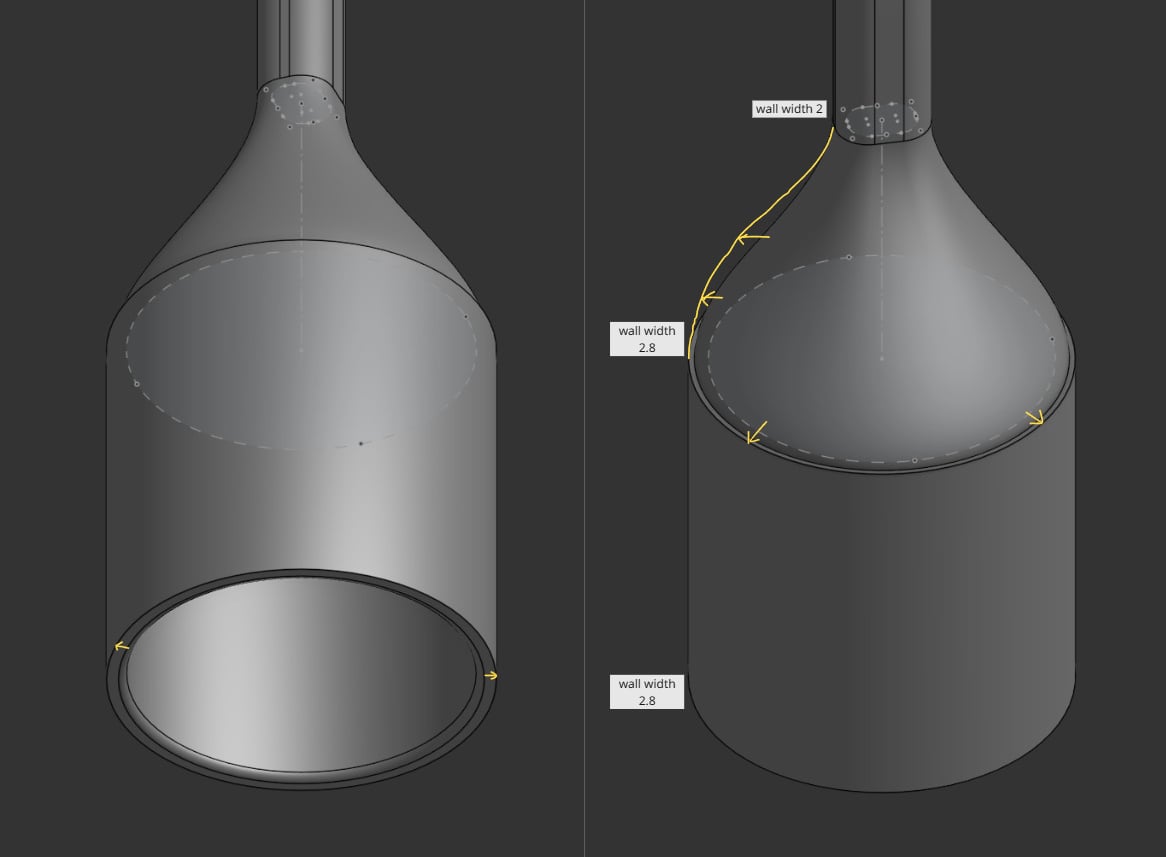
Good day! I'm trying to do thicker wall on the botton of the cylinder, tried it with move face, but it is just even face offset, is there a way to add width with fall off? For now used move face and removed the step with bevel, it is looking ugly but somewhat a workaround, but maybe there is a cleaner solution? The overall wall was created with shell.
Thanks!
Best Answers
-
 Matt_Shields
Member, Onshape Employees Posts: 943 PRO
Matt_Shields
Member, Onshape Employees Posts: 943 PRO
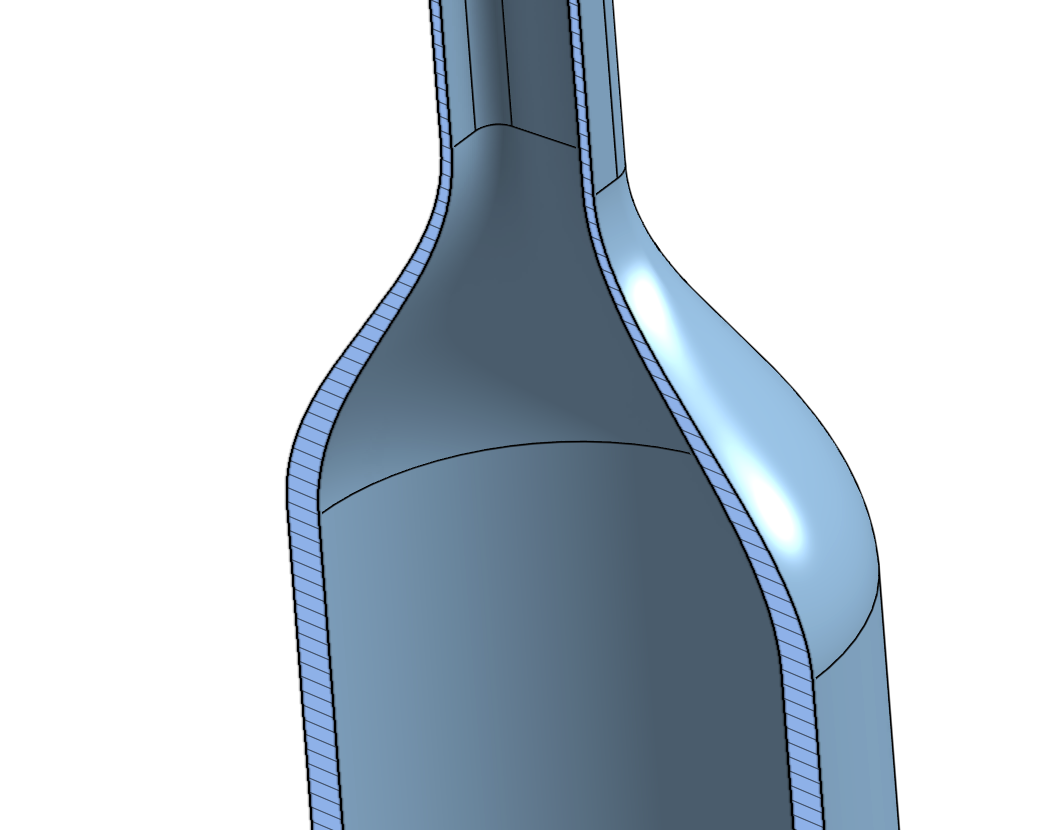
Loft the outer solid. Then loft remove the inner solid. Rather than a shell.
 0
0 -
 martin_kopplow
Member Posts: 1,298 PRO
martin_kopplow
Member Posts: 1,298 PRO
In those cases, I usually try to keep it simple and robust to later edits.
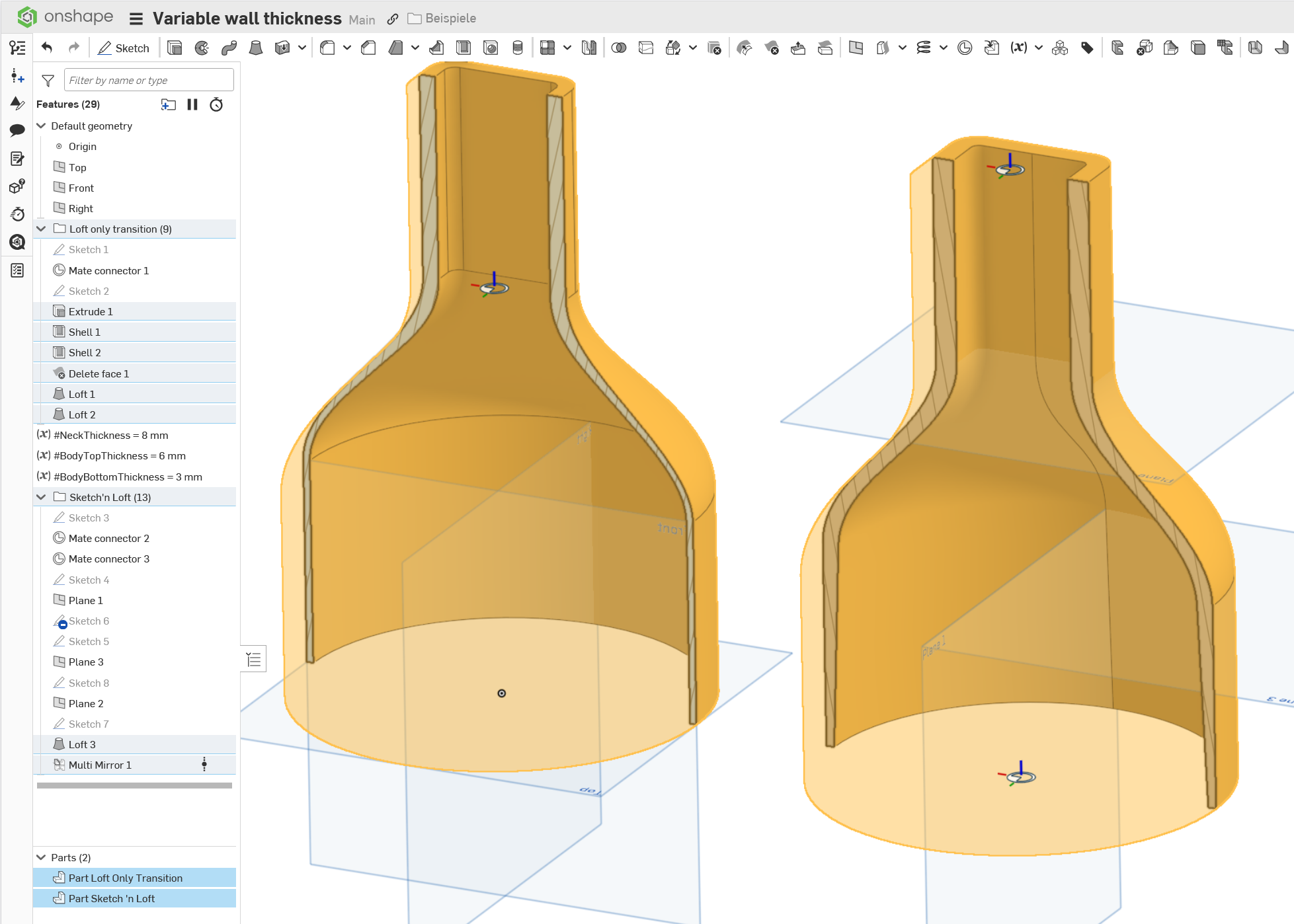
- Instead of lofting, a revolve could be used (partly): Just sketch out the desired thickness in a section sketch and revolve.
- One could create two parts (Body and neck of the bottle), shell each to desired wall tickness and then loft-add the connection (funnel).
- One could loft the massive bottle, then extrude-remove both end caps inwards (minus wall thickness) up to the transition, delete the bottom faces of the extrudes and loft only the inner transition.
All three methods would allow controlling wall thickness at all places, by e.g. applying draft to the xtruded portions or assigning variables in the sketch.
 0
0
Answers
Loft the outer solid. Then loft remove the inner solid. Rather than a shell.
Matt_Shields, thank you for the reply! You're created two parts with different lofts (fat and thin with corrected radius of constructed shapes) and boolen from fat with thin? And how you managed loft with hard transition? I got bulge vase insted (normal to profile not helped), so I made three lofts from top part, transition and bottom and boolean them all togeather.
I did two lofts, an Add and a Remove. And I used normal to profile.
https://cad.onshape.com/documents/8599b97967bf83834614d764/w/37f28f6d0a15921bdd09c854/e/617527a61d74b963dd51988d
In those cases, I usually try to keep it simple and robust to later edits.
All three methods would allow controlling wall thickness at all places, by e.g. applying draft to the xtruded portions or assigning variables in the sketch.
https://cad.onshape.com/documents/4c4e975713ed52a73242a7f3/w/86bcb12143ab538a933af021/e/f442674e03b52e2f447167c9?renderMode=0&uiState=695eb5bab9cdb949f96e5909
Matt_Shields and martin_kopplow thank you very much for your help, learned a lot!