Welcome to the Onshape forum! Ask questions and join in the discussions about everything Onshape.
First time visiting? Here are some places to start:- Looking for a certain topic? Check out the categories filter or use Search (upper right).
- Need support? Ask a question to our Community Support category.
- Please submit support tickets for bugs but you can request improvements in the Product Feedback category.
- Be respectful, on topic and if you see a problem, Flag it.
If you would like to contact our Community Manager personally, feel free to send a private message or an email.
Remove over extrusion from sweep that extends past face on another part
 Martin_29
Member Posts: 19 ✭
Martin_29
Member Posts: 19 ✭
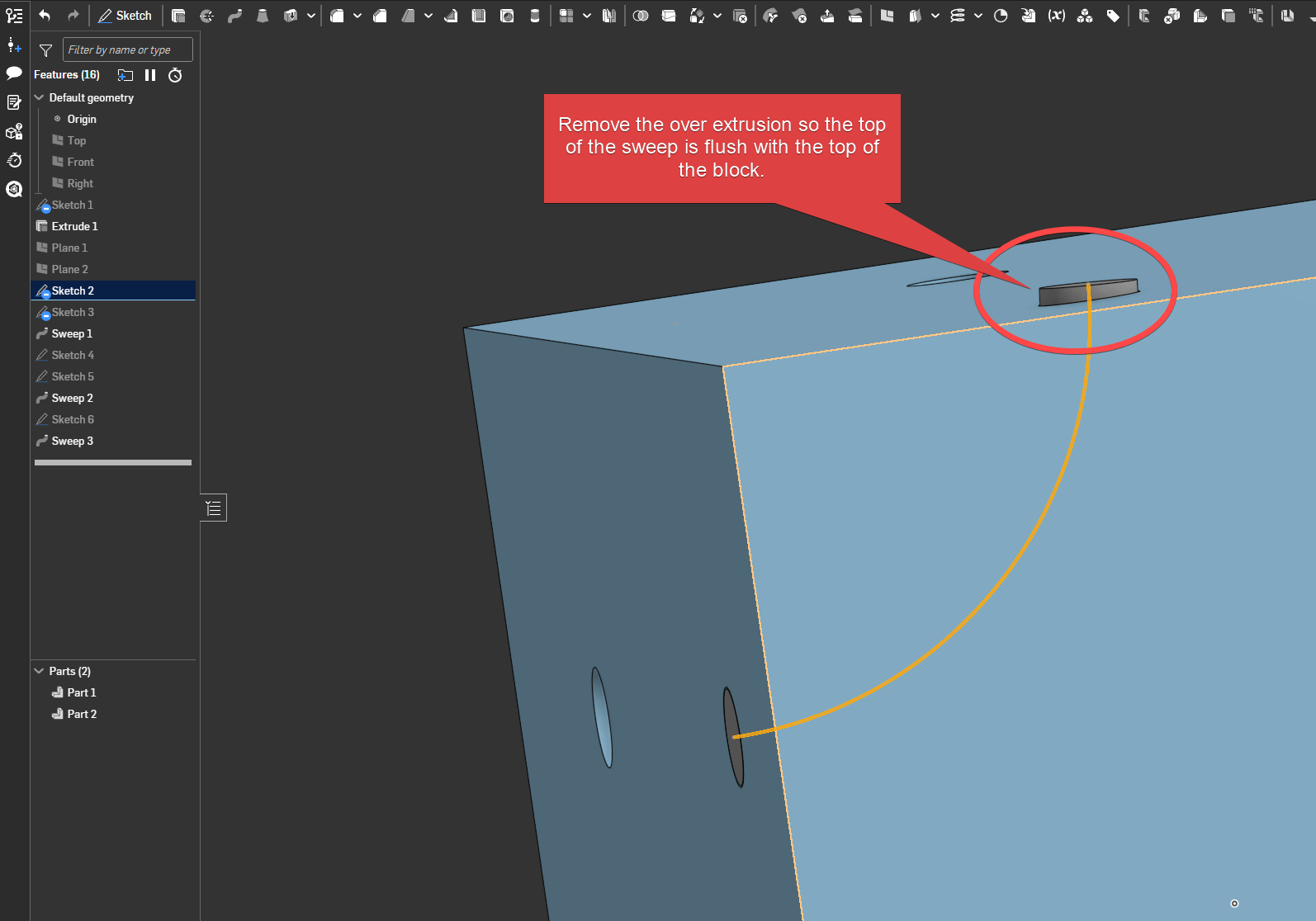
I have a test piece where I am trying to have a component that is internal to a block and goes along a sweep path. The sweep path I have is slightly longer than the face it is connecting to so the extrusion removes the full face as setting to coincident doesnt remove the whole face from the sweep.
When I do the sweep of the second component that is internal to the sweep it extends past the face of the block, due to the over extended path for the sweep, but I need the face to be flush, if that makes sense? I have tried the lock faces options but that doesnt seem to work for me.
Anyone know how to get around this please?
https://cad.onshape.com/documents/a4c5b0dafcdeb93c579c051d/w/529682c0f0401946bdda4e5c/e/c746ea6cc5b7aed5d72300d5
Best Answer
-
 John_P_Desilets
Onshape Employees, csevp Posts: 273
John_P_Desilets
Onshape Employees, csevp Posts: 273 
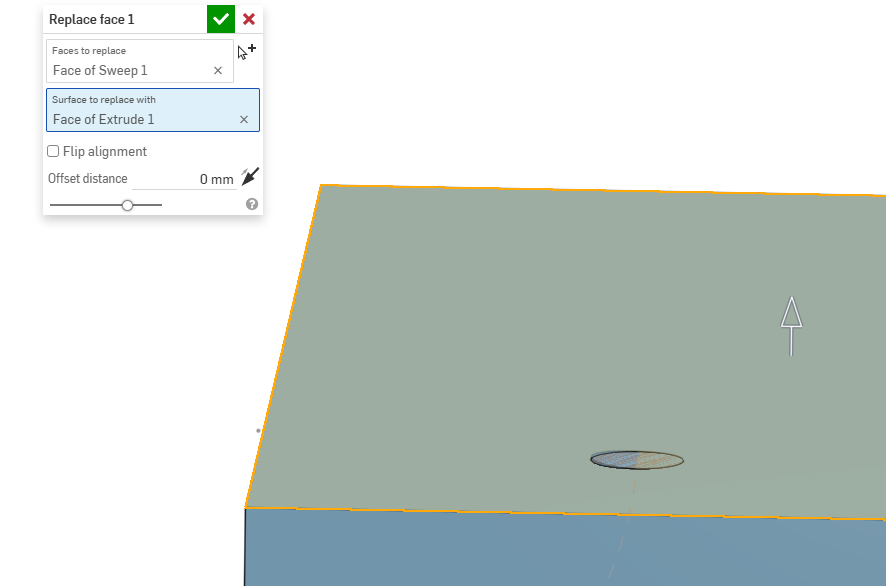
@Martin_29 Please look at the examples that have been shared. It is because your sketch is not properly defined. However, If that is your intent you can use the split technique or replace face. Since the swept body is partially inside and outside of the primary part, the replace face feature will work. If body goes past the primary part, use the split or replace face.
https://cad.onshape.com/documents/40b95184acc45ffc4546befa/w/0ff2ed48542ada6efa509cf6/e/f0052d75e958bc343fad386b
 0
0
Answers
@Martin_29 I would just ensure that the sketch is properly constrained and normal to the face of the part.
Once that is done, the sweep wont need any modifications afterwards.
Thanks John, I have tried that fully constrained but still end up with the top of the sweep not being fully removed from the sweep and end up with an artifact on the edge. I have also tried the profile faces options but these do not seem to work either? i originally tried that but have this artifact so I extended past to remove that but that messes up the inner section when I sweep that.
That didnt seem to work for me .
@Martin_29 The center of the arc needs to be at the vertex of the square. Like this. The sketch on the right shows the center of the arc is slightly above and will cause the sweep to come in at that angle. That is why your sweep is not working.
Here is the document for reference https://cad.onshape.com/documents/40b95184acc45ffc4546befa/w/0ff2ed48542ada6efa509cf6/e/6f01d7e2f78c9df4f40a52d0
If I add the end profile skecthes at the end of each end of the removed extrude and then sweep it is better but the sweep never seems to be parallel to the face at the finishing end. Is there a way to get this parallel to the end face?
The curve needs to be normal to the face at the end. Or just use the split technique.
Your curve can be as wacky as you like, as long as it's normal at the ends.
@Martin_29 Please look at the examples that have been shared. It is because your sketch is not properly defined. However, If that is your intent you can use the split technique or replace face. Since the swept body is partially inside and outside of the primary part, the replace face feature will work. If body goes past the primary part, use the split or replace face.
https://cad.onshape.com/documents/40b95184acc45ffc4546befa/w/0ff2ed48542ada6efa509cf6/e/f0052d75e958bc343fad386b
THank you. I have that working now with it fully defined.
Show me how to do it
Managed to get both the side and top flush and then I added to the top of the 'inner tube' so that it extended beyond the top face.
You can see my test version here https://cad.onshape.com/documents/a4c5b0dafcdeb93c579c051d/w/529682c0f0401946bdda4e5c/e/c746ea6cc5b7aed5d72300d5