Welcome to the Onshape forum! Ask questions and join in the discussions about everything Onshape.
First time visiting? Here are some places to start:- Looking for a certain topic? Check out the categories filter or use Search (upper right).
- Need support? Ask a question to our Community Support category.
- Please submit support tickets for bugs but you can request improvements in the Product Feedback category.
- Be respectful, on topic and if you see a problem, Flag it.
If you would like to contact our Community Manager personally, feel free to send a private message or an email.
Why can't this be constrained as concentric if i can "manually constrain" by setting distance of 0?
 simon_anderson820
Member Posts: 12 ✭
simon_anderson820
Member Posts: 12 ✭
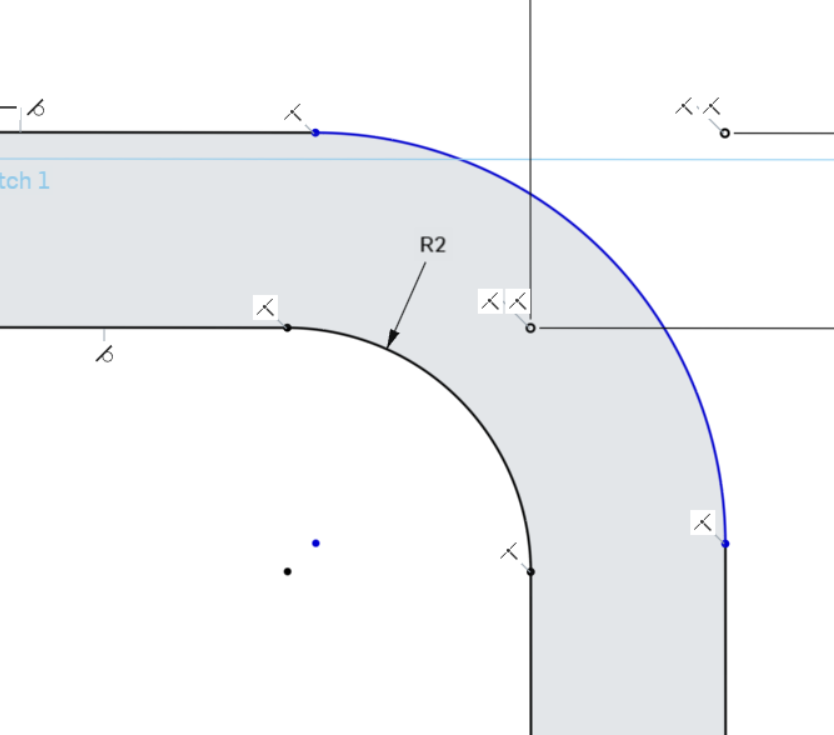
Wondering if someone can please look at "Sketch 1" in V2 (it's a work in progress, i likely will have just worked around the issue by the time you hopefully kindly open my document ;) But V2 has the problem. I was previously just filleting these corners but I want to do this "in sketch" now (basically decision for printing to ensure wall is consistent around curve… i guess I could still just do two fillets with a wall thickness difference in radius to achieve concentricity but anyway… curious to see what the actual issue is with sketch as will no doubt be useful knowledge)
https://cad.onshape.com/documents/2588820dbe532d641111eb17/v/d45ca0423e1d26239f2cc56f/e/6cff2efb387855badade20e3?renderMode=0&uiState=69700db0feb25b681dabd105
I've constrained many circles in my time… maybe its just "morning brain" but these two refuse to be concentric, and I had a similar problem lower down on the sketch. I tried multiple methods just to be sure: I started with the filleting tool to add the radius, then tried just creating manually with 'tangent arc', then with three point arc and adding tangents… I'm clicking both curves, and then clicking the 'concentric' constraint but it can't be solved. I also tried just dragging the centre point over the other centre point as a constraint: same result. What DOES work (and what i did on the curve below) is to just dimension the distance between those points as 0…. so a bit of a frustrating issue but easily worked around. Thanks for your help!
Best Answer
-
 S1mon
Member Posts: 4,064 PRO
S1mon
Member Posts: 4,064 PRO
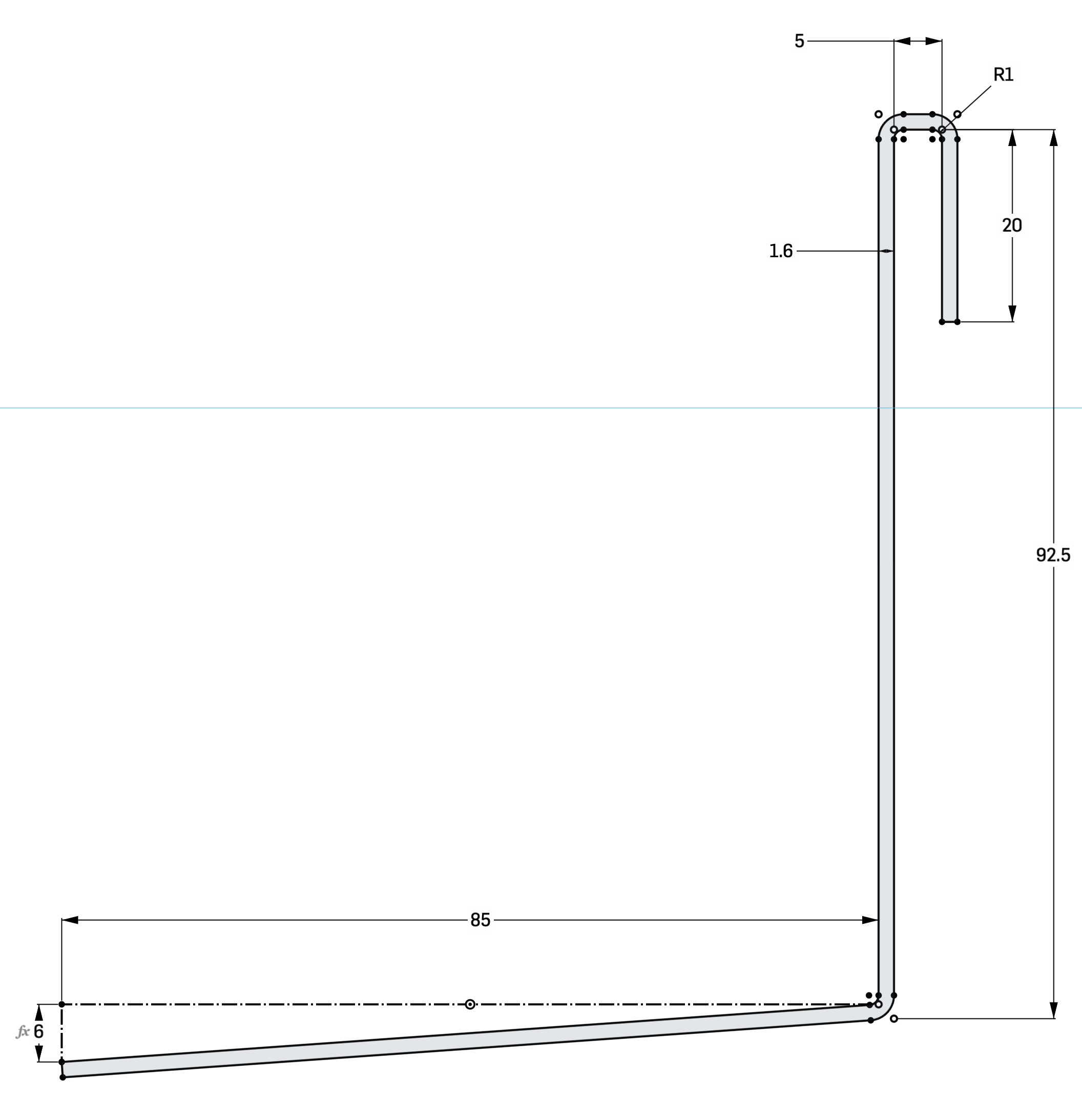
It seems like your main issue was that you dimensioned the 1.6 offset multiple places. If you get rid of that, and then make all the centers of the arcs coincident where you want them concentric, that fixed almost everything. There was one strange place where you had an extra line between the centers. In theory, the multiple 1.6 dimensions should be compatible with the concentric constraints, but it was probably over-constraining.
One tool when you're having issues like this is to drag blue entities around and see how they move/fail.
Also by getting rid of a couple extra R1 dimensions and making those radii equal, you can simplify the whole sketch.
Simon Gatrall | Product Development, Engineering, Design, Onshape | Ex- IDEO, PCH, Unagi, Carbon | LinkedIn
0
Answers
It seems like your main issue was that you dimensioned the 1.6 offset multiple places. If you get rid of that, and then make all the centers of the arcs coincident where you want them concentric, that fixed almost everything. There was one strange place where you had an extra line between the centers. In theory, the multiple 1.6 dimensions should be compatible with the concentric constraints, but it was probably over-constraining.
One tool when you're having issues like this is to drag blue entities around and see how they move/fail.
Also by getting rid of a couple extra R1 dimensions and making those radii equal, you can simplify the whole sketch.
https://cad.onshape.com/documents/671ad8449513a896e3ba3ed8/w/502c4a1df7f3bf5fa35a85a4/e/f617f43d6d532b565d40d19a
Simon Gatrall | Product Development, Engineering, Design, Onshape | Ex- IDEO, PCH, Unagi, Carbon | LinkedIn
Thanks S1mon! Cool name, slightly more cyborg than mine ;)
Yeah that strange line was just me trying to diagnose the issue in a weird way then setting as 0 eventually… later i just directly dimensioned the two zeros as 0 for a slightly less but still janky workaround.
But thanks for that and thanks for spending the time! At first i was gonna reply "but they're two different areas, they're both 1.6?!" but i see your point: if the radii are concentric then the other section HAS to be 1.6…. and I'm familiar with other times that trying to effectively dimension something twice does not work even if "theoretically" its solveable… no doubt some very interesting and perfectly valid technical reason in the solver code but I can respect that and this problem is no longer driving me crazy thanks to your help :)