Welcome to the Onshape forum! Ask questions and join in the discussions about everything Onshape.
First time visiting? Here are some places to start:- Looking for a certain topic? Check out the categories filter or use Search (upper right).
- Need support? Ask a question to our Community Support category.
- Please submit support tickets for bugs but you can request improvements in the Product Feedback category.
- Be respectful, on topic and if you see a problem, Flag it.
If you would like to contact our Community Manager personally, feel free to send a private message or an email.
Is it possible to scale around a circular axis rather than a linear direction?
 RhettRobinson
Member Posts: 205 ✭✭✭
RhettRobinson
Member Posts: 205 ✭✭✭
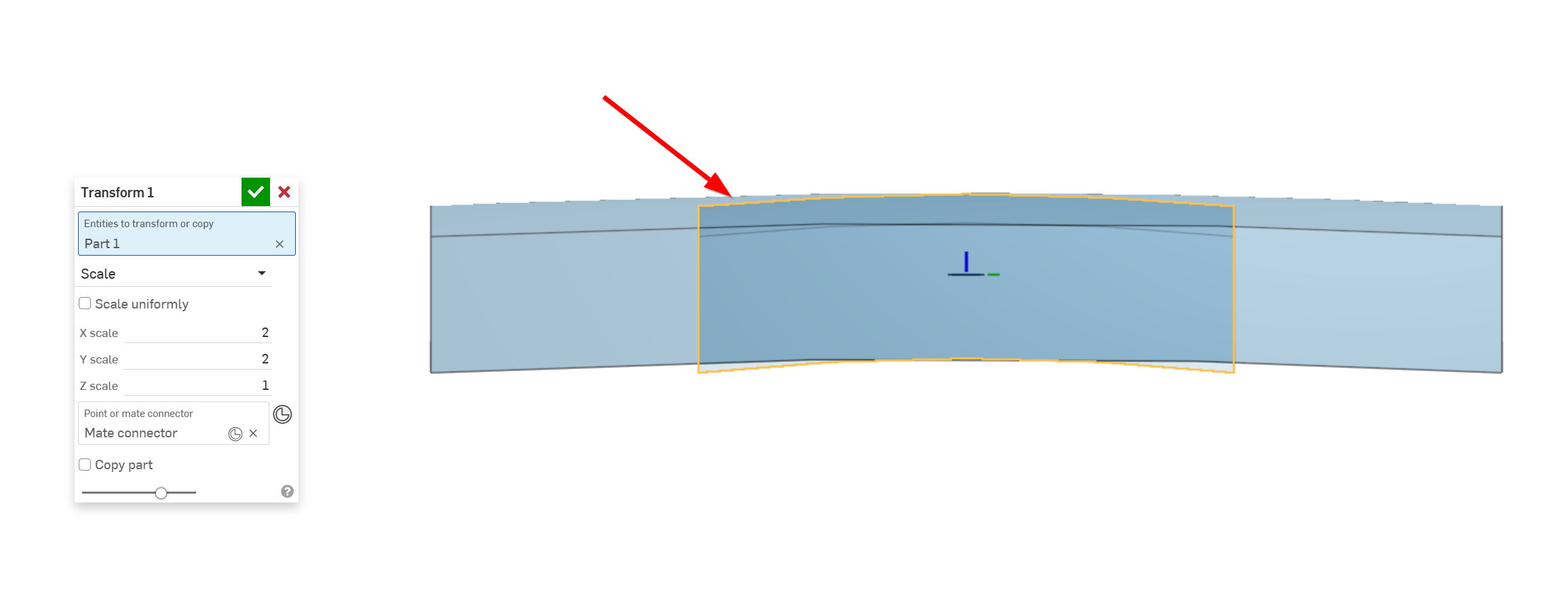
I have run into a situation where it would be great to scale an object in a way that it would keep the upper and lower faces the same curvature (or the same thickness) but essentially act as a move face —> rotate in the chosen directions. The reason the move face wouldn't work in my case is I want a precise scale change for the whole body rather than a face measurement and would like to select a whole body rather than a bunch of faces. Is this possible? I'm assuming this will need to be a FeatureScript, but want a gut check before I try to dive into it. Currently the transform tool immediately changes the curvature of the body.
Answers
I'm going to guess that with your new job you're having to model tires in as-manufactured and as-installed states. Admittedly I've only done this with a couple airless scooter tires, but what I ended up doing was to drive things with variables, and use configurations to make the two states. I treated the as-installed state as more of a wishful/theoretical situation and the as-manufactured as the source of truth.
Simon Gatrall | Product Development, Engineering, Design, Onshape | Ex- IDEO, PCH, Unagi, Carbon | LinkedIn
@S1mon I'm surprised that there would be a need to model both options with airless tires, was that more for render use to match with the wheel? Or are the installed measurements taken off of real world samples?
The various tire sizes for the casing I believe I have down pretty well with a similar workflow set up with variables. I still need to give it more time to work out some of the kinks with bigger changes, but I think I am on the right track there. Requiring variations of individual tread sizes to cut down on noise is the trickier part. The closest I have at the moment is to use the standard transform/scale on the lugs in 2 of the 3 directions and then using a replace face to bring the top of the lugs back to matching with the tread profile. That may be good enough for now, but with certain patterns I can see it distorting the design too much.
Here is one of the patents out there for this purpose: US6363984B1 - Tire tread pitch sequencing for reduced noise - Google Patents. I didn't know this was a thing until two weeks ago!
With airless tires, they get stretched a decent amount. Those dimensions deltas were based off of previous real world tire model experience from us and the tire manufacturer. Long term they would have been updated to match reality as much as possible. We needed to see what the scooter would look like and design packaging etc to match the as-installed state (within some tolerances of course). We also needed to release CAD to the tire company for molding.
Sounds like lots of fun. 😜
Simon Gatrall | Product Development, Engineering, Design, Onshape | Ex- IDEO, PCH, Unagi, Carbon | LinkedIn
Ah, gotcha. I had previously done something like that with the MTB tire lineup for Trek when they launched a new collection a few years ago, but those weren't tooling models, just for render purposes. Tires aren't nice cylindrical revolves, that's for sure!