Welcome to the Onshape forum! Ask questions and join in the discussions about everything Onshape.
First time visiting? Here are some places to start:- Looking for a certain topic? Check out the categories filter or use Search (upper right).
- Need support? Ask a question to our Community Support category.
- Please submit support tickets for bugs but you can request improvements in the Product Feedback category.
- Be respectful, on topic and if you see a problem, Flag it.
If you would like to contact our Community Manager personally, feel free to send a private message or an email.
How do I create angled parts?
 mustafa_afaneh
Member Posts: 7 ✭
mustafa_afaneh
Member Posts: 7 ✭
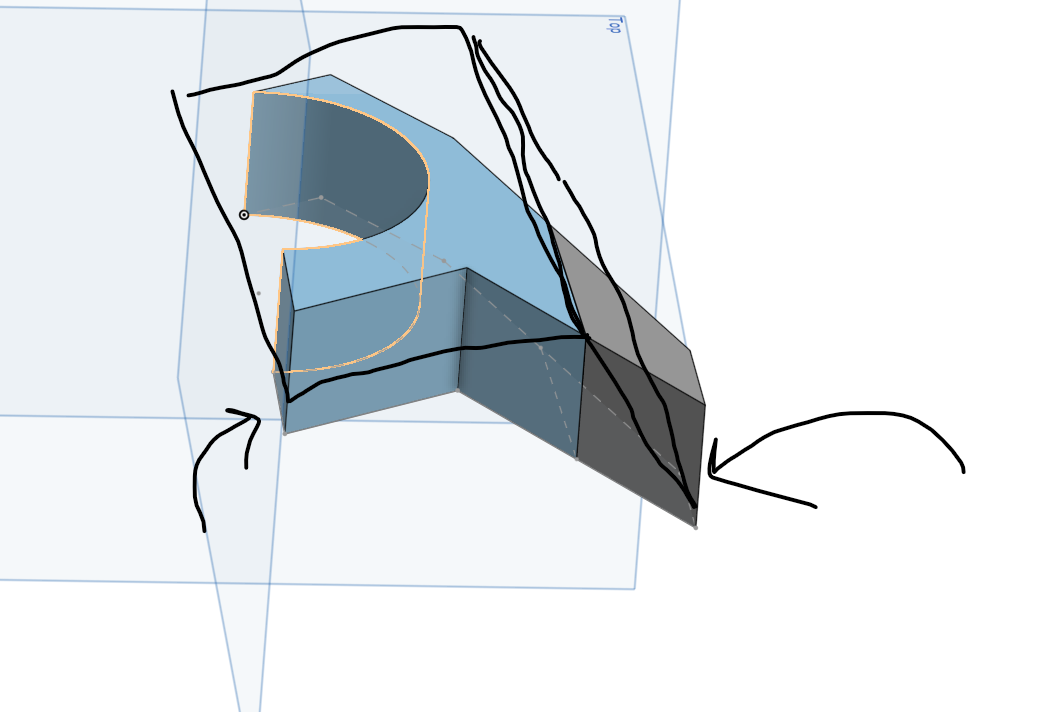
Hello! I am struggling with creating angled cuts. On these 2 parts I want the highest point to be where the parts meet (Where the black squares I drew meet as well). The part on the left will won't have the same hight as the one on the right on their lowest point. I am not sure how to do this because I tried sketching on the part surfaces themselves but when I extrude the shape I want the extrusion happens perpenicular to the sketch. Also a general question, How can I create objects that are angled, as in it starts on the xy or z axis but its end will be floating somewhere between the axis?
Answers
Create a new plane, select line angle, select a line, and set the offset angle to whatever is desired. If you want it to be angled in 2 different axis draw a line on the new plane and make another line angle plane off of that
I am trying the method but I still can't click the point circled in red since it isn't on the same plane as the sketch. Can you send screenshots if possible? I am still confused. I also want it to extrude horizontally as in the first picture I sent.
Hey Mustafa. Try using the Use tool to capture that point. - Scotty
That worked Scott, Ty so much!