Welcome to the Onshape forum! Ask questions and join in the discussions about everything Onshape.
First time visiting? Here are some places to start:- Looking for a certain topic? Check out the categories filter or use Search (upper right).
- Need support? Ask a question to our Community Support category.
- Please submit support tickets for bugs but you can request improvements in the Product Feedback category.
- Be respectful, on topic and if you see a problem, Flag it.
If you would like to contact our Community Manager personally, feel free to send a private message or an email.
Fillet - Not working as it used to?
 jonas_abrahamsen
Member Posts: 4 ✭
jonas_abrahamsen
Member Posts: 4 ✭
Hello,
I am trying to make a dice, where I want to round (fillet) all the egdes. But I get this error:
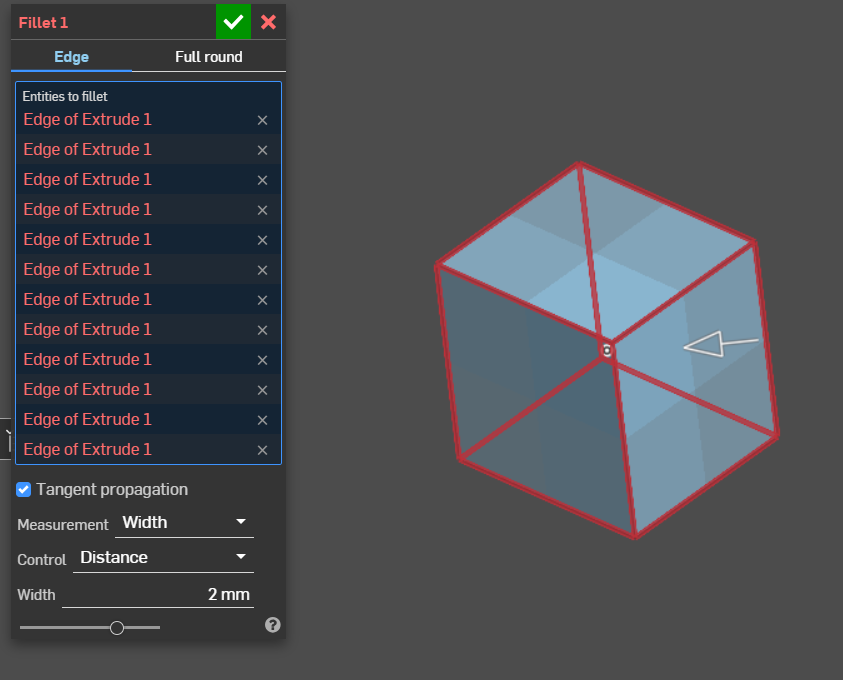
There is a tutorial video, where the user just mark all the edges → fillet = it just works (https://youtu.be/cUe2O_85zIM?si=cDm09JQWSgZQ7HUJ&t=71)
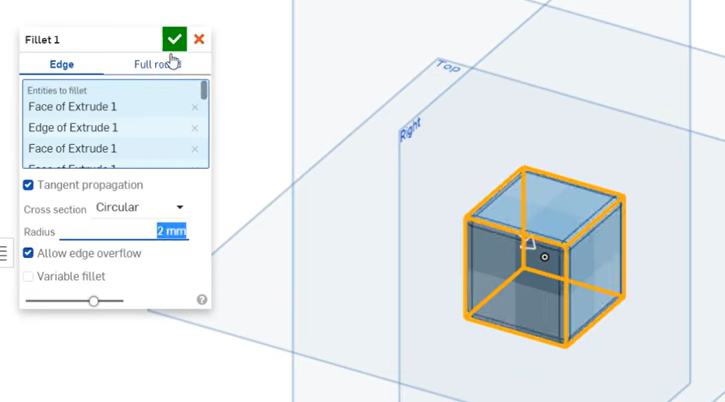
It looks like, that is not a feature anymore. However, I can do multible Fillet commands and do one for each side. But it is nbot doing it correct. By clikcing one line pr. command, the top looks correct:
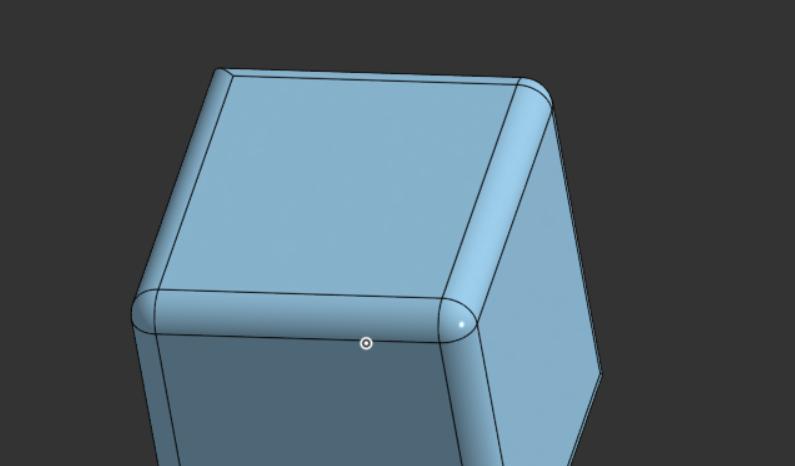
But the buttom is off:
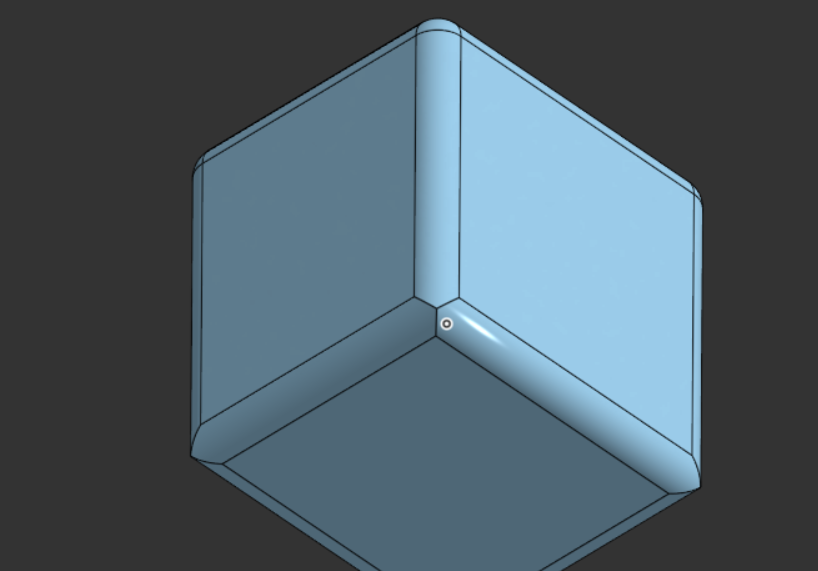
Furthermore, it does not allow me to do the last line?
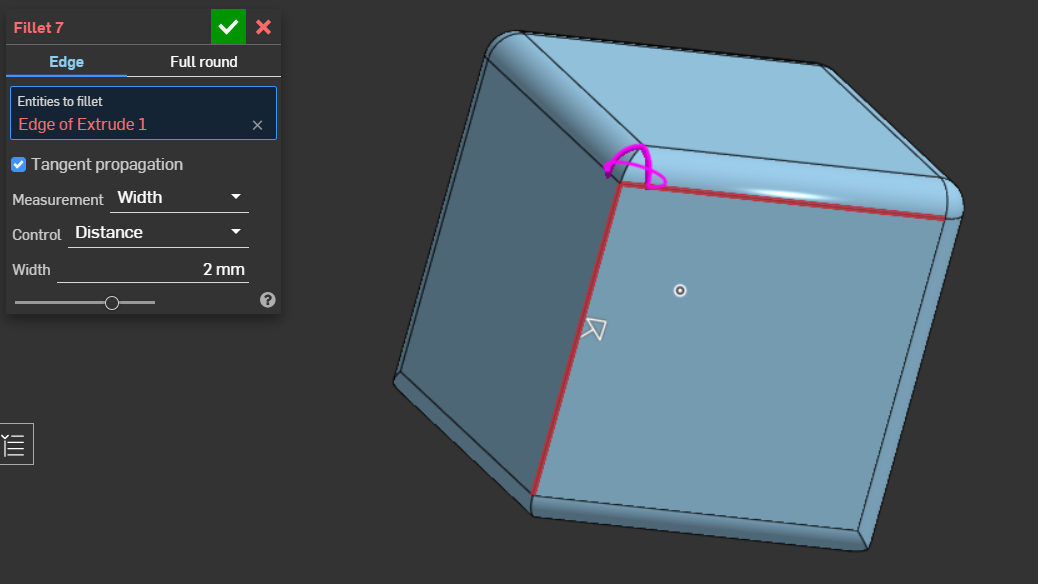
I am not a pro with Onshape. But I think there have been an update to this. I remebered, when it just could do all the egdes at once. Now I need to have many Fillet commands.
How can I solve this, and what am i doing wrong?
Thank you.
Comments
Works fine for me.
In your screenshot you have "Measurement" set to "Width", which can be very useful, but in this situation that's why it's failing. You need it set to "Radius".
Simon Gatrall | Product Development, Engineering, Design, Onshape | Ex- IDEO, PCH, Unagi, Carbon | LinkedIn
@S1mon - I was totally unaware of that 'Width' option. Went to the help files where there was zero explanation. Tried 'playing around' with it to figure it out . . nope. When/where is it ever used?
CADNurd's Linktree - find me everywhere else - https://linktr.ee/Liam.G
The top fillet in this part is set to Width and 5mm. The width is the chordal distance and drives the size. The radius value is a resultant.
Simon Gatrall | Product Development, Engineering, Design, Onshape | Ex- IDEO, PCH, Unagi, Carbon | LinkedIn
@S1mon - Thanks for that. In the meantime I also discovered this official 'Tech Tip' page - https://www.onshape.com/en/resource-center/tech-tips/how-and-when-to-use-fillets-in-onshape - scroll down for a video which gives a good explanation.
. . . by a @Jenny_Johnson ? She seems to know exactly how it all works, maybe she can organize the editing of the help files.
CADNurd's Linktree - find me everywhere else - https://linktr.ee/Liam.G
Omg! Thank you so much. I have been having troble with this for some time, but didnt what to make a post about it. But this dice made me pull the trigger.
Thank you for using the time to testing it out and make a model and everything.