Welcome to the Onshape forum! Ask questions and join in the discussions about everything Onshape.
First time visiting? Here are some places to start:- Looking for a certain topic? Check out the categories filter or use Search (upper right).
- Need support? Ask a question to our Community Support category.
- Please submit support tickets for bugs but you can request improvements in the Product Feedback category.
- Be respectful, on topic and if you see a problem, Flag it.
If you would like to contact our Community Manager personally, feel free to send a private message or an email.
Splitting face with surface entity - need to project splitting tool to sketch to split.
 nate_atkins
Member Posts: 7 ✭
nate_atkins
Member Posts: 7 ✭
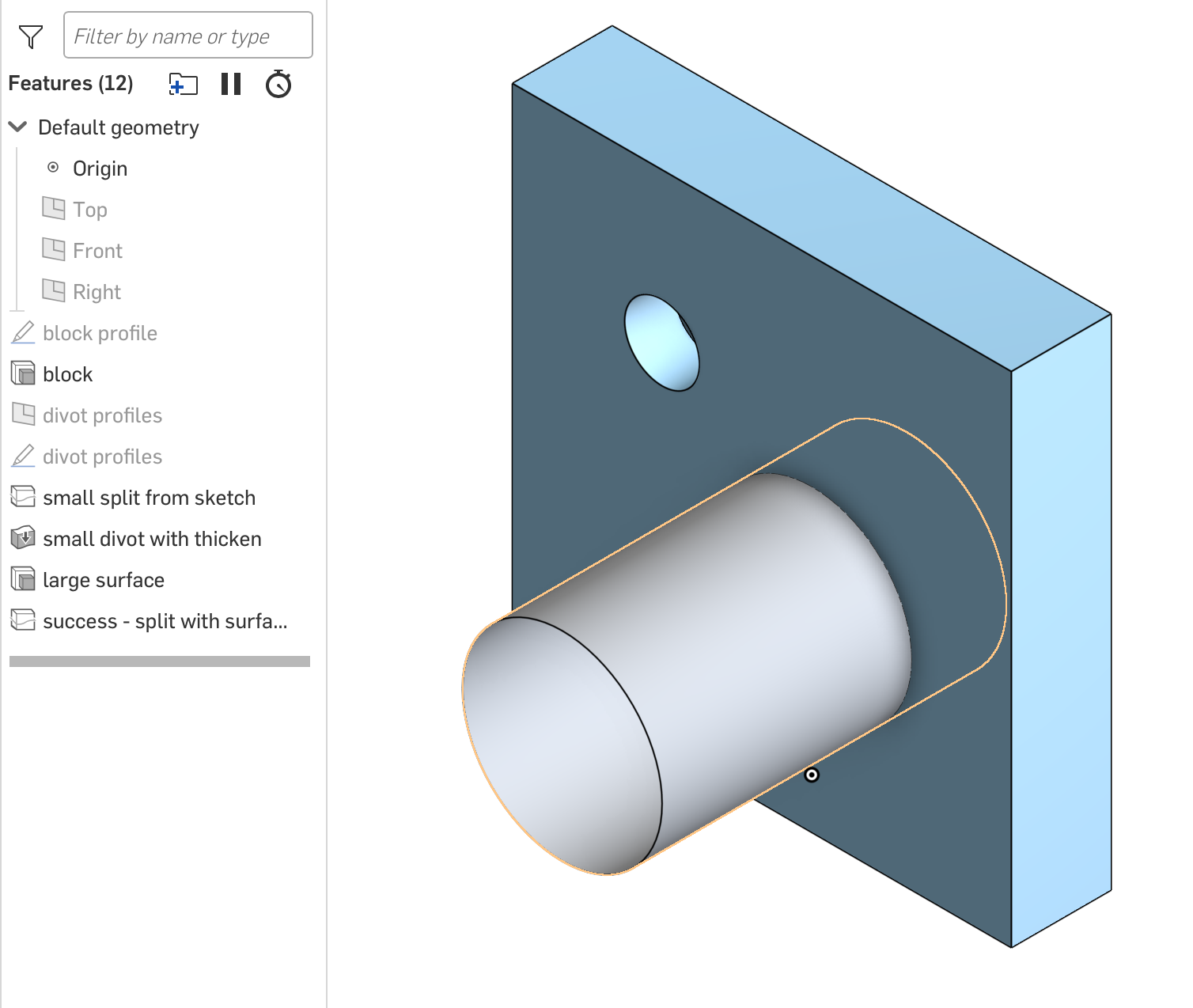
I'm working on some emboss/deboss features using the split surface + thicken method. I have no problems splitting the surface with a profile edge from a sketch. The problem I'm having is if I try and split with edge of a closed surface (extruded circle). What I've tried.
1) Split the face with the cylindrical surface. Here I get the error for "selected entities do not split selected face"
2) Using "create selection" to select one of the edges of the cylinder as the cutting tool. I can create the edge selection and it shows correctly in the view. When I add it to the "entities to split with" it is added as the surface of the cylinder. That gets me back to the 1) failure scenario.
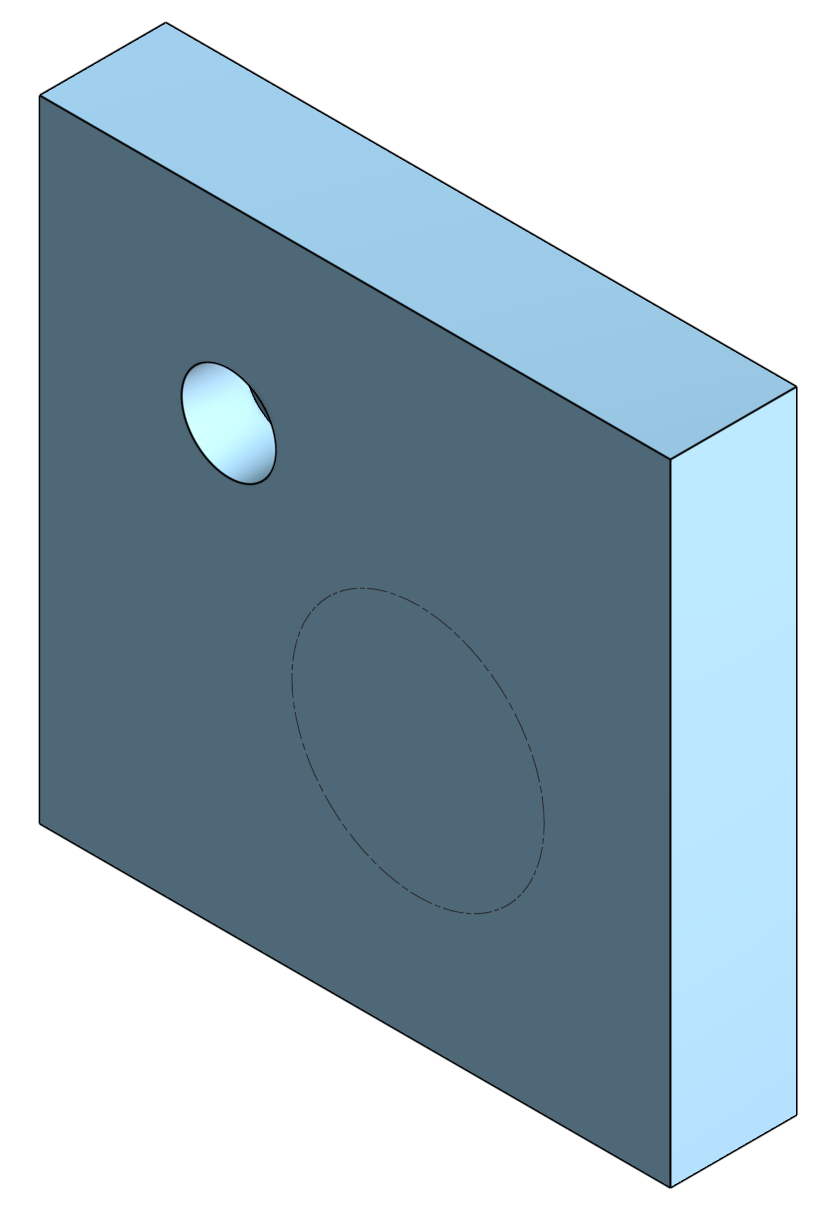
3) Create sketch and project the cylinder into the sketch. Use this sketch profile edge to split the face. This works!
Should I be able to split the face with the surface or the surfaces edge?
https://cad.onshape.com/documents/d4139d0365ad64adca1b82b3/w/36e53a7ee2423a48b6b3e8eb/e/c90ec890e730717b114b110a

Answers
The splitting surface has to actually intersect the face you want to split.
Simon Gatrall | Product Development, Engineering, Design, Onshape | Ex- IDEO, PCH, Unagi, Carbon | LinkedIn
Don't forget the sketch tool 'Use (Project/Convert)'. It may have simplified things for you, depending on what you're trying to do.
https://cad.onshape.com/help/Content/sketch-tools-use.htm?Highlight=Use%20convert
Unemployed Onshaper - Operating on European time - More of me here ➤➤ https://linktr.ee/Liam.G
Thanks for the quick comments, you helped me get over the hump. I think the input dialog for the split tool is a bit confusing.
If you are splitting the face with a sketch it works like it is extruding the surface defined by the sketch onto the face for the split. It can be done along the sketch normal or another direction defined by some other line. This all makes sense. It feels like a projection with an invisible laser beam.
My example was a bit degenerate as the cylinder surface made me think that the tool could just "extrude" its surface along the direction to define the intersection and do the split. Per S1mon and my tests, if you are splitting with a surface it needs to intersect the face and the direction controls still show, but do nothing. Their presence after selecting a surface gave me some false idea the tool would work like the extrude tool. Part of this was the simple case I dumb down to make the post.
For the case where I was trying to get the edge of the cylinder I was making a bunch of assumptions. Because I know the edge was planer I thought of it as a sketch. In the general case this could have be a 3D curve. While the documentation says "Use Split Face to split faces with a plane, Mate connector or implicit Mate connector, a surface, another face, or a curve." I can't find any examples of splitting with a curve that isn't defined in a sketch. So I find the use of "curve" in the documentation to be a bit misleading. If it really means a sketch curve that is fine, but all that means is that it has to be a sketch and we are back to the first case.
Let me know if you think I still could round out my understanding of how the tool works and its full capabilities.