Welcome to the Onshape forum! Ask questions and join in the discussions about everything Onshape.
First time visiting? Here are some places to start:- Looking for a certain topic? Check out the categories filter or use Search (upper right).
- Need support? Ask a question to our Community Support category.
- Please submit support tickets for bugs but you can request improvements in the Product Feedback category.
- Be respectful, on topic and if you see a problem, Flag it.
If you would like to contact our Community Manager personally, feel free to send a private message or an email.
"Use"ing a "Derived" part breaks when Derived location changes
 jeff_mcaffer
Member Posts: 98 ✭✭✭
jeff_mcaffer
Member Posts: 98 ✭✭✭
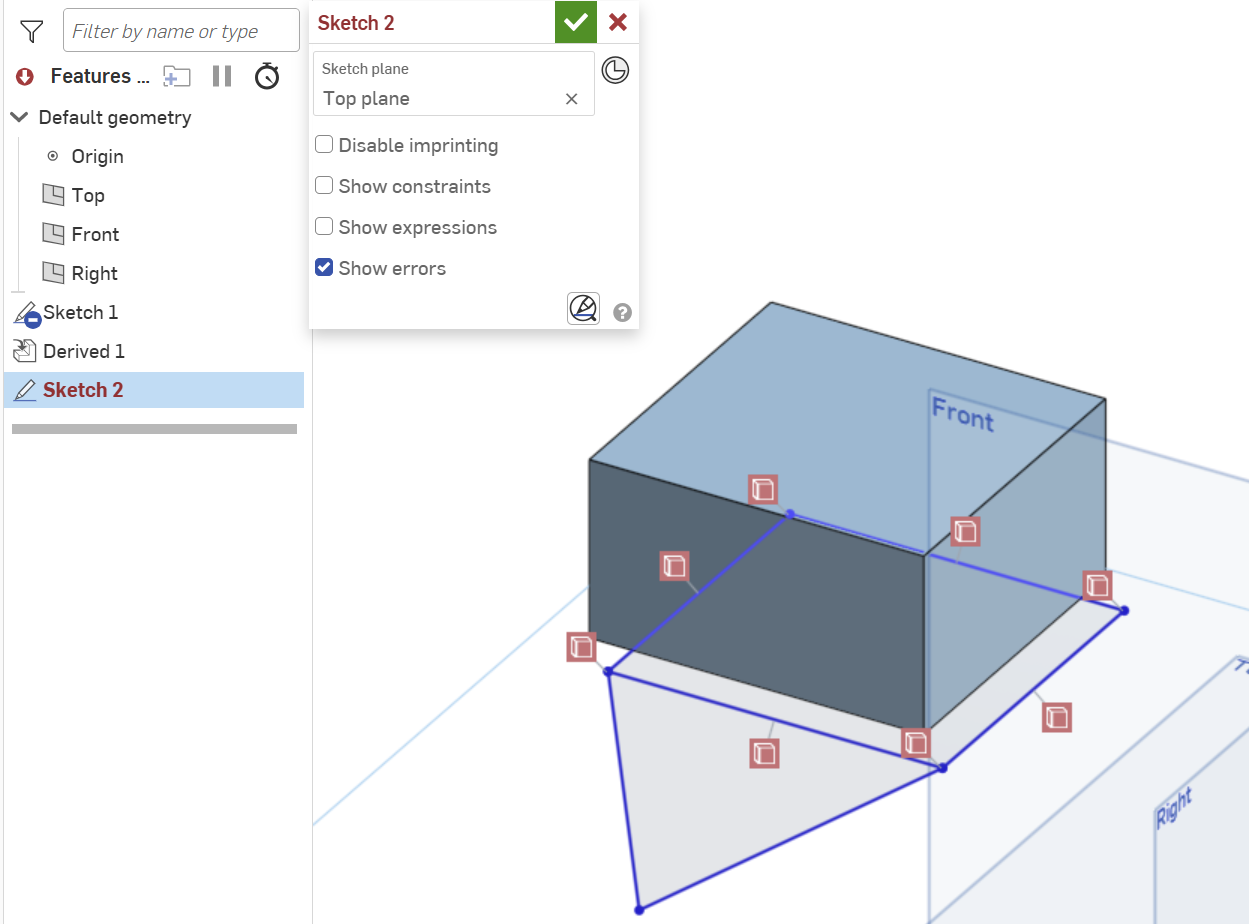
I get some weird behavior when changing the location of a Derived part that is Use'd in a sketch. All my Use constraints are broken. Steps to repro: (see Part Studio 1 and Part Studio 2 for an example)
- Define Part 1 in some Part Studio
- Derive Part 1 into some other Part Studio (e.g., Part Studio 2) and set the location to be some vertex
- Create a sketch in Part Studio 2 and Use a face of the derived Part 1
- Add some lines in the sketch that connect to vertices of the Use'd Part 1 and complete the sketch.
- Edit the Derived feature and change the Location to be the Origin (likely any other location fails too) and complete the feature edit
- Notice that the sketch containing the Derived Part 1 is now full of unresolved references for all the Use'd elements of Part 1.
What have I done wrong? Is there a way to update all the references? Is this a bug? Seems like a major limitation of Derive/Use if the Derive feature Location can never be changed once added.
Tagged:
1
Best Answer
-
 eric_pesty
Member, pcbaevp Posts: 2,648 PRO
eric_pesty
Member, pcbaevp Posts: 2,648 PRO
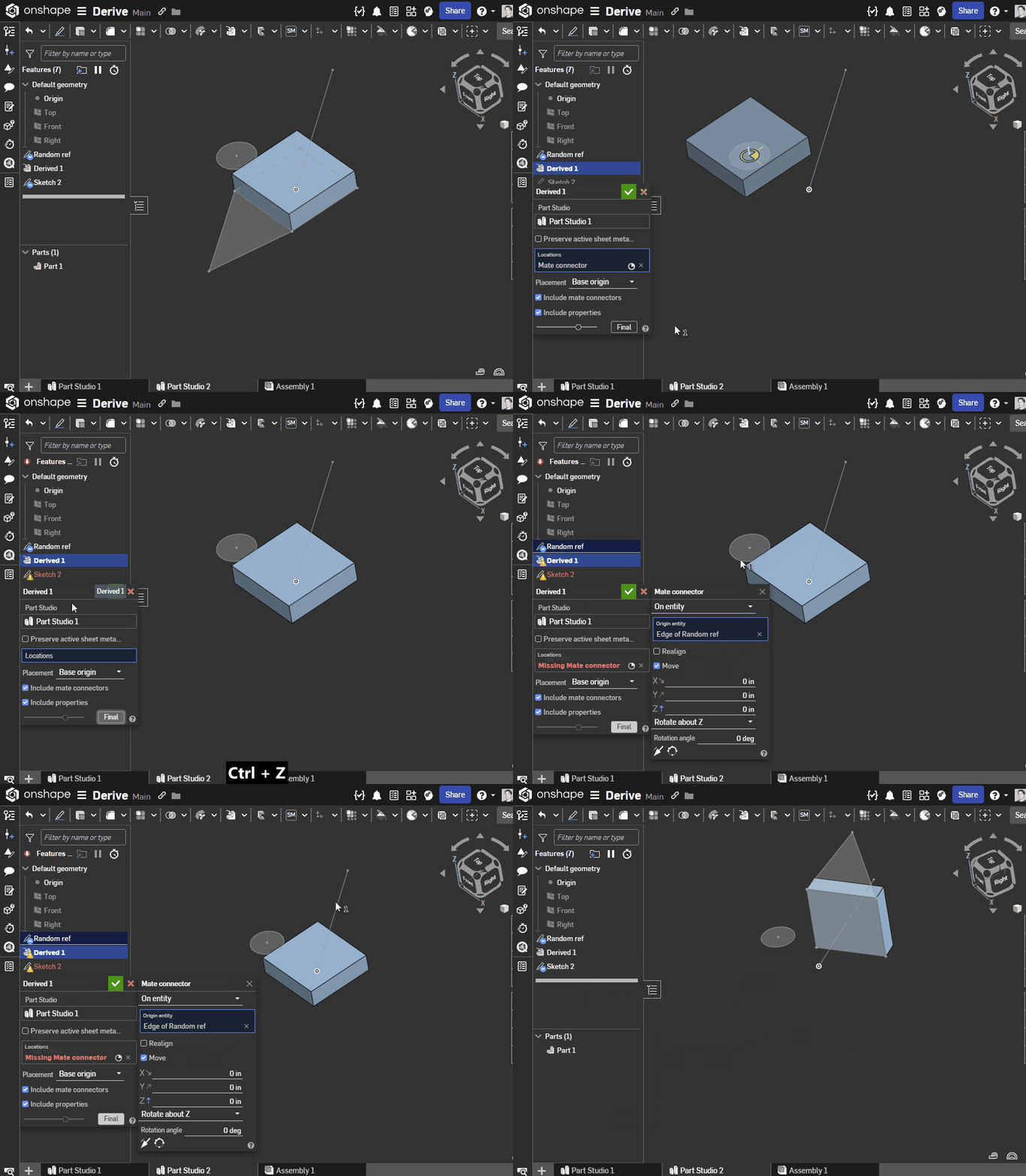
The key is to edit the derive correctly:
- If you clear the selection and pick a new point, it a "different" derived instance and it will break the relations
- If you edit the mate connector in the derive feature to a new position, the reference will follow:
 3
3
Answers
This is normal behavior, if I'm not mistaken.
Key quote from the video below - "The derived instance is a one-way association in which modifying the original instance propagates changes to the derived instance. However, this relationship does not occur in reverse; the derived instance does not update its master."
Unemployed Onshaper - Operating on European time - More of me here ➤➤ https://linktr.ee/Liam.G
The key is to edit the derive correctly:
🤔That certainly did it. Thanks. My problem was that I accidentally picked the wrong vertex for my mate connector when first creating the derived part. So, "naturally" I was deleting that mate connector and creating a new one. Editing the existing mate connector is the key. Thanks again. The Onshape community continues to amaze and impress.