Welcome to the Onshape forum! Ask questions and join in the discussions about everything Onshape.
First time visiting? Here are some places to start:- Looking for a certain topic? Check out the categories filter or use Search (upper right).
- Need support? Ask a question to our Community Support category.
- Please submit support tickets for bugs but you can request improvements in the Product Feedback category.
- Be respectful, on topic and if you see a problem, Flag it.
If you would like to contact our Community Manager personally, feel free to send a private message or an email.
BOXed-In, Branch-Out?
 brandon_nichols678
Member Posts: 4 ✭
brandon_nichols678
Member Posts: 4 ✭
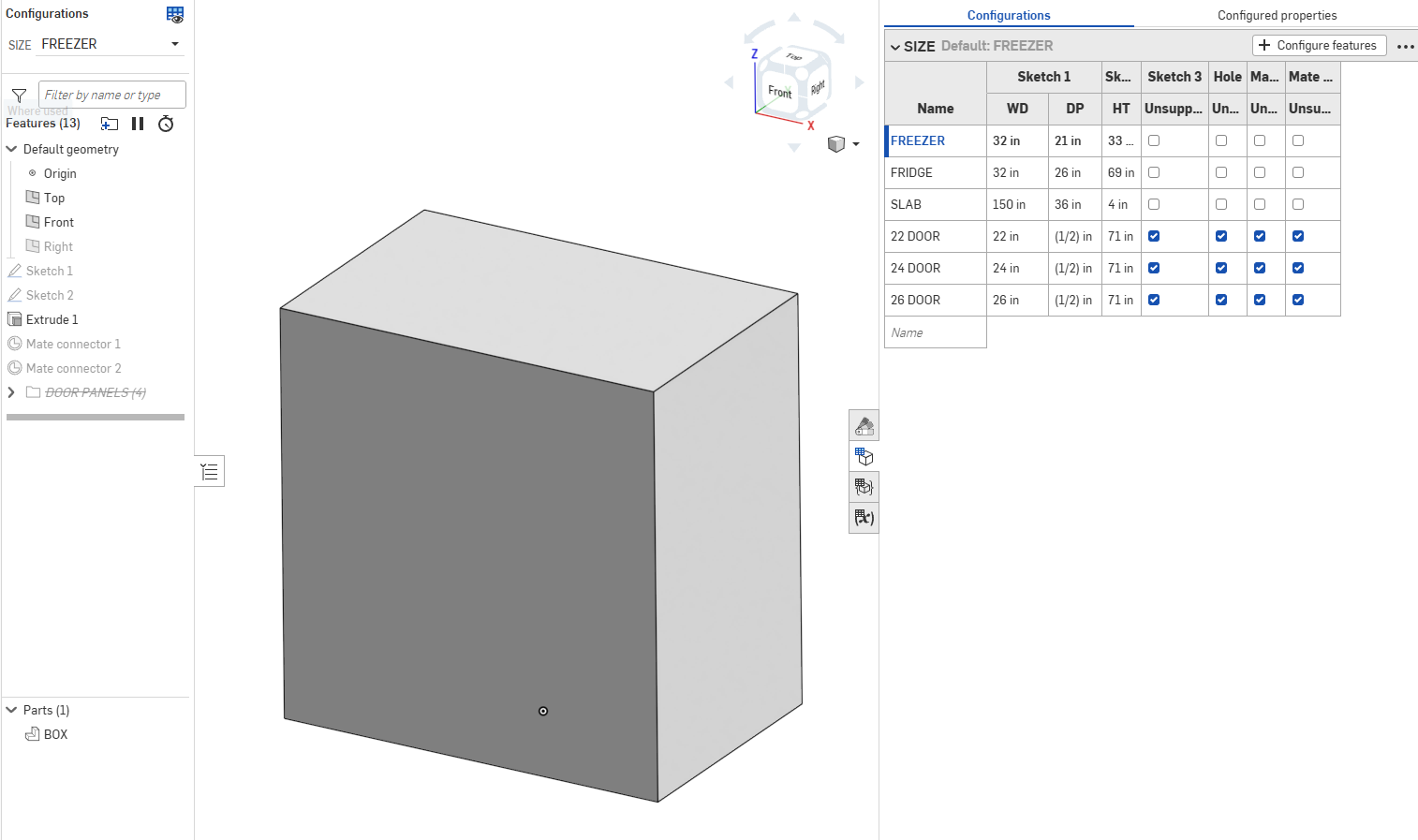
Configured unrelated cubes as parts in design, figuring I'd just rename instances a la SW.
But renaming configured instances does not appear to be possible in OnShape, true?
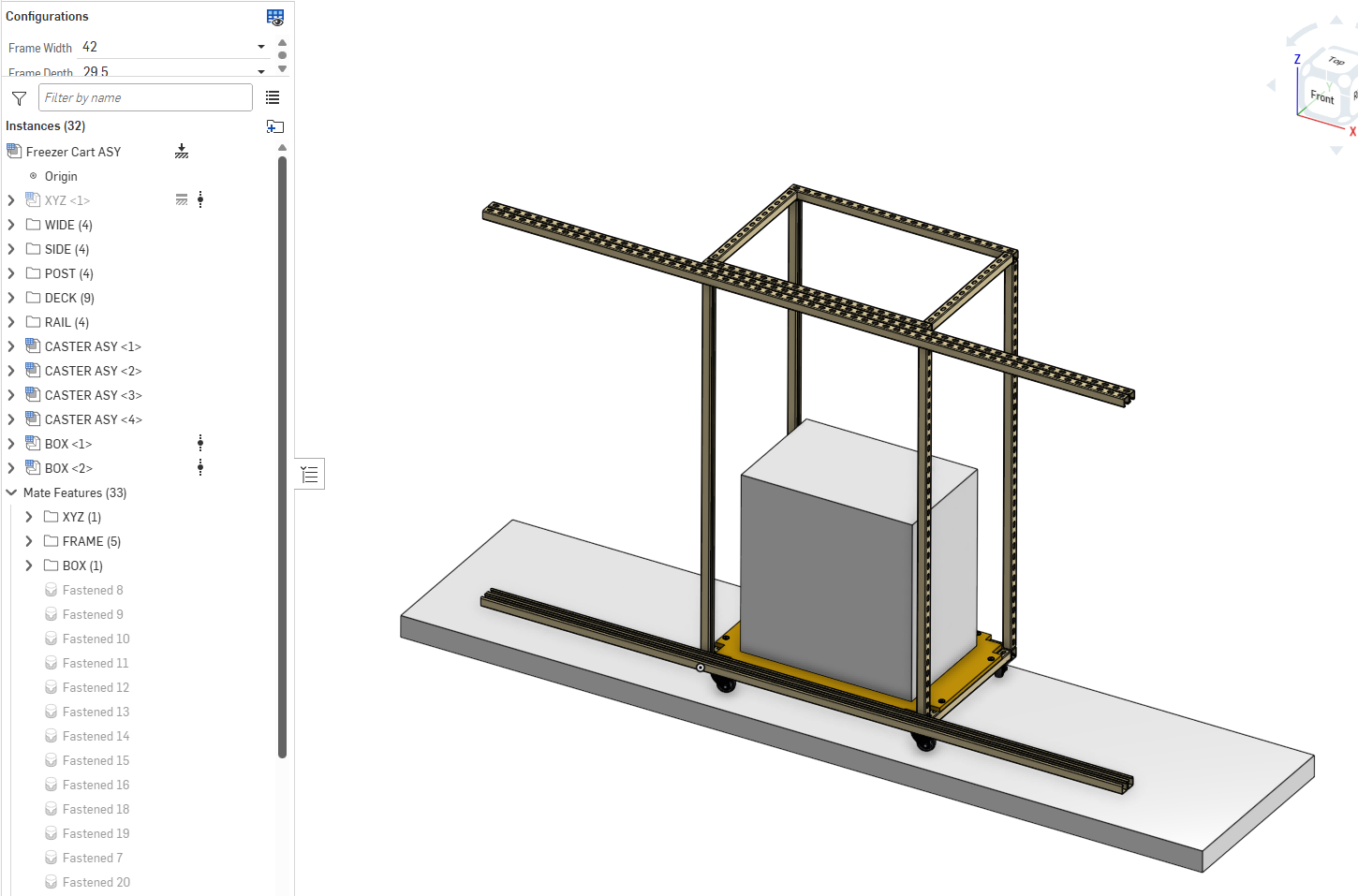
Problem is all instances show up in feature tree as BOX — is there any simple way out of this?
Or a more complex approach, perhaps like branching BOX Configs Part Studio to say PANEL, SLAB & APPLIANCE Part Studios?
What, if anything, can be done to differentiate w/o breaking (and thus needing to re-define) existing mates?
Thanks in advance!
0
Comments
Go to the "configured properties" (top right when looking at the configuration tables) and add "name".
Or bring up the BOM view from the assembly level and rename things there, it will create entries in the configured properties (as long as it's a workspace reference).
Like this: