Welcome to the Onshape forum! Ask questions and join in the discussions about everything Onshape.
First time visiting? Here are some places to start:- Looking for a certain topic? Check out the categories filter or use Search (upper right).
- Need support? Ask a question to our Community Support category.
- Please submit support tickets for bugs but you can request improvements in the Product Feedback category.
- Be respectful, on topic and if you see a problem, Flag it.
If you would like to contact our Community Manager personally, feel free to send a private message or an email.
Filling or blending an open face blend
 jim_zamecnik
Member Posts: 12 ✭
jim_zamecnik
Member Posts: 12 ✭
I'm stuck as to how to close off or blend the open end of this Face Blend fillet. I was unable to solve it using the Face Blend limits, or with the Fill function. Both likely due to my sloppy workflow and timeline. I know that open triangle is not contiguous, but can't seem to solve it, I think due to the order of the timeline.
Any suggestions are appreciated. I'm learning, slowly, but get stuck for hours on things like this sometimes.
EDIT: Bad link? ^^ Try this one:
https://cad.onshape.com/documents/d7b1dfb14d23b029b9517248/w/84ea481e1949216efbbdc9f9/e/790ccb081b446cc68249cdef
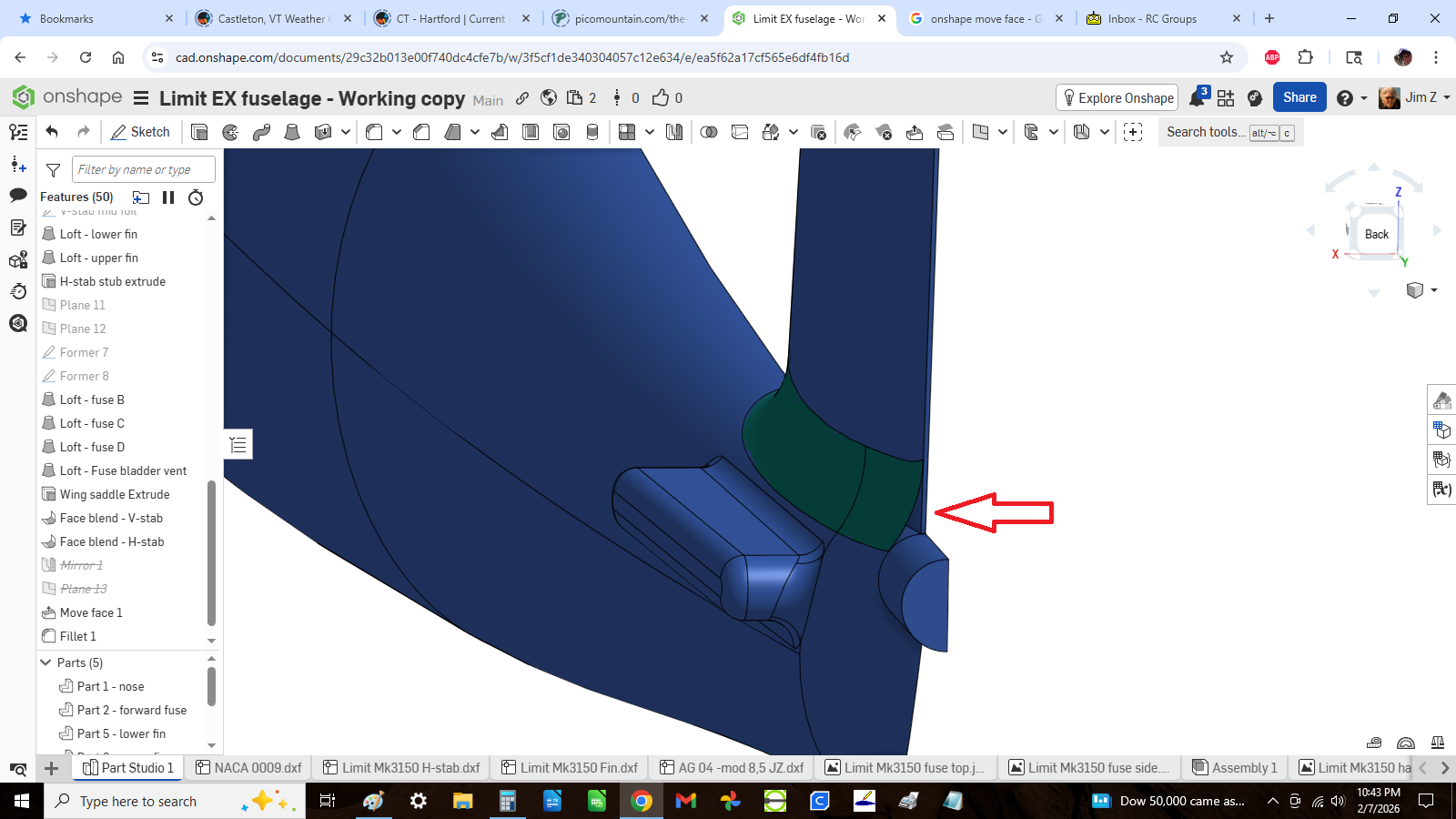
Comments
Your link leads back to this page.
Huh, it works from my end. But maybe this one:
https://cad.onshape.com/documents/d7b1dfb14d23b029b9517248/w/84ea481e1949216efbbdc9f9/e/790ccb081b446cc68249cdef
Yeah, you got some strange methods going on there, but here you go:
https://cad.onshape.com/documents/98cffdc41663555742aa70fd/w/62f77a674c78bc8adb5a62c8/e/c6c6568a6370922c61e2aafe?renderMode=0&uiState=6989fd2c272f8c65fda18f43
You need to be more picky about precision. This isn't Blender, and taking your time being super precise in the beginning saves twice the time in the end. A face blend will do the job for you, if all the faces blended are on the same part. Another approach would be to cut away the area to be blended first and then create a transition inbetween. That way, you might have even more control over the shape. You have, however, too much warped surfaces in your model, so that would mean self-intersecting geometry to be created, so I cannot demo that on the fly.
Here is another thought. A replace face between the tail fin and fuse will allow Boolean. Then a blend or simple fillet to finish.
https://cad.onshape.com/documents/73b10be569e97ac3f71271c0/w/a7ad3236906a20e8d0f05512/e/8a427e970d83814debe3e17f
Thanks guys. I'm away from my computer for a few days, but I'll take a look soon.