Welcome to the Onshape forum! Ask questions and join in the discussions about everything Onshape.
First time visiting? Here are some places to start:- Looking for a certain topic? Check out the categories filter or use Search (upper right).
- Need support? Ask a question to our Community Support category.
- Please submit support tickets for bugs but you can request improvements in the Product Feedback category.
- Be respectful, on topic and if you see a problem, Flag it.
If you would like to contact our Community Manager personally, feel free to send a private message or an email.
Scaling a Sketch Image
 andrew_jordan
Member Posts: 3 EDU
andrew_jordan
Member Posts: 3 EDU
I need a workflow solution for how to scale an image that I've inserted into a sketch. The image has a dimension depicted in it, so need a way of scaling up the image such that that dimension is of the correct size. .
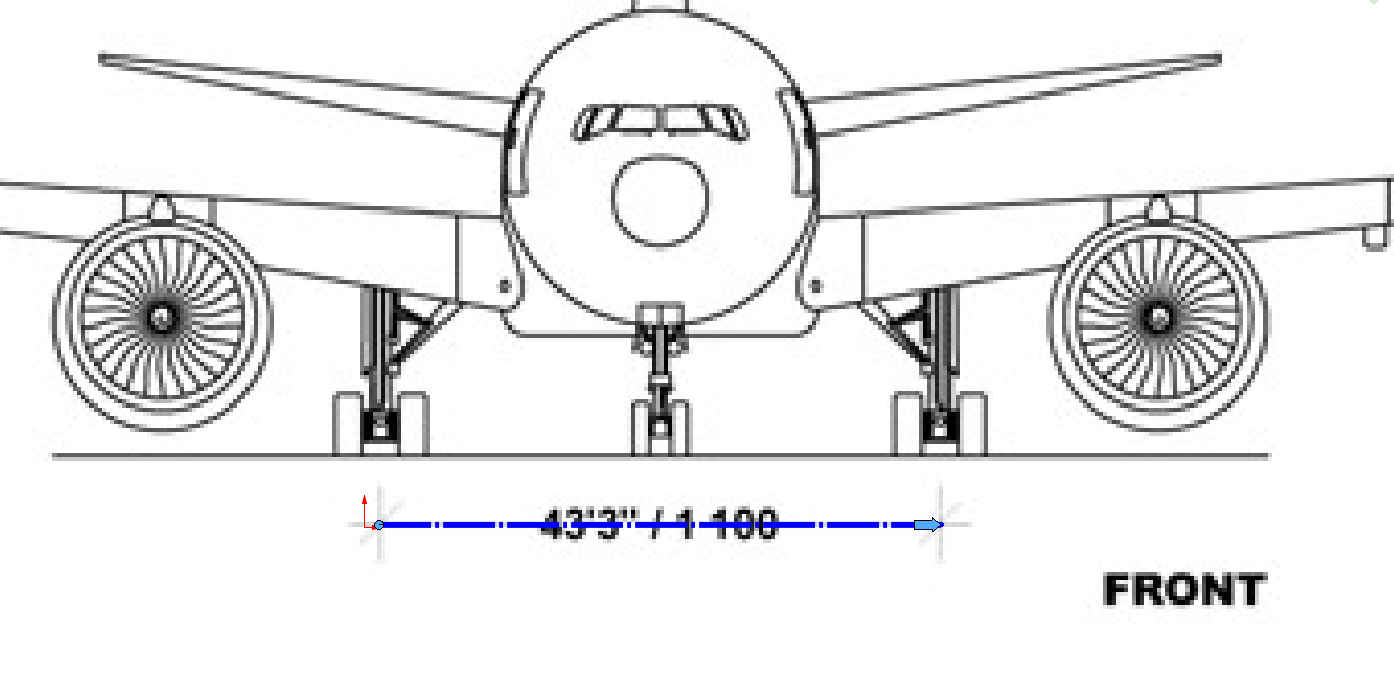
I am familiar with how to do this in Solidworks. In the example below (Solidworks), I insert the Sketch Picture, move the left side of the blue bar (the dot) to the left side of the dimension, then drag the right side of the bar (the arrow) to the right side of the dimensions, after which a box pops up prompting the user to input the length that the bar (and image) should be scaled to.
[Solidworks Screenshot depicting the dimensioning bar.]
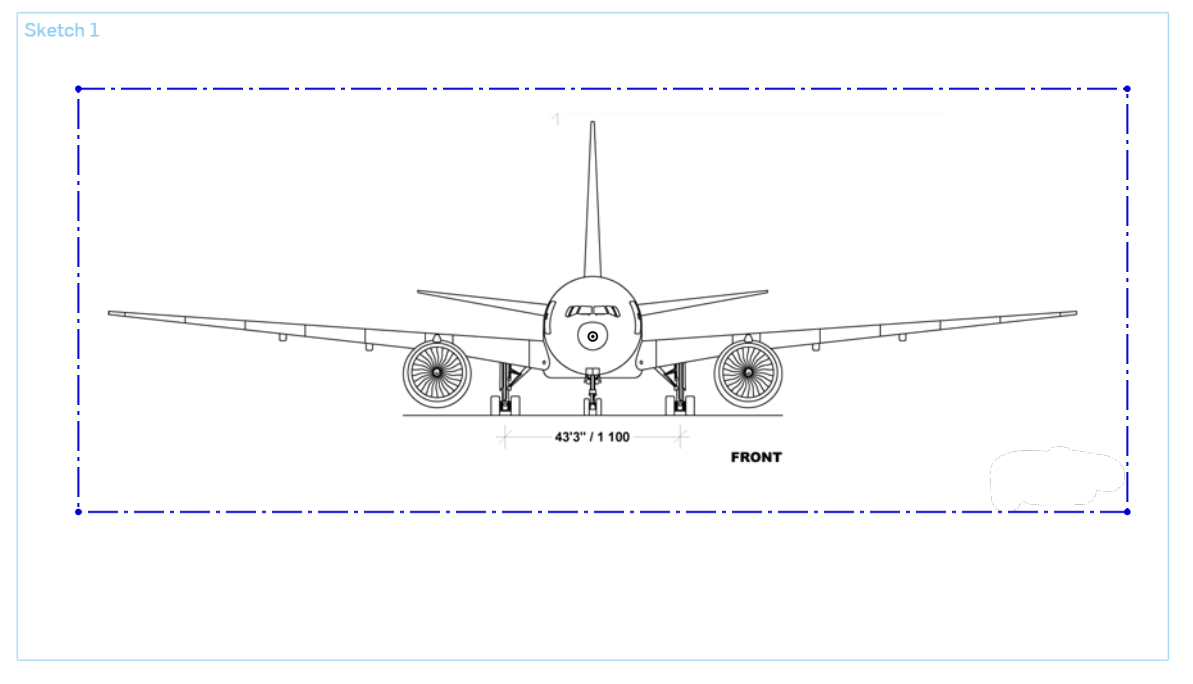
In Onshape, the Sketch Picture is surrounded by a rectangular box. I am unsure how to use this information to scale the image up such that the shown dimension is the correct length.
[Onshape Screenshot depicting the Sketch Picture.]
Any help or solutions would be much appreciated. Thanks!
Comments
The first dimension you add to a sketch will scale it - regardless of it being an image or just regular sketch entities.
You can sketch that line (unconstrained even), and give it a value. After that, you'll probably end up giving the overall image some dimension. If you need to dial things in further, you can have some known dimensioned lines that you check against, and then tweak the overall until things are right. The overall wingspan is probably a better reference if you have it, since it's the largest dim in this view.
Simon Gatrall | Product Development, Engineering, Design, Onshape | Ex- IDEO, PCH, Unagi, Carbon | LinkedIn
OK, well I guess I've found a solution myself!
I drew construction geometry to help me frame the dimension. I set the line segments A to be equal. After this, when I adjusted the length of line segment D, it moved symmetrically across the dimension. I wasn't expecting that, so that's neat! Then I dimensioned line segment D, and the whole thing scaled up correctly.
(Notice that the image is not centered within the frame, that is to say the line segments B and C on the ends aren't equal. I was expecting these to give me problems, but they didn't.)
Wow, that is really good to know. Thank you so much!
I also usually make an effort to trim the original image if possible so that dimensioning the outside of the box is meaningful, That's ideal. Unfortunately that's not always feasible/appropriate depending on the image and views.
Simon Gatrall | Product Development, Engineering, Design, Onshape | Ex- IDEO, PCH, Unagi, Carbon | LinkedIn