Welcome to the Onshape forum! Ask questions and join in the discussions about everything Onshape.
First time visiting? Here are some places to start:- Looking for a certain topic? Check out the categories filter or use Search (upper right).
- Need support? Ask a question to our Community Support category.
- Please submit support tickets for bugs but you can request improvements in the Product Feedback category.
- Be respectful, on topic and if you see a problem, Flag it.
If you would like to contact our Community Manager personally, feel free to send a private message or an email.
How can models with complex curves to this level be created in Onshape?
 omar_omari
Member Posts: 3 ✭
omar_omari
Member Posts: 3 ✭
Sometime ago i decided that my speaker base was ugly as gray and wanted to 3D print it in black. Problem is, I don't have a 3D scanner, just Onshape, my trusty caliper, and a braincell or two.
What I created was a monstrosity of variable fillets with lots of model errors. The print came out clean enough and it doesn't show all the defects in black, but I'm curious to see what other tools in my toolbox I could've used to model something like this with more accuracy.
For the most part, I tried:
- learning how to use curves (gave up)
- 4-layer loft
- Variable fillets (ugliest + the only one that I got to work)
- other methods that I forgot
Here are a few photos of the model that I used to guide me for the most part:
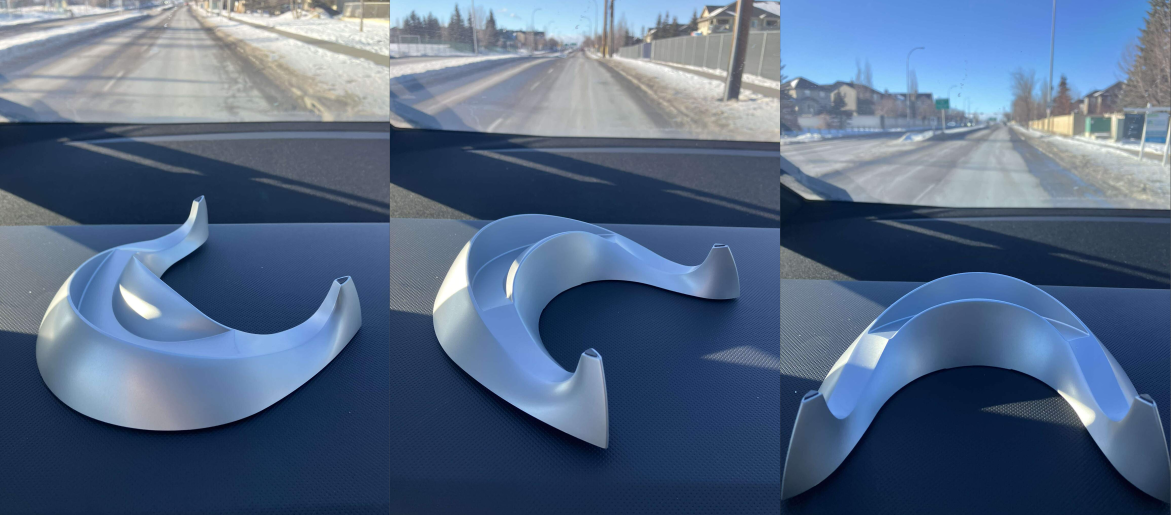
What I created from this (basic measurements + 2 prototypes, does the job):
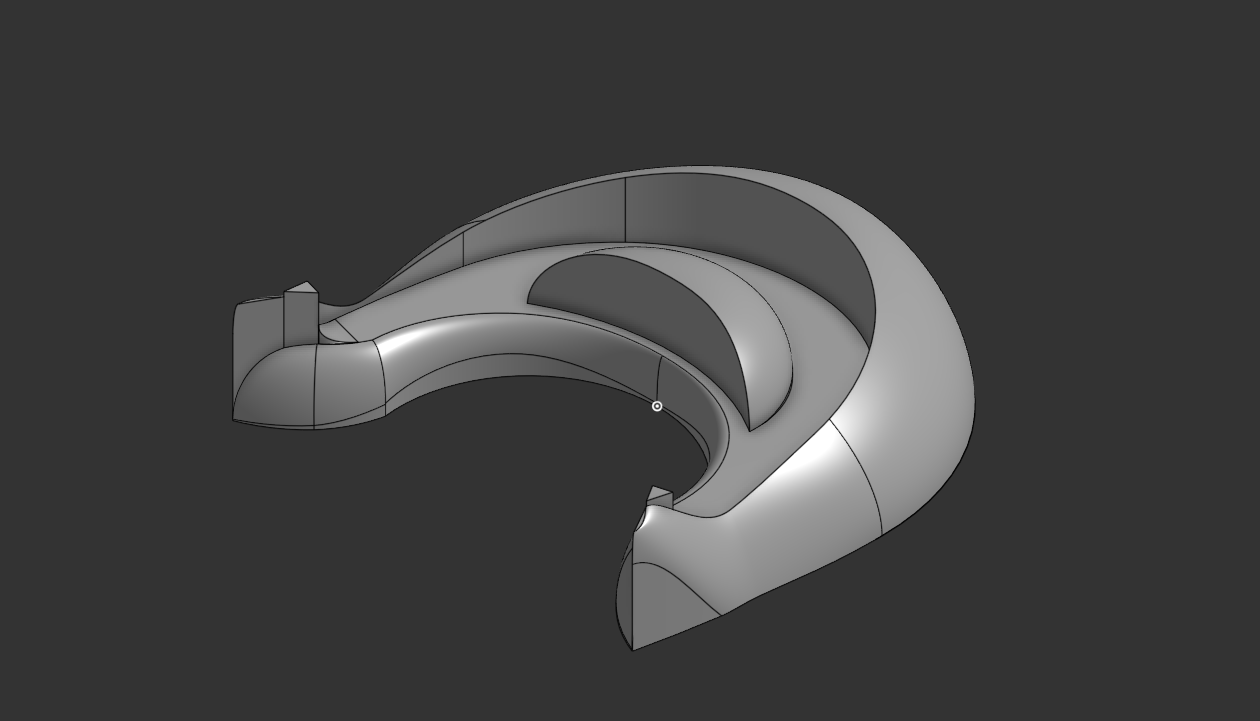
Every curve on here is different and it pisses me off (Only 4 points of contact with the speaker, the rest are just visual and the manufacturer flexing but its a challenge). Functionally, mine is identical.
I am fairly experienced with the software, but this is one of those rare use cases where the skills that I've honed only work on 99% of models, and this is part of the 1%.
If there are tools in Onshape that allow for modeling models like this or software alternatives for this type of modeling, please let me know!
If you do choose to actually try and recreate this from just the 3 photos, I wish you luck
Link to the one I made: (VIEWER DISCRESION ADVISED, MAY CAUSE SEVERE HEADACHE)
https://cad.onshape.com/documents/6d01c25090dabc802eaabc6f/w/1e0ea1866858b255b7037920/e/fda88d45ff83dd77cc5e4ab4?renderMode=0&uiState=698d8e6ee375d8acb3f87d2f
Comments
That is actually a rather easy one. Your approach wasn't quite spot on, though, so you may want to look into surface modeling in the leanring section.
@omar_omari
A quick sample, lacking all the dirty details, though maybe you get the idea:
https://cad.onshape.com/documents/298b24b3cbc8127a0fbb66d4/w/19bed4993edd61608781bed6/e/610328b93c9a32a80ed2b641?renderMode=0&uiState=698de423de00804378ca1f24
Just to prove it could be done in principle.
A shape like that is usually made with curves and surfaces. It's not easy. Outside of professional designers/engineers making injection molded parts for consumer products, (or automotive), I doubt anyone is going to spend the time to learn how to do it.
It's very doable in OS, but you would need to spend a solid week learning the curves and surfacing courses, then practicing them. Besides learning the CAD portion of it, you need to learn how to conceptualize "where" the curves should go to get the shape you are after.