Welcome to the Onshape forum! Ask questions and join in the discussions about everything Onshape.
First time visiting? Here are some places to start:- Looking for a certain topic? Check out the categories filter or use Search (upper right).
- Need support? Ask a question to our Community Support category.
- Please submit support tickets for bugs but you can request improvements in the Product Feedback category.
- Be respectful, on topic and if you see a problem, Flag it.
If you would like to contact our Community Manager personally, feel free to send a private message or an email.
Note Studio Beta Testers
 DavisCCR
OS Professional Posts: 13 ✭✭
DavisCCR
OS Professional Posts: 13 ✭✭
Hello,
I am about ready to launch my Note Studio plugin but wanted to get some real user feedback first. The idea is rich text editing in a document tab or right panel that is versioned with your document. The current list of features include:
- Rich text formatting
- bold
- italic
- underline
- strikethrough
- superscript
- subscript
- inline code
- highlighting
- Headings (H1–H4) with an auto-generated table of contents sidebar for quick navigation
- Lists
- bullet
- numbered
- task with checkboxes
- Tables with full editing (add/delete rows and columns, merge/split cells, header rows/columns)
- Code blocks with syntax highlighting for all major languages
- Math equations inline and block LaTeX with a live-preview editor
- Images uploaded directly into your document with resizable handles
- Drawings embedded freehand canvas with color picker and stroke size options
- Collapsible sections (details/summary) for organizing long content
- Blockquotes and horizontal rules
- Links with auto-detection and inline editing bubble
- Real-time collaboration with user presence and cursor indicators
- Import/export
- Word (.docx)
- OpenDocument (.odt)
- Markdown (.md)
- plain text (.txt)
- Edit/read mode toggle
- Light/dark theme support
- Auto-saving
And then I am currently working on adding the following (most likely in this order unless feedback says otherwise):
- Customizable keyboard shortcuts for all editor actions
- Property and variable linking with a refresh button
- Model views that can be converted to drawings to markup
- Shapes for the drawings beyond freehand.
- Templating for auto documentation given a seed part, part studio, or assembly.
Here is what the UI looks like currently but I have a designer cleaning it up and making it fit with the rest of the Onshape theme now.
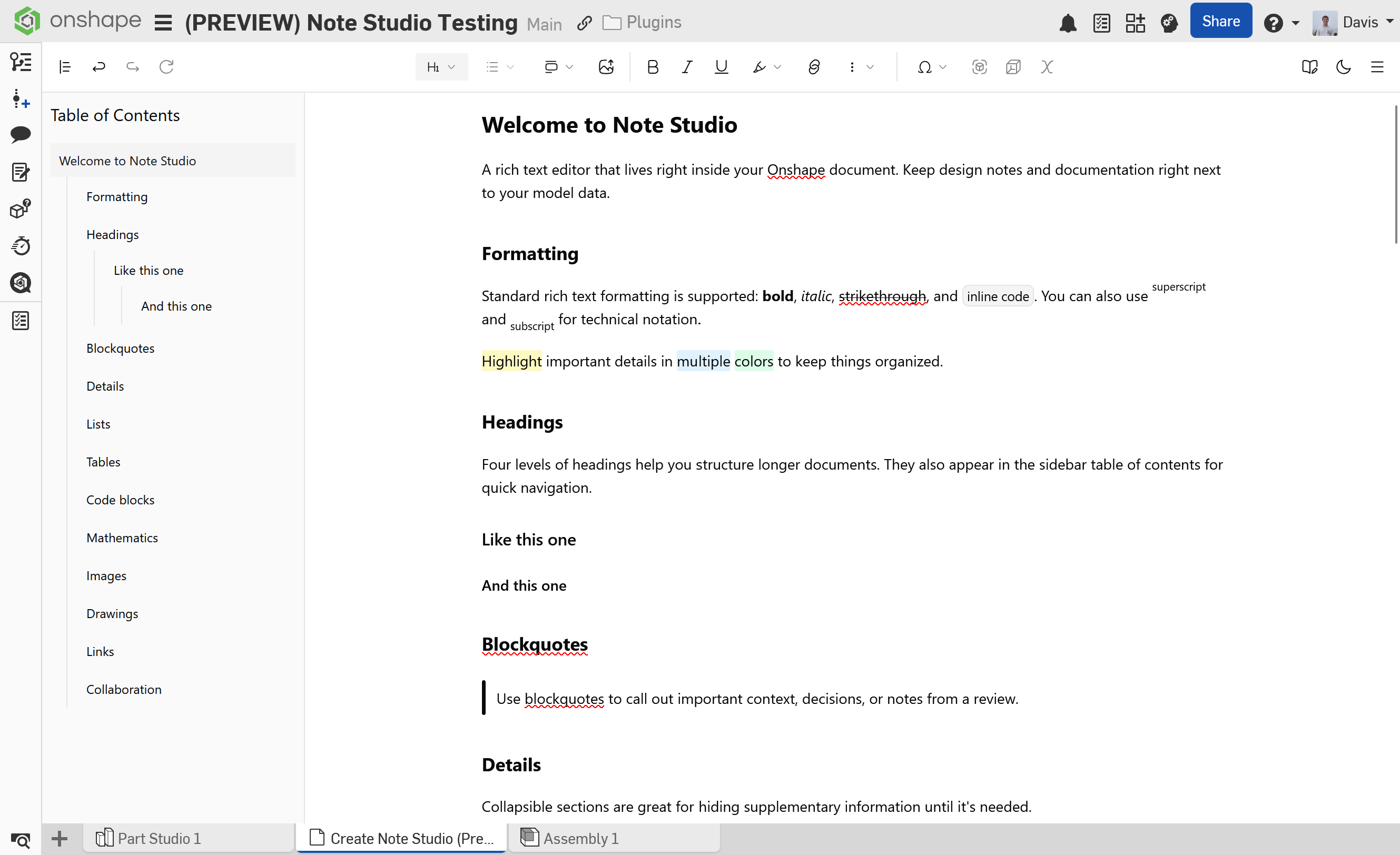
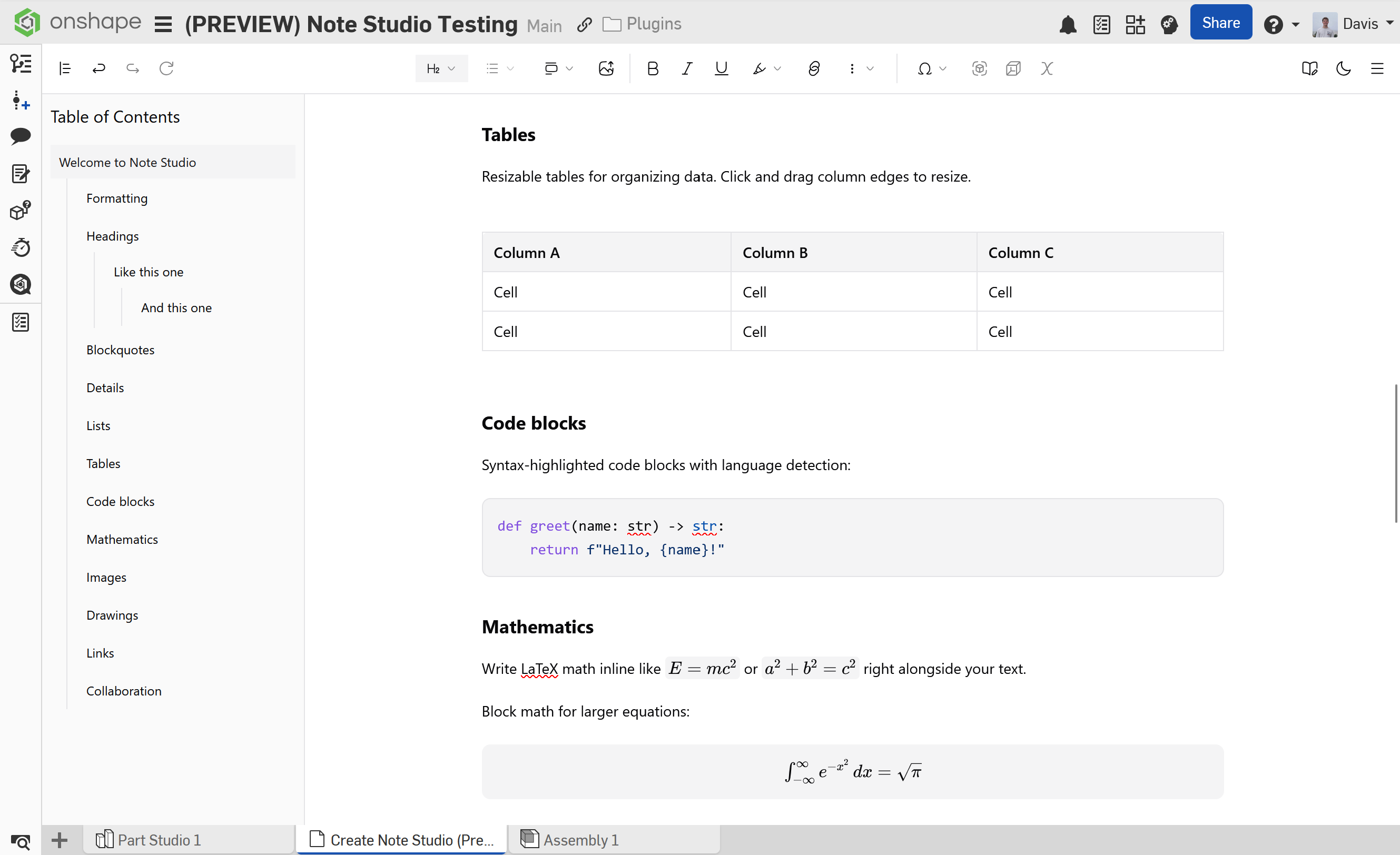
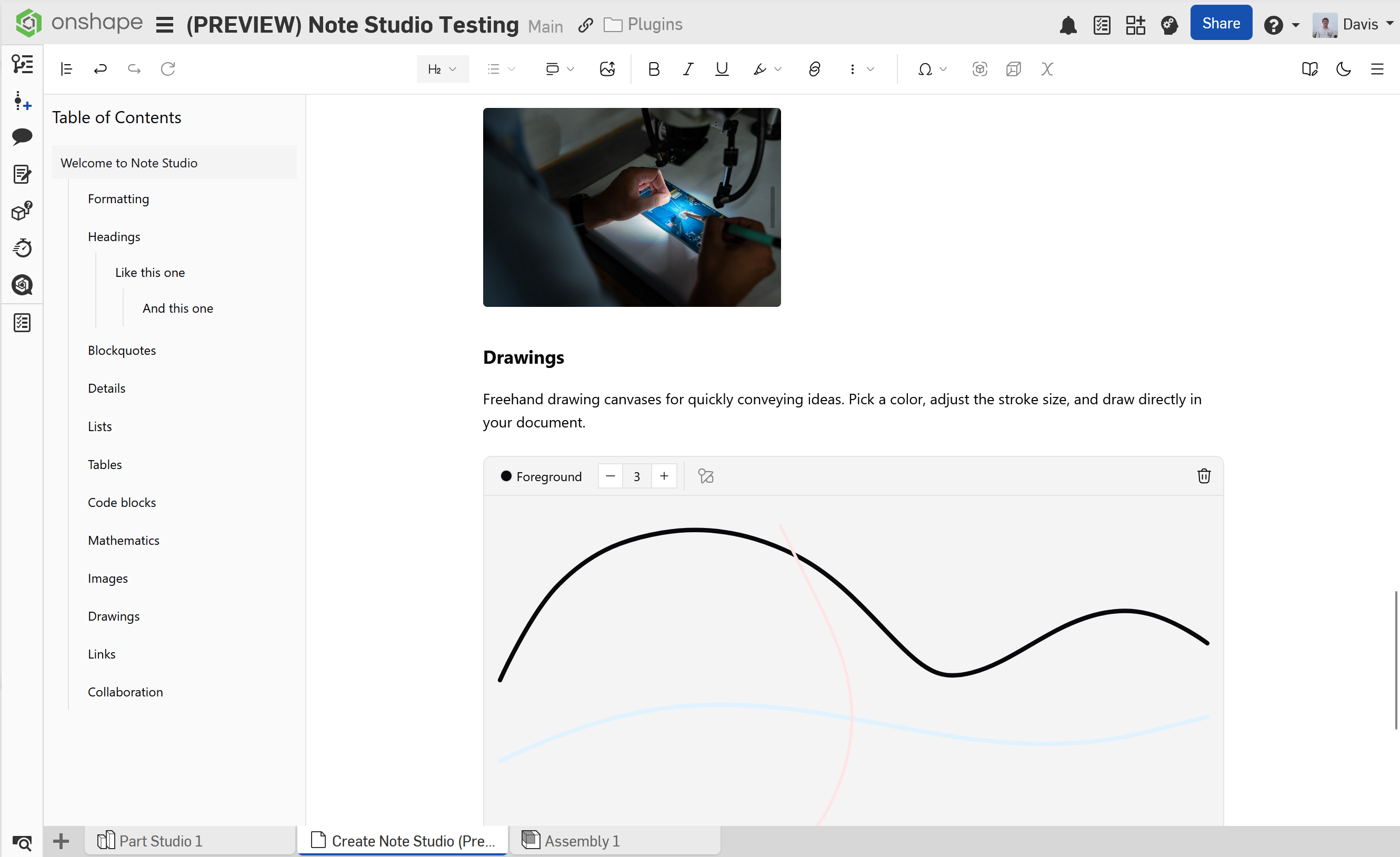
It is the same in the right panels of part studios and assemblies but without the table of contents.
I am looking for people who will actually use this on a daily basis to understand how much it costs me to host it and what other users will want for functionality. I think I have caught most of the bugs but if not then there is a bug report button and a feature request button. The deal is you get the paid version for free but you have to be an opinionated user and help me prioritize features.
Send me a message if you are interested!
Comments
Absolutely interested in this functionality - and versioning is a critical part of what would make this useful. Please explain a bit more about your approach to security, which would be critical for Professional and Enterprise users.
Thanks!
Thank you for the question! The app is architected to minimize its security surface area by delegating storage and authentication to Onshape itself. I'm not a security specialist, but I can outline how things work:
Note Studio does not operate its own database. All of your document content is stored directly in Onshape through their AppElement API, meaning your notes live alongside your CAD data and inherit the same access controls and permissions that Onshape provides.
For authentication, the app uses OAuth 2.0 with Onshape as the identity provider. Your access tokens are stored in encrypted, HTTP-only cookies so they are never exposed to client-side JavaScript, which protects against XSS-based token theft.
Because collaboration is a core feature, I use a third-party collaboration provider to handle real-time collaborative editing. When multiple users edit a note simultaneously, the provider maintains a temporary copy of the document to resolve live changes. These collaboration copies are automatically cleaned up after 3 days of inactivity (can shorten upon request). Access to each collaboration session is scoped to the specific document via a signed token, so users can only connect to documents they have Onshape permission to access. The provider encrypts all data both in transit and at rest, and has completed a SOC 2 Type II audit.
All communication across the app happens over HTTPS and secure WebSockets, so everything is encrypted in transit automatically.
If your organization requires a formal security assessment, I am working toward completing the Cloud Security Alliance's Consensus Assessment Initiative Questionnaire (CAIQ) to document the app's security controls. A formal SOC 2 audit is very expensive and not on the road map currently.
It is also worth noting that the app does not have the ability to delete any of your data stored in Onshape. So if the app were to one day disappear you could still download your notes using the Onshape API. If your organization needs to integrate with other note-taking platforms, I am working on an MVP to conveniently do that using your own API keys.