Welcome to the Onshape forum! Ask questions and join in the discussions about everything Onshape.
First time visiting? Here are some places to start:- Looking for a certain topic? Check out the categories filter or use Search (upper right).
- Need support? Ask a question to our Community Support category.
- Please submit support tickets for bugs but you can request improvements in the Product Feedback category.
- Be respectful, on topic and if you see a problem, Flag it.
If you would like to contact our Community Manager personally, feel free to send a private message or an email.
Why Can't I Use DXF's From Another Part Studio?
 Chris_Beckett
Member Posts: 30 ✭
Chris_Beckett
Member Posts: 30 ✭
I'm under the impression we could have a library of commonly used sketches (DXF's) in one part studio and re-use them in any other part studio. This is the goal.
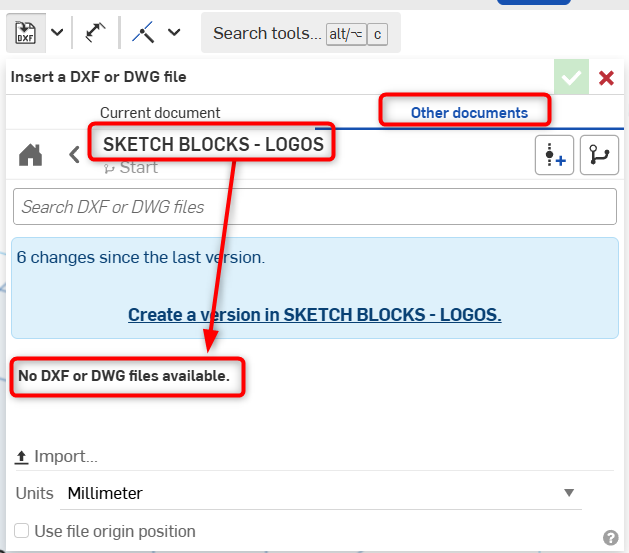
There is a function "Insert DXF" when I'm in a sketch. But clicking it, then browsing to my other part studio shows the message "No DXF or DWG files available" in that part studio. When in fact I have two .DXFs and one .DWG uploaded in that part studio already as separate tabs.
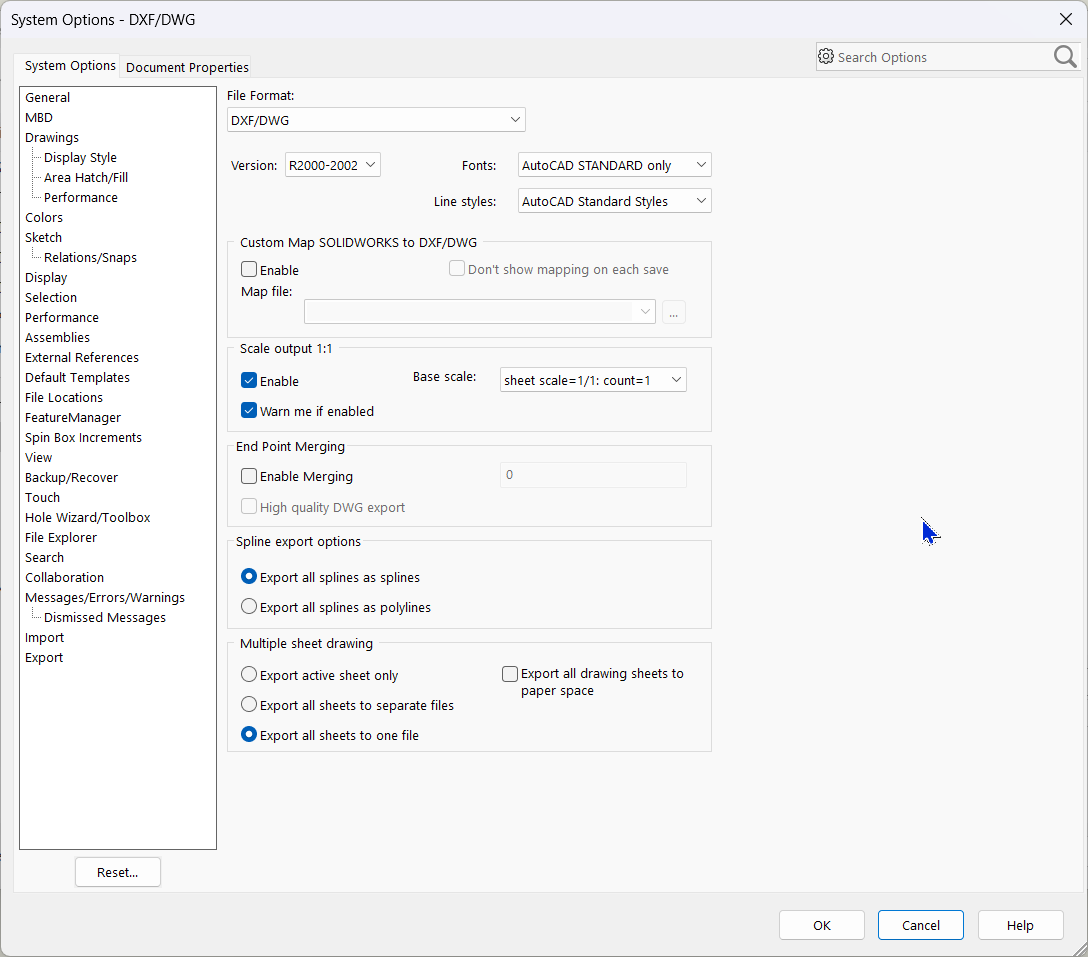
These were .DXFs exported from SolidWorks. The DXF export settings I used shown below.
Is there some particular requirement for type of .DXF/.DWG file??
Even when I changed it to the most recent version of AutoCAD (R18) on export, that .DXF still does not show up as an option to insert.
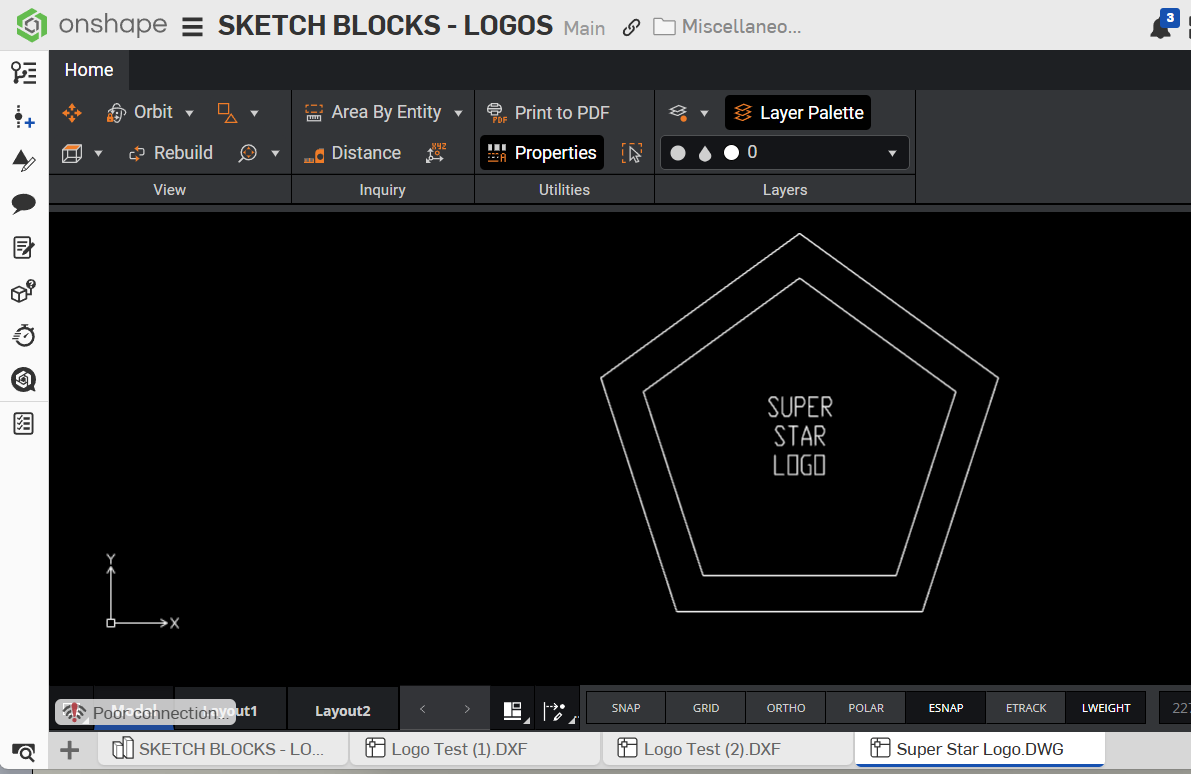
There is the part studio that has all the .DXFs clearly in it.
The only Onshape let me do was to Import a .DXF from my hard drive into that new part studio sketch.
I guess that's a workaround - to keep all our sketches like this as .DXFs in a network folder. But that's not how Onshape is supposed to be working to my knowledge. And we do not want extra tabs with DXFs in every part studio going forward.
Can anyone help me figure this out?
Comments
The answer is right there: you need to create a version in order to reference something from another document:
This applies for any object that's in another document. You must always create a version in the document you're referencing to insert things and/or make updates.
Ramon Yip | glassboard.com
I also tried exporting (and uploading) a 2013 version .DXF since supposedly that format is supported by Onshape. That also did not work.
I even tried exporting one from AutoCAD directly. Same 2013 version .DXF. Also a 2013 version .DWG. Those also did not work. 😑
Any suggestions?
Oh… I see. Brand new to Onshape. Some of the lingo and methodologies are still not clear to me. But the user support has been fantastic.
That worked! Thanks