Welcome to the Onshape forum! Ask questions and join in the discussions about everything Onshape.
First time visiting? Here are some places to start:- Looking for a certain topic? Check out the categories filter or use Search (upper right).
- Need support? Ask a question to our Community Support category.
- Please submit support tickets for bugs but you can request improvements in the Product Feedback category.
- Be respectful, on topic and if you see a problem, Flag it.
If you would like to contact our Community Manager personally, feel free to send a private message or an email.
Tolerance for Boolean Add Along Surface Edges?
 S1mon
Member Posts: 4,031 PRO
S1mon
Member Posts: 4,031 PRO
Is there an accepted way to compare two surface edges to see if they are within tolerance for a boolean add operation?
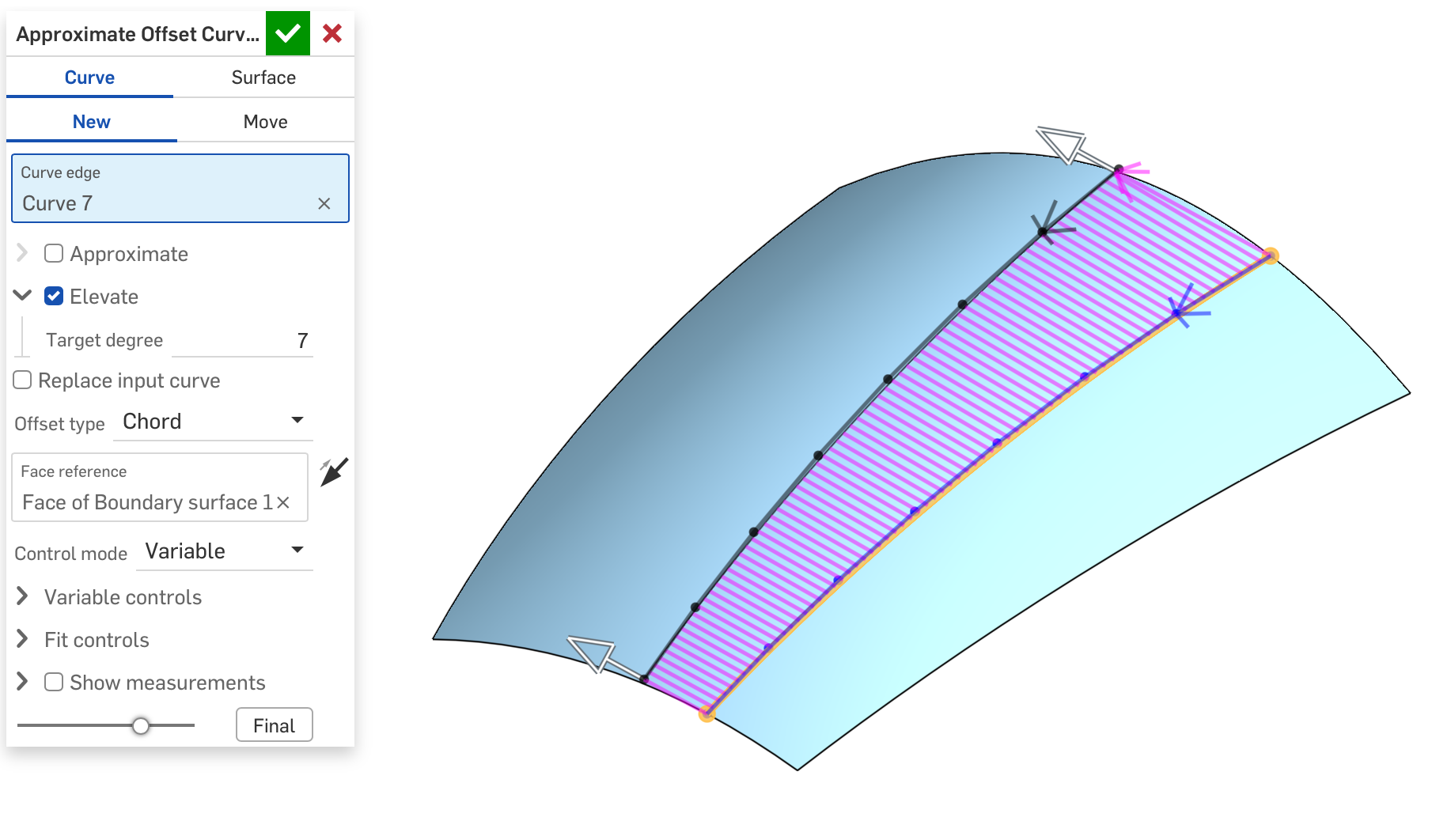
I'm trying to create an approximate offset curve along a surface - within tolerance - so it can be used for trimming and other operations. In this image the input curve is an isoparam (degree-3) and the output has been elevated to degree 7 to match the surface better. I have a bunch of options and tuning for fitting, but I need to know what's a good fit for that curve to be seen as "on the surface".
Simon Gatrall | Product Development, Engineering, Design, Onshape | Ex- IDEO, PCH, Unagi, Carbon | LinkedIn
Comments
@S1mon That is an interesting functionality.
Notice that every-where Onshape offers approximation 1e-5m is the default tolerance. That is for a reason.
Here I'd recommend going an order of magnitude lower - at least 3.e-6m - to allow for downstream approximations. I have to also warn about some downstream issues. You can use the curve itself to trim the surface, but ruled surface or boundary surface built on this curve should not be used to trim the host surface. Such a trim would work most of the time, but has a potential to be unstable. That is true surfaces built on projected curve as well - they necessarily do an approximation. If you are doing split by surface - it is better to overbuild.
@lana
My goal with this feature is to keep the surfaces as close to class-A behaviors as possible (e.g. single spans, Bézier curves/surfaces, no more than degree 7 when possible). I'm not sure I entirely understand your "it is better to overbuild" comment. I want to avoid anything getting converted to very high span cubics, or extended "curvature" off into space with extra knots.
I'm planning to have this Chord mode have an option to split the surface, and I already have it adjusting the end points of the approximated curve to match the face edges. I also plan to make it slide all the control points instead of just the ends. But in any case, I have it tuned so it will boolean merge well enough (see image). The 1e-5m 3e-6m range is useful info.
Simon Gatrall | Product Development, Engineering, Design, Onshape | Ex- IDEO, PCH, Unagi, Carbon | LinkedIn
That warning was not necessarily directed at you - your approach to surfacing is very careful and controlling , but at other potential users of this functionality. I'm concerned about users doing something like this https://cad.onshape.com/documents/d0d4a5dc434b20bc51fcd837/w/cb141df9ed4c211a76a61ab9/e/a006bf64427627207db973a7
I guess, next time there is a bad CAD competition I should submit a part which would randomly fail to regenerate
@lana I do have another competition coming up in a couple of days but I'm gonna be keeping the topics fresh every time. Bad CAD is definitely going to make its way back into the rotation later though.
Derek Van Allen | Engineering Consultant | Meddler@lana
Yep that trim is, ah, unfortunate. It hurts my eyes to look at the curvature.
Simon Gatrall | Product Development, Engineering, Design, Onshape | Ex- IDEO, PCH, Unagi, Carbon | LinkedIn