Welcome to the Onshape forum! Ask questions and join in the discussions about everything Onshape.
First time visiting? Here are some places to start:- Looking for a certain topic? Check out the categories filter or use Search (upper right).
- Need support? Ask a question to our Community Support category.
- Please submit support tickets for bugs but you can request improvements in the Product Feedback category.
- Be respectful, on topic and if you see a problem, Flag it.
If you would like to contact our Community Manager personally, feel free to send a private message or an email.
Motion Limits Bug(?): Reset & Apply Min/Max Limits
 brandon_nichols678
Member Posts: 17 ✭✭
brandon_nichols678
Member Posts: 17 ✭✭
Top-Line Summary: There seems to be a minor bug in the application and reset of cylindrical mate motion limits when applied to filter groups in some assemblies.
• Only the last selected in the filtered list seemingly responds to the limit application
• Expected behavior is all unsuppressed mates selected in the filtered list respond to the limit application
• Only the angular mates seemingly respond to the Reset command applied to a filter group
• Expected behavior is ALL motion mates reset to minimum value when command applied to a filter group
——
Noob here with configurable fastener sub-assembly,
Impressive how OnShape handles configurations, sub-configurations and auto-suppressing mates — probably wouldn't have tried this in the 'other' systems.
So all seems working as expected, except for strut nut (SNUT) cylindrical motion limits when…
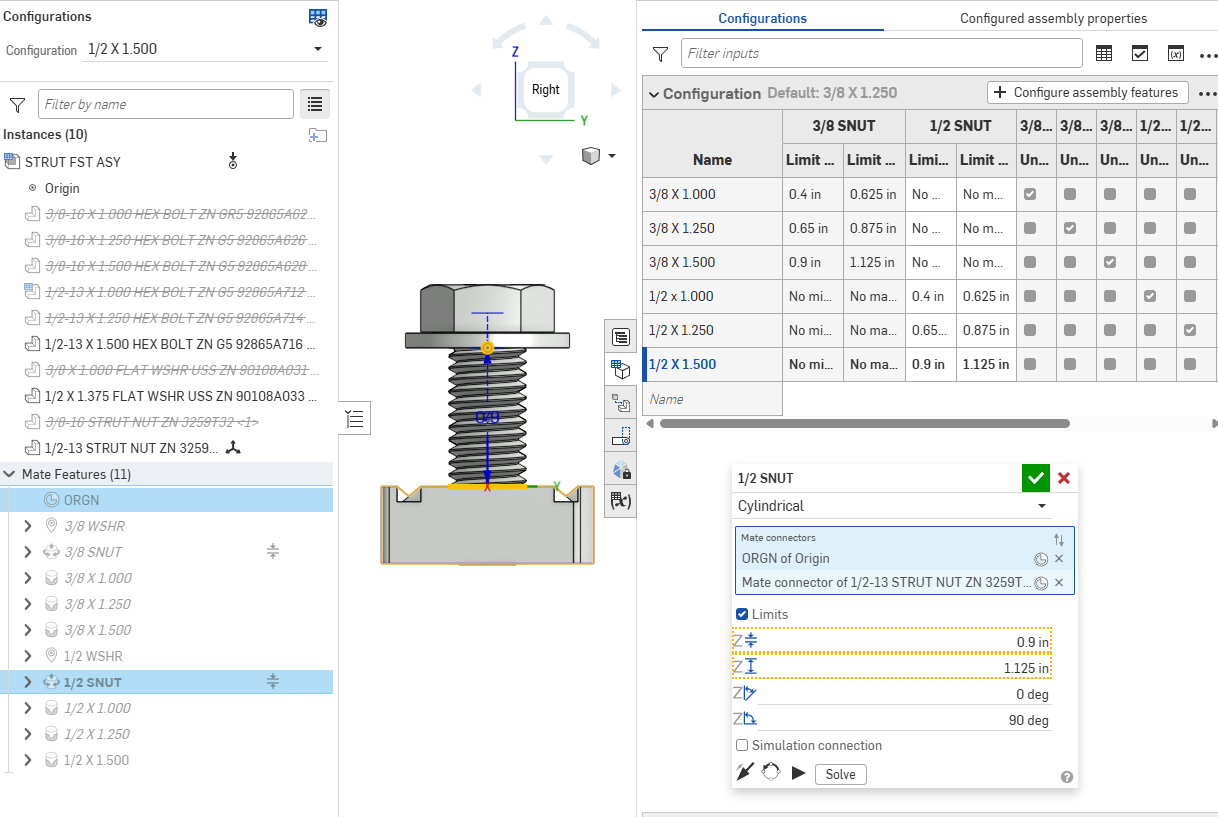
…applied as a group in assemblies. Admittedly this is minutiae stuff, but the ability to rotate and slide the strut nuts in this application keeps configurations flexible and helps reduce number of configurations to manage.
All good here in the fastener sub tab, such that if the user…
• applies the filter SNUT
• right-clicks on the unsuppressed mate,
• applies maximum Z distance limit,
• applies maximum Z angle limit, and
• applies Reset
…then…
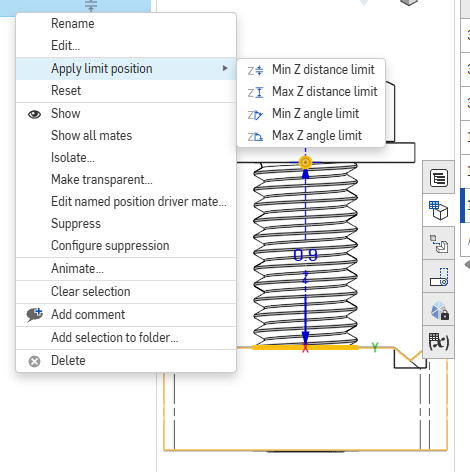
…the strut nut cycles through the range of motion, returning to minimum positions of distance and angle, as expected.
However, in the assembly tab, running through the same sequence and selecting all un-suppressed mates, only the last-selected mate responds to the 'Apply limit' command for distance and angle (starting an arbitrary positions, result circled in green below), and ….
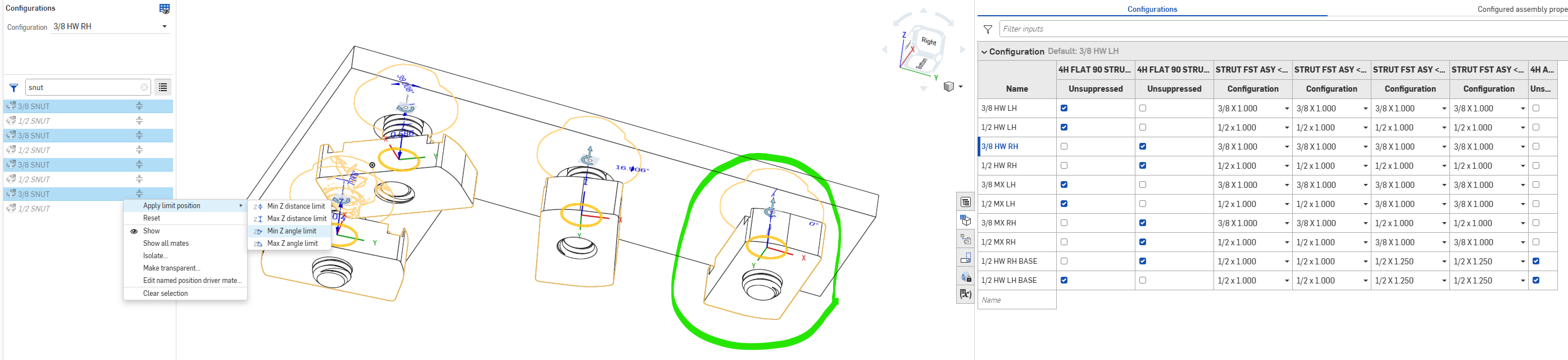
BEFORE RESET…
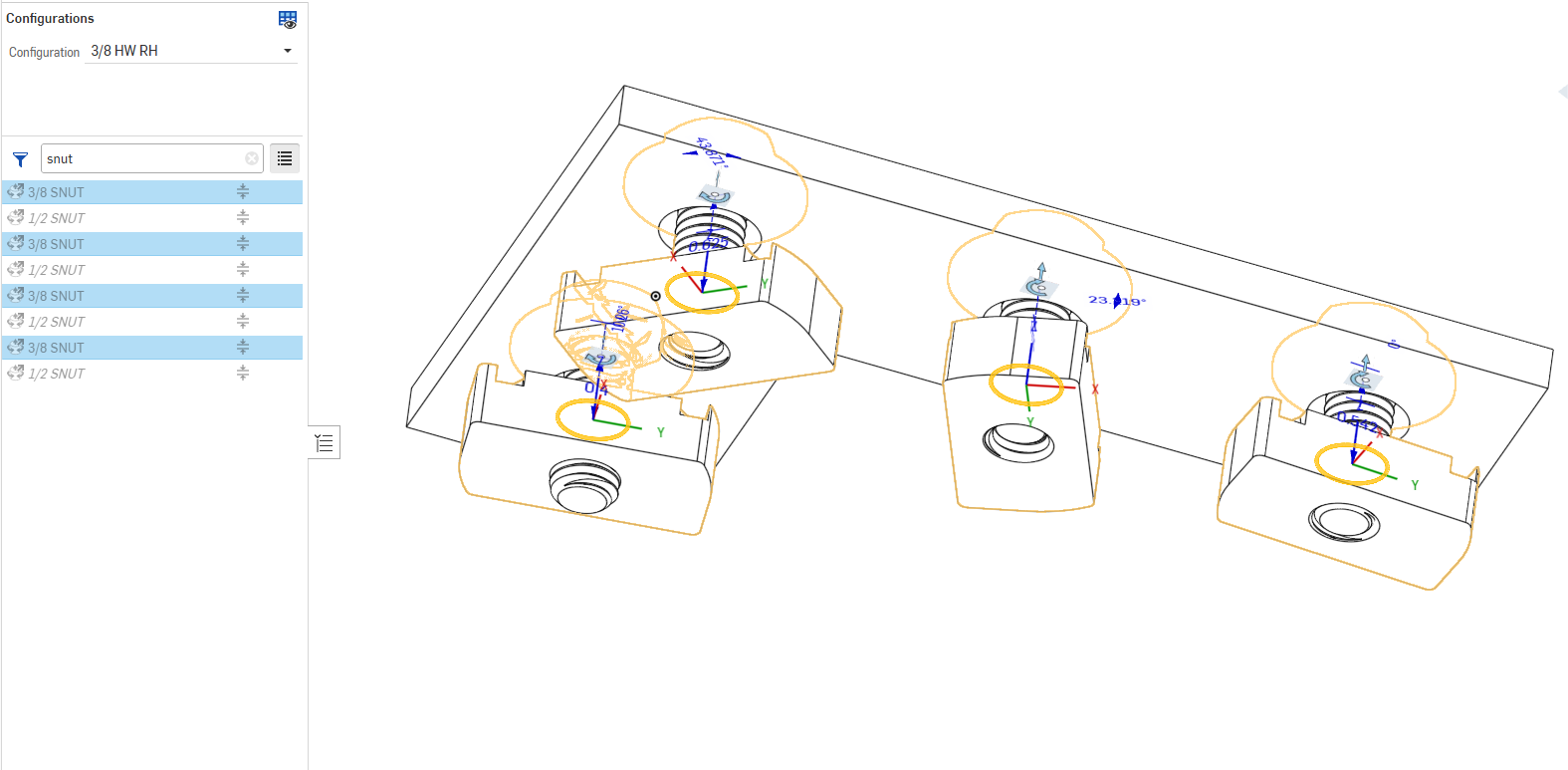
AFTER RESET…
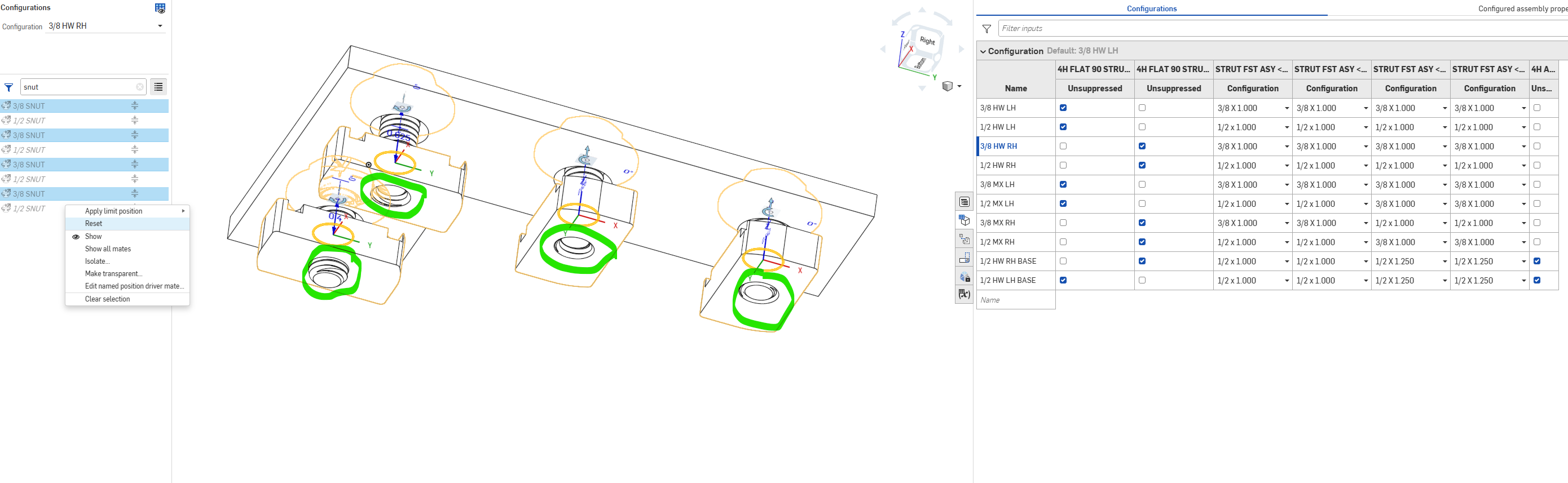
… the group Recent responds only to the angular position, not position (as shown by circled elements) when Reset applied.
So I've been through the fastener subassembly with a finetooth comb, in an effort to assure that each variant the same mate scheme, but I suppose that an inconsistency could be part of the problem.
Perhaps I'll have time to take a look at that again in the next day or two, but if anyone has any ideas thanks in advance
Brandon W. Nichols, PE
Seattle, Washington
Comments
You could make your life quite a bit simpler by breaking down the configuration inputs as it would reduce the number of mates you have to maintain.
Create a fastener stack that is configured as 3/8 or 1/2 (as an input), and with different fastener length (as a second input).
Then breakdown into three configuration inputs in your kit:
This will make things a lot easier to troubleshoot and maintain, it took me literally 2min to add and configure a length input in this example from a few days ago!
The whole thing only uses four mates and the configuration tables are super simple to follow:
https://cad.onshape.com/documents/1af1d84667e6d56d56d2825d/w/8dc08df07e712f46d551389e/e/713278bde91fd549bfac7a5b?configuration=List_XzwlOeLm5SzHs1%3D_3_8_HARDWARE_RH%3BList_kRLhXsB0HuqxVM%3D_1_5&renderMode=0&tangentEdgeStyle=1&rightPanel=configPanel&uiState=69b8626905e9cc9dc40dcc68
And resetting seems to work as expected too (I think?)
I think I see what you mean with the limit position, applying the limit position does only apply to one instance, but reset works for all. I would suggest submitting a ticket for that!
You might be able to leverage "named positions" depending on what your end goal is:
Thanks @eric_pesty for confirming that as a potential bug, hopefully I can reference the post w/o having to rewrite it as a ticket?
Also curious, what screenclip software you're using, that looks to be a big cut'n'paste timesaver!
Also thanks for the list input suggestions, looks like I got some homework to do!
You can add a link to the this post in your ticket, that should do it.
I use https://www.screentogif.com/
Have you tried using multiple configuration inputs yet? I can't stress enough how powerful it is compared to "other" CAD tools! Just compare my example assembly tree to yours!