Welcome to the Onshape forum! Ask questions and join in the discussions about everything Onshape.
First time visiting? Here are some places to start:- Looking for a certain topic? Check out the categories filter or use Search (upper right).
- Need support? Ask a question to our Community Support category.
- Please submit support tickets for bugs but you can request improvements in the Product Feedback category.
- Be respectful, on topic and if you see a problem, Flag it.
If you would like to contact our Community Manager personally, feel free to send a private message or an email.
Surface Modeling - Face blend without the blend...
 sasha_sklar061
Member Posts: 28 ✭✭
sasha_sklar061
Member Posts: 28 ✭✭
in General
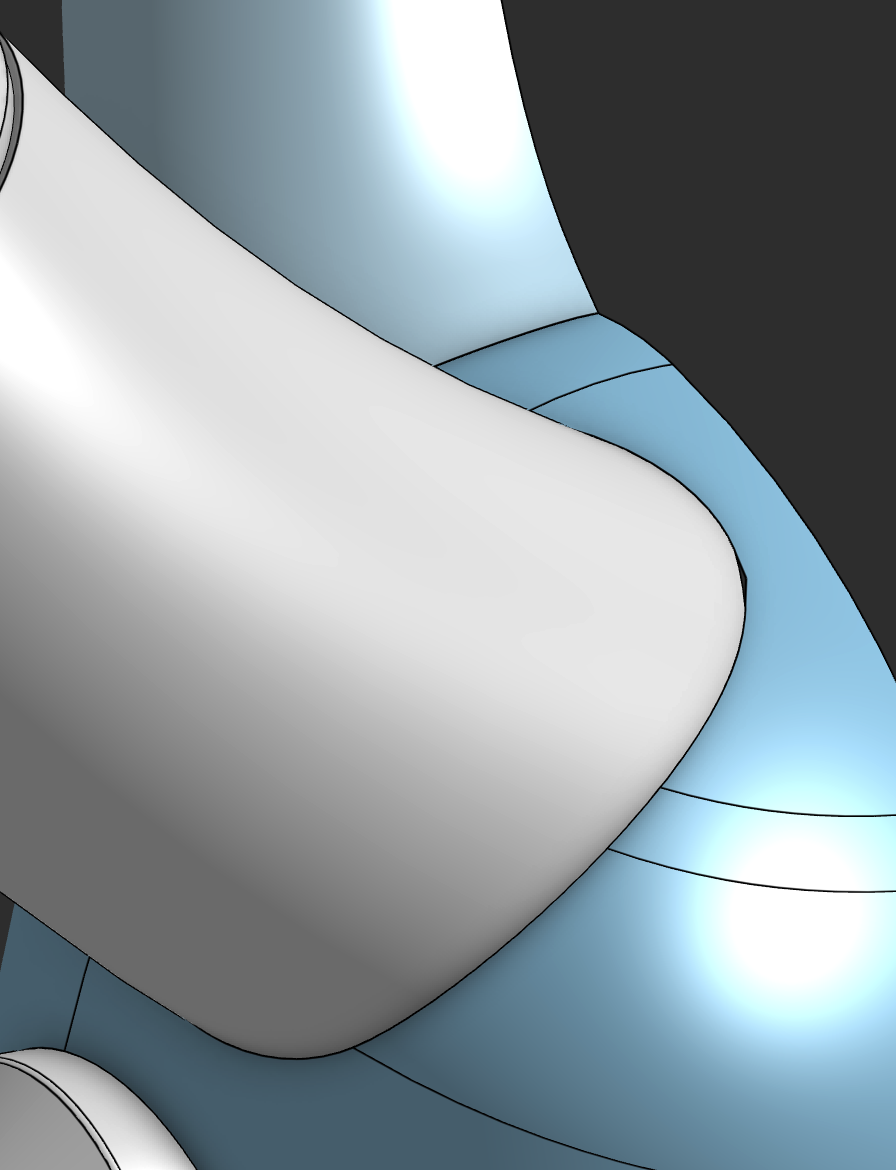
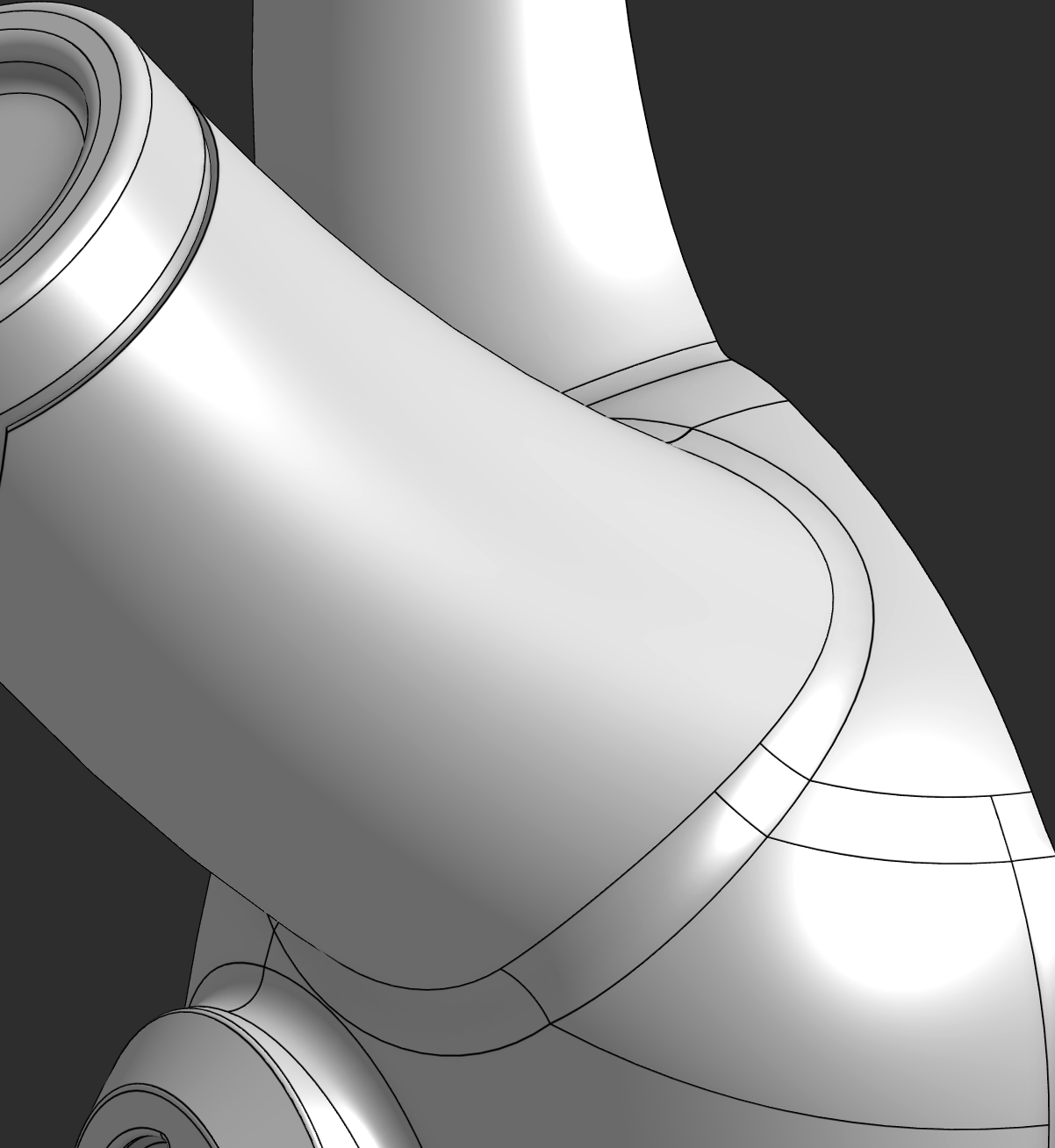
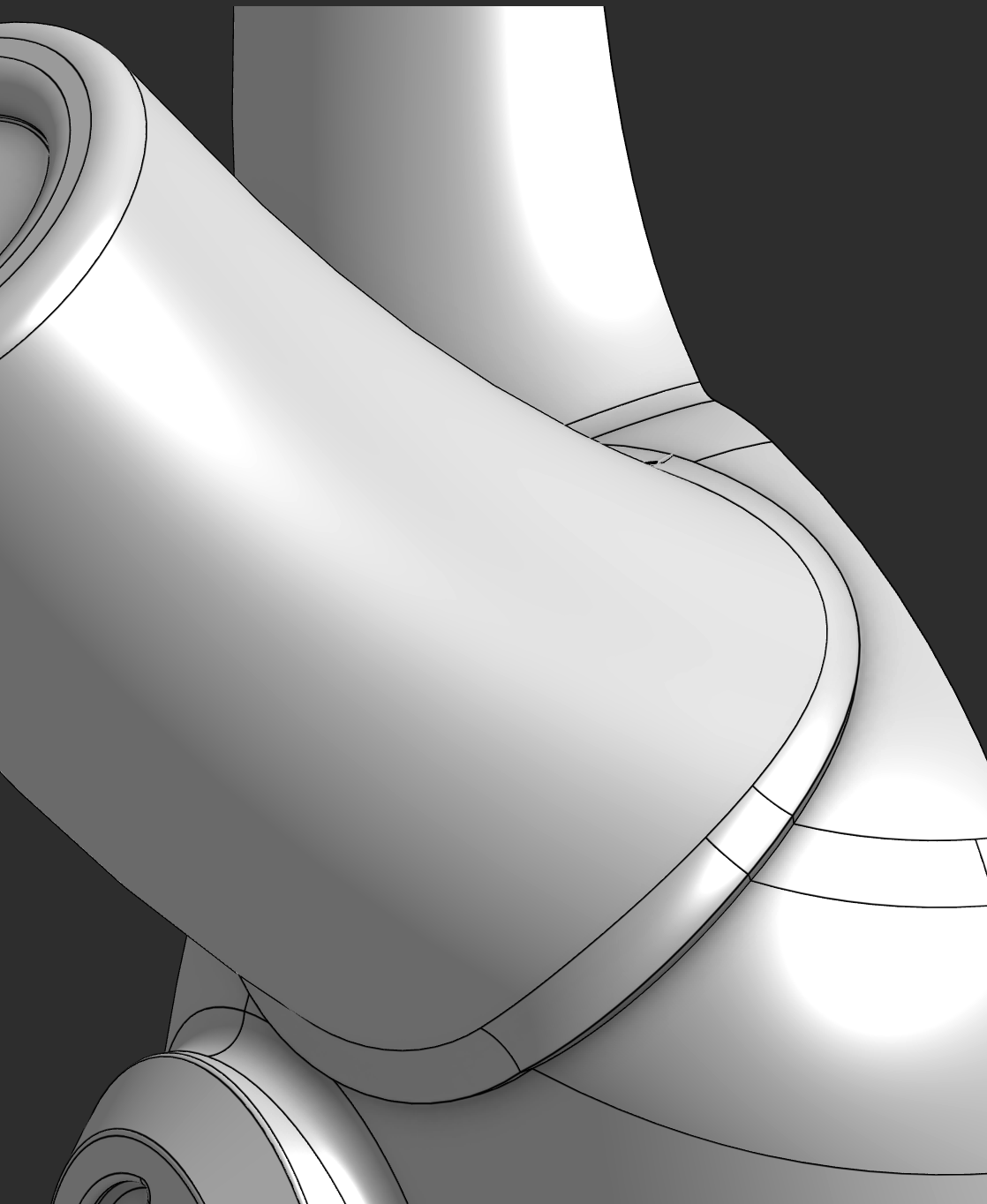
Hard to explain but I'll give it my best shot: I'm working on an articulated toy robot model and I want to create faces around the contour where two (mutually trimmed) surfaces meet but without the fillet. The goal is to create the effect of a part riveted to the head. The face blend tool does a great job of creating a boundary of faces around where the two object meet which I can then offset/thicken to get the desired effect.
Tagged:
0
Comments
Is this the effect you're looking for?
Yes!
Try this
https://cad.onshape.com/documents/997bd0957cffc5ce9c8fde98/w/0f98cbcad27ec094781dc524/e/6bce9d2490ea8307a39d9e03
A couple of notes:
I added a Move boundary after the three Transform features. so that the mutual trim would create smooth continuous edges.
I put a bunch of features in a folder called GB, you can see what I did there… Basically I made an offset curve on the base faces and split those faces. I made a copy of the "flange" faces using Offset face operation. I then Booleaned these faces with the horn Surface 2 and then thickened it. The row of holes for riveting was an fun extra credit exercise.
I did not try to rebuild everything in your part studio, so there will be some broken references - just use my snippet as a guide!
That's perfect, thanks so much!