Welcome to the Onshape forum! Ask questions and join in the discussions about everything Onshape.
First time visiting? Here are some places to start:- Looking for a certain topic? Check out the categories filter or use Search (upper right).
- Need support? Ask a question to our Community Support category.
- Please submit support tickets for bugs but you can request improvements in the Product Feedback category.
- Be respectful, on topic and if you see a problem, Flag it.
If you would like to contact our Community Manager personally, feel free to send a private message or an email.
Custom Feature: Bubble Trouble – A Sub‑D‑Style Blob

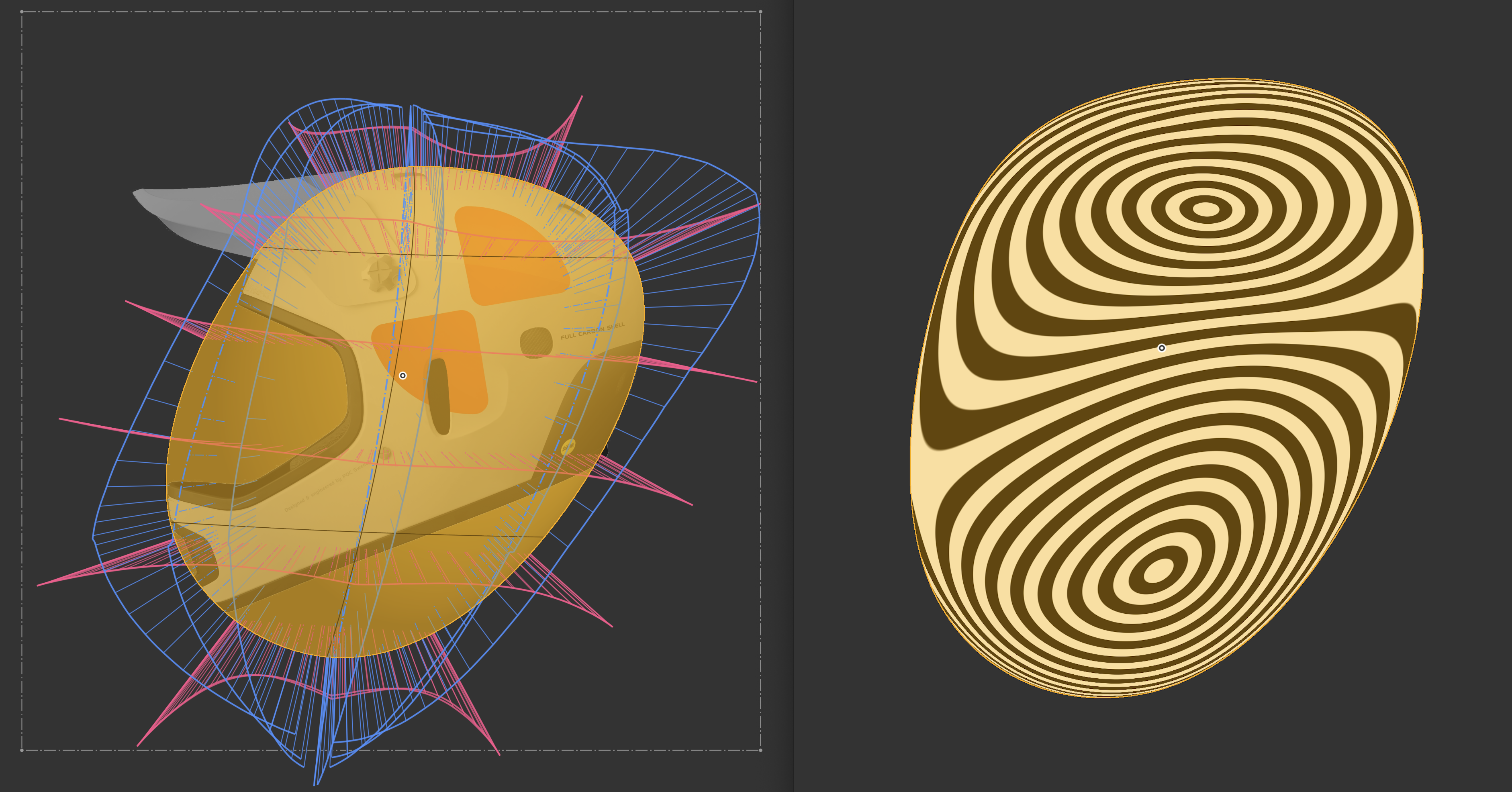
Link the the Bubbleverse: Custom Feature: Bubble Trouble
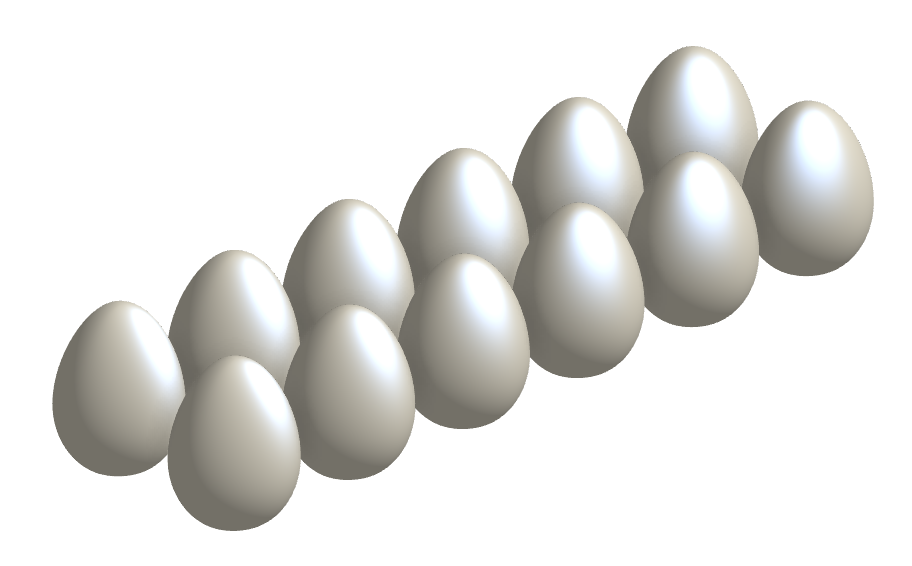
I always wanted one, and now I have one. A bubble to modify!
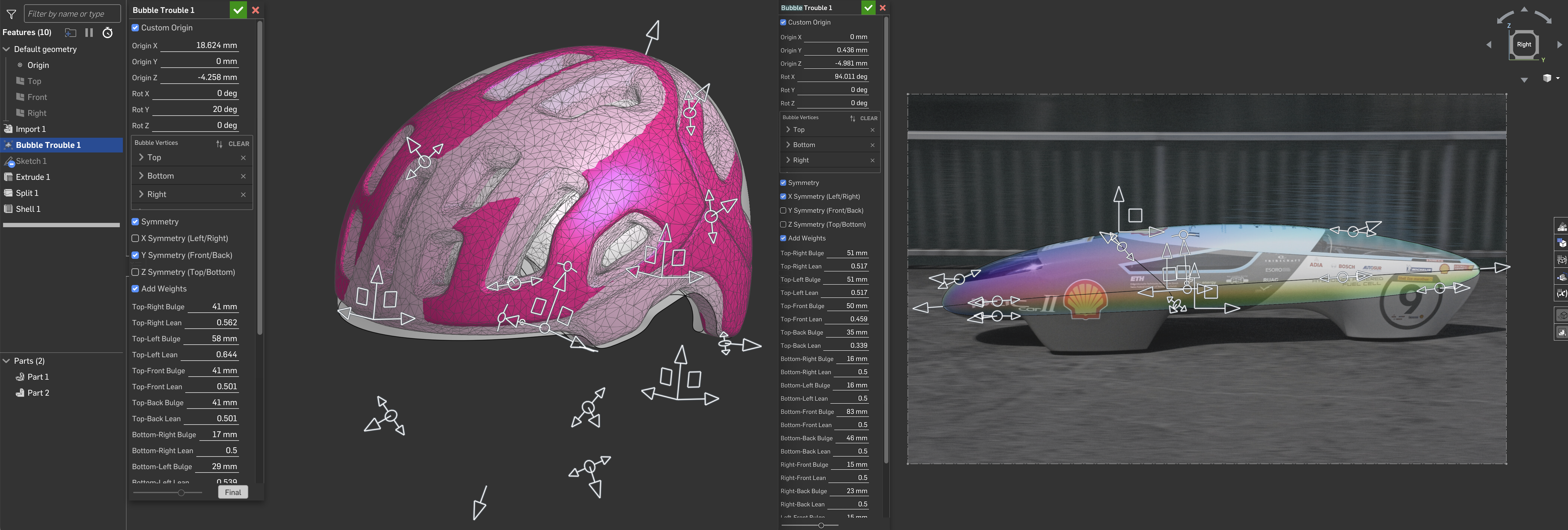
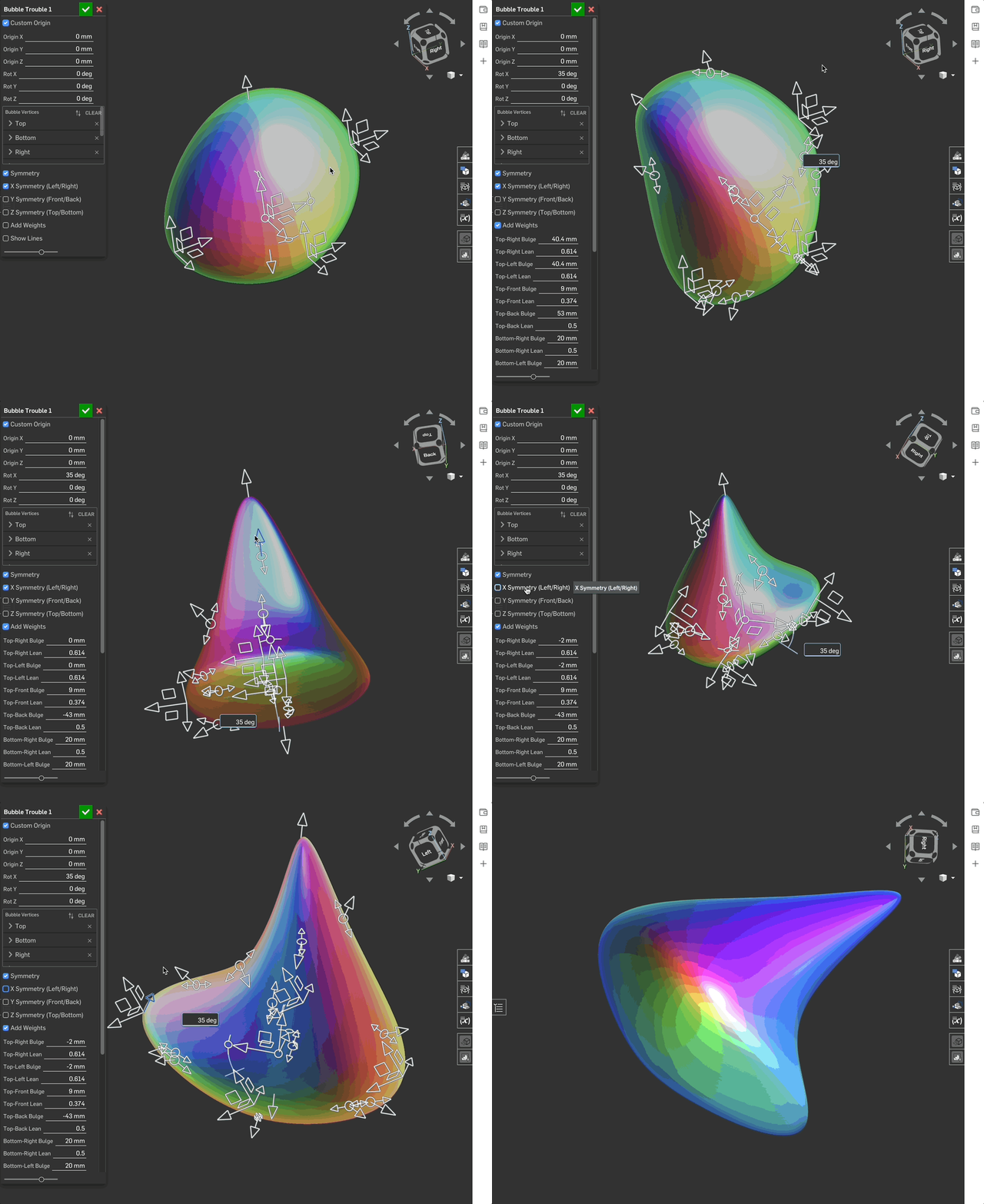
What does it do? It adjusts a freeform shape in all dimensions using 6 triads and an optional 12 manipulators to adjust the weight between those triads.
You can do this manually quite easily – but having all adjusters available at once is so much nicer for quickly fitting a shape to references or just playing around with everything together.
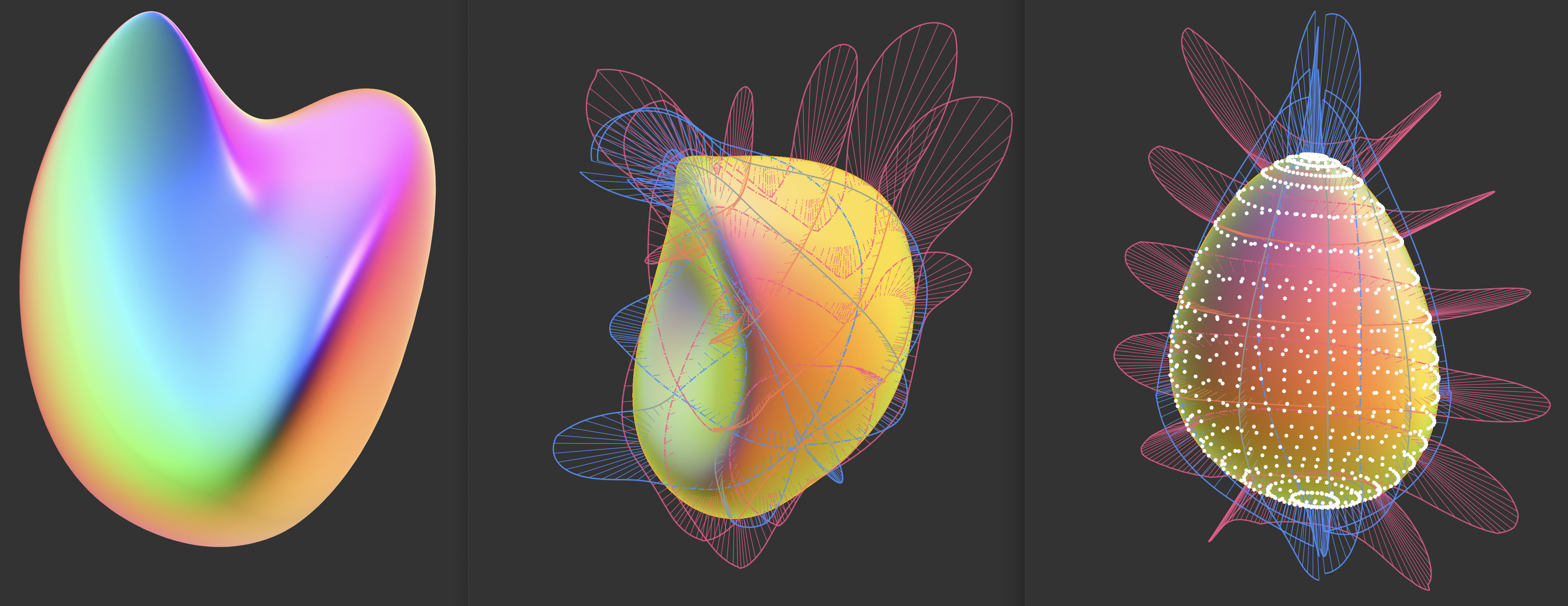
I took @EvanReese ’s advice from his FeatureScript 101 video (thank you!) and played around with a classic build first to figure out what works. Routing curves from 3D points, then splitting and lofting around Z, looked best.
Making the CustomFeature, I started with a basic UI, added the triads and manipulators until it felt right, and then added the three FitSplines going through a total of eight points.
I experimented with the results quite a bit. Having eight points to position, with the option to fine‑tune using adjusters that follow the curve, worked really nicely for me. (The manipulators are somewhat a hack, since we don’t have real spline “weighting.”)
Lofting didn’t work at first, and my lack of understanding and impatience led me to force Gemini 3.1 Pro to replicate my manual build exactly. That worked—but it’s probably not very elegant.
After some cleanup and a few quality‑of‑life additions – symmetry, custom origin, show/hide curves – I was done. Took me an evening, and I’m quite happy with the result.
@Apple : are you running Onshape in there? 👀
Comments
-
This is beautiful. 🥹
RENDERCAD
rendercad.ai - Photorealistic product rendering.
▚▞▚▞▚▞▚▞▚
________________________________________________________________________1 -
Nice work! Glad the video helped. Is the feature available to play with? Great use-case for the reflection analysis btw. Making sense of shaded blobs can be tough.
1 -
Blobs are needed more often than one might think. It's only we avoid them, because the're difficult. I can see this coud really help at times. Great work!
1 -
Oops, totally forgot the link—it’s at the top now 🙂
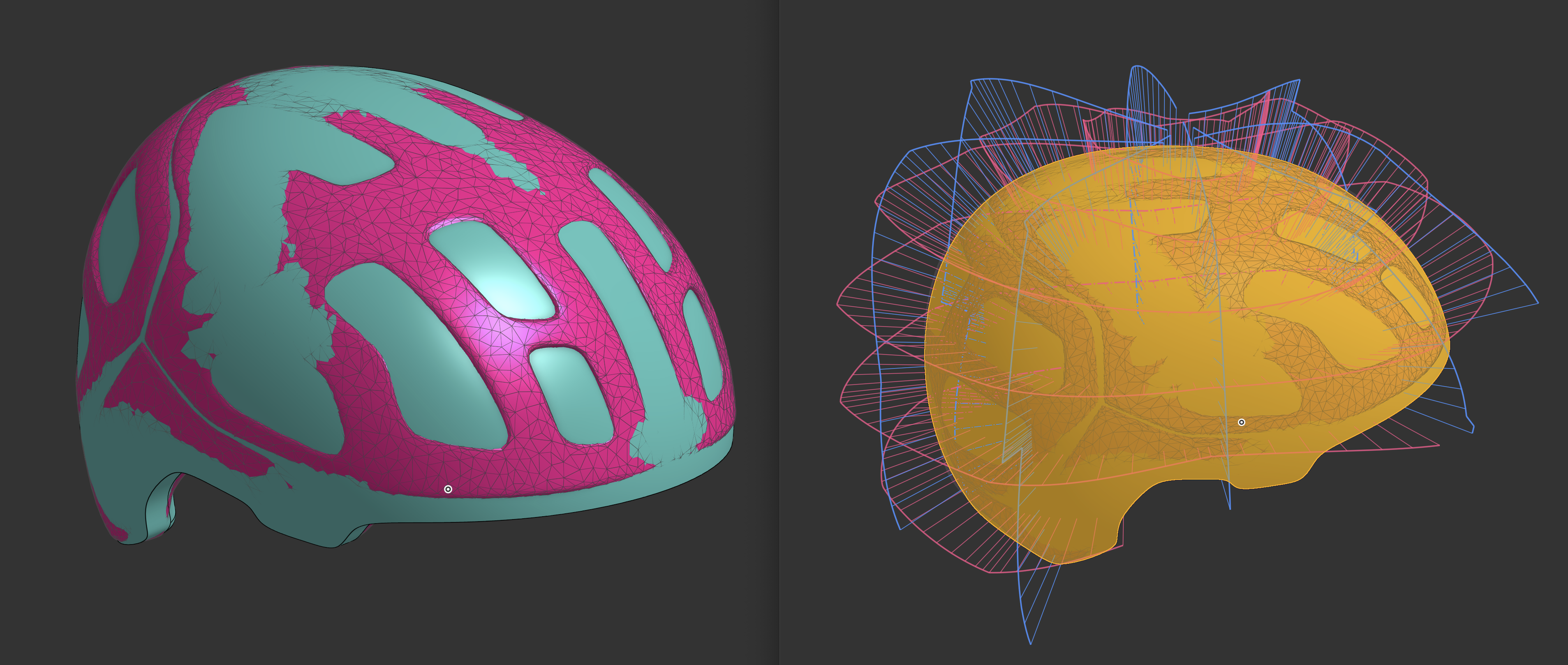
Take a spin! looking forward to your feedback! With the POC helmet demo (linked as well), I wished I had one or two more triads… but then the super‑simple point → loops → loft workflow would get more complicated... and more points lead to less quality...
Would you prefer all the triads to look and feel the same – pointing toward the center and draggable across the surface of a virtual sphere? Maybe an option to define the amount of loops?0 -
Between this and some UI noodling I've been inspired by from @Caden_Armstrong I have a much clearer direction how my T splines feature should work. Might bring that off the backburner some time in the next few months.
1 -
Got to play with it a bit. Nicely done! There is essentially no end to the amount of bells and whistles you could include on a feature like this. One quality of life thing that's not too hard to do, is to add some parameter groups to the UI. They can be driven by booleans, so they expand when you check "add weights" for example. That way people can collapse them. This could also apply for the custom origin location. I'd personally prefer a mate connector query param over hard coded transforms for the origin location.
0 -
A more complex thing you could consider, especially if you end up adding even more manipulators, is having all of the manipulators off and have a point in their place which you can click to activate one. It means more clicks to edit, so maybe that's not worth it, but it would clean up the visual a lot.
2 -
I must have missed what you were referring to by @Caden_Armstrong — but parametric T‑spline tools… wowowo!
0 -
Yes – Good point. I’ll clean it up:) Thank you. Regarding the custom origin: I was considering a Mate Connector, but the hole tool is meant to be more about “massaging in” a shape — often with a reference. In that case, it’s really nice to be able to move and rotate it directly with arrows. But if you have a case where Mate Connector would make sense - i'll implement it:)
0 -
This is what it would feel like with points (your 3D‑points CF, obviously 🙂) and with “final” activated… but there’s an extra (precise) click needed, and also a couple of milliseconds to wait for the switch.
It’s the classic "cleaner interface vs. more options at once problem" 🙂 At one point I also had a toggle switch to switch between moving points and adjusting weights… but that was even worse — you had to go back to the toolbar each time.
Maybe activating one point could also activate its neighbouring points? That would be quite nice.
0 -
Hehe - don't forget Break Lines in the drawing! :)
1 -
He's got a panel splitting feature he made for some client that has a really clean manipulator based UI that lets you subdivide a flat planar panel into subsections by clicking on point manipulators. In T spline analogy I'm imagining doing patch subdivisions with the same sort of manipulator logic but driving the generation of bezier patches that all flow together to create a much larger more complex pseudo T spline surface
0 -
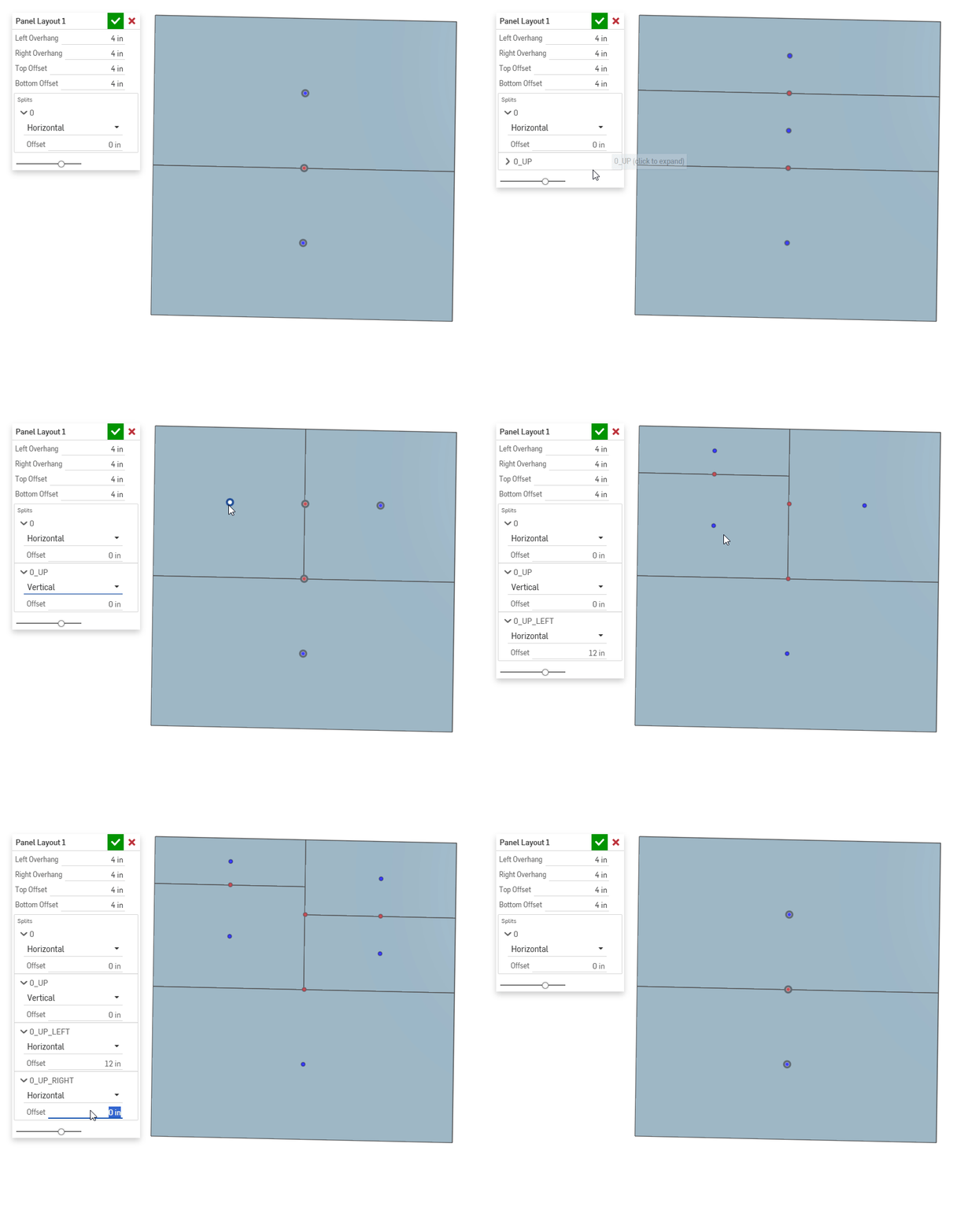
I like a creative use of manipulators.
www.smartbenchsoftware.com --- Renaissance --- Kestrel -- SmartLink
Experts in Onshape Automation - Custom Features and Integrated Applications0 -
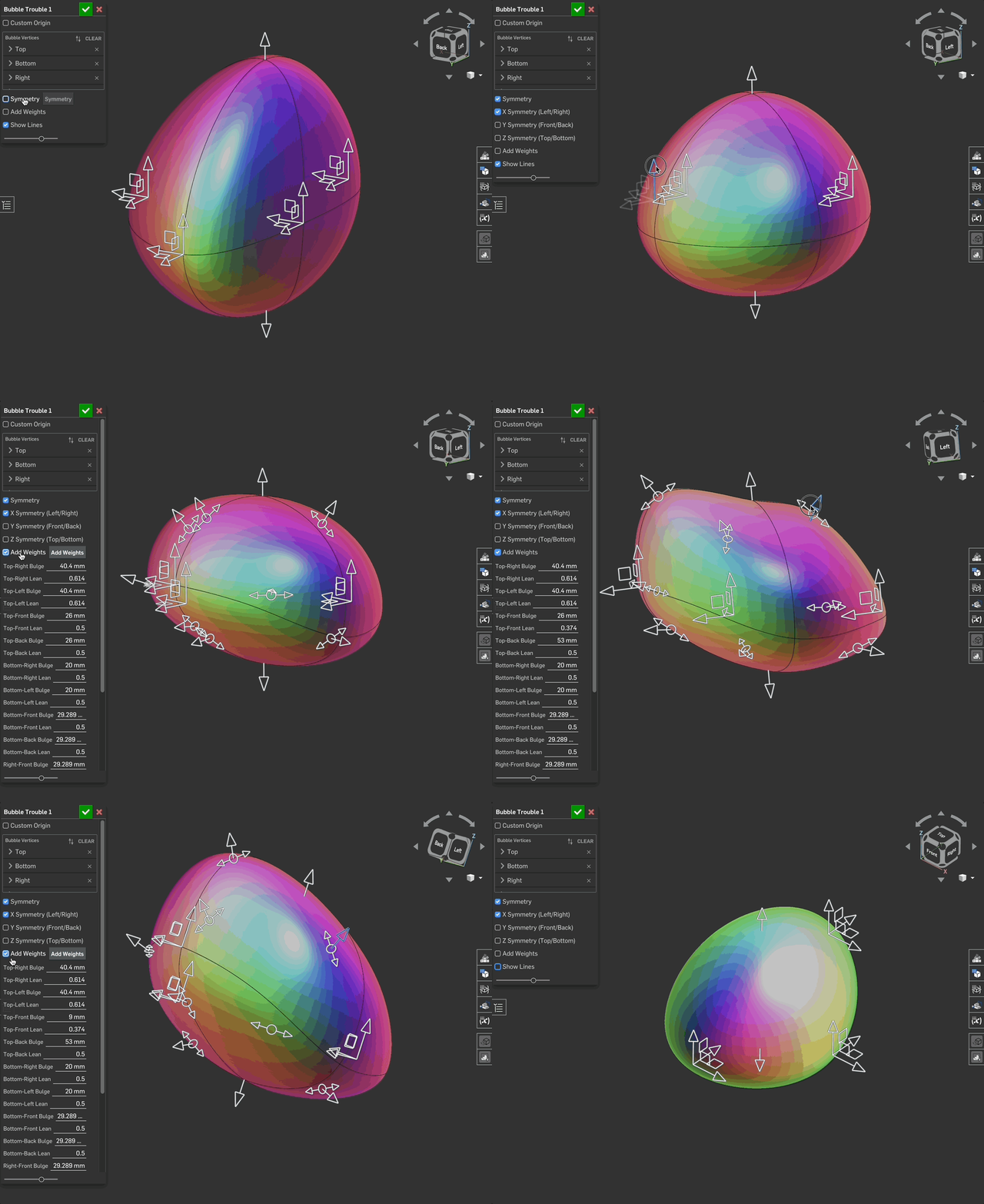
UPDATE: More (and also fewer) controls for all you bubble-loving manipulators out there! 🍑🌶️🍐🍆🥔
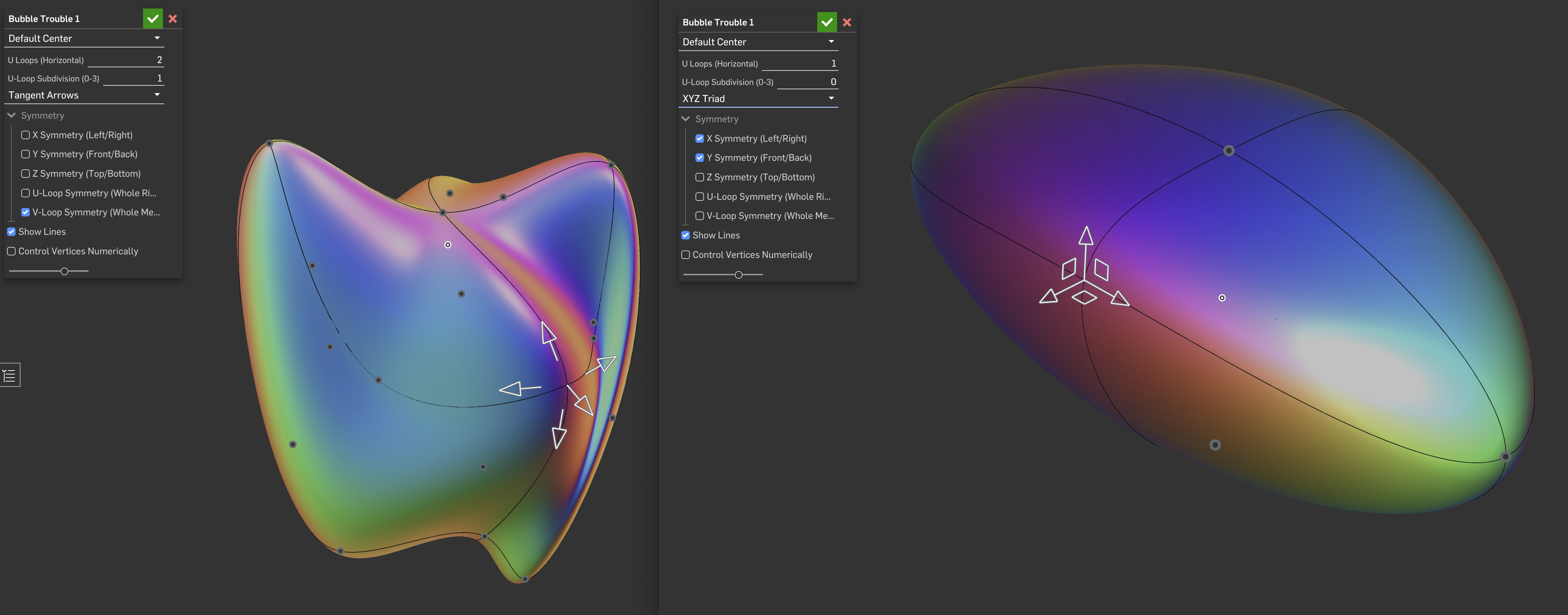
Bubble Trouble V2I’ve made some changes, and everything is now quite a bit cleaner. Evan was right – one triad at a time is better than 30 all at once :)
- There is now the option to add more horizontal loops (not vertical loops though – more than 4 mess up the poles too much).
- Click a point to manipulate it.
- You can add more points to the horizontal U loops… (more than 3 per section does not make sense – the surface gets really bad…).
- Choose between XYZ triads and (more or less) tangent arrows (for round objects like helmets, those are great!).
- The UI is now much cleaner, and symmetry or control vertices can be hidden.
In general: mimicing the POC helmet: the extra loops and points really make this work well – the surface quality is a bit less clean though.
What do you think? Useful, wasteful, or at least playful? :)
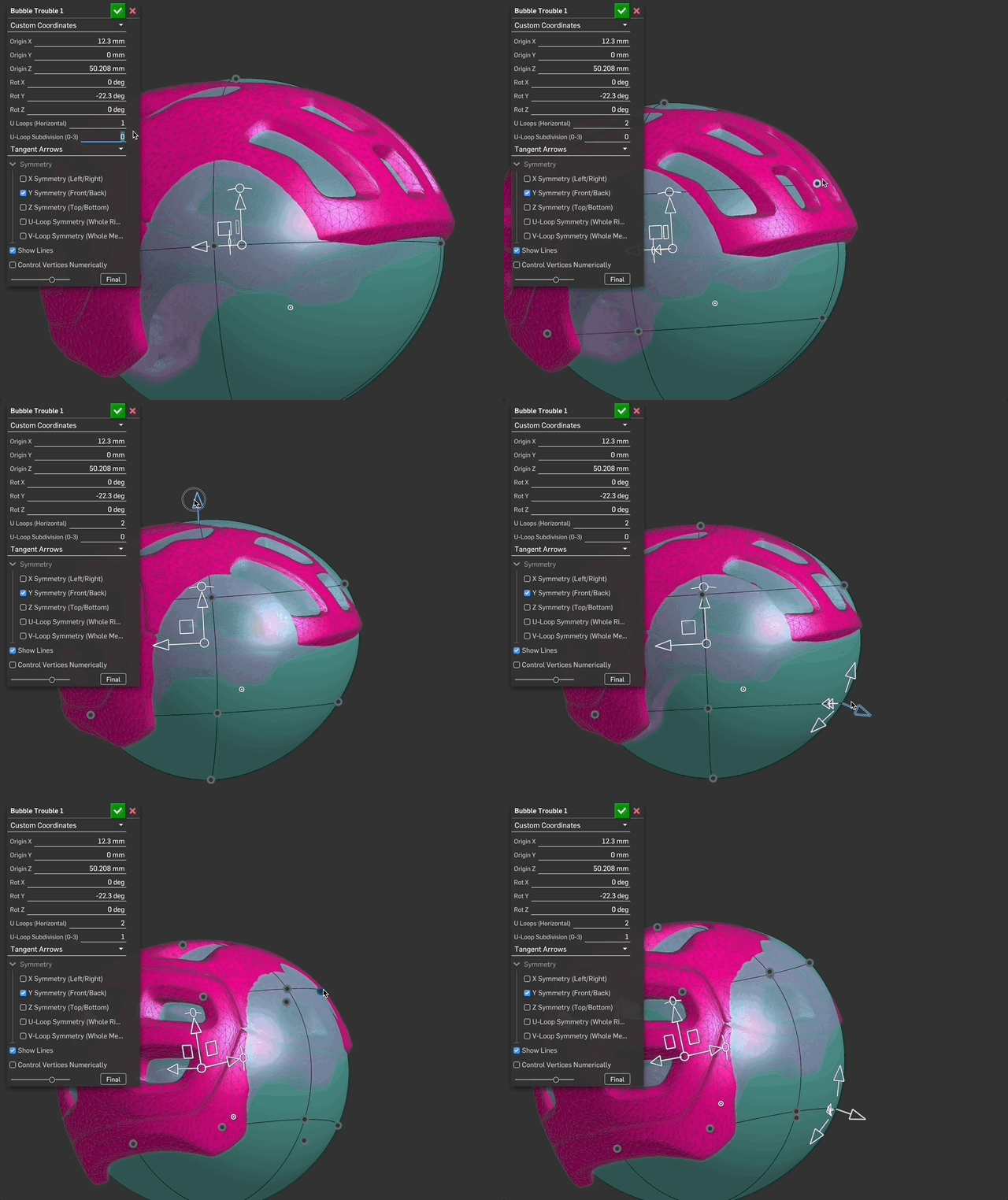
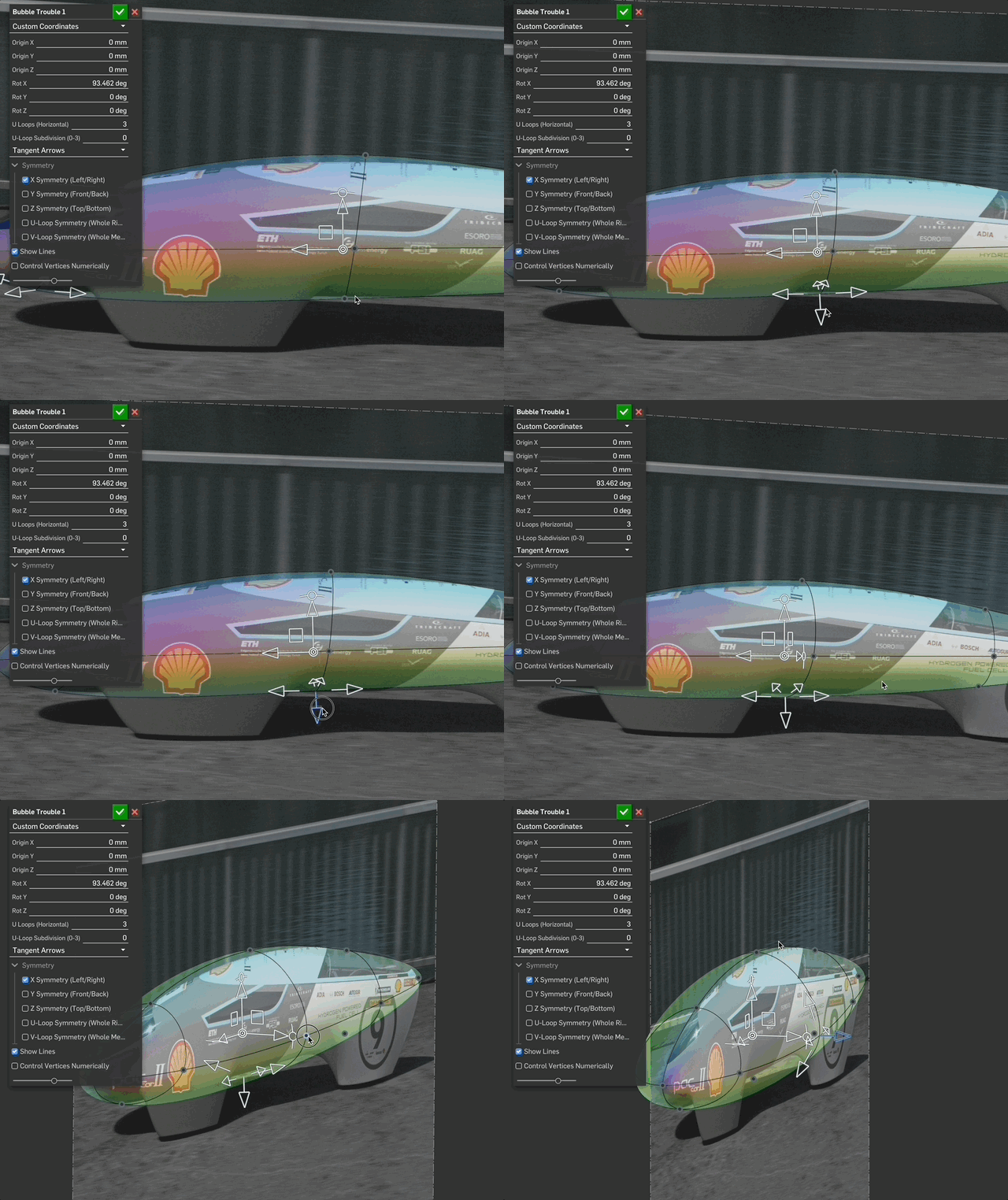
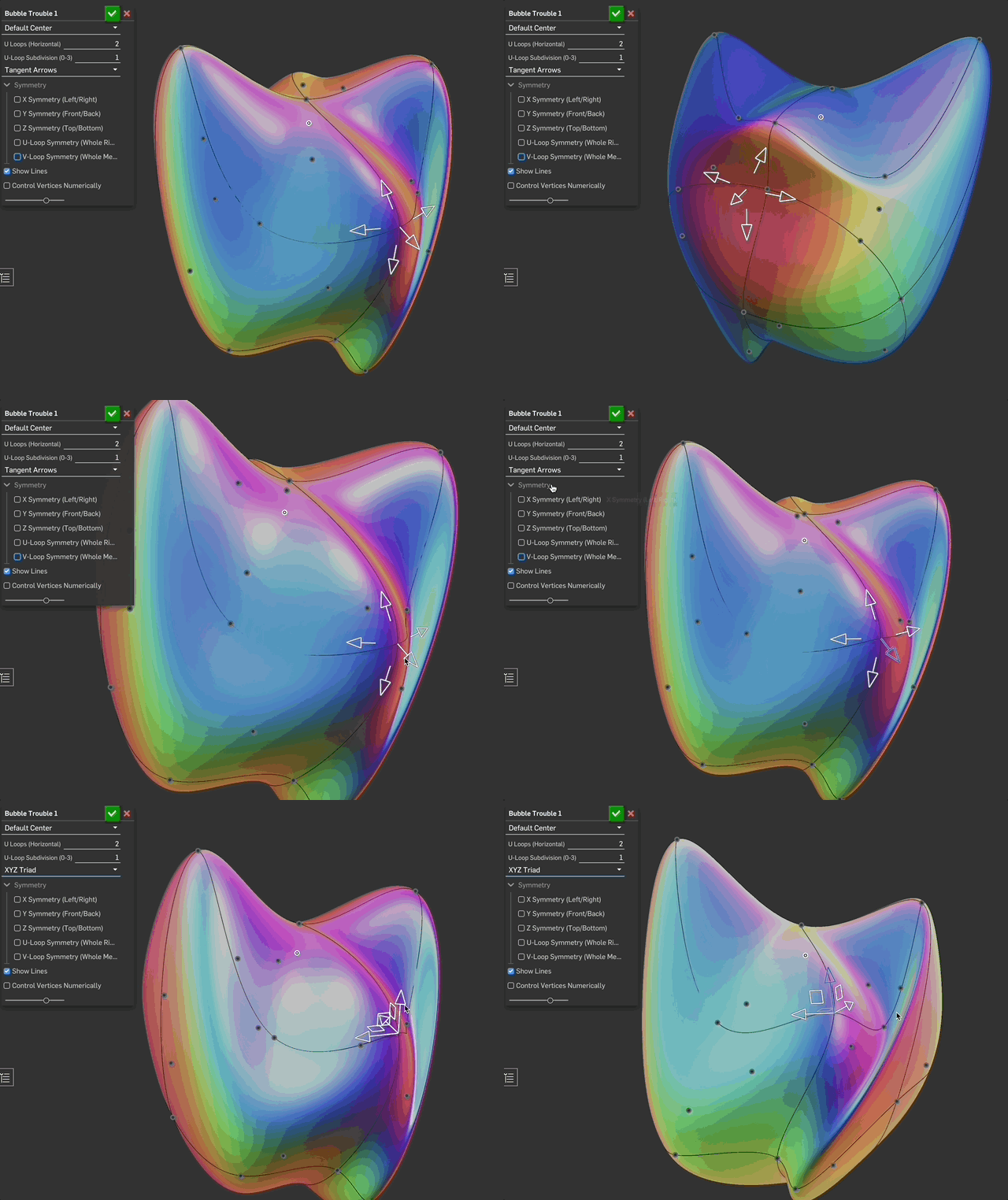 5
5 -
-
What do you think? Useful, wasteful, or at least playful? :)
Are you kidding? This is incredible.
Ramon Yip | glassboard.com
2 -
This is so cool.
RENDERCAD
rendercad.ai - Photorealistic product rendering.
▚▞▚▞▚▞▚▞▚
________________________________________________________________________2 -
I might have to tell people to stop recommending blender for organic stuff. ha Looks like nice V2.
2 -
I guess I subconsciously built this as a way to avoid properly learning Blender :)
2 -
LOL. I can appreciate that
1