How would I get the platform to be perfectly centred like the picture provided?

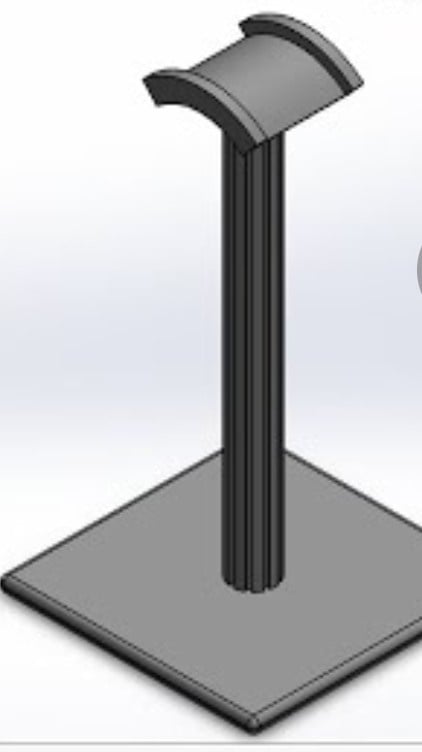
2nd photo is where I am at, I am only a beginner so simple and easy to follow instructions would be helpful
Best Answer
-
Hello. Create a Mid Plane. Select the Plane tool and use two opposing faces of the base's sides as the entities in the Plane dialog box. Draw the arched piece on that plane.
Assuming the starting element of your first sketch was a Center Point Rectangle, you would already have a plane available if you had centered the rectangle/square on the origin. You could still correct that by moving the sketch(es) you already created to be centered on the origin using the sketch's Transform tool.
- Scotty
1
Answers
-
Hello. Create a Mid Plane. Select the Plane tool and use two opposing faces of the base's sides as the entities in the Plane dialog box. Draw the arched piece on that plane.
Assuming the starting element of your first sketch was a Center Point Rectangle, you would already have a plane available if you had centered the rectangle/square on the origin. You could still correct that by moving the sketch(es) you already created to be centered on the origin using the sketch's Transform tool.
- Scotty
1 -
Can you show me that with pictures?
0 -
At some point, you're just going to need to sit through the tutorials. Not everybody is going o create step by step instructions for everything you're trying to do.
Ramon Yip | glassboard.com
1 -
Figured it out
Cheers
0
