Guitar Surfacing Help

Hi. I have been putting together some neck-through guitar designs in Onshape. There have been a few iterations so far which are visible in the linked document, but I am currently working on the arch top shred stick pictured below:
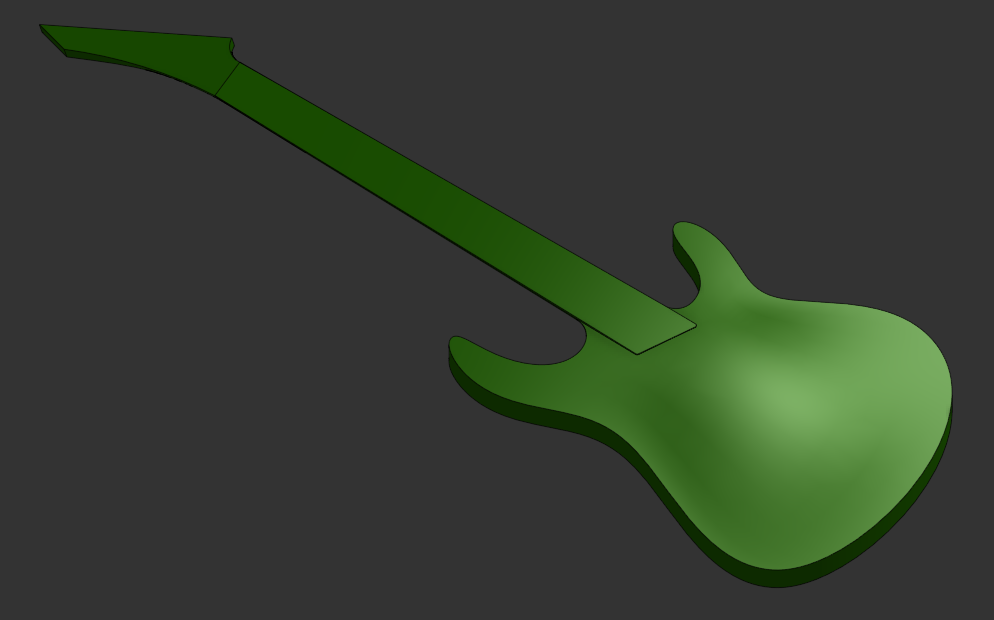
I am struggling to, A: get curved surfaces to have a smooth rate of change, when looking at the curvature combs,
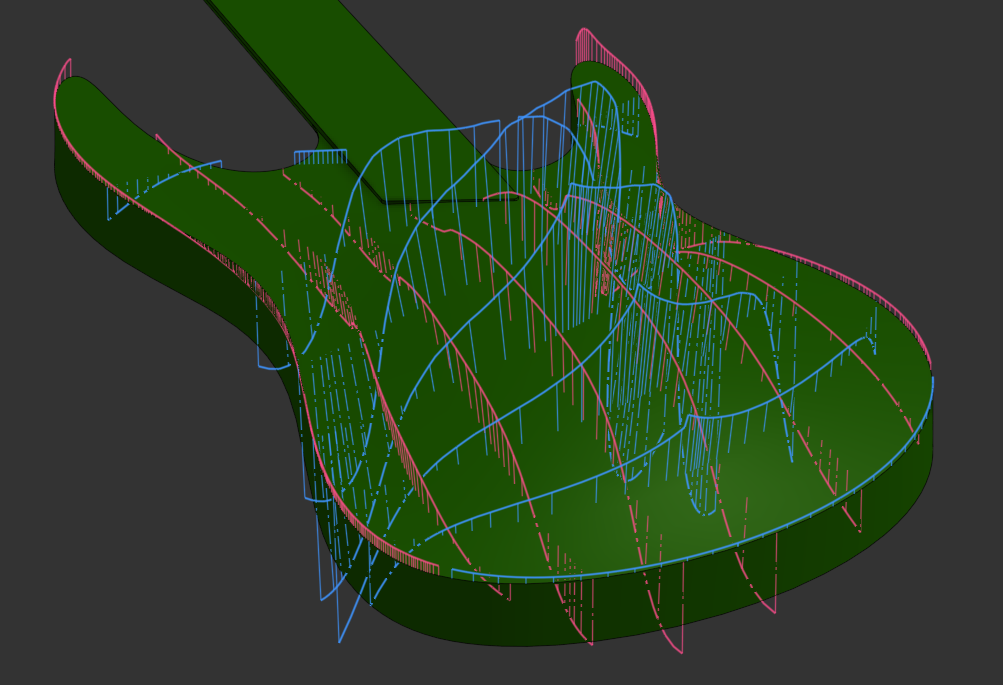
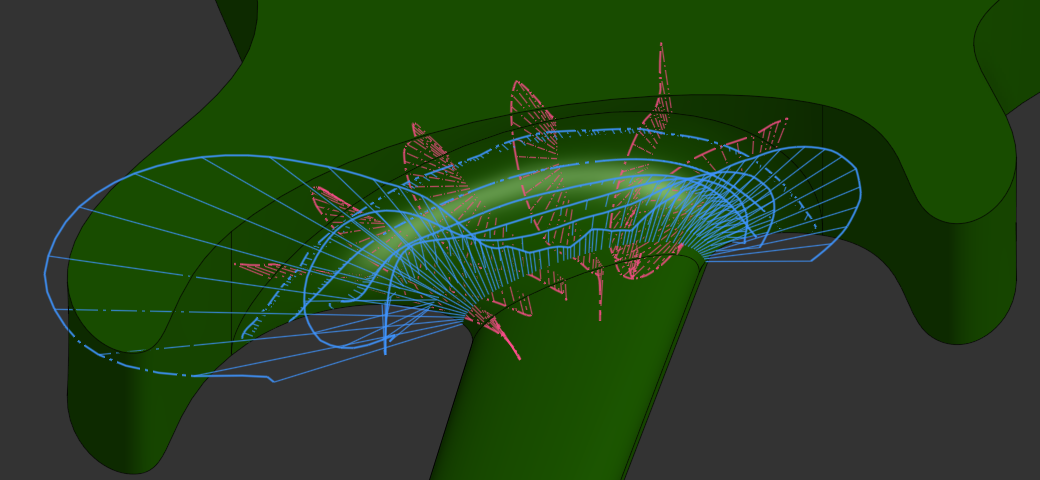
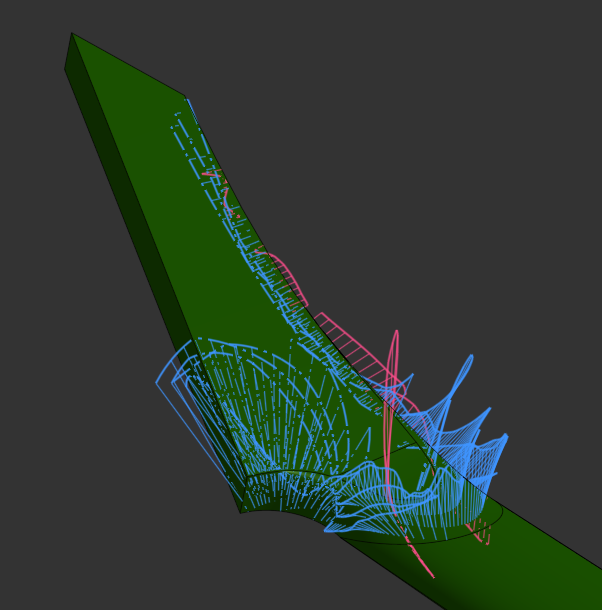
and B: get separate surfaces to flow from edge to edge.

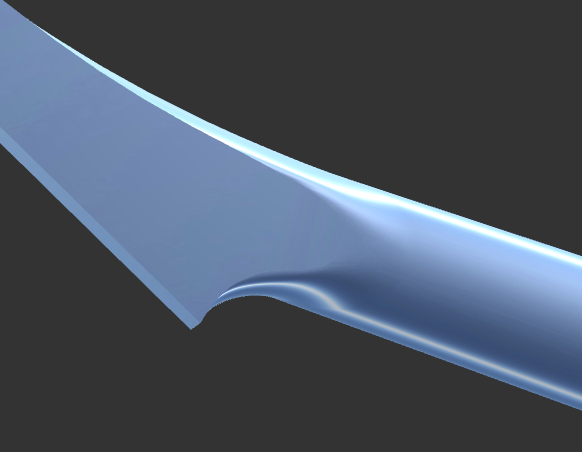
You are free to examine my chosen features, but to save you some time, here are some of my thoughts/findings:
All sketch curves used for 3d faces are beziers.
I am able to get tangency on all surfaces that should have it, just not flow.
Yes, I did a very poor job of constraining the body profile sketch. I will redo it eventually. The rear headstock sketch is unconstrained for the time being.
The split feature that cuts out the treble side horn breaks when changes are made to the body profile sketch. (non manifold edge?)
I have tried boundary surface, loft, and fill on the headstock and heel joints, and only fill works. Seemingly because the guide edges join the loft profile at an angle.
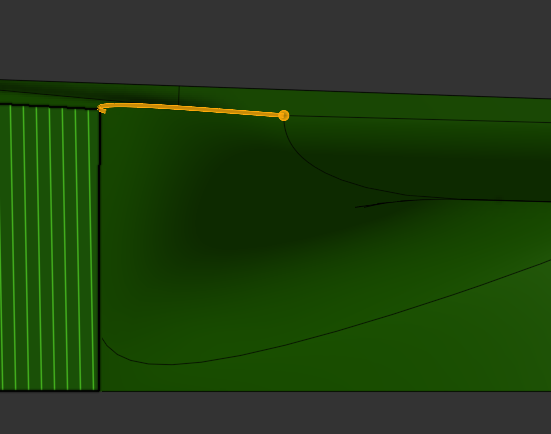
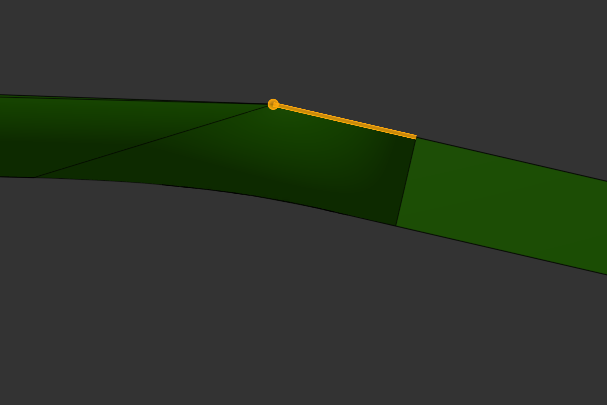
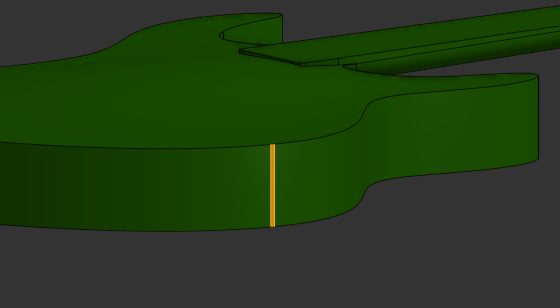
Multiple connected bezier curves are needed to create the body profile. When extruded, they create these unnecessary (?) edges where they join:
That's about all I can think of. If you read to the end, here's a cool picture of the bridge I plan on making for this.
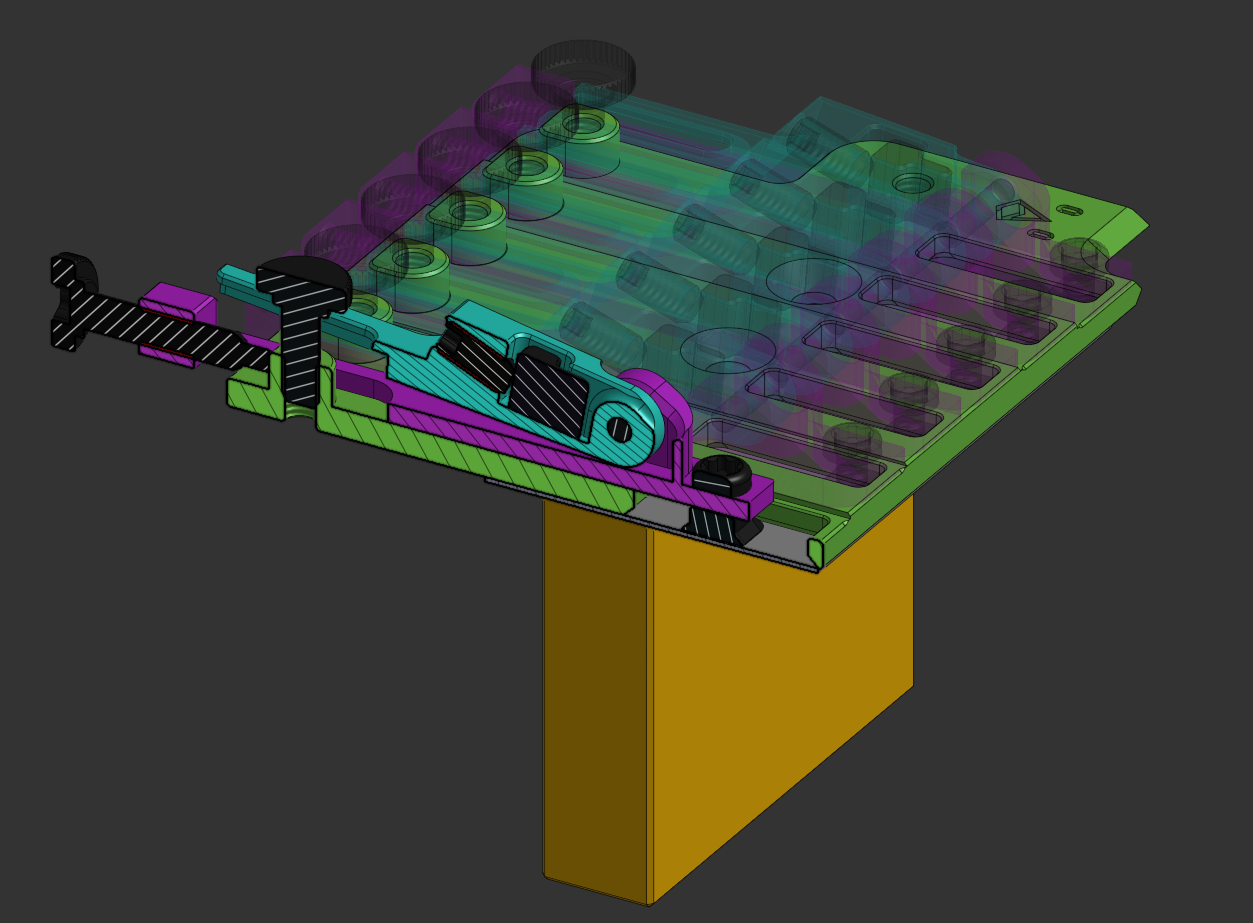
I appreciate any help or comments! Thanks.
Answers
-
I duplicated the model in case I make any changes before somebody answers this question. Also, it was perhaps not clear that I linked the document in text.
This duplicated model exists in the same document as the main one.
1 -
I'm thinking that maybe this question was a bit too broad.
Lets start with problem #1, the base sketch.
Reading up on bezier curves, I found out that you cannot make a closed loop with them in onshape. I had no idea, but it appears I am actually breaking that rule with the guitar body profile sketch (sketch 2). If the body profile loop needs to contain a spline, how am I supposed to get clean curvature on the arch top?
To follow this up, is this sort of design outside the scope of onshape itself? My intuition says that I just haven't found the correct workflow, but if that isn't the case, and this sort of surfacing isn't possible in this program, I'd appreciate a heads up.
0 -
When looking at the model you linked, there were three questions that came to my mind.
- Why do you think it is bad if there is a joint line in the body profile, as long as it has tangency and sufficient continuity? It is not like that line would show up on the guitar once finished or even rendered.
- Why is it necessary to use bezier curves exclusively and why would it appear desirable to make one closed loop?
- Are the two sketches that define the arch top shape sufficient?
I was trying an arch top thin hollow body bass guitar recently and I found that it is important to get enough control, especially over the area that would later take the hardware, for that controls where everything else is located. I would expect the design to start with a sketch that defines the center section. In your model, the arch rises pretty high, maybe even a bit above the fretboard level, which might limit space for the bridge and pickups, while the outer areas are very little arched, almost flat. On most archtops I have seen, other than flat strat style solid bodies. the body sits at an angle to the neck:
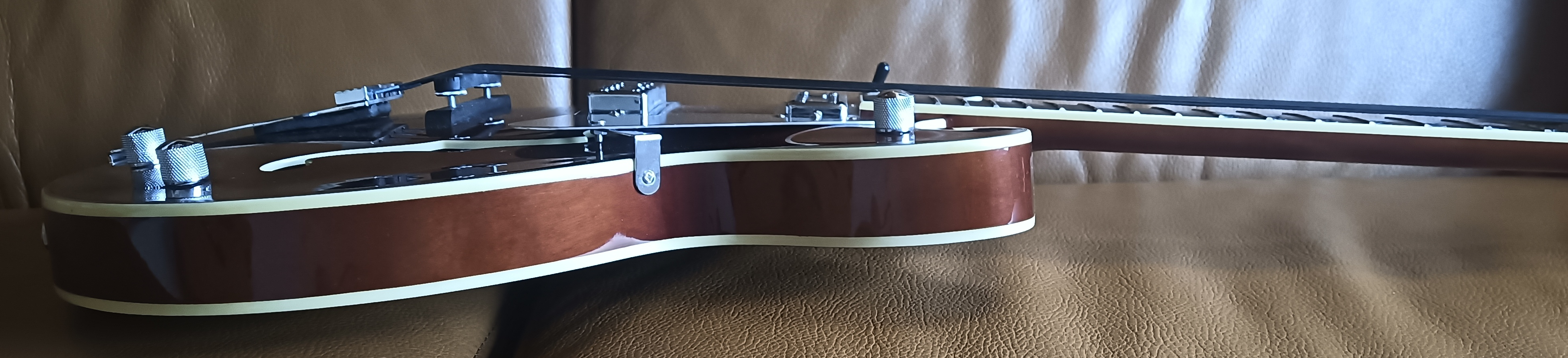
Side view of a semi hollow arch top bass I have. See the angled position of fretboard and body? Okay, this is a floating bridge style that requires extra room, but anyway, the neck needs to run about tangent into the arched shape of the top, even for a standard bridge setup.
For CAD, that would require a condition defined between the fretboard top and the takeoff angle of the archtop center, I suppose, with all the implications it has for the positioning of the sketch planes which define either neck or body profile, depending on what you consider world zero.
2 -
@survival race What an awesome guitar design!
0 -
Hey @martin_kopplow, thanks for the reply!
Good point about the joint lines, that is a completely superfluous issue. I found the same question in this post - which remains unsolved.
I read somewhere that surfaces made from bezier curves produce smooth curvature combs (rate of change of the curve, I think), which I would like to adhere to in this guitar model.
In my model, the neck does indeed sit back at an angle. I need to tie this to the arch clearance, (or the other way around) in case I make changes to one without the other. You are also seeing the guitar without the fretboard and frets, so the arch does appear to get in the way. Having the strings close to the body is desirable for playability, as demonstrated here:
Anyways, I've been meaning to try out some ideas for workflows in the model for a while, and I just haven't gotten around to it. I will certainly update you when I do.
@jesse_clee I think you pasted the wrong link? You could also be a bot account, I'm not sure.
0

