Improvements to Onshape - September 18, 2026


CAD
DYNAMIC SUPPRESSION FOR ASSEMBLIES
Dynamic suppression in Assemblies lets you automatically suppress or unsuppress parts, patterns, and Mates based on other values. This enables more intelligent parametric assemblies that dynamically adapt their structure and behavior as designs change — suppressing a divider when a cabinet drops below a given width, for example, and unsuppressing a pattern and a different Mate scheme when it grows beyond another.
RESET CONFIGURATIONS TO DEFAULT VALUES
The new Reset to default button makes it easy to restore all configuration parameters to their default values with a single click. Available in Part Studios, Assemblies, and Variable Studios, it lets you freely test configurations and quickly return to your preferred baseline.
SIMPLIFIED EDIT IN CONTEXT MENU
The improved Edit in context workflow makes it faster to begin in-context design by taking you directly to the Part Studio when no contexts have yet been created. Clear visual feedback and context-aware menus also make it easier to understand when a context exists and to quickly access existing references.
HIDE IN CONTEXT INSTANCES WITH A HOTKEY
This release introduces the ability to use the same “hide selected part” hotkey used in Part Studios and Assemblies (by default the Y key) to hide instances while editing a context. This makes it easier and faster to focus on your in-context designs.
CONFIGURABLE SECTION VIEW INTERFERENCE COLOR
The color used to indicate interference, or overlap, in section views is now configurable, letting you pick a color that stands out clearly against your own models and display theme.
OPEN DOCUMENT IN A VIEW-ONLY STATE
Onshape now introduces a selectable View only mode, available to users with edit access to documents. This mode, which can be toggled on or off at any time, is a clean way to ensure you don’t accidentally edit the document while reviewing it. Administrators may also enable a setting so that all documents company-wide open in this mode by default.
FILTER BY WARNINGS IN PART AND INSTANCE LISTS
You can now filter the Parts and Instances list by warnings, making it quicker to locate and resolve problem geometry in large models.
RETAIN ANALYSIS SELECTIONS WHILE EDITING SKETCH DIMENSIONS
Analysis tool selections now persist while you edit sketch dimensions, so you can change a value and watch the measured result update without having to reselect your geometry each time. This improves on previous behavior: if you did not click outside the box, it would lose the selection.
GLB GEOMETRY FORMAT FOR URDF EXPORT
Onshape now provides a GLB geometry format option when exporting as URDF. This delivers binary 3D mesh geometry for third-party robot simulation software.
FEATURE STUDIO
COMPARE SUPPORT FOR FEATURE STUDIOS
Compare now supports Feature Studios, so you can see exactly what changed between versions and workspaces of your custom feature code without leaving Onshape.
HIGHLIGHT FIND ALL RESULTS IN FEATURE STUDIO
Find All in the Feature Studio editor now highlights 'symbol' and 'text' matches inline, making it much faster to scan where a term appears across your custom feature code.
COMMIT DROPDOWN MENU IN FEATURE STUDIO
The Commit button in Feature Studios is now a dropdown that gives you the choice of committing just the current Feature Studio tab, or all changed Feature Studio tabs in one action. This reduces the time spent committing multiple changes and the chance that a commit gets missed — particularly useful alongside find-and-replace and refactor/rename, which tend to leave a number of Feature Studios uncommitted.
DRAWINGS
PARENTHESES FOR SURFACE FINISH SYMBOLS
Onshape now allows you to include parentheses around your surface finish symbols in Drawings. This is useful for indicating a deviation from the global surface finish requirement in the ISO standard.
PCB STUDIO
IMPORT ALTIUM BOARDS WITH BENDS
Altium boards that include bends can now be imported into Onshape, bringing rigid-flex designs into your mechanical assemblies with their bent geometry intact.
BOARD PART FIXED WHEN BUILDING A PCB ASSEMBLY
The board part is now fixed when building a PCB assembly, preventing accidental moves that would otherwise pull your components out of alignment with the board.
RENDER STUDIO
LIGHT AIMING
Render Studio now lets you aim a light directly at a point on your model, making it far quicker to set up precise, intentional lighting for a shot. See the Light (Render Studio Advanced) topic for more information.
RESET THEME AFTER BACKGROUND COLOR CHANGES
A new option restores the theme after you change the background color, so you can experiment freely and return to your starting point in a single click.
DATA MANAGEMENT & ENTERPRISE
OPEN IN ONSHAPE LINKS IN ANALYTICS
Every analytics dashboard now includes an 'Open in Onshape' link, letting you jump straight from a row in your analytics to the document it describes.
MOBILE
REDESIGNED SHARE DIALOG AND SHARE PANEL ON iOS
The share dialog and share panel have been reworked on iOS, making it easier to see and manage who has access to a document straight from your iPhone or iPad.
ONSHAPE LABS
AI-GENERATED THUMBNAIL DESCRIPTION SEARCH (PUBLIC DOCUMENTS)
Public document search now matches on AI-generated descriptions of document thumbnails, so you can find a design by how it looks, not what it's called. Available for testing in Onshape Labs.
Please take a moment to try out these new features and improvements, and leave your comments below. For a detailed list of all the changes in this update, please see the changelog.
Remember: The updates listed here are now live for all users when creating new documents. Over the next few days, these features will also be available in documents created before this update. Mobile app interface updates are available via the Apple App Store or Google Play Store and are released in the days following the update.
Comments
-
The improved Edit in Context workflows look like a big improvement. Looking forward to trying this out.
1 -
Finally. Native feature diffs. Now I can comb the undocumented changes without going through my GitHub mirror, though I still need to maintain it for ease of LLM development.
5 -
Dynamic suppression in assemblies. That all I need to look at here. Finally!!
4 -
Dynamic suppression in Assemblies and Reset to Default Configuration button are a huge help! Thank You!
7 -
Sweet Dynamic Suppression. I needed that yesterday. Perfect Timing
3 -
View Only mode setting for Enterprise!!! Thank you, I think this was my first IR 12 years ago, 🥹
 Adrian V. | Onshape Ambassador
CAD Engineering Manager6 -
FeatureStudio finally getting some long overdue updates. The diff view is nice.
I'd like to see branch merging of featurestudios improved. I still see code merge failures resulting in completely broken code, so I can't reliably use branches in development quite yet. Would like to see a proper merge tool.www.smartbenchsoftware.com --- Renaissance --- Kestrel -- SmartLink
Experts in Onshape Automation - Custom Features and Integrated Applications3 -
I see some things in the diffs that look like they might be useful for creating Amalgam libraries in the future too. Can't wait to see what they lead to.
0 -
I think we can all agree that Brakets around surface finish callouts is the headline feature this month 😉
Engineering textbook: https://hwh.stephenteacher.com/txtbook.html0 -
@NeilCooke YESYES YES YES
This is awesome - we discovered it but couldn't find mention in the changelog. What a nice update….
Why was this not active before?
1 -
@NeilCooke YES!!!
Simon Gatrall | Product Development, Engineering, Design, Onshape | Ex- IDEO, PCH, Unagi, Carbon | LinkedIn
1 -
Yeeeeasssss! Icons for enterprise 💚
1 -
It was a permissions bug that has been around from day one with Enterprise, but some recent work in other areas was able to fix it.
Senior Director, Technical Services, EMEA2 -
Onshape team,
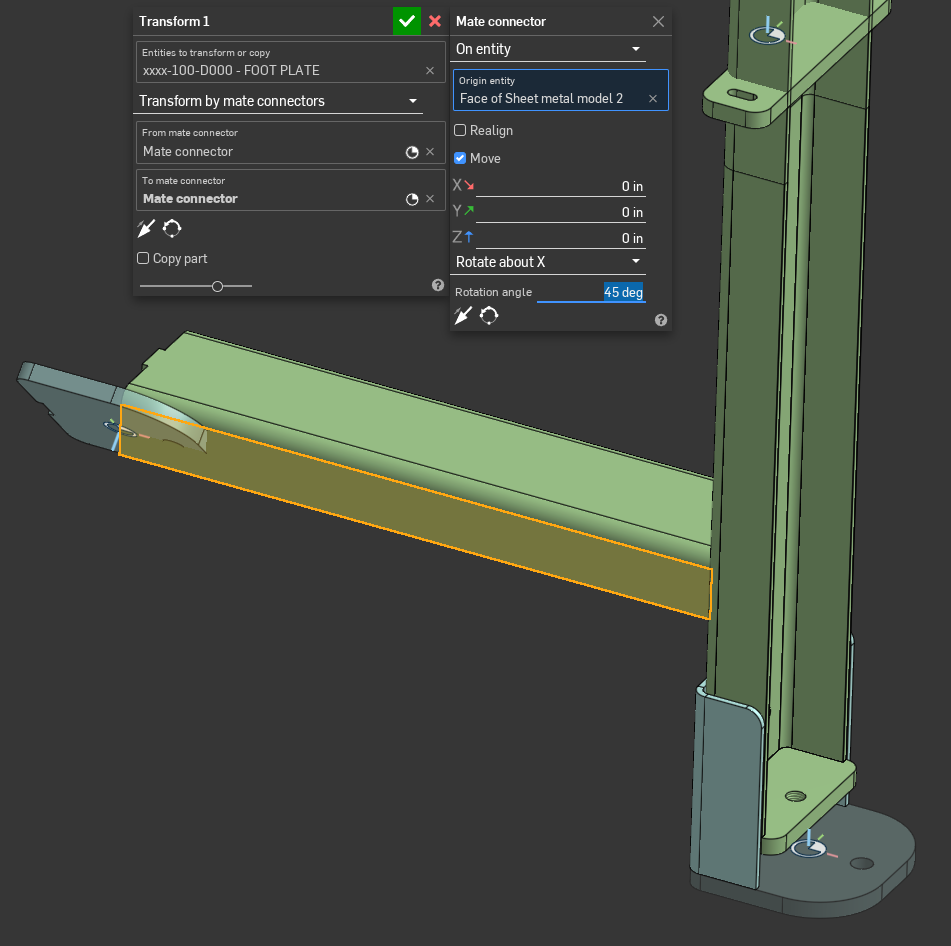
It would be very helpful to have an option in the Transform > Rotate function (Part Studio) to rotate a part directly around the X, Y, and Z axes by entering angular values or grabing the arrows like on assembly mode, without the need to create a sketch, mate connector, or other reference geometry.
This feature would significantly improve the workflow when working with 3D scan data. Scanned models are rarely aligned correctly on the first import, and being able to quickly rotate them around the principal axes would make positioning and orientation much faster and more intuitive.
4 -
Does this mean Enterprise-wide Labels are just around the corner?
 Adrian V. | Onshape Ambassador
CAD Engineering Manager2 -
Can I interest you in a little bit of Triad Transform?
2 -
Solid release! I'm looking forward to trying them out.
0 -
🤯
It feels wrong that this might be the I'm most excited about! We've just switched to Enterprise a few weeks ago so I was still really feeling this…2 -
Now that PCB Studio fixes a part in an imported assembly by default (it already grouped by default), can we PLEASE do this for regular imported geometry?
This is one of the more tedious/dangerous things about imports is dealing with multi-layered assemblies where everything is floating in space.
Simon Gatrall | Product Development, Engineering, Design, Onshape | Ex- IDEO, PCH, Unagi, Carbon | LinkedIn
3 -
Can y'all flip the left and right sides of the nav cube back to being the left and right sides of the cube it doesn't make any sense for them to be flipped. At least add a setting to flip them back. Thanks!
0 -
Love this update! Especially excited to dive back into my Feature-studios that have started to collect dust.
0 -
Thank you, so much good stuff !!!
0 -
I didn't really know it until now, but I was waiting for the "hide parts in context by hotkey" for years. A really nice QOL improvement for me!
0 -
-
It's really not. Scan data probably doesn't have vertices or triangles that are going to be aligned perfectly between multiple scan shells and it's a game of guessing and checking which pair of them give you the alignment you're looking for. What they're looking for requires the extra rotational arrow manipulators offered by my Triad Transform feature.
0 -
Yes agreed, it's these seemingly little things that make a real difference to everyday life, love it
0 -
I miss being able to branch from anywhere. View only mode is great but the loss in ability to branch from anywhere is a set back.
0 -
Will today be the generative design update? The logs keep whispering about work being done in the background on it
0