Welcome to the Onshape forum! Ask questions and join in the discussions about everything Onshape.
First time visiting? Here are some places to start:- Looking for a certain topic? Check out the categories filter or use Search (upper right).
- Need support? Ask a question to our Community Support category.
- Please submit support tickets for bugs but you can request improvements in the Product Feedback category.
- Be respectful, on topic and if you see a problem, Flag it.
If you would like to contact our Community Manager personally, feel free to send a private message or an email.
Easyway to Draft multiple faces

aaron_skidmore
Member Posts: 34 ✭✭
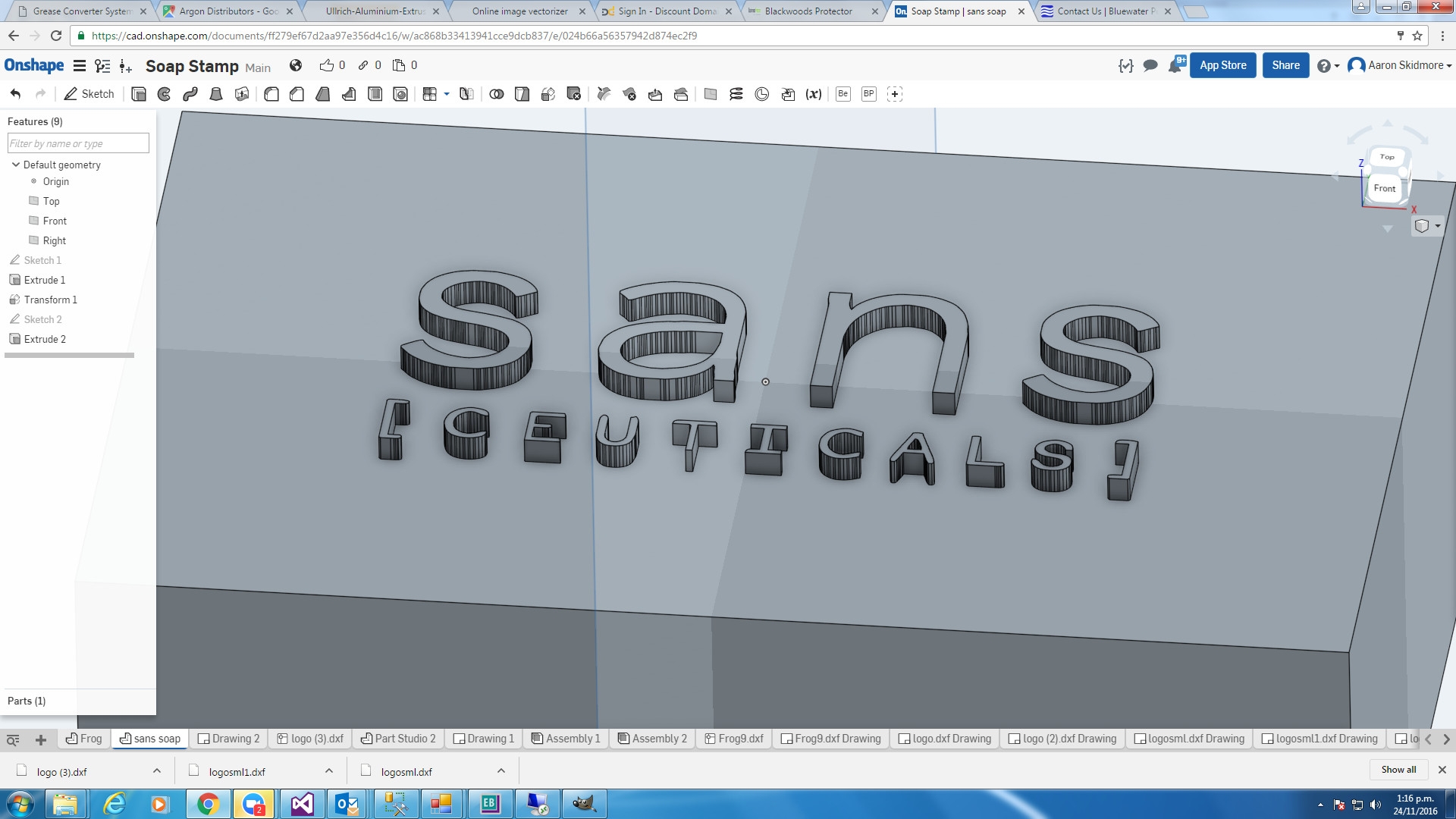
Hi have a model with embossed lettering that has many faces, I want an easy way to draft all faces without having to individually select each face.
0
Best Answer
-
@aaron_skidmore I would like to suggest one more method which may not be as quick as the draft option in the extrude feature but many times it helped me. Special case could be whenever I want the draft feature separately.
- After selecting the neutral plane, to select entities to draft just right click on screen and select option "Create selection" which will allow you to select multiple entities from available drop down options.
- In this case I have chosen "Protrusion" option which further helped me to select all the extruded faces of text.
- After this selection again deselect the top faces of text. Simply clicking back on top of each letter will automatically deselect the top faces. You will get the desired result.

Please note that you need to deselect the top faces of each letter once multiple faces of protrusion are selected.
Thanks6

Answers
-
With the draft command try a side view and window select across all the side faces, first clicking from the bottom rh to top lh corner. Ensure to only pass through the side faces1
-
@aaron_skidmore use the draft option in the extrude feature that you used.
1 -
@aaron_skidmore I would like to suggest one more method which may not be as quick as the draft option in the extrude feature but many times it helped me. Special case could be whenever I want the draft feature separately.
- After selecting the neutral plane, to select entities to draft just right click on screen and select option "Create selection" which will allow you to select multiple entities from available drop down options.
- In this case I have chosen "Protrusion" option which further helped me to select all the extruded faces of text.
- After this selection again deselect the top faces of text. Simply clicking back on top of each letter will automatically deselect the top faces. You will get the desired result.
Please note that you need to deselect the top faces of each letter once multiple faces of protrusion are selected.
Thanks6

