Welcome to the Onshape forum! Ask questions and join in the discussions about everything Onshape.
First time visiting? Here are some places to start:- Looking for a certain topic? Check out the categories filter or use Search (upper right).
- Need support? Ask a question to our Community Support category.
- Please submit support tickets for bugs but you can request improvements in the Product Feedback category.
- Be respectful, on topic and if you see a problem, Flag it.
If you would like to contact our Community Manager personally, feel free to send a private message or an email.
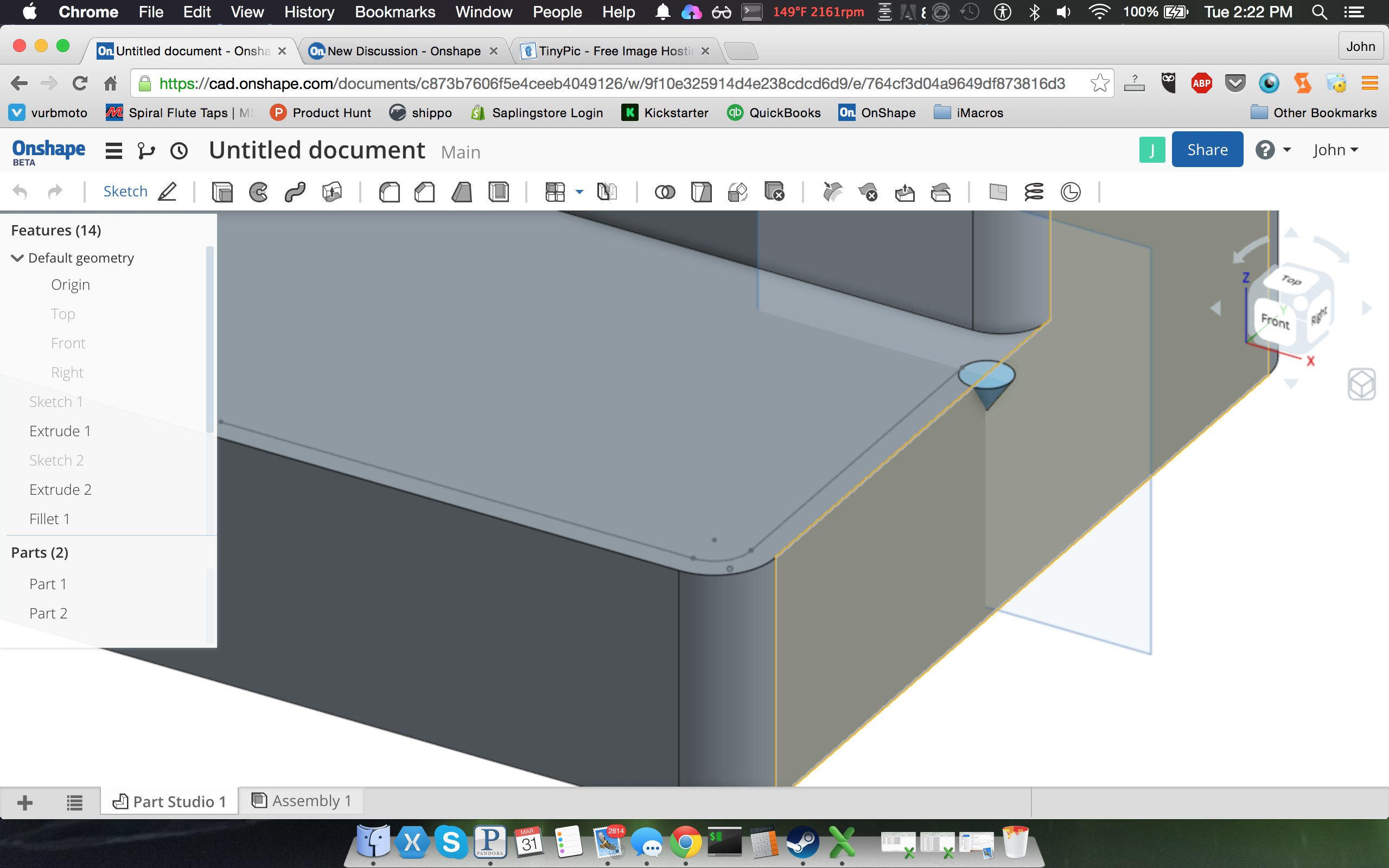
anybody know how to cut sweep this revolve along the path?

mcconnell113
Member Posts: 74 ✭✭
Best Answer
-
Currently no. I would probably do a sweep of the cross section then use the transform + copy part feature to position the revolve at the end caps followed by a subtraction.
The end caps of the sweep would have an extra revolve'd area removed which could be done as a separate operation.Pete_Yodis said:@McConnell113 Onshape currently handles only swept cuts from 2d sketches and regions. For your example, I don't there would be a geometric difference between the capability in Onshape and a swept cut of a body.Jake RamsleyDirector of Quality Engineering & Release Manager onshape.com5


Answers
-
I've just learned out to do such a thing in solidworks so I wanted to see if it was easy to emulate in onShape. I haven't figured it out yet. Anybody know how to sweep cut a revolve along a path?John McConnell - Let's change things.
Saplingstore.com0 -
@McConnell113 Onshape currently handles only swept cuts from 2d sketches and regions. For your example, I don't there would be a geometric difference between the capability in Onshape and a swept cut of a body.0
-
Currently no. I would probably do a sweep of the cross section then use the transform + copy part feature to position the revolve at the end caps followed by a subtraction.
The end caps of the sweep would have an extra revolve'd area removed which could be done as a separate operation.Pete_Yodis said:@McConnell113 Onshape currently handles only swept cuts from 2d sketches and regions. For your example, I don't there would be a geometric difference between the capability in Onshape and a swept cut of a body.Jake RamsleyDirector of Quality Engineering & Release Manager onshape.com5 -
@ pete. this would simulate say a chamfer that cant quite reach certain areas of a part while CNC machining, so it would round it off with a revolved body as the sweep.John McConnell - Let's change things.
Saplingstore.com0 -
@McConnell113 Got it. Like @jramsley said. 2 extra operations to create the end effects.0
-
@jramsley could you provide any screenshots of this? that would be great help.John McConnell - Let's change things.
Saplingstore.com0 -
@McConnell better yet... Invite someone into the design to add the feature. Use the collaboration features of Onshape. Then look at the resulting features added.0
-
I guess the only issue im really having is that I don't see how im suppose to convert my profile to a surface so that it actually deletes along the path, right now its just slicing through and leaving the materialJohn McConnell - Let's change things.
Saplingstore.com0 -
well i guess if i just shut my mouth and try for a bit I'd figure it out. @jramsley thanks for your initial suggestion this worked.
John McConnell - Let's change things.
Saplingstore.com0 -
Omg I using solidworks I totally didn't even think of this. haha thats wonderful. I did find a really optimal way to do what I wanted however. even though the revolve a separate part worked I learned that all i need to do is actually do the regular profile sweep then revolve cut the faces on both ends.Pete_Yodis said:@McConnell better yet... Invite someone into the design to add the feature. Use the collaboration features of Onshape. Then look at the resulting features added.John McConnell - Let's change things.
Saplingstore.com0