Lofting Trapezoids

tj_thorniley
Member Posts: 65 ✭
I have a prototype 3D shape made from cardboard and tape that I'd like to model for 3D printing. It looks like this (minus the flaps):


At first I decided it would be best to start with a side profile and extrude. But it seems problematic with all the angles it has in 3D:

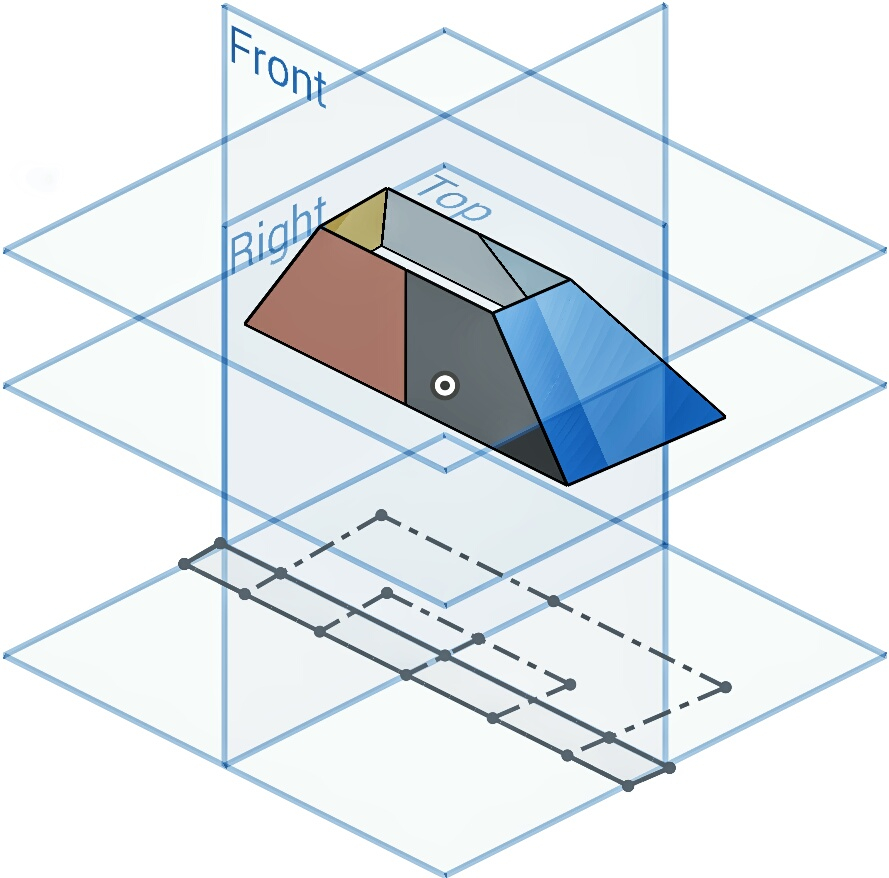
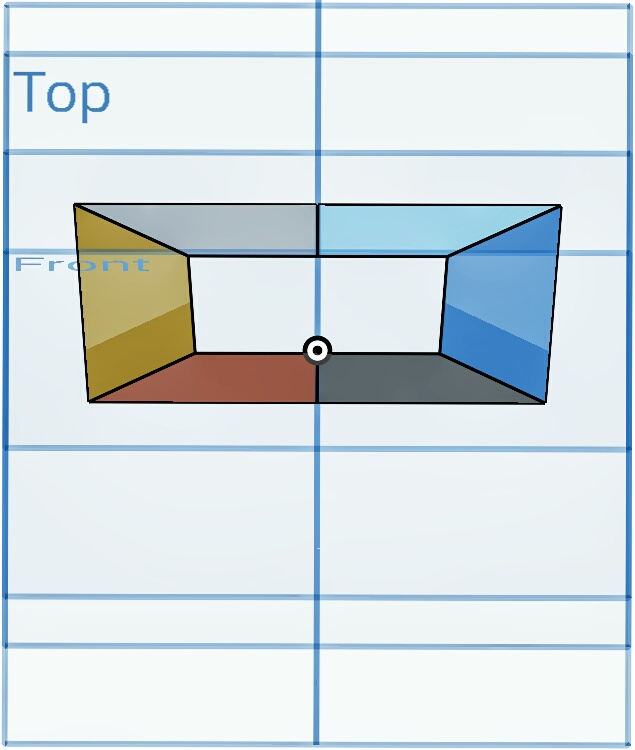
So I tried lofting. It wouldn't allow me to create a solid trapezoid for some reason, so I opted for the surface option instead (Note: The following dimensions are temporary, and innacurate. I'm just trying to get the basic shape down first):

1. What's the best way to go about building this shape?
2. Why won't it loft as a 'solid' (or 'add' the surfaces together, instead of having to create a 'new' surface for each section)?
Thanks in advance.
At first I decided it would be best to start with a side profile and extrude. But it seems problematic with all the angles it has in 3D:
So I tried lofting. It wouldn't allow me to create a solid trapezoid for some reason, so I opted for the surface option instead (Note: The following dimensions are temporary, and innacurate. I'm just trying to get the basic shape down first):
1. What's the best way to go about building this shape?
2. Why won't it loft as a 'solid' (or 'add' the surfaces together, instead of having to create a 'new' surface for each section)?
Thanks in advance.
Tagged:
0
Answers
-
It may be because you are using construction lines in your sketch. Please share a link.Senior Director, Technical Services, EMEA0
-
I thought the whole point of the construction lines was to have lines as a visual aid, without interfering with anything else.
I'm currently on a mobile device, so I can't share the link. I'll add it when I can get on my laptop.0 -
Lines need to be solid (with shaded area) in order to make a solid loft.Senior Director, Technical Services, EMEA0
-
Of course. I just like to sketch with dotted (construction) lines. Then I make the relevant lines solid. Just like sketching on paper. You can see in the images; third and fourth from the bottom. Anyway, heres the link:
https://cad.onshape.com/documents/ca60eca621e64c1fc9c45e3d/w/4ed0ef136519b256ff3fbdf7/e/12d156519fc4b323598d1b4d0

