Welcome to the Onshape forum! Ask questions and join in the discussions about everything Onshape.
First time visiting? Here are some places to start:- Looking for a certain topic? Check out the categories filter or use Search (upper right).
- Need support? Ask a question to our Community Support category.
- Please submit support tickets for bugs but you can request improvements in the Product Feedback category.
- Be respectful, on topic and if you see a problem, Flag it.
If you would like to contact our Community Manager personally, feel free to send a private message or an email.
Cannot Select in Sketch - Ubuntu 16.04 + Chrome 64.0.3282.167

michael_speth
Member Posts: 5 ✭✭
I am a new user and am going through the online course. I am working on Exercise: Basic Sketching.
Problem
I cannot select objects in the sketch mode.
Details
When I hover my mouse over objects, the objects do not turn orange. However, I see from the instruction videos, that the objects are supposed to be highlighted orange. This does not work on my browser. When I left click the mouse on the object, nothing happens. Here is a short video I made addressing the problem: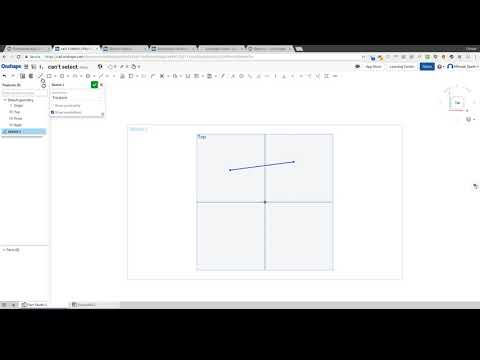 https://youtu.be/WBOLCaXCGO0
Is this a question of User Error? Or is there a bug on Linux + Chrome?
Thank you for your assistance.
Problem
I cannot select objects in the sketch mode.
Details
When I hover my mouse over objects, the objects do not turn orange. However, I see from the instruction videos, that the objects are supposed to be highlighted orange. This does not work on my browser. When I left click the mouse on the object, nothing happens. Here is a short video I made addressing the problem:
https://youtu.be/WBOLCaXCGO0Is this a question of User Error? Or is there a bug on Linux + Chrome?
Thank you for your assistance.
0
Best Answer
-
There was a bug in the interaction between Chrome and certain NVIDIA drivers. (See https://bugs.chromium.org/p/chromium/issues/detail?id=817400 for more details.) This sounds like an instance of that issue.
The issue was fixed in Chrome 66, which has been released. I recommend updating to the latest version of Chrome to see if that resolves your issue.2


Answers
-
There is definitely something wrong happening there.
I want to check to see if webgl is running I'm not sure if that has anything to do with sketching but I have seen Chrome plus Linux working in the past
It also won't hurt to try it in Firefox also0 -
No errors reported in the developer console.
0 -
Firefox works. So its a problem with Linux + Chrome. Any ideas how to fix?0
-
Try updating/downgrading your video card drivers it looks like it might be similar to this post: https://forum.onshape.com/discussion/comment/38166#Comment_38166
0 -
@michael_speth
Try using Chromium.0 -
There was a bug in the interaction between Chrome and certain NVIDIA drivers. (See https://bugs.chromium.org/p/chromium/issues/detail?id=817400 for more details.) This sounds like an instance of that issue.
The issue was fixed in Chrome 66, which has been released. I recommend updating to the latest version of Chrome to see if that resolves your issue.2 -
I upgraded to Chrome 67 and the issue no longer exists. Thank you!Evan said:The issue was fixed in Chrome 66, which has been released. I recommend updating to the latest version of Chrome to see if that resolves your issue.1

