Welcome to the Onshape forum! Ask questions and join in the discussions about everything Onshape.
First time visiting? Here are some places to start:- Looking for a certain topic? Check out the categories filter or use Search (upper right).
- Need support? Ask a question to our Community Support category.
- Please submit support tickets for bugs but you can request improvements in the Product Feedback category.
- Be respectful, on topic and if you see a problem, Flag it.
If you would like to contact our Community Manager personally, feel free to send a private message or an email.
Best Of
Re: PTC/USER Global Summit 2026
We would love to have you all! If someone was interested in submitting content to present at the summit related to onshape please reach out to me @ brian@ptcuser.org. Accepted proposals will get a free ticket to attend the event!

Re: BOXed-In, Branch-Out?
In my experience, configured properties are a pain and not set up well since they can't be configured with the normal configurations.
Here is what I use instead so that properties can be configured and controlled just like all other features:
 Property / Attribute
.

Re: Shell used successfully in a part but no longer works
You could revert to the last healty version. It's always wise to make an explicit version when you commit to printing so you can always trace back to what you've just prototyped. when you right click on the shell feature and use the "edit healthy moment" function, onshape will find the version for you in which it was still working. you can revert back to that version…

Re: How can models with complex curves to this level be created in Onshape?
That is actually a rather easy one. Your approach wasn't quite spot on, though, so you may want to look into surface modeling in the leanring section.

Re: What's wrong with this Loft?
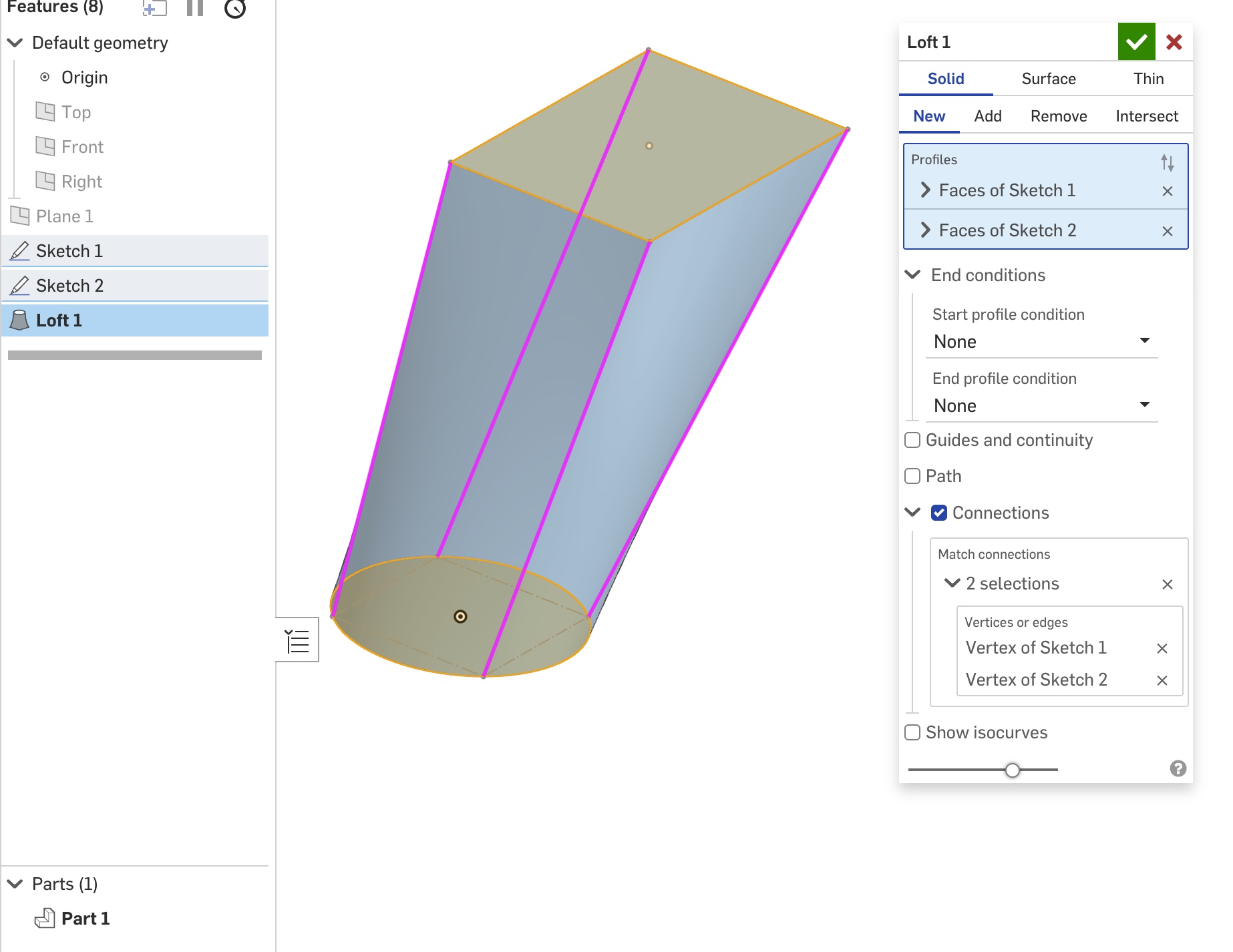
It's helpful for the two profiles of a loft to have the same number of entities, so you can use Connections. In this case, just drawing a construction square on the circle is enough.

Re: What's wrong with this Loft?
In your circle sketch, use the split feature to split the edges of the circle into 4 sections. Then edit your loft and add "Connections" from each corner of your rectangle to each split vertex in your circle sketch.