Welcome to the Onshape forum! Ask questions and join in the discussions about everything Onshape.
First time visiting? Here are some places to start:- Looking for a certain topic? Check out the categories filter or use Search (upper right).
- Need support? Ask a question to our Community Support category.
- Please submit support tickets for bugs but you can request improvements in the Product Feedback category.
- Be respectful, on topic and if you see a problem, Flag it.
If you would like to contact our Community Manager personally, feel free to send a private message or an email.
Best Of
Re: Use Report, viz(), and dbg() for conditional println and debug visualizations
@Derek_Van_Allen_BD That's kind of you to say. I hope that if you start using Report you won't need to scrape it out — you'll be able to leave (at least some of) it in, and just disable it for your users, while re-enabling it when you have to fix something weird that they've done ;)
There are a few other niceties, for example, viz() only adds visualizations, dbg() only writes to the console. The standard library sometimes does both, a behavior I do not care for.
Anyhow, give it a whirl. I use it constantly now in my own code (first step is always "import Report"). I'm curious if others will find it to be as useful as I do. @GregBrown and I were using it to debug some code he's working on, and I think he saw the value of being able to write all the debug he wanted and being able to selectively enable/disable/reenable as he went.
 jnewth
Re: Use Report, viz(), and dbg() for conditional println and debug visualizations
@jnewth thanks so much for creating and sharing this. It is proving invaluable in a current project I'm working on (as you know!) which otherwise was full of numerous messy debug and println's…

Re: Use Report, viz(), and dbg() for conditional println and debug visualizations
My surface tweening feature is over 2000 lines of code but most of it is diagnostics as I build the core logic.
I wonder how much of that I could scrape out of there using this.

Re: Use Report, viz(), and dbg() for conditional println and debug visualizations
I literally just stumbled upon the other video this morning! Great work!
 ry_gb
ry_gb
Re: FRC CAM Studio Feedback Thread
I don't like how the Toolpath setup choices forget your last selection.

Re: Where are all the places to discovery feature scripts?
There currently isn't a good place to store custom features for easy visibility.
But we could change that if enough people vote on this: Feature Store (Improvement Request)
Here is a list of all the different places you can find custom features:
- by @MBartlett21
- by @dave_cowden
- by @MaxWestwater
- by @Caden_Armstrong
- by @Keith_Rice
- by @EvanReese
- Custom Features Collection PDF by @legandras
- by @MichaelPascoe
- by @onshape
- by @joshtargo
.


Re: flat pattern x and y size calculator featurescript
I sell a library of computed properties - contains a bunch of common computed part properties such as bounding boxes and flat pattern bounding boxes (along with things like bend count, thickness, face count, longest edge, etc).

Dynamic Frame / Pipe Profiles 🆓
Automate your workflows!
 CADSharp specializes in custom features, apps, and workflows to speed up your daily routines.
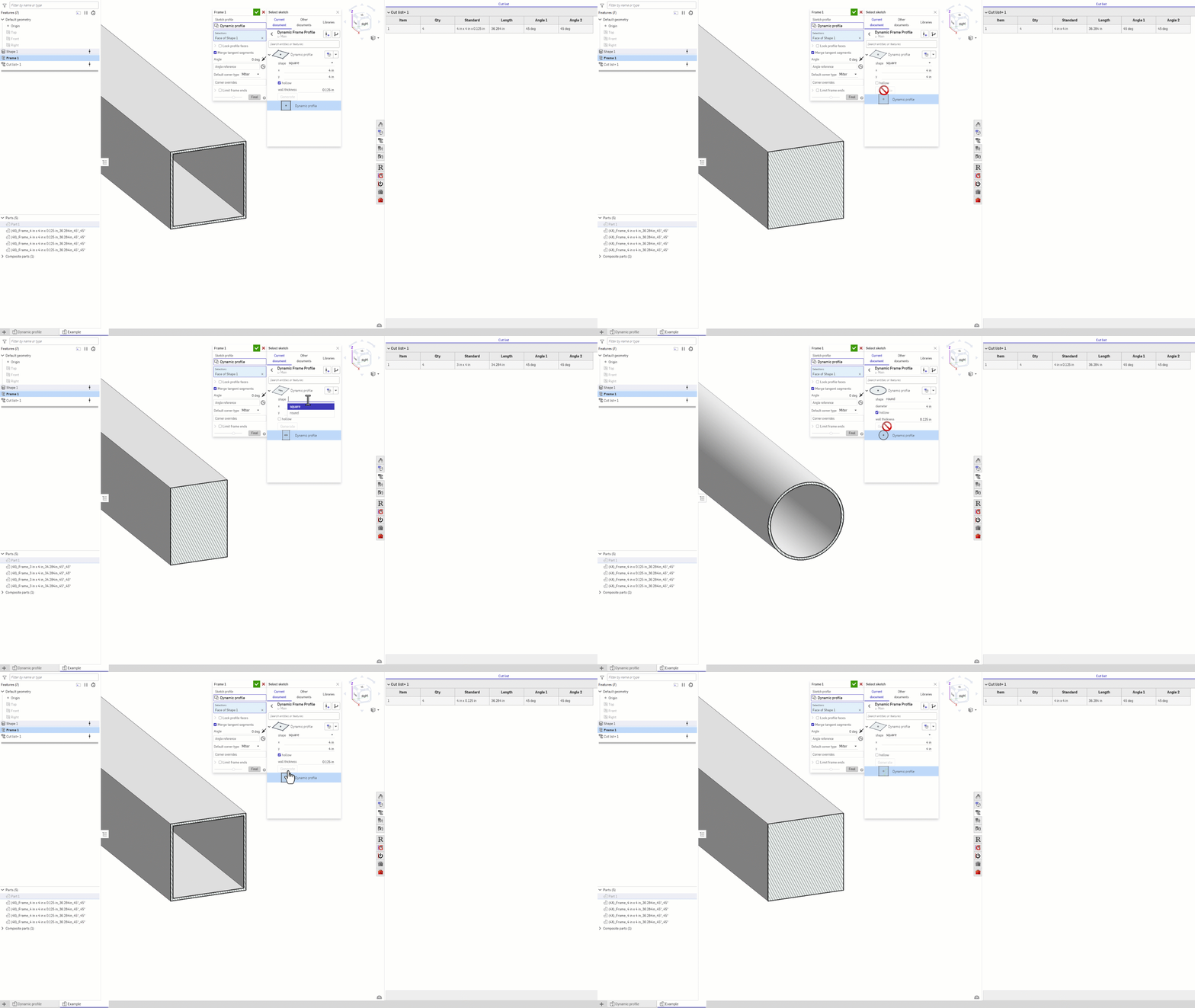
Here is a Dynamic Frame / Pipe Profile that you can copy and use for frame libraries.
- Stabilizes downstream references even if you change sizes.
- Dynamically updates profile data for cut list.
- Choose profile display units.
- Cutlist+ allows you to add this data to your part names or descriptions.
Would be cool if the default frame library also had something like this @NeilCooke.
On a side note, for anyone needing the frame's to properly show up in the assembly bom, you can use Assembly Imposters (Feature + App).
.
Re: Curving text
@colin_haycock Yes, you can totally do that. What you are asking for is "kerning" which for various reasons is hard to make work the way you'd want (which is: automatically). The feature provides that control via "Adjust offsets":
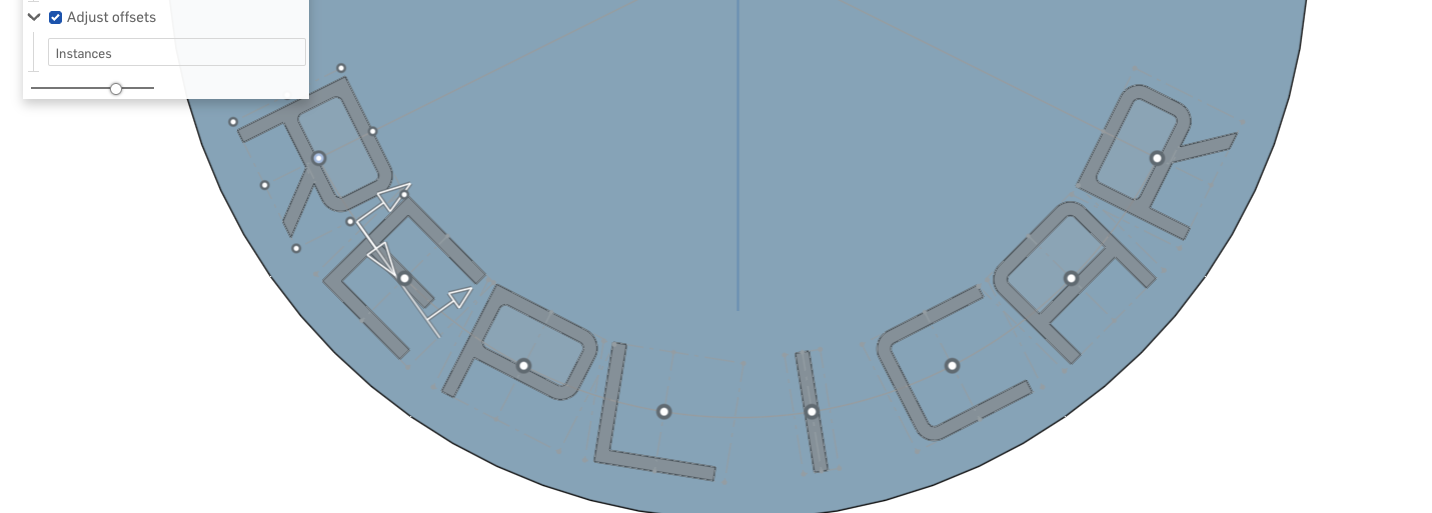
When you enable "Adjust offsets" a point manipulator appears on each letter (the white dots). You can click on the letter you want to move and drag it left or right to position it:
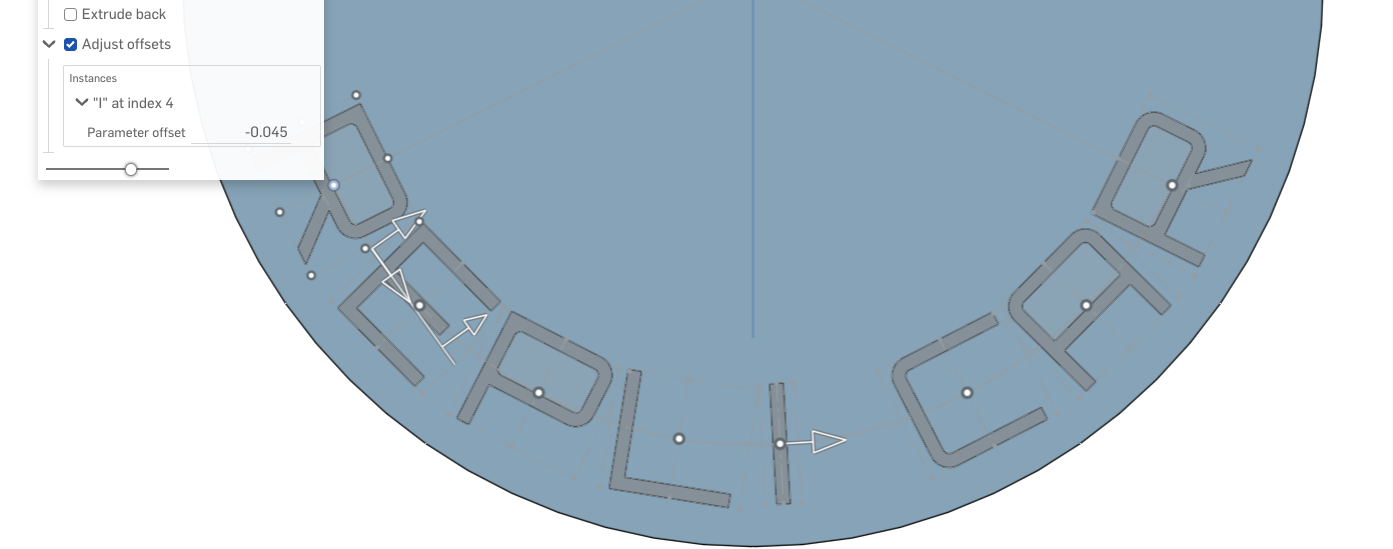
And tweak letters in this fashion until you are happy with the result.
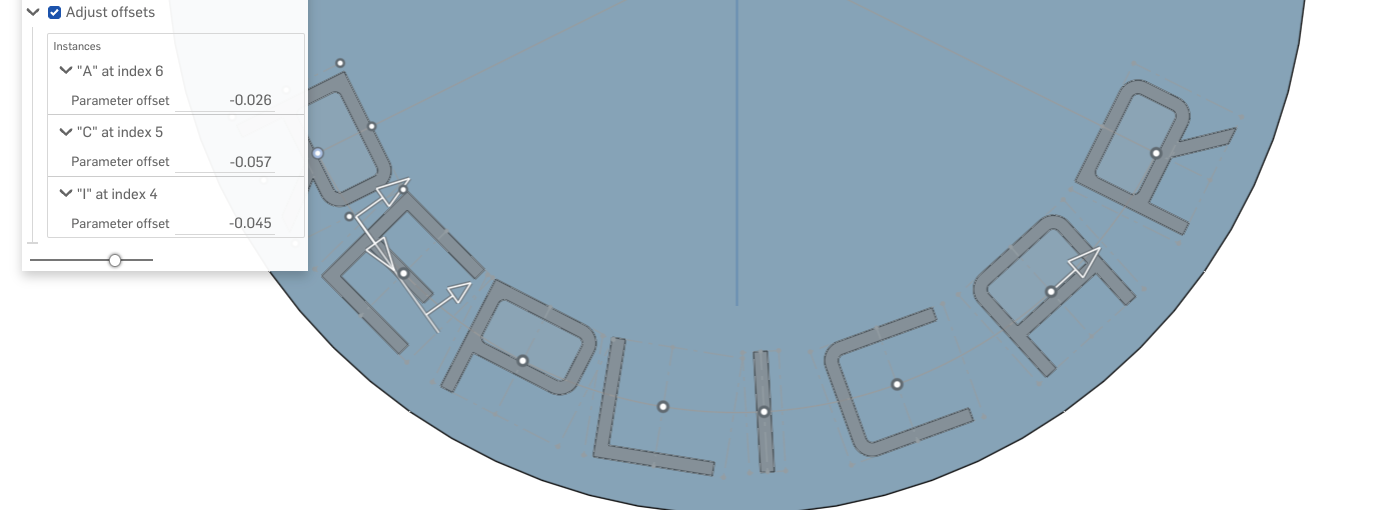
Hope that helps!
jnewth