Welcome to the Onshape forum! Ask questions and join in the discussions about everything Onshape.
First time visiting? Here are some places to start:- Looking for a certain topic? Check out the categories filter or use Search (upper right).
- Need support? Ask a question to our Community Support category.
- Please submit support tickets for bugs but you can request improvements in the Product Feedback category.
- Be respectful, on topic and if you see a problem, Flag it.
If you would like to contact our Community Manager personally, feel free to send a private message or an email.
Best Of
Re: Lock position in assembly
Using fix more than once will give a warning message if that matters to you.
The sub assemblies can be built with mate features applied or if no moving parts it can be grouped. One part should be fixed in each sub assembly as well to keep position steady.
Then mate them to the main assembly.
If your going to build other parts around or in between the sub assemblies then use a mate connector with offsets and rotations as needed to set initial position.

Re: How do i export as a DXF to Xometry to get my drawing made into a part
For STEP: Right click on the part in the parts list of the part studio and select export. Xometry and most other places usually want step, not dxf. DXF is 2d. STEP is 3d.
DXF export will not show up this way. It shows up when exporting a 2d drawing, not a 3d model.

Re: Best practices on configurations and drawings
This is a problem I have encountered numerous times. It seems like using configurations ends up causing some kind of breakage more often than not. I'm at the point where I'm just about ready to stop trying to use them, but the team lead is very attached to the concept. They've been the biggest cause of headaches for us, though. I'm completely reworking and rebuilding all of our machines right now because the original models got too tangled the way he had them set up. Personally, I'd rather work around configurations with branches or duplicates.

Re: New Custom Feature: EZ Wire
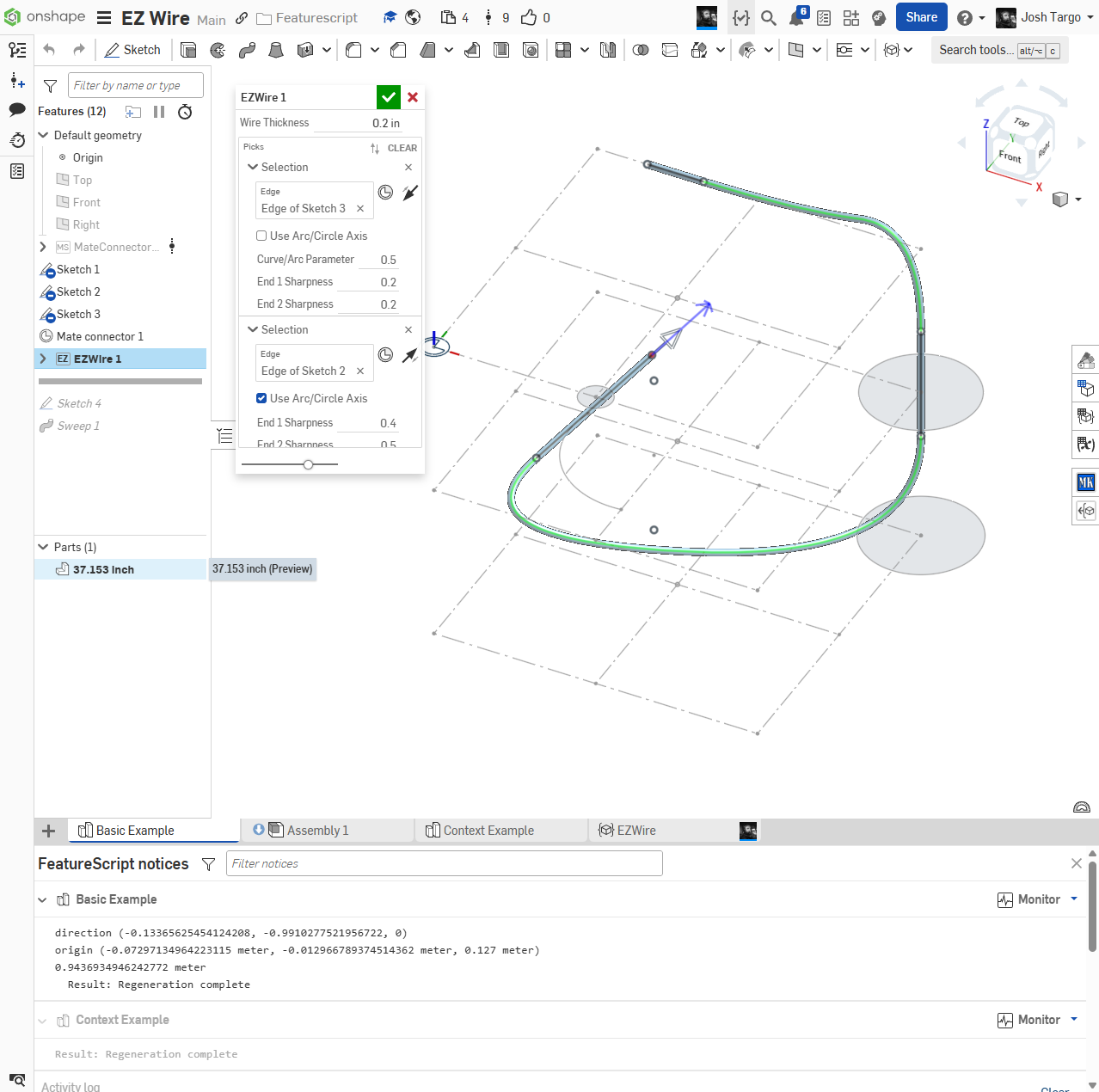
I hacked myself a solution for now, but it could be better. Maybe one of the good FS coders will help me…
You can now use MCs, Arcs, Circles, Curves, and Lines. and it names the final sweep with the length
https://cad.onshape.com/documents/6661cf93ab8de38ee21084ba/w/b8355f5cf6f02bcaeade2553/e/26b8cb50d10f4b14394f2077

Re: Plasticity 2025.1
Ooh that Y shaped fillet blend is something I've modeled the manual way many times. Would love to see that. And of course, as an industrial design guy, I'm all for getting lots more nurbs surface power.

PLEASE explain "externally disambiguated" / "transient" / "robust" / "tracked" / "unstable" ID's etc
It has been years and we still don't have foundational knowledge of how featurescript operates.
From what I can see in the forums most of us dev's have been wasting hours upon hours guessing and testing.
This post and others are "weak-sauce" at best. We all know about:
-"forEachEntity"
-"makeRobustQuery"
etc, etc and may have some idea on how to use them effectively but no solid understanding on exactly what's happening.
And please for the love of all that is good NO METAPHORS OR ANAOGIES! just tell us exactly what is happening.
If I have to decode one more post that starts with "Look at this way", "Imagine it like this", "It's sort of like", "I always picture it like this" then I'm lighting my PC on fire.
We're big boys we can handle the complexity without cryptic stories and riddles.

Re: How to select the farthest point on an item in a sketch?
make a vertical line tangent to the curve and place a point there.
Re: How to add a 1 mm deep slot in this inside offset around the whole piece
Round gaskets are usually put in square slots. When the gasket is compressed, it expands into the square area.
Re: How to add a 1 mm deep slot in this inside offset around the whole piece
It's one border line to draw in the sketch instead of 2. Easier to sketch and dimension, and more robust with changes.
Re: How to add a 1 mm deep slot in this inside offset around the whole piece
I believe the op is asking for a cut that follows the perimeter and not a full area extrude. You should use thin more often, might save some sketch time.
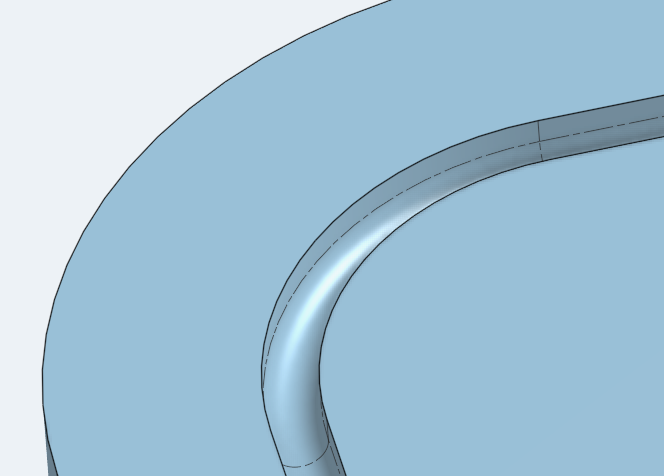
@pedro_carrizo I believe you mentioned a rounded slot so you'd have to build on martin's suggestion with a full round fillet to get the bottom of the slot rounded. You can also get there with a sweep profile and your path.
 MDesign