Welcome to the Onshape forum! Ask questions and join in the discussions about everything Onshape.
First time visiting? Here are some places to start:- Looking for a certain topic? Check out the categories filter or use Search (upper right).
- Need support? Ask a question to our Community Support category.
- Please submit support tickets for bugs but you can request improvements in the Product Feedback category.
- Be respectful, on topic and if you see a problem, Flag it.
If you would like to contact our Community Manager personally, feel free to send a private message or an email.
Best Of
Can I use AR viewer on android mobile phone ?
Can I use AR viewer on android mobile phone ? I see that it works for Apple products but I dont see it for my galaxy s25.

Re: 🚨 Custom Feature Alert 🚨 Query Pattern
@S1mon Yep! Try pairing it with face curves to split it to make a grid and iterate on that

Re: How to copy/paste a part from a separate file or tab into a multi-part studio
Hello Mike. Derive may be the tool to use. - Scotty
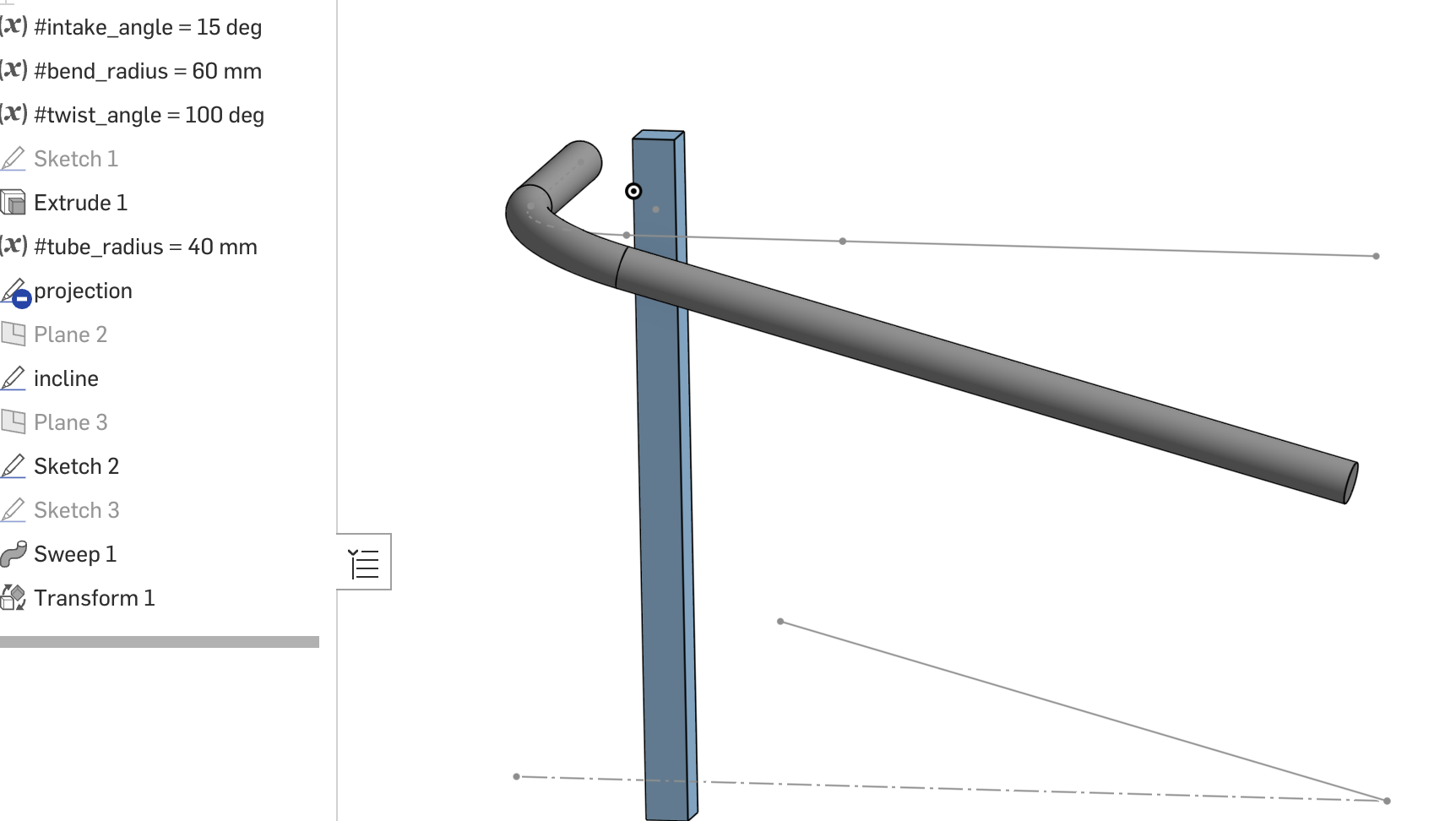

Re: How to wrape a pipe around a 90 degree corner at a slight angle
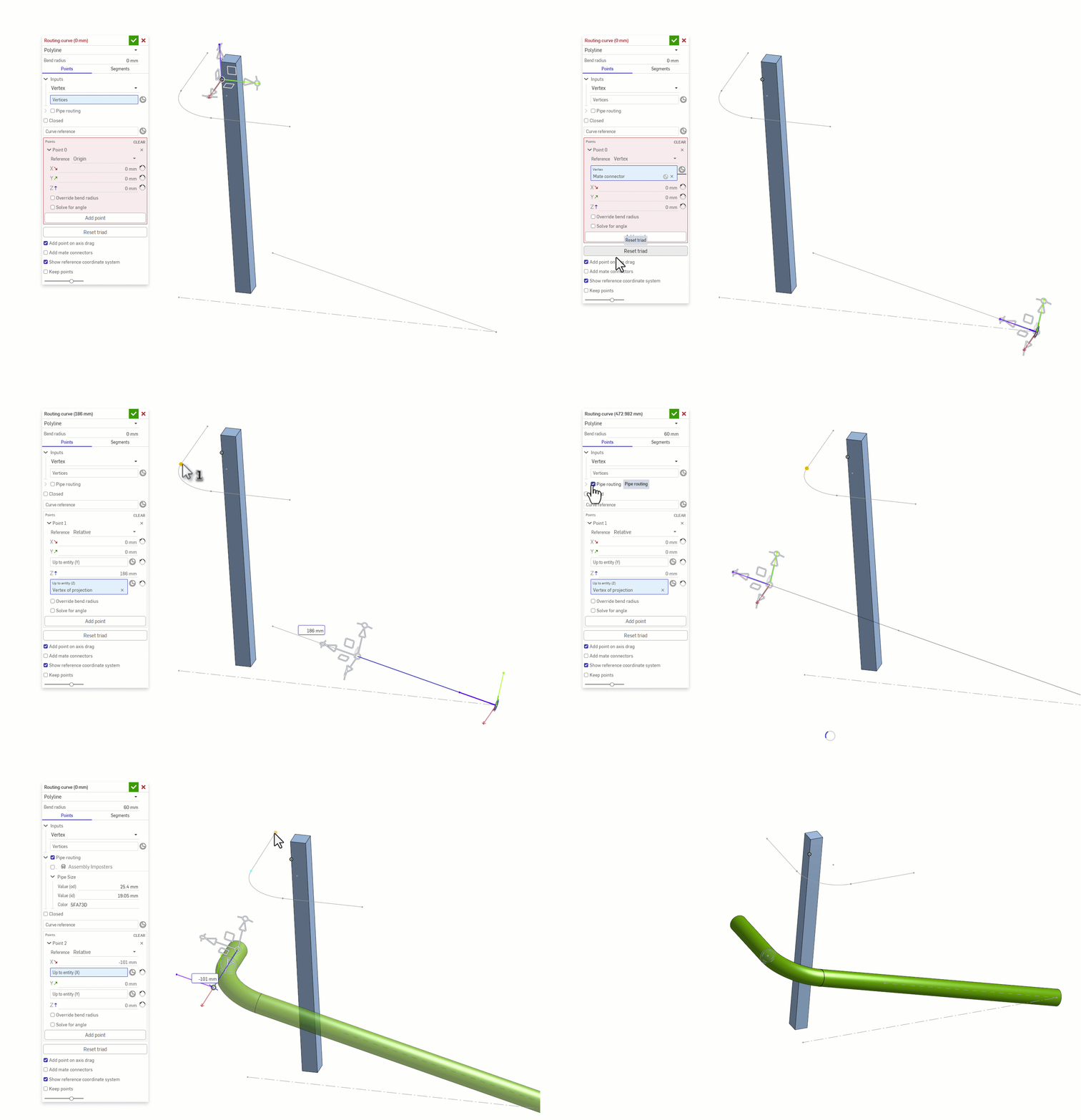
This has already been answered 3 times now, but I'll throw a full pipe routing workflow in here that I like to use:
Routing Curve+ allows you to measure up to entities, set bend radius, and generate pipes. It even has an integration with Assembly Imposters in case you want to use the assembly BOM with managed parts.
.

Re: How to wrape a pipe around a 90 degree corner at a slight angle
May the two straight tubes be in a common (inclined) plane? Then just create the plane and model the tubes and corner in that plane.
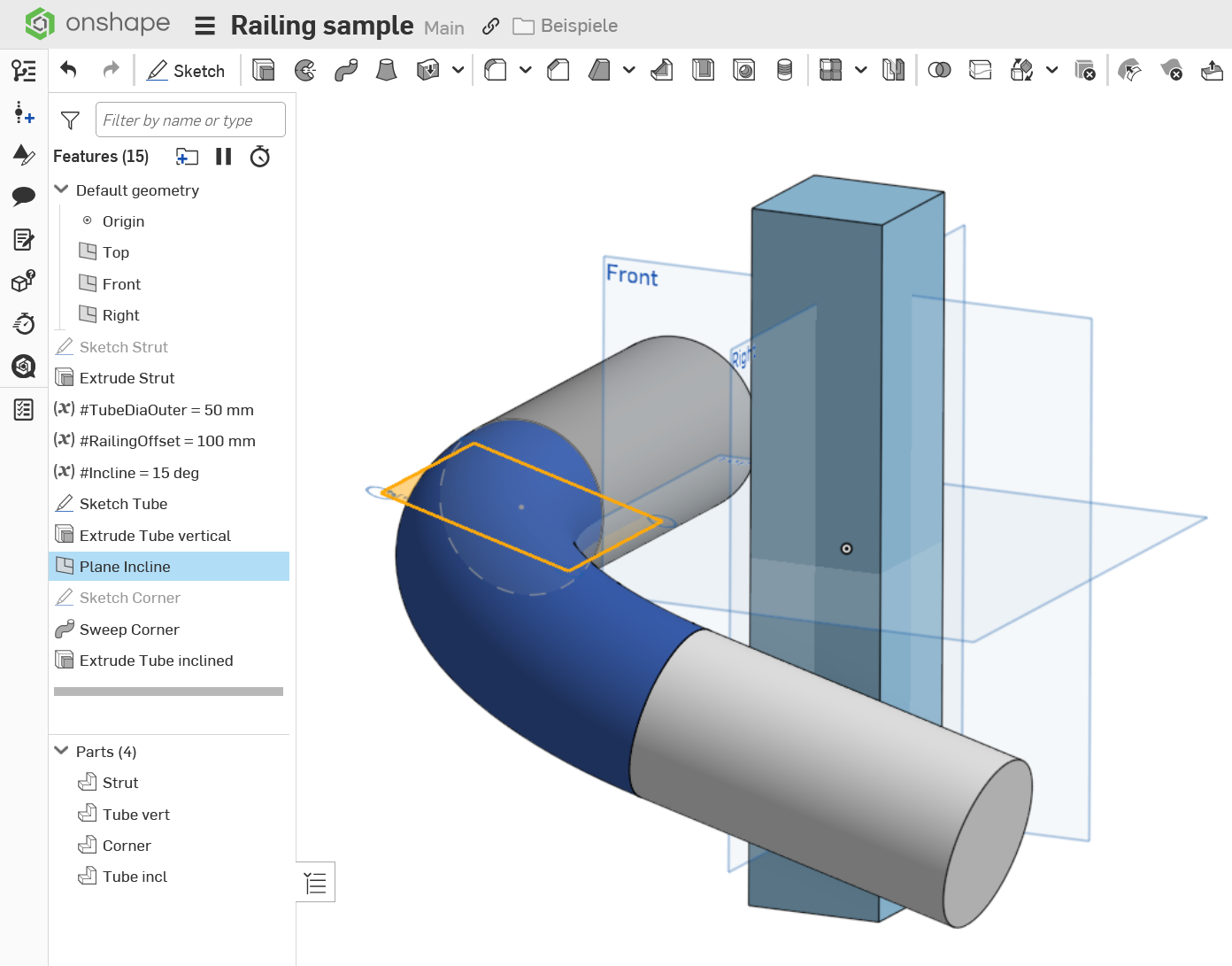
The advantage here is you can use off the shelf 90° fittings to make the railing.

Re: CAD Battle #1 - January 2026 (Best of the Worst Competition)
@Derek_Van_Allen_BD wrote: "
- Riddle the feature tree with broken features and references and instead of fixing them, just patch them up with more features and references.
"
Hey, make no jokes on that! That is not funny. Yesterday, I received a phone call from someone in my town asking me to come over and help, because "My model has exploded and now everyting is gone!" The guy is on Fusion. I drove over to his place and had a look. What you proposed is exactly what he did: Patching one issue with yet anoter issue and yet a few more on top. To add to the mess, he obviously switched history on and off at irregular intervals as he went on and also deleted individual features deliberately. I didn't know that was even possible. The whole model was in fact completely destroyed, and he made no versions to go back to, only saved some STEP exports as "backups" locally, of course including all the damage in different combinations, and he worked for days in a single session.
So, this is to say: Reality strikes back, and as it stands now, he is my inofficial winner of the Best of the worst Competition (Northern German League). It'll be hard and painful to top that! ;0)
Displaying a variable value (floor plan area) in a drawing
https://forum.onshape.com/discussion/13739/display-area-measurement asks a similar question.
Re: How do I create a millable 3D groove?
@martin_kopplow I always forget that the loft tool has a thin condition built in. Looks like the final results are geometrically identical to a ruled surface followed by a thicken, so that helps cut some steps, though I think in more generalized cases the ruled surface method would give you more control over orientation if someone were to develop this into a custom script.

🚨 Custom Feature Alert 🚨 Query Pattern
Query Pattern performs a feature pattern, but swaps out the input query every time it loops, allowing you to perform the same operations on very different faces, edges, bodies, etc. Here's how it works!