Welcome to the Onshape forum! Ask questions and join in the discussions about everything Onshape.
First time visiting? Here are some places to start:- Looking for a certain topic? Check out the categories filter or use Search (upper right).
- Need support? Ask a question to our Community Support category.
- Please submit support tickets for bugs but you can request improvements in the Product Feedback category.
- Be respectful, on topic and if you see a problem, Flag it.
If you would like to contact our Community Manager personally, feel free to send a private message or an email.
Issue with fillet tool

This is for model: https://cad.onshape.com/documents/7de7fc78e73235706da8de5f/w/d1648eaa1634f3f1fd60dda6/e/1eb77fc915c8d26f3b6e3f04
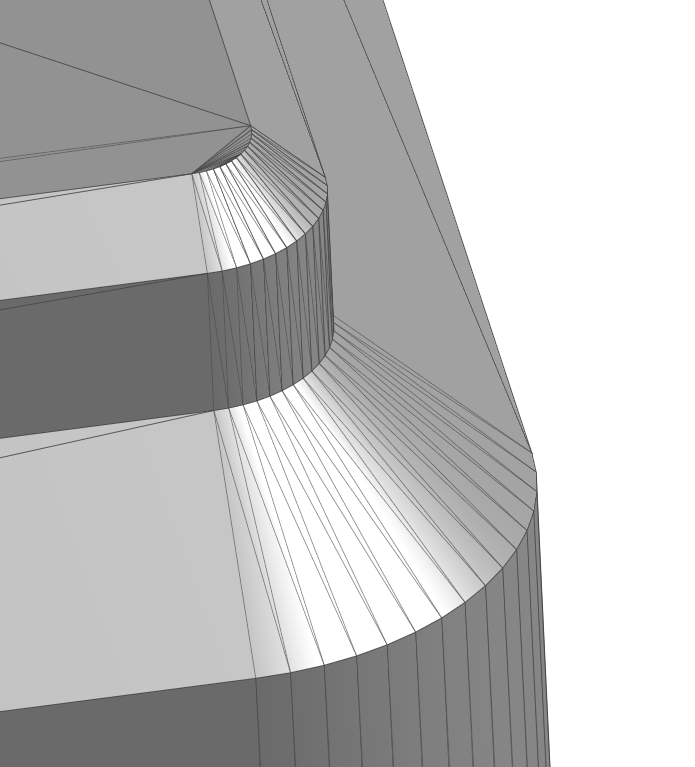
I'm trying to model this shape from a STL:
I constructed a solid from an extruded sketch (right sketch) and extruded cut (left sketch):

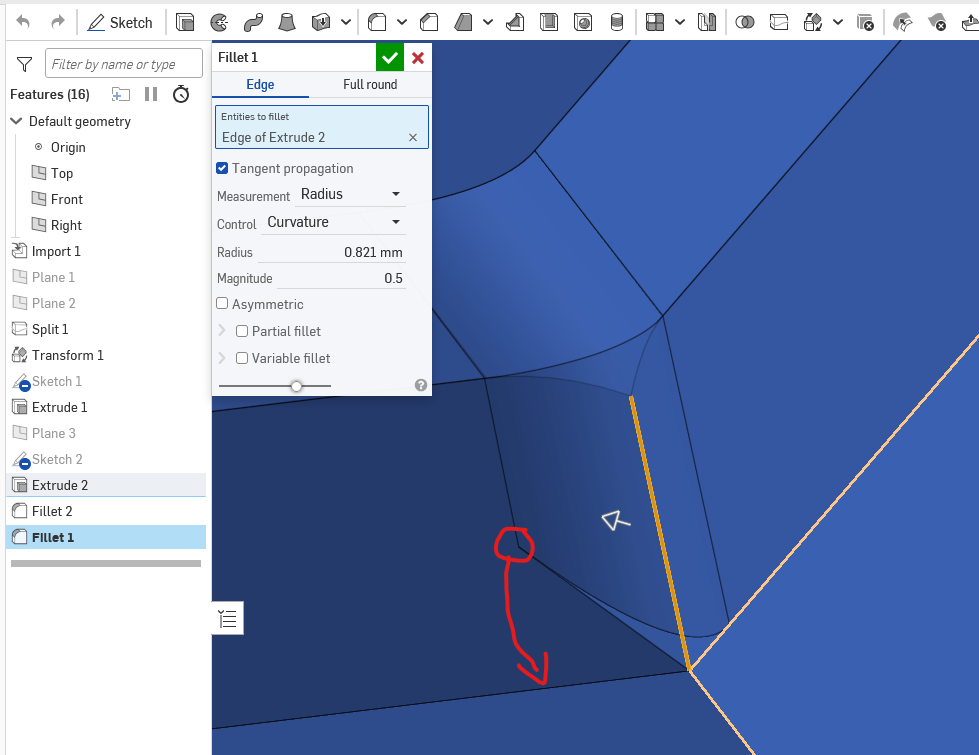
I'm not trying to fillet the corners. The topmost fillet worked as expected, but when I try and fillet the second edge from the top it starts the left vertex in not the location I desire, and I have been unable to figure out to how "move the left fillet vertex down" (desired location indicated below):
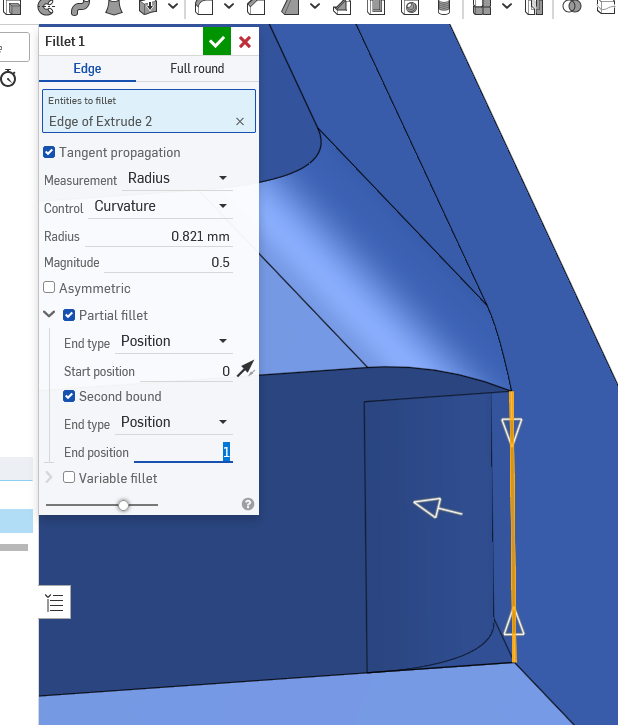
Experimenting with the partial fillet option I have been able to move that down, but I'm no left with a "beak" at the top:
I'm sure I'm misunderstanding some aspect of the tool here, but am a bit stuck and would appreciate any pointers
Answers
-
Duplicating answer for completion sake:
"There are quite a few ways to do this, so the best way will depend on the workflow that you prefer.
Here is one way to do it by simply using the Chamfer feature.
https://cad.onshape.com/documents/df2ba4ec388373d63d669d55/w/3bcf150551cac0ad5d46b0b9/e/873b71cf820a2adc1b…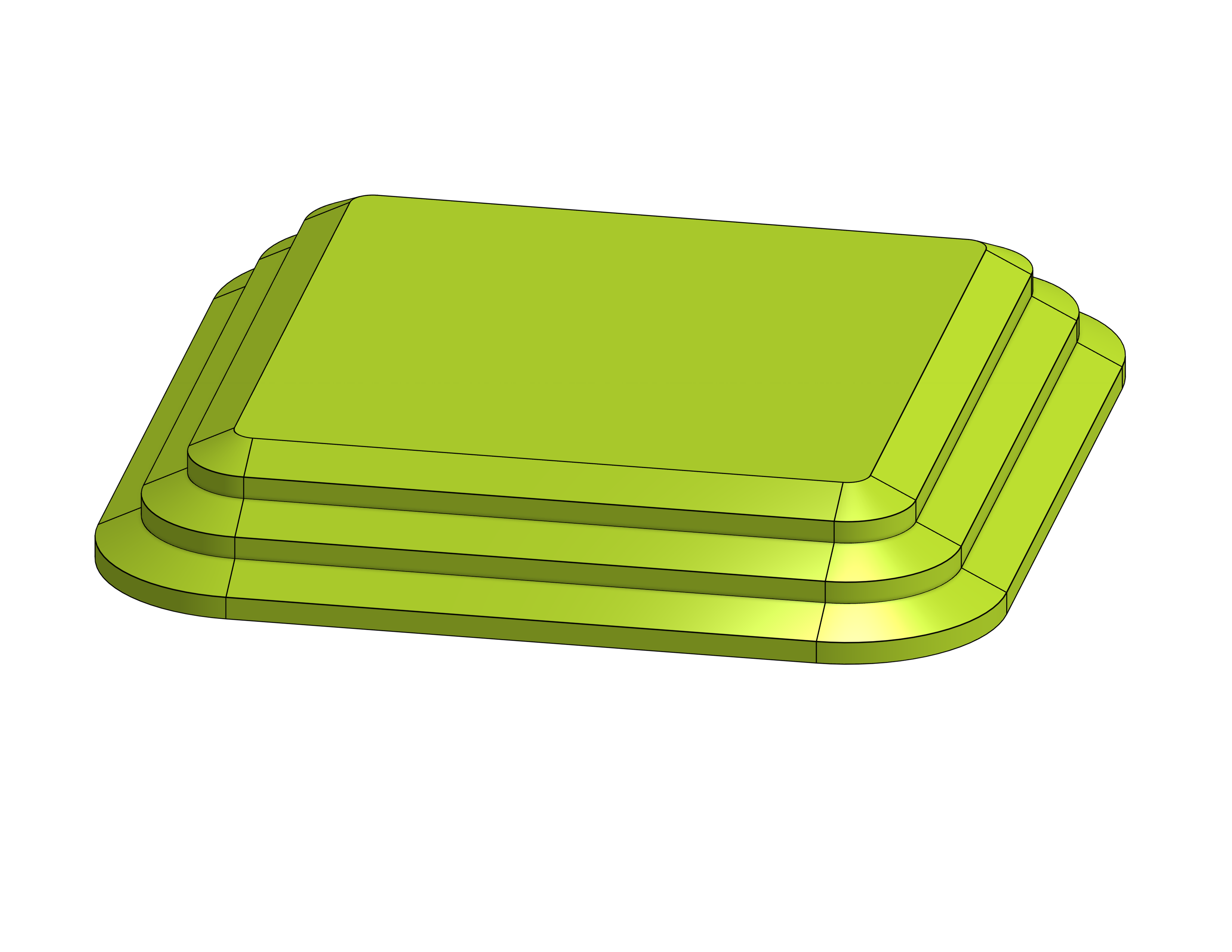
"
RENDERCAD
rendercad.ai - Photorealistic product rendering.
▚▞▚▞▚▞▚▞▚
________________________________________________________________________0
