Welcome to the Onshape forum! Ask questions and join in the discussions about everything Onshape.
First time visiting? Here are some places to start:- Looking for a certain topic? Check out the categories filter or use Search (upper right).
- Need support? Ask a question to our Community Support category.
- Please submit support tickets for bugs but you can request improvements in the Product Feedback category.
- Be respectful, on topic and if you see a problem, Flag it.
If you would like to contact our Community Manager personally, feel free to send a private message or an email.
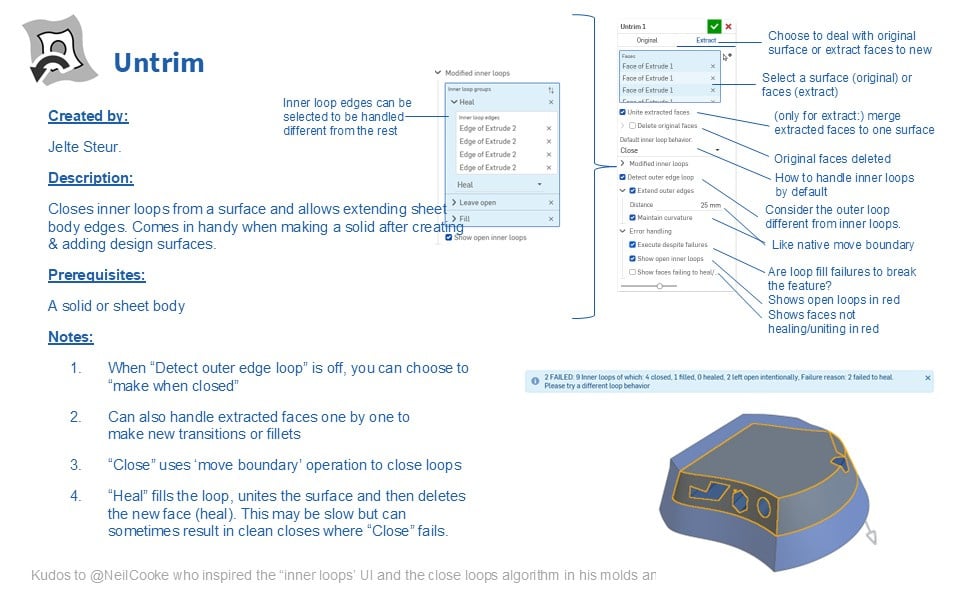
Updated Feature script: Untrim (very useful for surfacing)
 jelte_steur_info
Member Posts: 650 PRO
jelte_steur_info
Member Posts: 650 PRO
Link to the feature upfront
I've recently created a model with quite some surfacing work that in the end needed to merge to the solid.
Often when surfaces are created, there are gaps at some ends of the surfaces that need to be healed/closed/patched.
I've found quite some additional use cases, bugs and improvements for my original feature and have implemented them. So I feel the feature deserves some new attention:
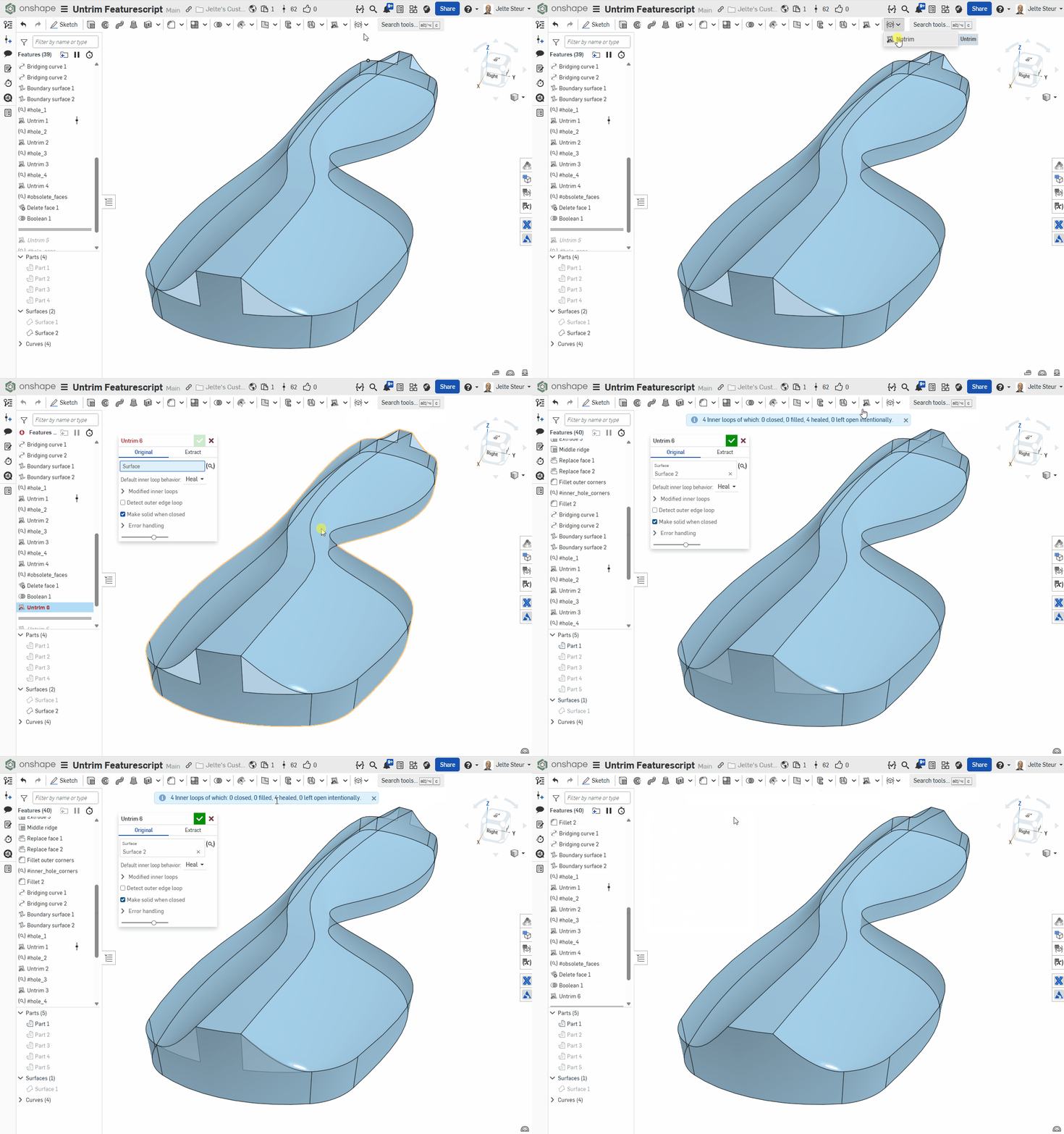
Original untrim to patch holes
Here's a demonstration of how 2 merged surfaces left 4 gaps to be filled and untrim does it in one go, and creates a solid part with the original properties/id.
Most importantly, if the nr of gaps or edges in a gap change, it'll continue to close.
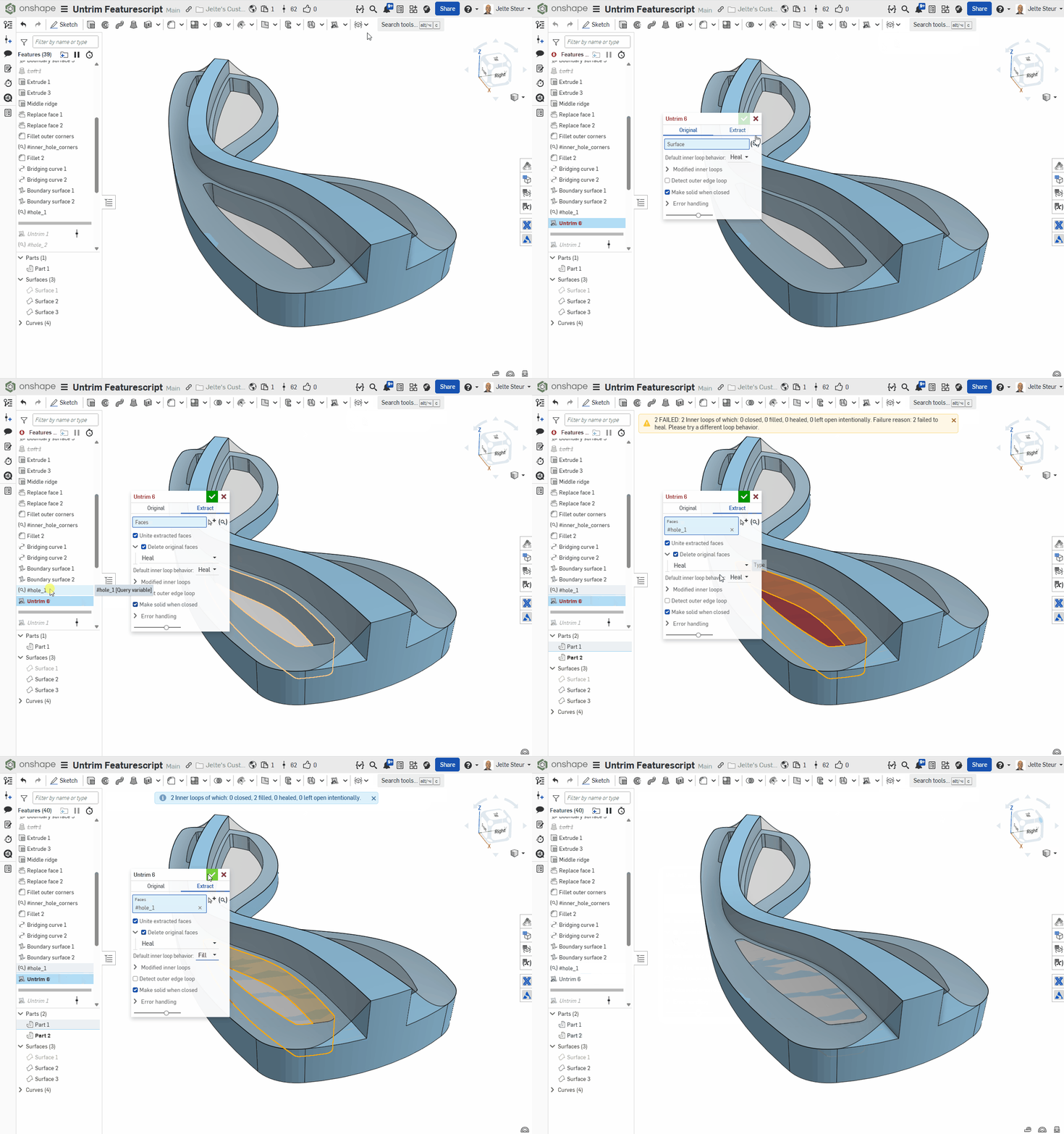
Extract untrim to extract holes
Here's a special use case to extract a hole from a part, and make it into a solid: (Internally, it extracts the faces, fills the loops, deletes (set to heal) the original faces). In this case the hole will be increased in height and removed again from the part later when some surfacing has been implemented.
it's a complicated featurescript with quite some edge cases so bugs may occur. Please report them to me so I can continue to improve this FS.
P.S.1: Original inspiration thread started by @S1mon:
P.S.2:
@EvanReese : e.g. this could have closed your surface in the trash can example of your "Troubleshooting a surface Blend" in one go and associatively.
I'm curious how it will work in that example (when set to heal iso fill, it may provide a better top/bottom surface).
P.S.3: cudos to @NeilCooke for the mold shutt-off surface feature. The main code has changed dramatically, but still quite a number of functions and algorithms are used from that script.