Welcome to the Onshape forum! Ask questions and join in the discussions about everything Onshape.
First time visiting? Here are some places to start:- Looking for a certain topic? Check out the categories filter or use Search (upper right).
- Need support? Ask a question to our Community Support category.
- Please submit support tickets for bugs but you can request improvements in the Product Feedback category.
- Be respectful, on topic and if you see a problem, Flag it.
If you would like to contact our Community Manager personally, feel free to send a private message or an email.
What is entire sketch not used when deleting extrusion?
 sandy_walsh
Member Posts: 8 ✭
sandy_walsh
Member Posts: 8 ✭
I have this sketch on a face which extends outside the face …

When I select it to perform my delete extrusion it does not include the area that extends past the face …
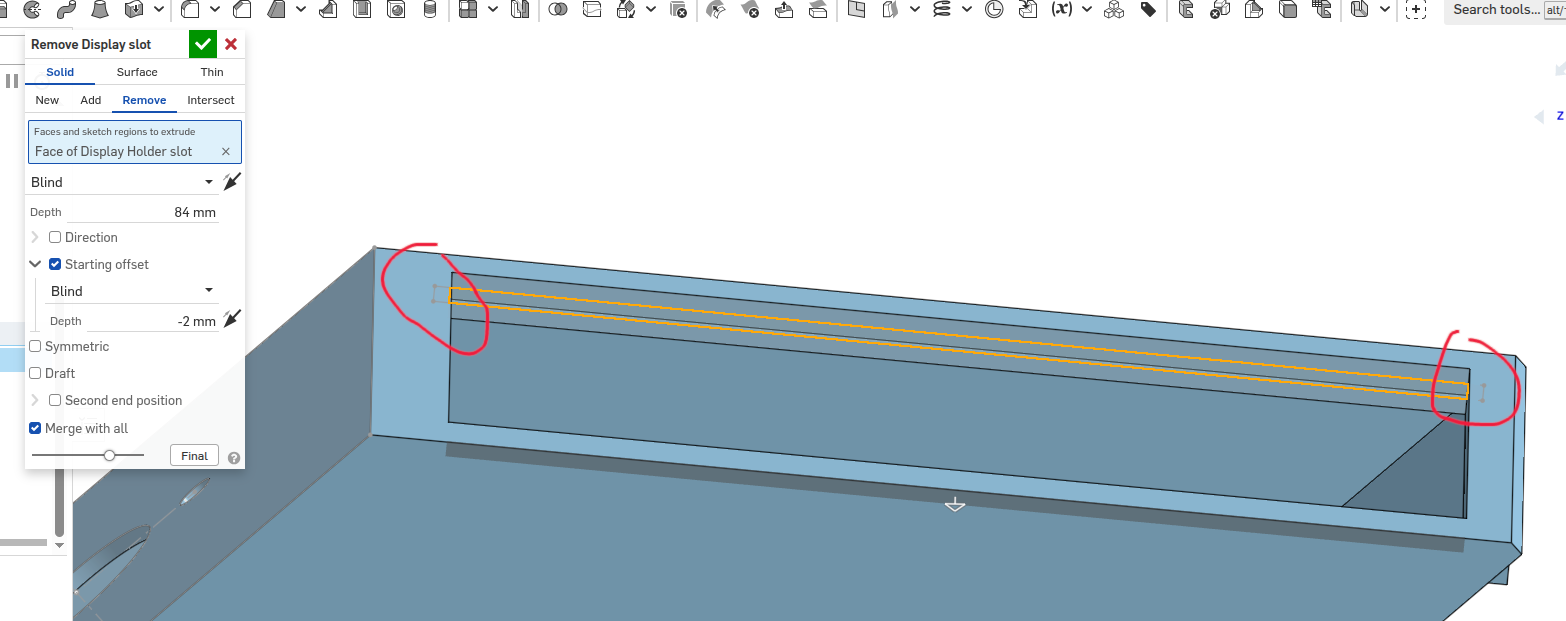
So the extrusion does not extend into the surrounding faces as I would have hoped …
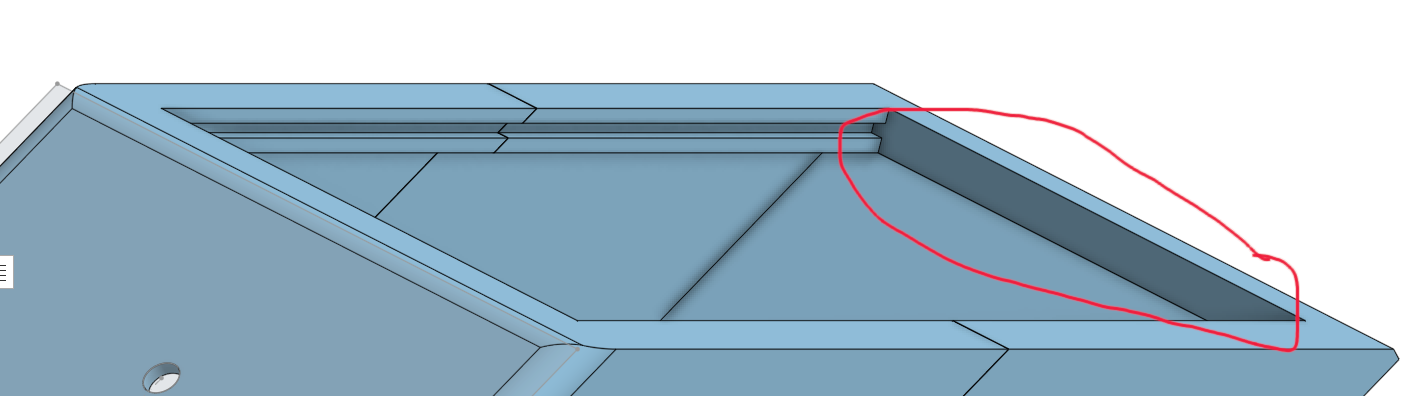
Is there a way for it to include the whole sketch or do I need to do the process (sketch + extrude) on this other face? Seems like an unnecessary extra step.
Thanks in advance!
0
Comments
In the blue box labeled "Faces and sketch regions to extrude" you only have that one face selected. You could select all three sketch regions. Or, click the x to clear that blue box and then click the sketch from the Features list and it should grab all sketch regions of the sketch.
It's called imprinting.
When you select a face, Onshape will find all the edges of that face and create a region.
you can select all closed regions by selecting the entire sketch feature in the tree instead of selecting faces.
To just disable imprinting check the box as shown at the end of the gif.
as you can see, the face was selected for a sketch, that created a region on the blue part.
When another region is created (a circle in this case) then there is an overlapping of closed regions.
You can select each region independently for extrude or other features.
Or you can select the entire sketch
Or you can check the disable imprinting to ignore the region that was imprinted from the sketch face.
All these options give you fine control to make your design parametric and capture design intent.
But if you don't know all the options, then it can be easy to get lost.
Brilliant … thanks y'all! Today I Learned.