Welcome to the Onshape forum! Ask questions and join in the discussions about everything Onshape.
First time visiting? Here are some places to start:- Looking for a certain topic? Check out the categories filter or use Search (upper right).
- Need support? Ask a question to our Community Support category.
- Please submit support tickets for bugs but you can request improvements in the Product Feedback category.
- Be respectful, on topic and if you see a problem, Flag it.
If you would like to contact our Community Manager personally, feel free to send a private message or an email.
Now using graphics preferences
 billy2
Member, OS Professional, Mentor, Developers, User Group Leader Posts: 2,128 PRO
billy2
Member, OS Professional, Mentor, Developers, User Group Leader Posts: 2,128 PRO
I went back to an old model and setup "graphics preferences" which looks much better then before and is more pleasing to work with.
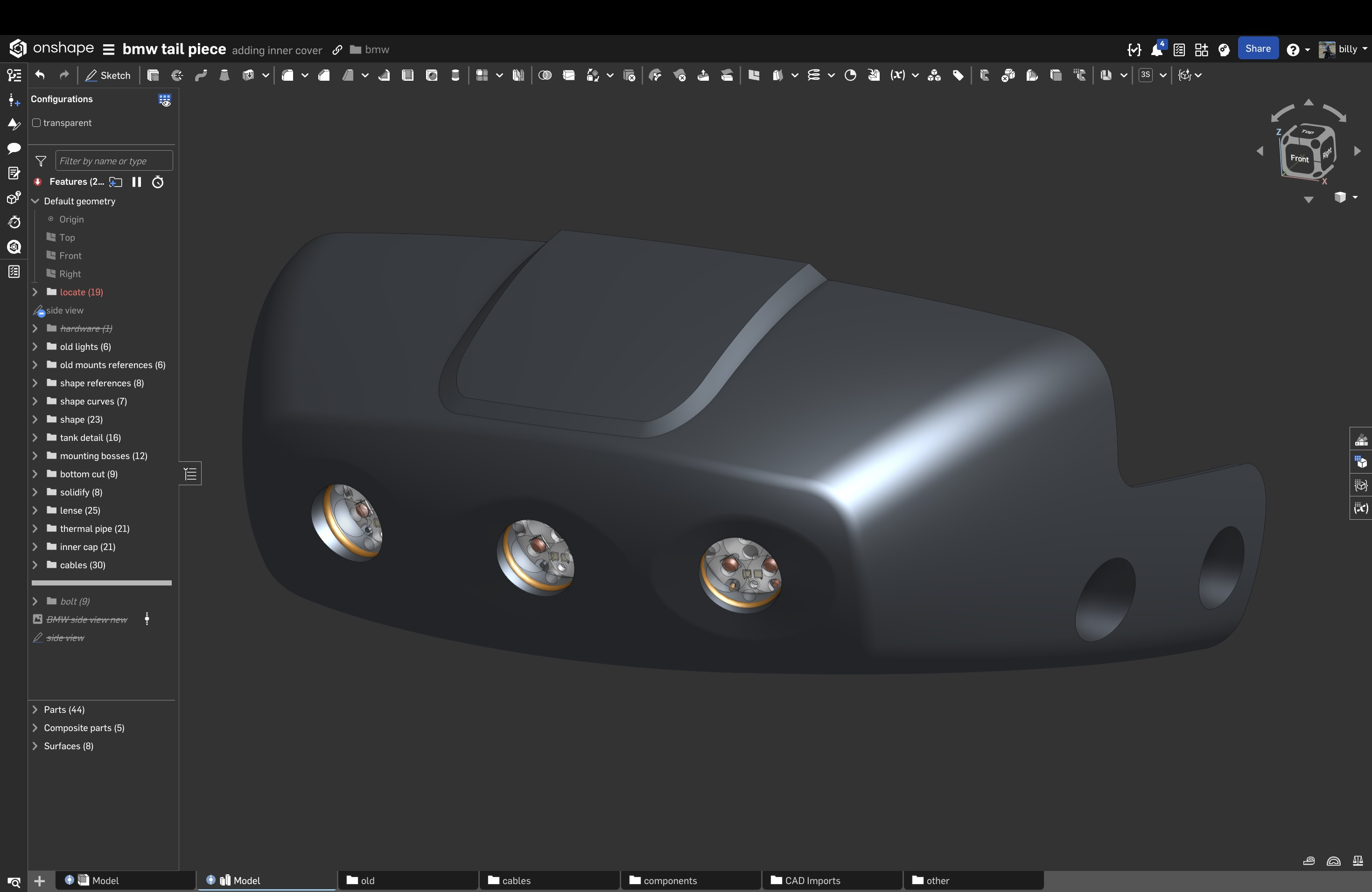
I do wish I could change the light direction and possibly add another light to highlight the bottom of the part.
Onshape has really focused on making parts real looking versus the old RGB coloring schemes we used in the past. It's a nice change to design models when things look real.
2
Comments
So, here's the problem, it's a mess:
Here's the original parametric solid model with the components randomly positioned creating a rat's nest:
So I created an inner cover and arranged the terminals on the cover. The wiring is parametric and regenerated after the pcbs & terminals were rearranged onto the cover. It also shows how tight everything is becoming inside the limited volume:
And then, of course, it didn't fit when the seat was added. My inner volume had to shrink:
Changing the cover's location tightened everything up inside requiring another component rearrangement, and then, I moved the external wires over to fit better under the seat where the connector is located:
Parametrics allows rapid changes, hours vs. days, weeks or months:
I've got an updated mesh of my motorcycle subframe and wanted to see what was interfering with the fit of my part.
On close inspection, there's a 3mm feature that rises up on a plastic part on the motorcycle. I marked it with a mate connector, you can see it interfering.
To increase clearance between my part and the frame, I had to make changes to the top of the feature stack. Typically the higher up the feature stack the more likely the whole part will blow up on a regen. Below are the primary surfaces used to drive the parametric model and I pulled the bottom curve downward to add more clearance.
I exported my old surfaces out and then imported them to create a static reference to understand how far to pull the bottom downward. The red is the outer surface of the model I imported. Total movement is about 4mm, the plastics thickness.
At first, I pulled it to far.
I put a mate connector on the mesh where the interference was occurring and if you look closely, there's now. a gap.
I counted 6 secs to regen the model and there were no errors. If you plan your reference schemes you can easily create robust strands of dependencies and save tremendous amounts of time making changes to your design.
I've swapped out these base surfaces many times to newer definitions following @GregBrown youtube series. One thing that isn't discussed and should be talked about, clean surfaces compute so much faster than the old ones and they're extremely robust. You can create amazingly robust designs that are extremely flexible.
Parametrics rules when it comes to product development.