Welcome to the Onshape forum! Ask questions and join in the discussions about everything Onshape.
First time visiting? Here are some places to start:- Looking for a certain topic? Check out the categories filter or use Search (upper right).
- Need support? Ask a question to our Community Support category.
- Please submit support tickets for bugs but you can request improvements in the Product Feedback category.
- Be respectful, on topic and if you see a problem, Flag it.
If you would like to contact our Community Manager personally, feel free to send a private message or an email.
How to select edges easier?
 troy_ostrander
Member Posts: 81 ✭✭
troy_ostrander
Member Posts: 81 ✭✭
in General
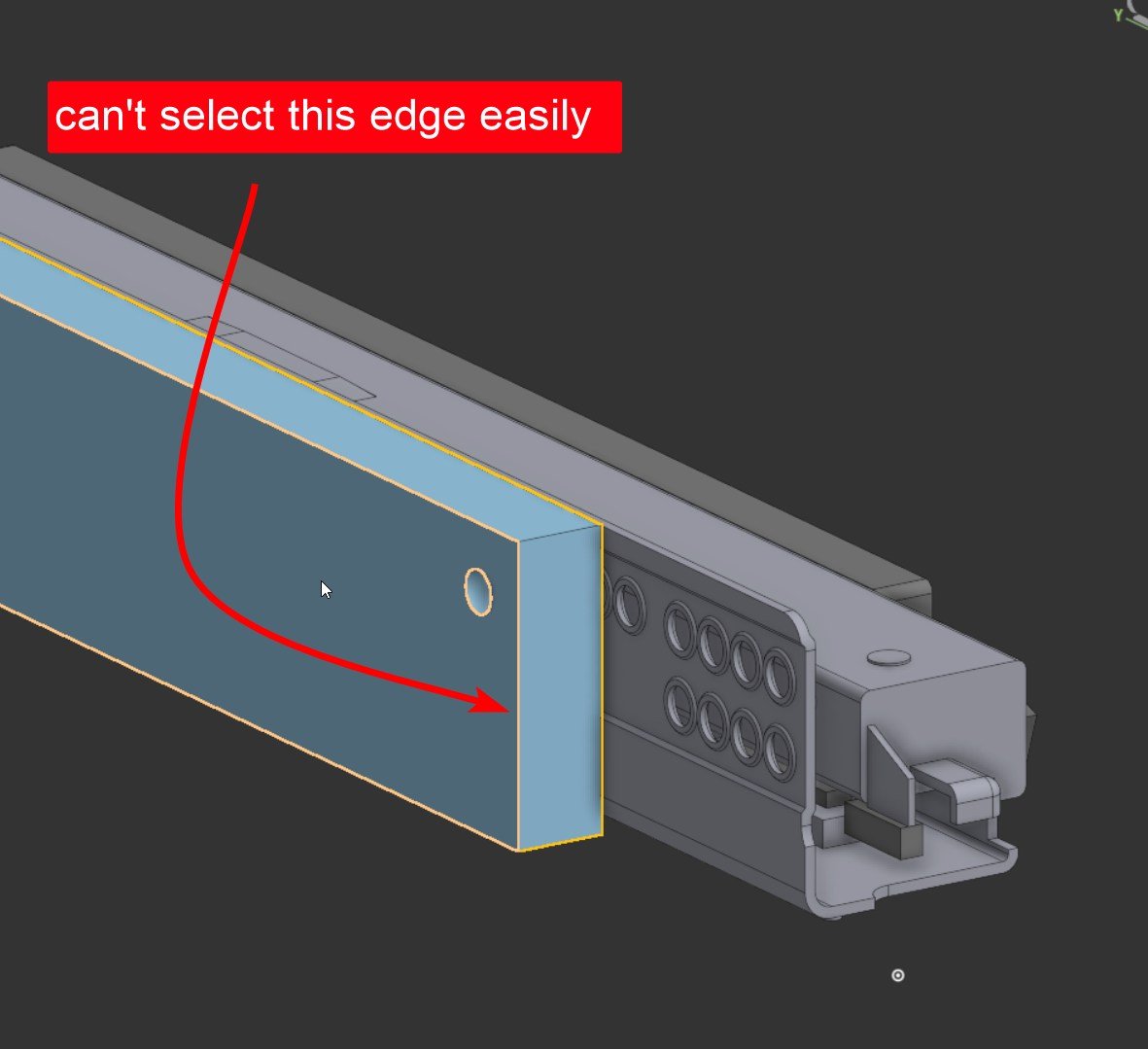
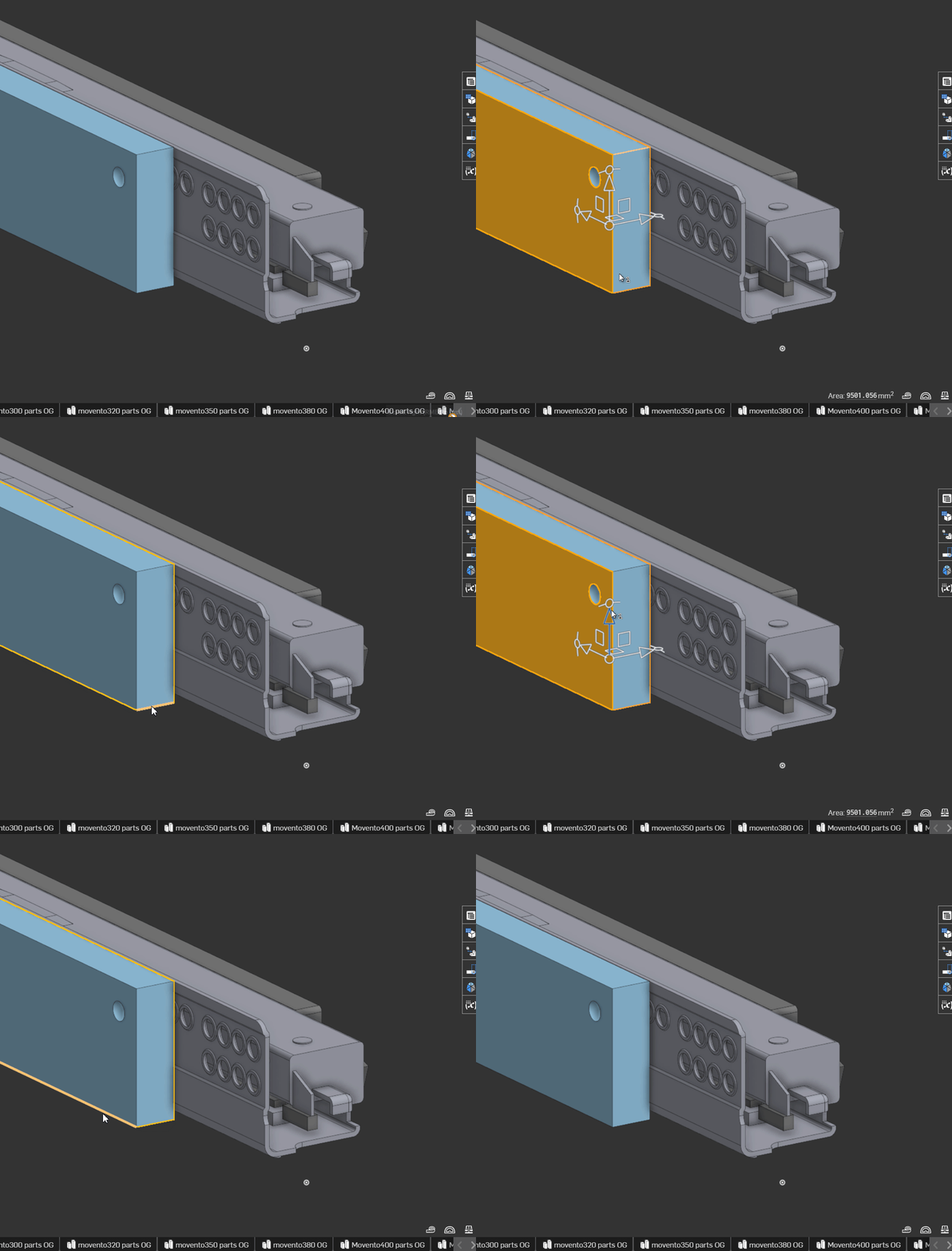
Is there trick to select edges?
0
Best Answers
-
 john_mcclary
Member, Developers Posts: 4,059 PRO
john_mcclary
Member, Developers Posts: 4,059 PRO
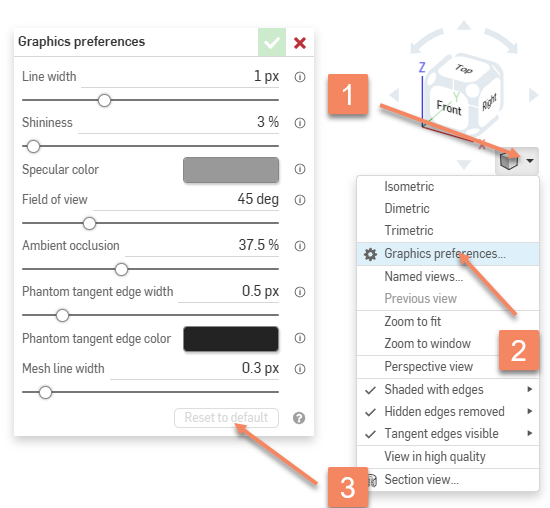
You may have changed your graphics settings. There is a bug when the graphics settings are changed that does this. Do this to reset it:
 0
0
Answers
Not if you are in a tool that requires faces as input.
Usually, this isn't hard to do. It there someting else in the same place? Like a copy of the part, the face, a sketch? Then you might want to use the RMB menu and "Select other".
One of the recent updates seems to have made this more difficult, and forces me to zoom in and out to find the right sweet spot. Would be nice if we could adjust the edge selection sensitivity ourselves. At the moment this is quite annoying.
You may have changed your graphics settings. There is a bug when the graphics settings are changed that does this. Do this to reset it:
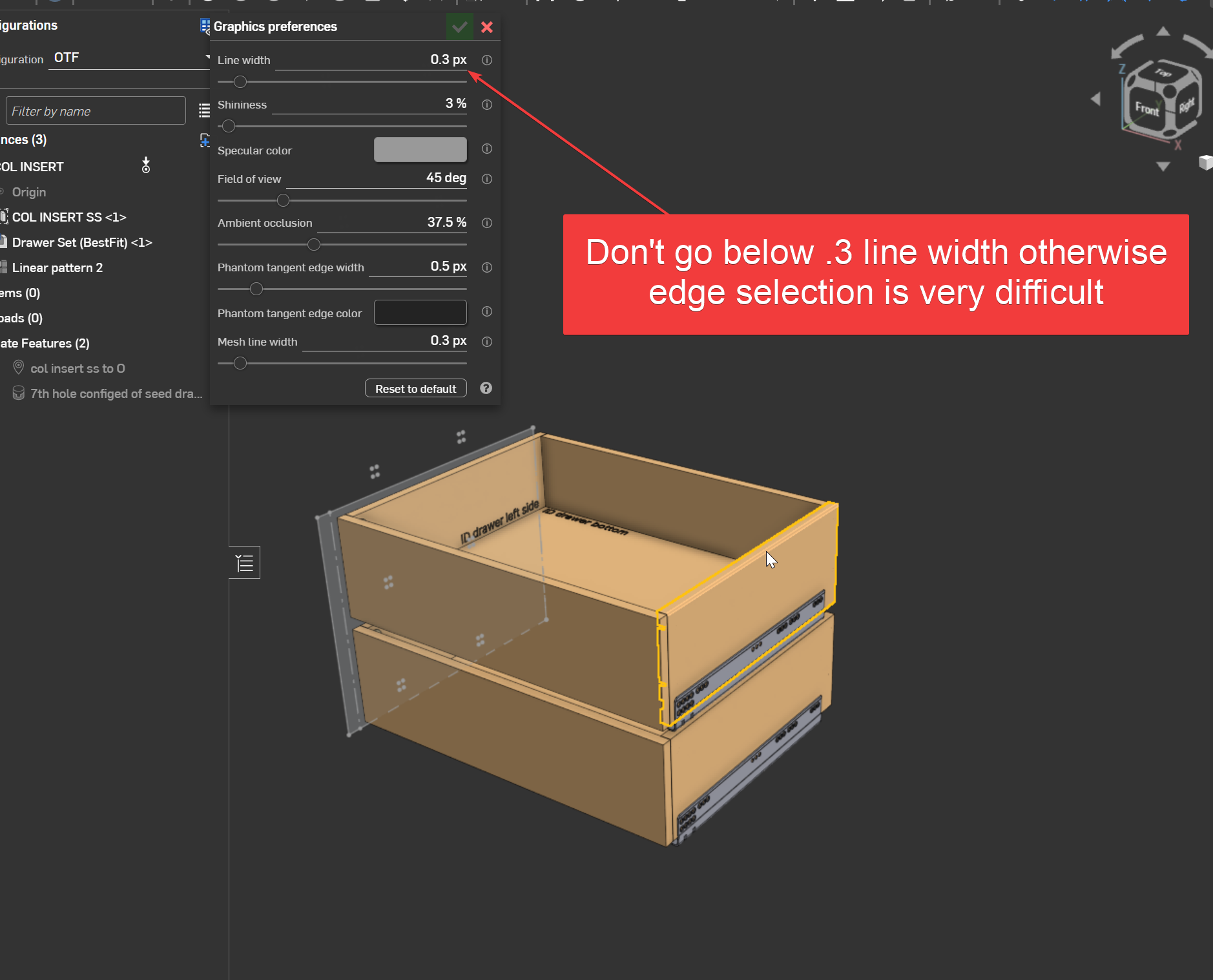
Folow up: See screenhsot.