Welcome to the Onshape forum! Ask questions and join in the discussions about everything Onshape.
First time visiting? Here are some places to start:- Looking for a certain topic? Check out the categories filter or use Search (upper right).
- Need support? Ask a question to our Community Support category.
- Please submit support tickets for bugs but you can request improvements in the Product Feedback category.
- Be respectful, on topic and if you see a problem, Flag it.
If you would like to contact our Community Manager personally, feel free to send a private message or an email.
need help creating object with differnt width/depth on all 4 corners

Hi All,
just started with onshape/cad drawing and need some help.
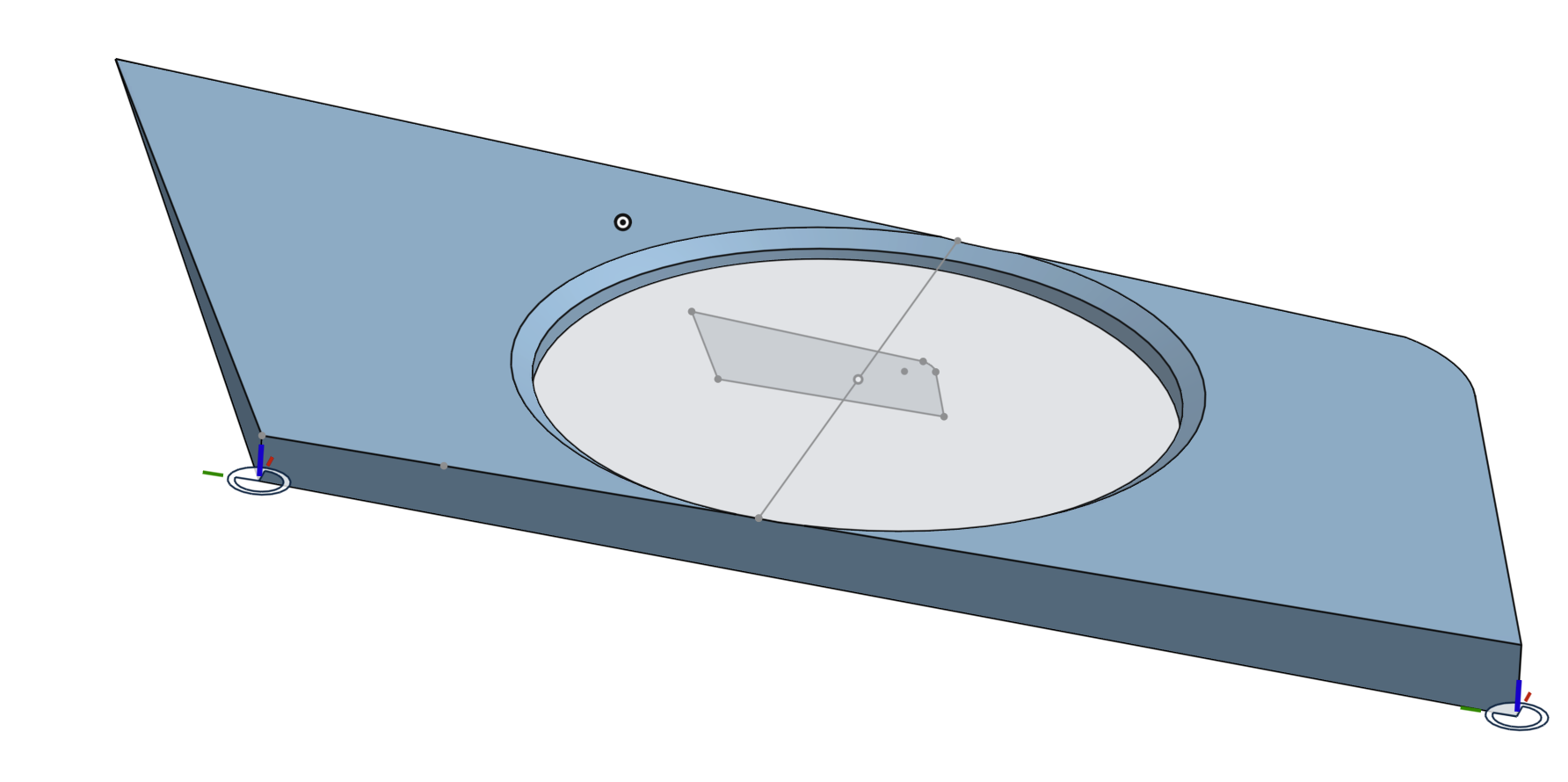
I needed to make a spacer for for a turbo airintake , and managed to make the right shape, but I just can´t get the depht/width right.
The object should have a different depht on all 4 corners, can anybody help?
Answers
-
You could put mate connectors at the correct depth at 3 of the corners. Then make a plane and split the part.
 0
0 -
Hey Jack. The top surface is curved? The bottom surface is flat? - Scotty
0 -
thanks for the help Mat, but I just started with whole 3d/onshape and learning curve is quit steep.
could you elaberate a bit more, I managed to make a new object whitout the imported image file in the back.
where should I start with setting the mate connecters? edit sketch1 or the extrude?
both top and bottom surface have a curve in one corner, are the same.
0 -
https://cad.onshape.com/documents/4f30ffdc33ad03f6937b97e7/w/a98359b9abee973c351c7965/e/5ea017cd8215357ff4528751
0 -
-
Thanks for the help, this is what I meant.
but I have to learn more about using the mate connectors.
the base depth at the curved corner should be 20.5 mm , then mate connector 1 should have 8mm depht,
mate connector 2 should have 2,5mm depht, and
mate connector 3 should have 15mm depht.
But when I set base depth with extrude, it doesn´t correspond with actual depht when I use dimension tool to check measures.
Have to read more manuals I quess.
0 -
I'm lost what you are trying to do. Are you trying to make an angled spacer to go between the plastic commercial part you shared in post 1 (as a picture), and a piece on your car?
Off topic, why did you use a transform to scale your part? Why didn't you draw it initially to the size needed?
0 -
Yes I´m trying to make an angled spacer .
I scaled my part cause I initialy started with an image/scan of the outside lines of the part , and then draw over the lines to get the exact angles of the part.
0

